I checked the speed on the ground… from the runway numbers to the first taxiway Without the Chute Deployed.. 150mph, just short of liftoff..
Then I ran it thru again, same direction, from the same runway numbers, to the first taxiway, but this time With the Chute Deployed.. same result, 150mph. Seemed like a reasonable test of Drag..
I also Flew around With Chute Deployed, couldn’t tell it was even behind me, and no discernible speed impact on my F-117..
So, tonight, I just ran it over again, but using a different airport. Runway 19 at KJAC, Jackson Hole, WY.
Full Runup with Parking Brake on. Let her go until it passed the second Taxiway on the Left..
Same results, just a small speed difference due to different distance between flags… 145mph, & 145mph, With and Without Chute Deployed.. What did I miss??? Try it..
If we’re hopefully striving for as much realism as may be practical - when a Chute is Deployed, it should impart Drag.. or be ripped to shreds…
Couldn’t that half-throttle restriction, as well as not being Deployable in Flight, be tied to the Chute’s Deployment.
To save a lot of time: If the Deployment can simply be Assignable to a H.O.T.A.S Button, we can set it up to suit our preferences..
I guess that if you use the chute as intended (ie to help stop the airplane on the runway after touchdown), it performs as expected. If you do ‘what if’ scenarios that fall outside the realm of normal operation, then it won’t.
Exactly.. I am just suggesting that the Chute operate in the same manner as the Flaps, Brakes, or conventional Spoilers, etc. as on aircraft so equipped. Simply be an Assignable function from Outside the cockpit, like most everything else.
In the IFE F-35, i could get rid of the “near-touchdown-wing-drop”-effect by setting the “fly_by_wire” to “0” in the “flight_model.cfg”-file. That does not really solve the problem, because its also deactivating auto-trim.
But to me this is a huge indication that there is a connection between FBW and the weird behaviour some of us are experiencing. I wanted like to test this with the F-117, but i could not find a “flight-model.cfg”-file. Is there any other way to disable fly-by-wire in that aircraft?
The F-117 is really good in details and I purchased it in the marketplace. Enjoyed a lot. I have followed a tutorial on YOUTUBE on how to navigate, use the Auto Pilot and the ILS, but unfortunately I think if you are outside of USA, Tacan´s don´t work: Tacan 108X (for 116.1 Vor SCEL), Tacan 94X (for Vor 114.7 SCIC) not work. Tacan 121Y (for 117.45 Vor LFSB), Tacan 118X (for 117.1 Vor LUL). All show dist 990nm and needle don´t move.The first 2 are from South America and the last 2 are from Europe.Unfortunately I live in Chile and I will not be able to navigate here. Anyway thanks for your work Aerial Simulation.
To be precise, there is a second parameter in the IFE F-35 flight-model.cfg
My settings there now look like this:
fly_by_wire = 1
fly_by_wire_from_flaps = 1
and the error is gone in that plane.
According to the SDK-Documentation, the second param has been introduced with SU10 and manages something i dont understand (load factor hold mode ???) below 50ft. Maybe this helps to dig a bit deeper in that issue.
I think this could be it, but at the moment setting it to 1 is causing the sim to crash, which could have something to do with the plane not having flaps…
It should work on any of the stations in the game, You can see if they have a functional Tacan frequency using the VFR map and clicking on the VORTAC, should say the Tacan frequency if it has one.
We are just over a week since release and it’s another Sunday so time for another update! I’d like to thank everyone for their support so far, everyone has generally been fairly positive about the aircraft but there are definitely some changes coming.
My plan for the first patch at the moment is this:
Make the weapons for other markets, I also have a plan for the marketplace version but I will need to check if it will work first. It won’t be possible for Xbox version to have weapons, but PC marketplace should be doable with an extra download.
Add in the IRADS screen, which as you can see below is going well!
Add elevon droop when there is no hydraulic pressure
Make the parachute key-bindable, and possibly make the reset button functional
Try and fix the 50ft control loss, problem is that my current attempts to fix are crashing the sim. But this is a big issue that needs to be solved.
Unfortunately, there is still nothing I can do about the external camera distance. Until Asobo adds in the ability to move it.
If there are any other smaller requests for features or bug fixes I still have time to accommodate them, just let me know.
Sounds like a well thought out plan.
Much Appreciate all the work you put into this Aircraft to get it in our hands earlier than originally scheduled..
The World will be a safer place when the chute-ops are key-assignable, and the backward flip tamed.. and it’s not even Nov yet..
Thanks for the work and passion on the plane Aerial Good to see the reception is mostly positive, well deserved. Really enjoying it! Wish they add the feature to move the external camera distance soon.
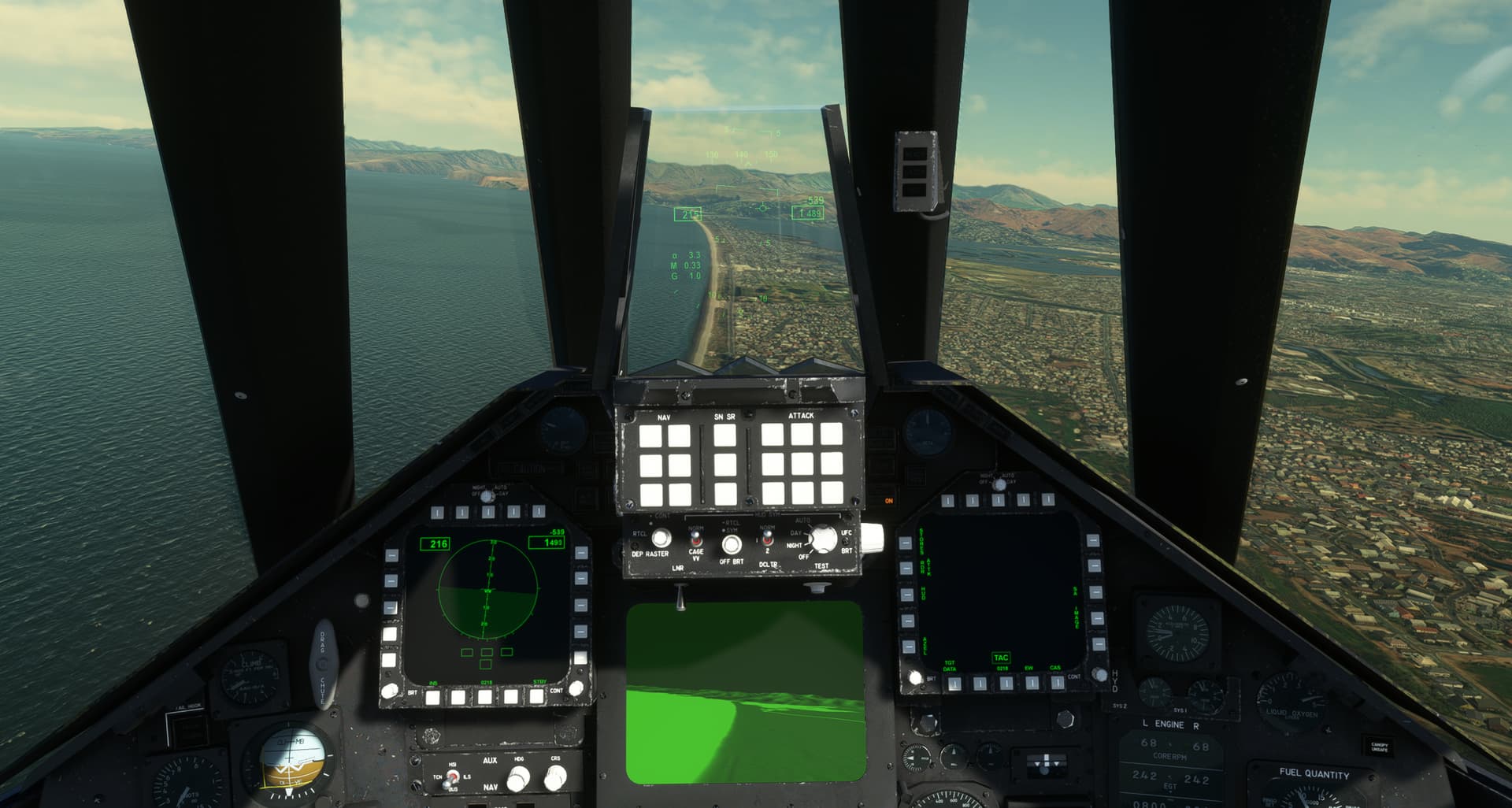
Can someone explain to me what the caged altimeter setting is? Whenever I set it before takeoff the plane climbs by itself until an eventual stall and flat spin. Just wondering what its function is and when to use it, when not etc.
Caging simply prevents an instrument, Usually a Gyro, from damaging itself by searching for the Horizon when it is initially turned On. It simply Captures the Ball, in this example of the Gyro , and is effectively rendered inoperative.
It is typically Un-Caged prior to taxiing out for takeoff, and is calibrated by the pilot’s eye. Wings Level.
Modern solid-state gyros don’t have that issue, but pilots still use the terminology “Caged”, to indicate an Inoperative status.
If left Caged during Flight, Crashes are usually the result.

 and it’s not even Nov yet..