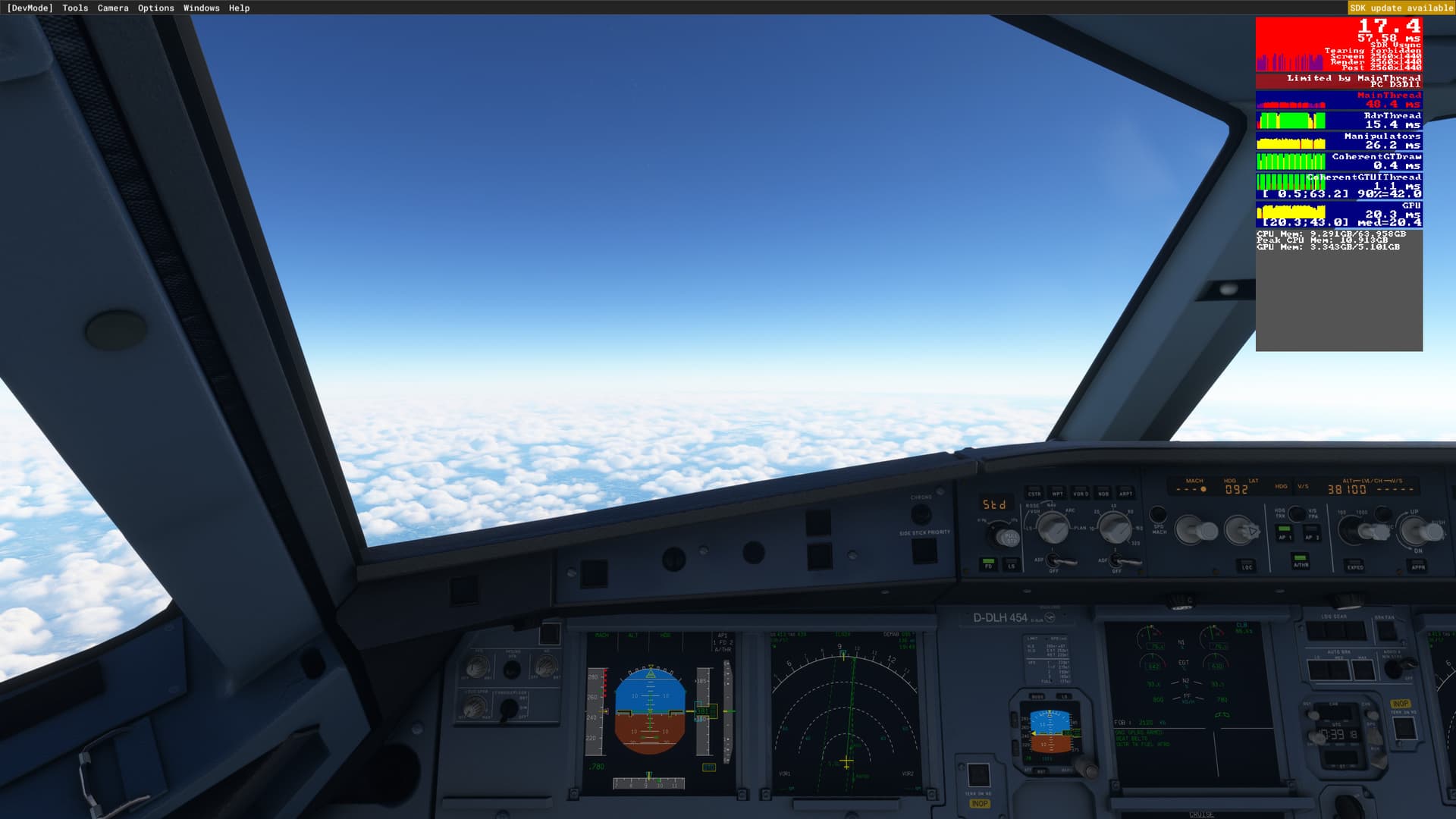
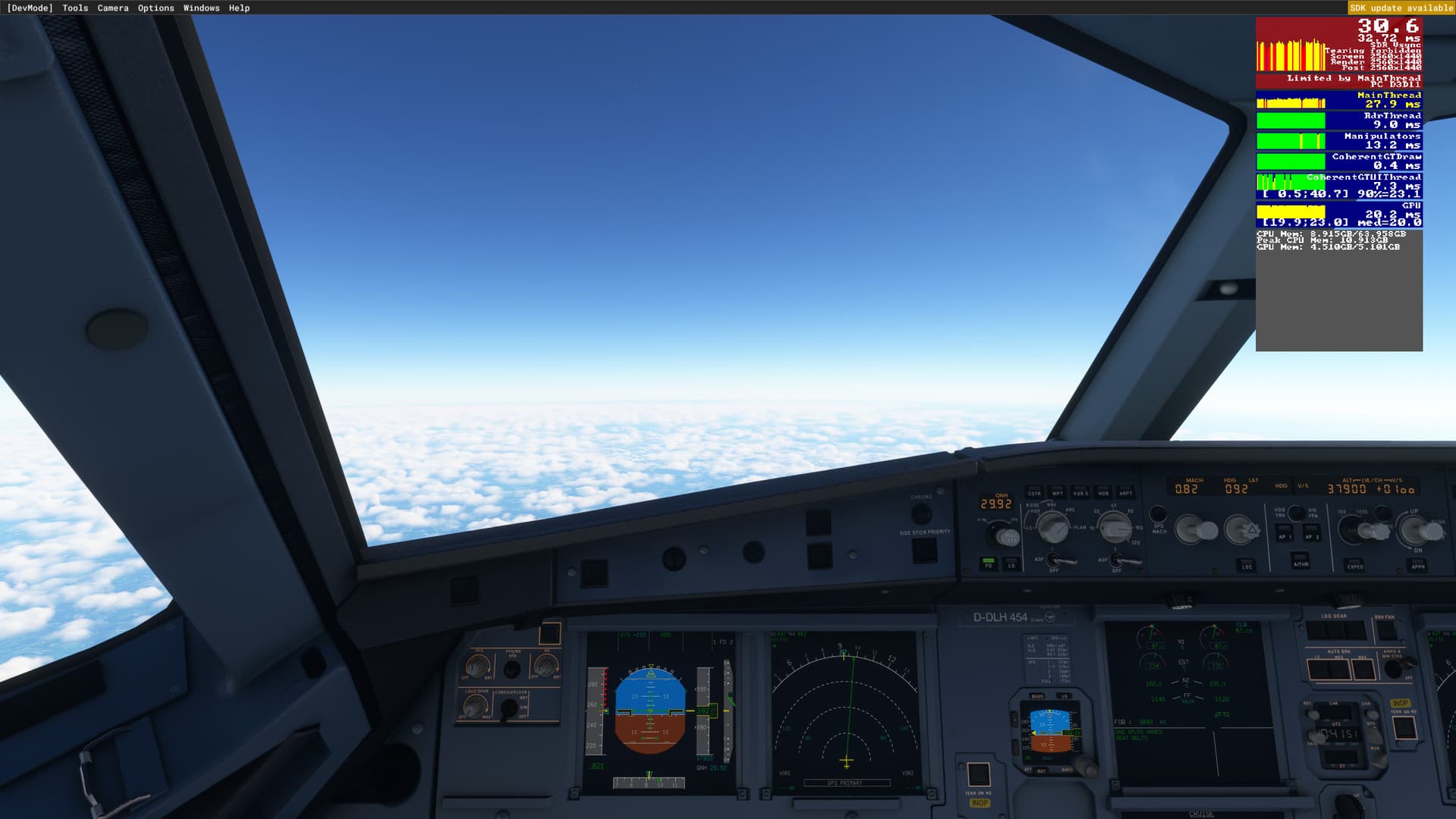
When this happens for me it uses about 7 or 8 GB VRAM and i have 12GB
And Ram usage is about 10 tops and i have 32GB available.
So this has nothing to do with memory.
As time progresses the main thread is doing more and more work it isn’t doing on a fresh flight.
So maybe some tasks are not terminated and keep piling up as time progresses. But we can’t see what the engine does or debug the code so this is something only Asobo can fix.
I have tried new dev version of FBW a320, also tried to disable FsRealistic (if sounds were magically lagging computer). No success, issue is still present, MSFS is currently not playable with airliners. I am tired of testing and testing - I am not paid tester, I just want to use product I have purchased.
I think it’s time to contact some senior managements from Asobo when we get no answer from devs. Managers e-mail adress are not secret.
I don’t use HDR and still run into the issue.
The randomness of it makes it seem like it’s a server issue which we obviously have no control over.
I guess the others who are affected and I just have to wait till they say something, if they end up saying anything at all which honestly I’m not so sure they will.
Here’s hoping. I’m glad you don’t run into the issue anymore though.
Cheers
I have been having this issue as of late but only when landing and on the ground at my destination airport. Main thread usage goes up and get about 18fps. Not bad in the air though
I just ran a flight from PABR to PANC. 2.5 hours in the Sim. Here were my settings:
Terrain LOD 200
Object LOD 100
A32nx latest experimental version
Non real time
Not live weather
AI traffic (not live)
Specs:
Core i7 10700k stock speed
RX 6700 XT
32 GB 3600 MHz DDR4
8 GB rolling cache
2 TB nvme SSD
1000 Mbps up and down
4k resolution, all Ultra settings. Yes, with my video card, I know I’m pushing my luck.
Here were my observations:
Main thread timing started around 18 ms. Not a surprise since Barrow AK is in the middle of nowhere. 25-30 FPS
Main thread time increased slightly to ~21 ms up at cruise, and up to ~23 ms right before descent. FPS stayed around 30-35 since I’m GPU limited.
GPU utilization at 100% the whole time (90 C)
Starting the descent into Anchorage, this is when things really pick up. Main thread got up to 28-30 ms, FPS back down in the high 20s.
At this point, committed memory got up to 18 gigs in windows resource manager. If you’re running with 16 gigs of ram, or if you have a bunch of stuff running in the background, I can definitely see how you might run into issues.
On final approach, main thread timing got up to ~34 ms. I briefly switched to my previous settings (TLOD 400, Object LOD 200) and the performance was horrible and stuttery, so I went back to 200/100. Plus, no real noticeable difference.
Landing in anchorage, on the taxiway, main thread was ~28 ms, framerate in the high 20s.
I restarted on the runway, same non-live settings, and the main thread timing and frame rate were basically the same.
So in this particular case, no issues. I will try to recreate the exact same conditions with live weather, live traffic, and real time on Friday and will report back. Then I’ll try my denver to seattle flight where I had terrible stutter and a single FPS landing. Maybe this all has to do with hang ups with the live services causing latency in the main thread?
I think the hour at which you are flying (not simulator time but real life time of day or night) has something to do with the problem of fps drop. This might be due to server traffic affecting the fps rate. I have found that late at night in the early morning hours the fps drop is less severe. The server issues in addition to whatever bottle necks in overloading the gpu due to programming in general and programming memory leaks all to be contributing factors in unsuccessful long distance flights due to severe fps drops. In most of the replys I have not seen any hour of the day (real life) has been reported. Server overload seems to be a contributing factor to the programming problems.
There is nothing to do with it, I get it no matter the time, no matter the plane, no matter the location, every single time in flights over 1,5/2 hours
Seems like the few good flites I have had are in early morning or late night hours. Could or could not have anything to do with server issues adding to the main problem but would like to know if it is an additional problem that makes the issue worse.
I wasn’t replying to you, but CptEvillian. Look up. If you reply to someone out of sequence, as it were, it puts that persons name at the top right of the post. It can make reading the threads interesting at times.
This issue is very frustrating. I flew from SFO-KORD yesterday in the 787 heavy mod. Terrain LOD 300, object LOD 200. Most settings around Ultra with a few lower. Sitting at the gate was about 40-45 fps. Push back, high 30s. Takeoff roll mid to low 30s. Whole cruise high 40s low 50s. Descent, 40s. Short final, landing, and taxi, mid to low 20s. Sitting at the gate in KORD, low 20s. GPU utilization started around 80-85% in SFO and finished around 35-40% at KORD. Mainthread times increased throughout the flight.
I restarted the sim and loaded into the same gate at KORD where I finished the previous flight, fired up the plane and was sitting at mid 40s again.
So mind you this is not 5 fps…but it is extremely stuttery in the low 20s. If I try and move my camera, it like snaps, and is extremely jerky. There has to be something going on where it just piles up and up and up and is not getting cleared?
SO, can any of you say with Certainty, that the FPS drop issue is NOT present when flying OFFLINE
Because if this FPS drop l happens OFFLINE (which I believe it does) that “ELIMINATES” the Internet / MS Servers / live weather, as being the cause (or at least the ONLY cause)
it’s not random at all, it happens to me 100% of the time
Just now I’m doing a flight from CYHZ to KAUS, departed 70FPS, 3 hours in had 15 FPS, restarted the sim and placed the aircraft in the same place using the in-flight spawn function, and now I have 90FPS in the same place I had 15 10 minutes ago