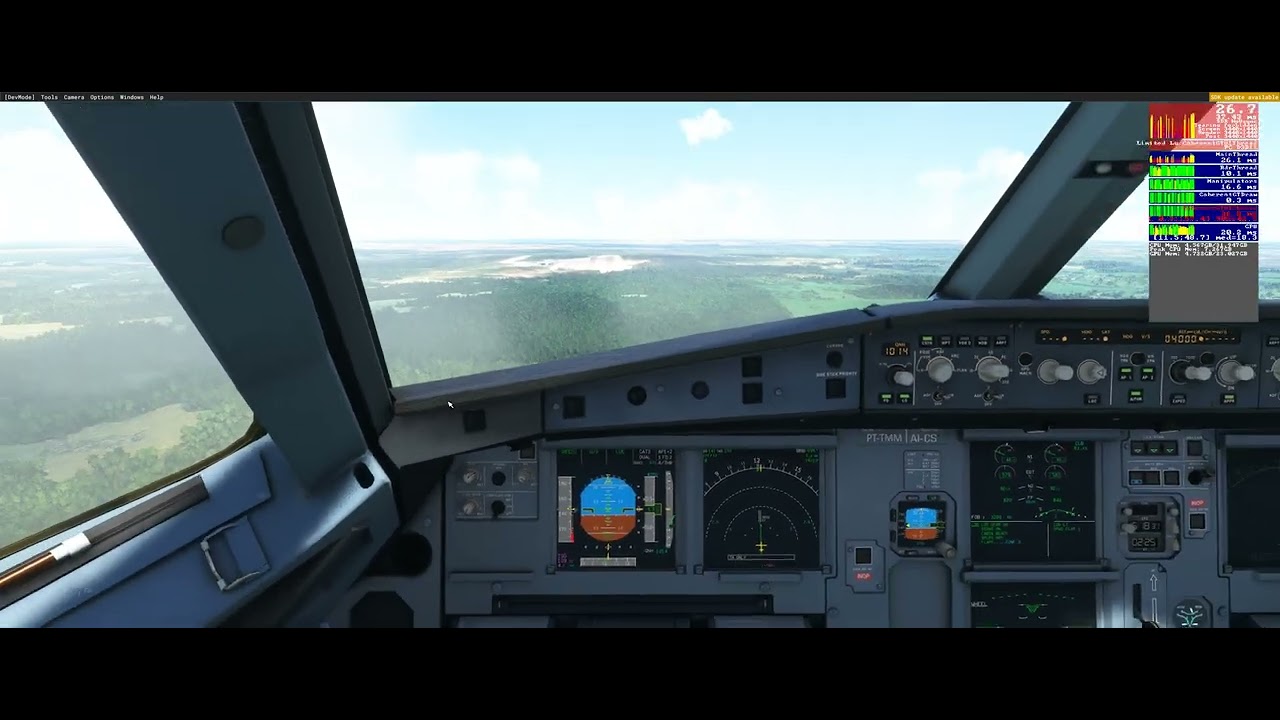
Just one more post to add to the FPS drop confusion – or maybe not
Flying with system ONLINE & Real Weather and Traffic – all stops out !!
I found if I slew for about 5 minutes, eventually my FPS will drop down from 50FPs, to the dreaded 5FPS - 10PS range, and its jerky and very unsatisfactory.
Then to my amazement, I switch of OFFLINE – flew for a few minutes, and then when I switch back again to Online, real weather of course returned, but I was flying back up at 50 FPS.
Never have been able to recover like this before !!
Now, the slow down was Induced by SLEWING, and was recoverable by going OFFLINE & then back to ONLINE.
This appear to be different to the slow down when flying Normally, when after a few hours one slow down, but no OFFLINE/ONLINE will correct it.
So there appears to be MULTIPLE ways you can slow down.. and of course, NONE of them are desirable, and should be investigated & fixed – if, as a Pilot, you have any sort of attention span, and fly for more than a few hours.
And yet again , after flying fro some time, FPS drop, but going OFFLINE, flying and then going Back Online again, restored the FPS back ti the original 50 I had at the start of the flight.
As a TEMPORARY work around – I can live with this - at least I can continue a long flight ..
I’ve noticed something in the last 2 days and don’t know yet if this also related to the fps degradation over the time.
As I began to edit airports with the SDK, I noticed after at least approx. one hour editing, the camera get also stuttering and espacially when turning it around left and right, up and down.
So I have an idea and don’t know if anyone also tried this before. I know it’s bit crazy and maybe worth to try it:
If one can try to start a flight at the airport and leave the aircraft there for at least one hour. Does the degradation also appears or the performance still excellent as it should be?
I will try to have time and try this out. But if someone could tell here whether this idea make sense or not, it would be great.
I’ll also throw in my experience, I just updated to the New Nvidia driver and haven’t had an issue. However, the Terrain LOD slider CANNOT be set above 200 without the GPU going from up to 80% all the way down to being completely capped off at 30% as soon as the slider is set..
I have terrain LOD at 160 and the other at 100.
Did a 3 hour flight with the crj 1000 without any problem.
Have a weaker gpu then most (1070).
Also installed the new nvidia driver, and noticed that the gpu fans didn’t hat to work as hard.
Also I tried yesterday with frames looked at 40 frames, which caused a ctd.
After I put it back to 30, all worked again as supposed
Settings like LODs doesn’t make a change for me. I have tried all the settings and multiple PC’s.
I’m talking about flights longer than 4 hours when the degradations gets noticeably bad and stuttery. This topic is not about bad performance in general, it’s about the main thread getting slower and slower during long flights.
This morning running a flight in the Asobo A320 from BDL to MIA. After about 2 hours fps dropped to a slideshow. I used to run this flight at least 3 times a week before SU7 without any drops in fps.. This is soooo disappointing. I have an RTX 2060, i7 processor, 32 gig ram, latest January 2022 Nvidia driver. If this isnt addressed and or acknowledged soon I will have to put the sim aside out of pure frustration.
The coherent GTUI thread timing seems to be the significant issue for me— taking longer and longer – as the FPS drop.
Is there any way in the Dev Console to profile this, to identify what is causing the slow down – or could such a feature be added to MSFS ??
I assume the Asobo Devs have this ability in a debug version runing in a Dev environment ?
Maybe it does not present as an issue in this mode, and its only the release version that exhibits this FPS reduction, where it is difficult to analyze ?
I uninstalled FS2020 on Tue last and then re-installed it. The sim ran perfectly on Wed, Thur & Friday with 55+ fpm using the FBW A320 for a 4 hrs+ flight. I did the same flight today and I’m back to square one with a steady frame drop from an initial 55-60 down to 2.5 after 2 hours, at which stage I had no choice but to shut down the sim.
Hard to draw any conclusions to be honest. i9 9900K, Nvidia RTX 3080, 32 gig RAM.
Terrain LOD 100
Object LOD 100
upload is11.2
download is 114
PhotoG is off
Live weather on
Realtime on
Live traffic on
using Asobo a320
not in dev mode
Thanks for the good info. I’m kind of at a loss to be honest. It looks like this issue is in the top 10 ish in the dev q&a list of questions so hopefully we get some info in a couple weeks.
I will say though I think it’s important to see where you’re bottlenecked via the developer mode. Which thread is causing the slowdown, gpu or cpu limited etc. I think there are multiple conditions that lead to this issue.
It’s been pretty fine for me. Completed a flight from Sydney - Denver in the 787, over 14 hours and it was mostly fine, although on final approach it got a bit choppy. Same thing with Sydney - Tokyo. Still, it’s mostly fine for me.
One more example, landing after an almost 2,5h flight, VERY stuttery in this case all graphs are all over the place expect for GPU frametimes steady at 10-12ms, no CPU cores were even close to 100% as well, temps are fine no throtteling
FPS were stable at 55-60 fps on departure, worseing during the flight, also there is a very obvious sound crackling
TLOD 130, most settings between high/ultra, 8700k 32gb RTX 3090
If you watch it just now high res might still be processing
I have noticed small misunderstanding of this issue - it is not FBW a320 related, so experimental version of a320 won’t fix it (at least not yet). It is MSFS’s issue that also affects other planes (b747, b787,…). For prove I have switched to experimental version of FBW a320 and took flight. Same degradation after time: