I have little knowledge of AM4. I will be happy to share everything I have done with the community. Now I’ll show you what I mean
We all have to start learning somewhere. I knew very little other than going in and lightly modifying existing instruments. It’s only been in the last 6 weeks or so that I really dove in. I’m still very much a novice. At least at AM coding and still learning lua. Not new to programming though. Been doing that for a LONG time.
Graphics work though… ugh.. I’m REALLY bad at that.
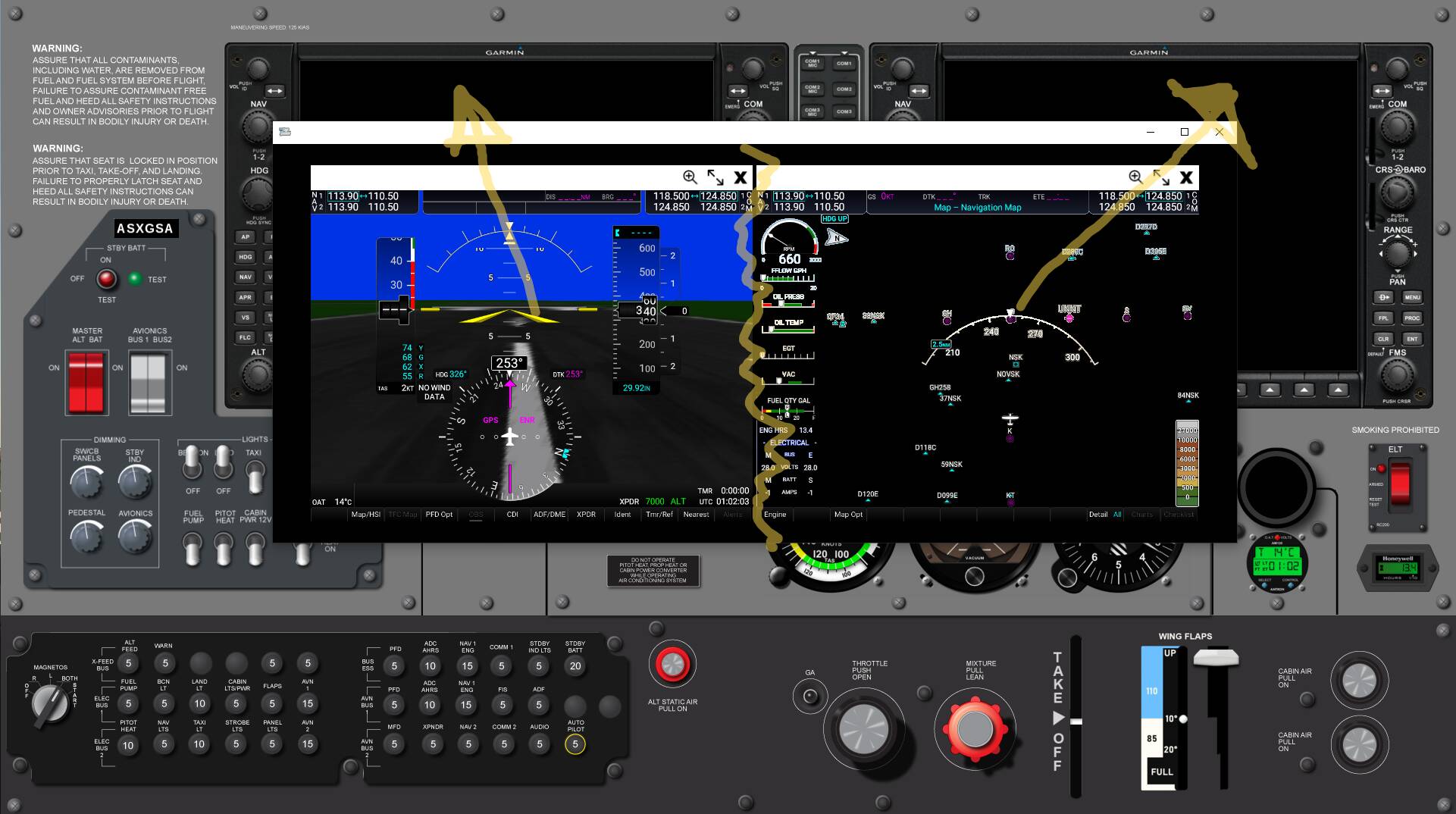
Hit this icon to separate the windows out from each other.
Oh, ■■■■! it’s fabulous! I couldn’t have done it without you. maybe we should communicate somewhere else. and then put the finished product here?
Fire me a private message and we can talk.
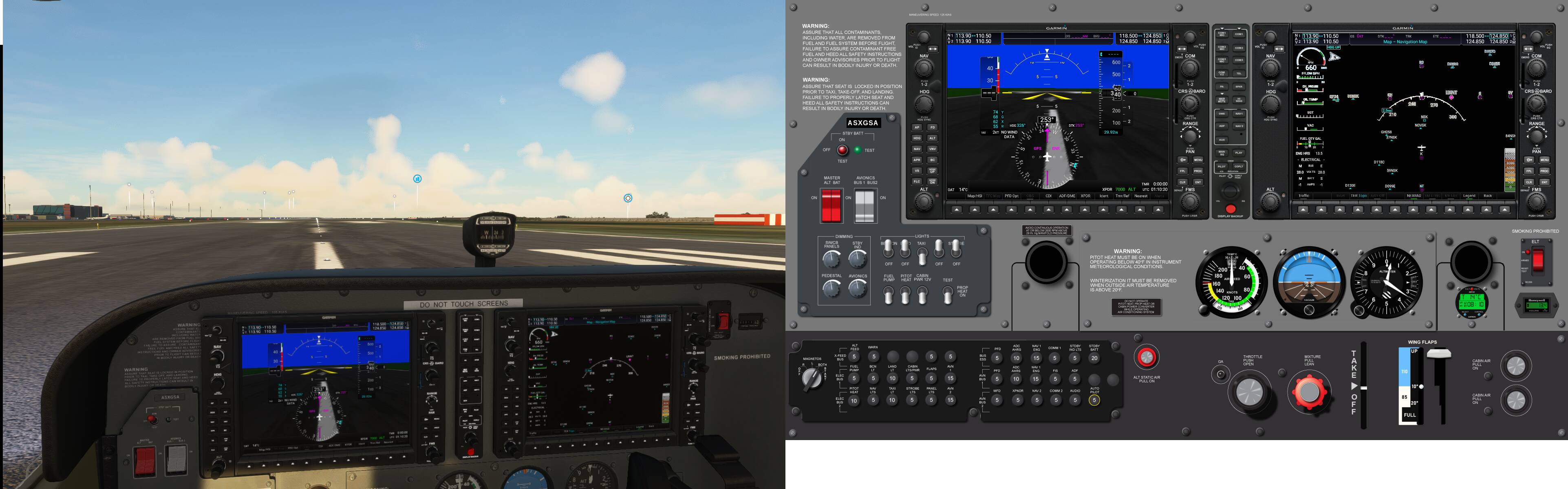
That’s not actually correct. You can select a custom image or as I do create a layout. Using an instrument as the panel and setting the mode to transparent is a work around but that’s not how it was designed to be used. So now you are thinking how do I get a transparent opening to allow the sim popout to show through then. You have to do 2 things.
1- cut out a section of your panel graphic where you want the popout to show.
2-set the background color to transparent. Note this is background color not mode. The mode is set to layout or custom image that uses the graphic that you created in step 1.
Note: To set the background color to transparent you need to move all the sliders to 0.
Please pardon my ignorance here, I am just a basic user. So, I have latest air manager etc… I have the G1000 bezel and its all working good. I have 2 touch screens and a knobster. What I am struggling with is:-
If I select the range button on the right hand G1000, then it doesn’t control the range, it only affects the left hand screen? Am I doping something daft here?
@Ianrivsmith - sounds like you have both bezels set up as a PFD (default).
Right click on your G1000 bezel in the panel layout in the AM main window and select Configure.
Under the User Properties section you can select what position you want the bezel to be, Pilot PFD, Copilot PFD (doesnt’ do anything for MSFS, that’s an X-Plane option) or MFD. You need to select MFD for the right side bezel.
You’ll notice that you also have the option t show / hide autopilot control buttons, as some G1000 planes will have the AP unit separate from the G1000.
1 Like
perfect, thank you!
One last question,. the free panels seem rather limited, do you know of any place I can pick up a piper arrow panel?
Default (even payware) complete panels are nothing special. All the instruments to create almost any cockpit are available in the free instruments in AM. I always build my own from scratch that suit my own needs for the planes I fly.
If you need instruments that aren’t available in AM, there’s this collection that a small group of us from the community have banded together to build and share. The CJ4 collection are the group effort. The other planes is mostly me having put stuff together to fill the gaps where I haven’t been able to find a suitable instrument / control elsewhere.
If you haven’t gotten it already, the G1000 NXi bezel I have there works much better with MSFS than the stock G1000. There are no INOP buttons, AP controls work as they should in the real world (FLC speeds in the AM one are backwards), and it supports the VNAV function from the G1000 NXi from the marketplace (which you really should be using and will eventually be the default G1000 in the sim).
2 Likes
https://forums.x-plane.org/index.php?/forums/topic/240175-air-manager-panel-for-jf-arrow/
I was thinking something like that, but, looking through the available instruments it seems that not even a quarter of these are available?
Also, popping out panels supposed to literally eat 1/3 to 1/2 of the frame rate?
Popping out panels will take off 10-15 fps. Prior to SU5, that was up to 50% for some folks. lol
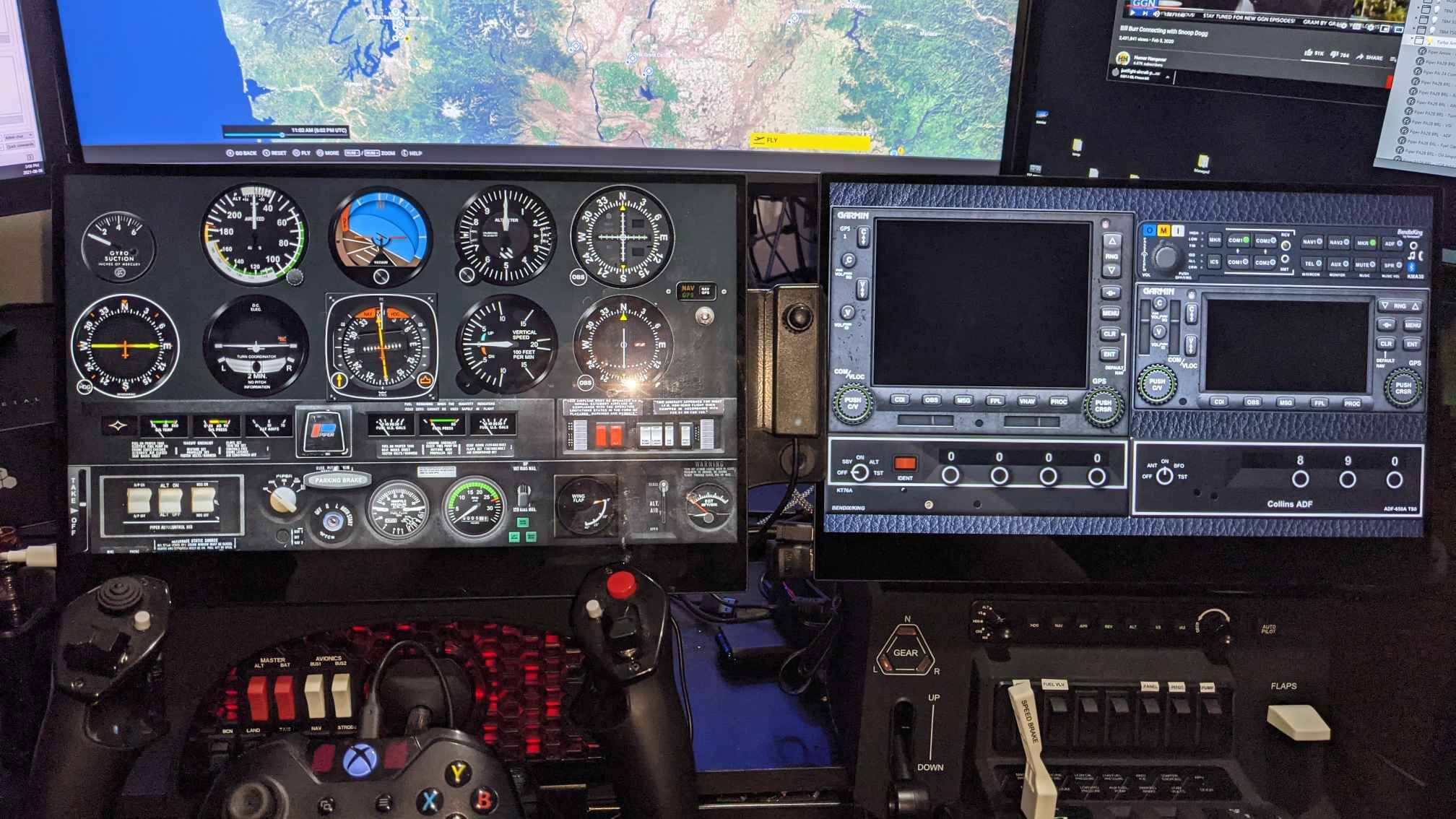
I have a modified version of that XP panel. Few of the instruments work for MSFS and all need to be recoded to work.
The JF Arrows are based on the old school planes that have very unique instruments. Unfortunately there aren’t any of those available. The only way to get them is to manually code them. Maybe someday over the winter I may try to get that panel working for MSFS, but it’s going to be a lot of work.
1 Like
My version of this is significantly modified, but started life as that XP panel. Most of the switches don’t actually do anything atm and need to be programmed to work in MSFS. Other instruments were substituted for MSFS compatible instruments that are very similar.
1 Like
Is there an update to the g1000nxi ? mine doesn’t seem to communicate in MSFS now since I updated it in the ms store…?
Not sure what to tell you. It’s working fine with me. I have the latest NXi and was using it last night with MSFS.
I suspect you lost communication between MSFS and AM. Re-run the AM bridge plugin service and communication should resume. You don’t have to stop AM or MSFS. Just keep a copy of the plugin installer handy on your desktop or something as this will likely happen often. This is a known issue with AM they’re trying to get sorted.
1 Like
managed to fix it, thanks!
Do you think they will ever mitigate the FPS loss when popping out windows? Popping out one is just manageable, but popping out 2 is a FPS killer.
1 Like
I hope they fix it. It’s not even been acknowledged by Asobo as a problem.
And personally, I don’t lose any fps with multiple windows. I take a hit on the first popout, and that’s it. In the CJ4 and TBM, I have 4 windows popped out and see no different in fps than if I had just 1 like on my Mooney or C172 Classic.
Interesting.  I lose about 50% FPS.
1 Like
I drop from mid 40s to about 30 and stay there. It fluctuates up and down, but that’s my rough average. At altitude, I can go up to about 35. On the ground, it’s typically between 25 and 30.