I don’t know what it touched in the external camera setup, but I can’t move freely with the keyboard arrow keys. Nothing happens when I press them
arrow keys are per default not direct mapped to the external camera and the movement is in generaly limited ( you can e.g. use shift + xxx or also strg + xxx ).
Also be aware, in case you mean the Drone for free movement: the you also have to use different keys ( Num-Pad, and keys like W/S/F/D/etc. )
You can easy check that key-binding by open your Keyboard profile and search for camera bindings.
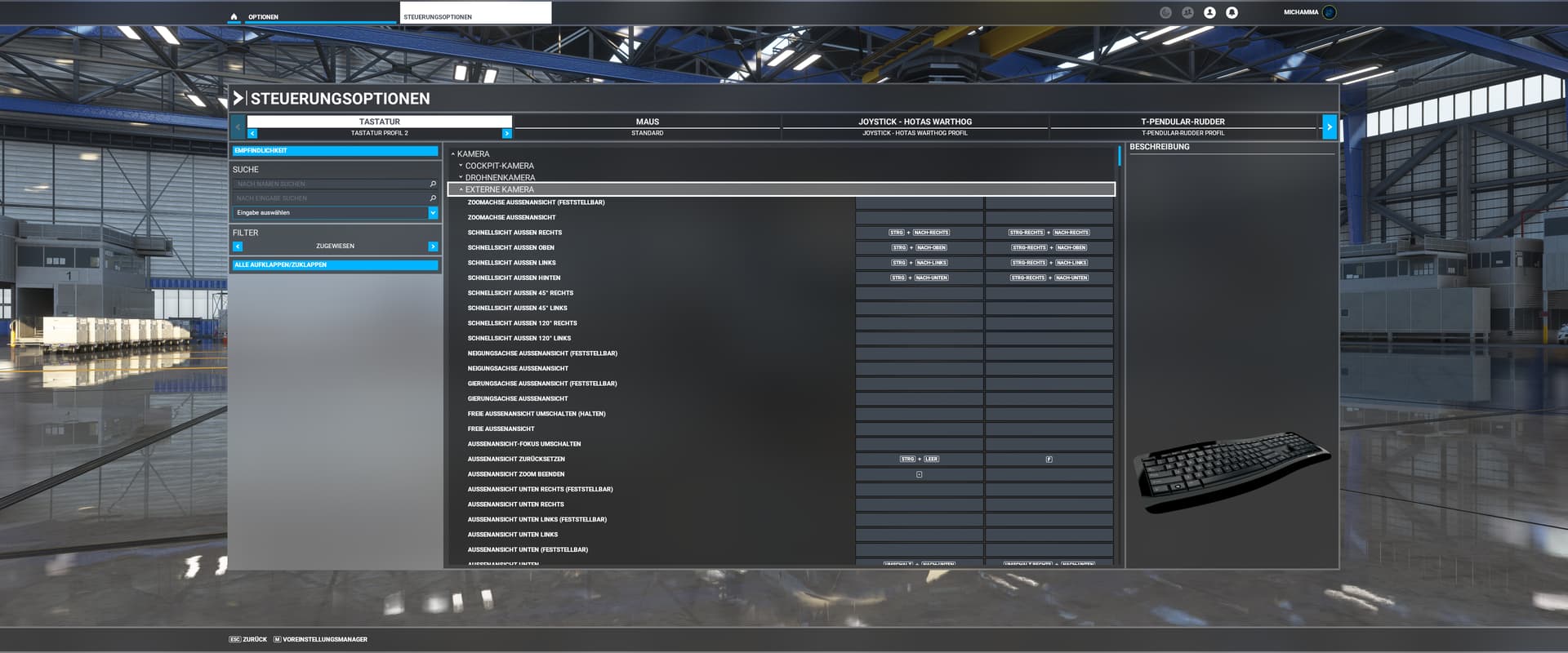
Yes, I mean drone camera free view. In drone camera letter are mapped. Thank you
1 Like
Another question, num pad 5 reset drone visual, but set speed drone to 10. Is not possible block speed drone to 100?
I think these “Reset” does currently allways reset to a fixed default…
We have also a wish-topic , in which users ask for a “persistent” setting for the drone:
Thank you so much
This topic was automatically closed 30 days after the last reply. New replies are no longer allowed.