It’s the plane from Indiana Jones and the Temple of Doom.
https://twitter.com/Barnett_College/status/966804860162240512/photo/2
It’s the plane from Indiana Jones and the Temple of Doom.
https://twitter.com/Barnett_College/status/966804860162240512/photo/2
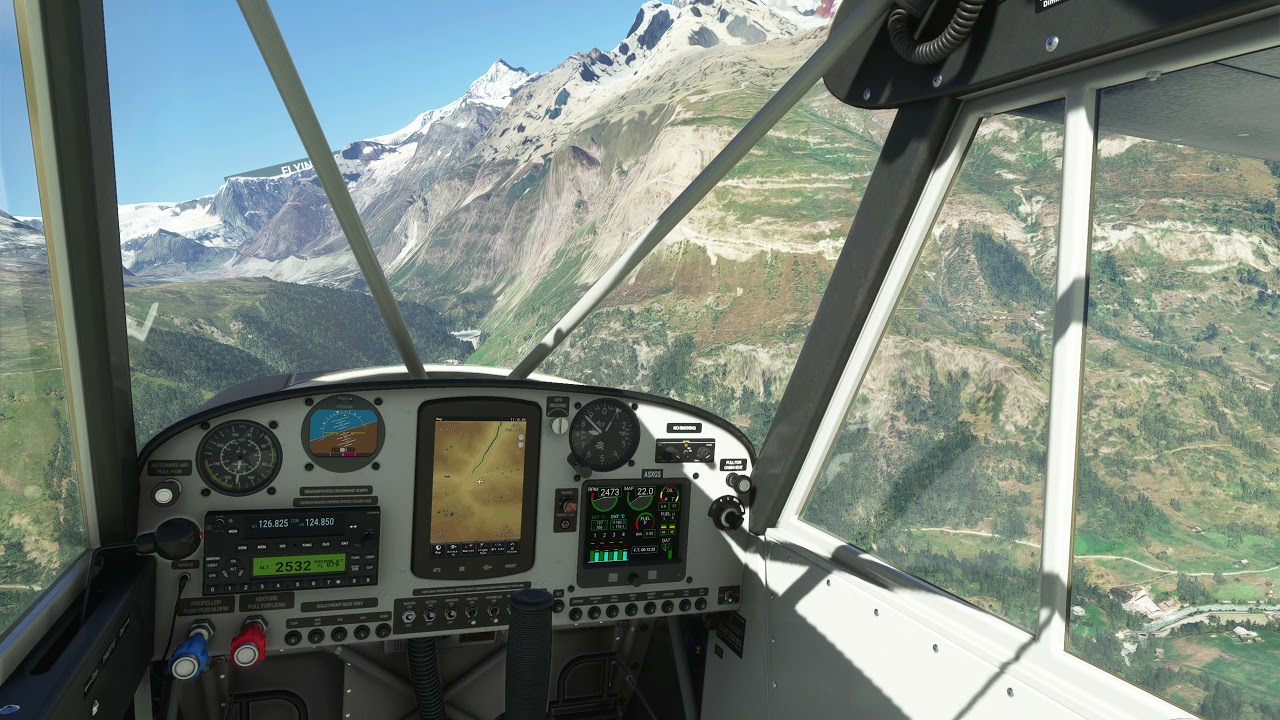
Really enjoy flying this one around! One of my favorite tail draggers at the moment. Nice bit of work (I assume thanks to the great folks at WT) put into the garmin aera and it sounds and flies really well for the price.
Random 2 minute video flying around the Alps and fiddling with the Avionics from 1:50 or so onwards.
Pressing the left button below the display gives an alternat engine MFD page:

OK … this may have been mentioned already but the guys over on Avsim have pointed out the differential braking is reversed. Locking left brake swings nose right and visa versa - wrong way around.
Engine monitor is a Flybox Vigilus (v2?) Vigilus - Flybox Innovative Avionics
The older model is used by Asobo in the Extra330 and the Shock Ultra from what i remember.
Ok will give that a try, Thank you for the help.
I got this plane - and I regret it. The CubX offers much more and is even free. What was I thinking lol?
It has no AP function - it offers objectively speaking less in return for having to pay for it.
My bad - should have engaged brain-mode first 
Hi all,
I just bought the plane.. Just one thing, amazing, really good Asobo and Co.
But if I may, just a little thing, could we have a Paint-kit to do our own liveries, this is so missing in this sim  but I really hope they are going to react :), do you know maybe where we can ask for something like that ?
brynair
One doesn’t fly a plane like this because one wants to “disengage one’s brain” and use an autopilot.
Granted - but what I mean is: The default very-similar-cubX offers way more than the payware plane.
Make out of that what you want - I honestly think I made a mistake and will learn for next time.
If you buy the real aircraft with that VFR cockpit option it has no autopilot either.
If you use this as a metric then the aircraft with more systems and more complex systems will always be “better.” And then you’d never get any private GA aircraft at all because the default airliners included in the sim, broken as they are, “offer more.”
Did some more testing and it seems it doesn’t make a difference whether you have the water rudder up or down. Anyway it stears quite well with a little throttle.
Same here! I’m following the blancolirio channel on YouTube so I was a bit curious about this aircraft. Watch his videos, he is doing a lot of aviation stuff!
Thanks for the feedback. Looks like a nice little plane. As soon as it has functioning water rudders I will purchase it. 
Yup, just wanted to confirm. The water rudder makes no difference in the Husky either, contrary to what some said above.
It’s just a visual appendage with no function whatsoever. And that needs to change ASAP.
And yeah, you can whip it around with applying power, but that doesn’t stop it from weather vaning uncontrollably at lower speeds, which makes approaching a dock in a controlled and slow manner impossible, unless the dock happens to align with the current wind direction.
In their current state the float planes are only good for touch and gos and playing around on open water. They are NOT usable for simulating proper float plane operations though.
Sad.
I was a bit sceptical first, but just spent half an hour with the Big Wheel Husky and really enjoyed it. Easy to control, good climb speed, but easy to slow down on descent.
At least on the tundra tire version, differential braking did not work at all, which is a bummer.
Has anybody found a way to switch the GPS map to track up instead of North up? That’s the only thing I really missed …
If you mean for turning it works - but backwards. It acts the opposite way to expected and against the direction you are trying to turn with rudder.
You can confirm this by coming to a full stop and locking one wheel and applying some throttle. Locking the left wheel causes the nose to go right and visa versa. The opposite of what you would expect.
When in map mode, click the “hamburger” menu right below the panel, that will bring up a menu with a “Setup Map” option. From there you can select North Up, HDG Up, or DTK Up.