version 2.21 has just been sent to the shops. It should be deployed shortly.
Main change 1: GUI redesign of the Button and Axis assignment dialogs
Main change 2: MSFS: Mapping BVars to LVars: This is an experimental feature that hacks into the MSFS input event logic to bind B: input events to LVars of your choice, so you can call these input events from RPN scripts.
Change: Desktop FIPs are shown in the task bar now.
Change: Direct input option in the down/up numerical controls of the button dialogs.
Change: RPN: reading flight plan data into LVARs
Change: RPN: option to access local LVars anywhere as macros with @lvar
Change: RPN: check for self calling script reworked
Change: RPN: added (RANDOMSOUND) command
Change: RPN: clicking on a script group in the treelist selects it in the editor
Bugfix: Exception when re-assigning midi axis
Bugfix: After creating a new script, the “Update” button is now activated
Bugfix: Saitek Multipanel could dial in negative altitudes
Bugfix: RPN: One-shot autoscripts were not reset when a plane is loaded
About the BVars… this feature is a little more involved than usual and strictly experimental. It will probably not work for all BVar implementations out there (but there is a work around described in the manual if it doesn’t)
Please make sure (!) to read the chapter about that in the AAO manual for MSFS. Also, it may be a good idea to run AAO “As Administrator” when creating configurations with the BVar module.
just looking at the new JustFlight Hawk - a first glance it looks like everything is operated through LVars. I am cautiously optimistic that there won’t be too many stumbling blocks with this plane.
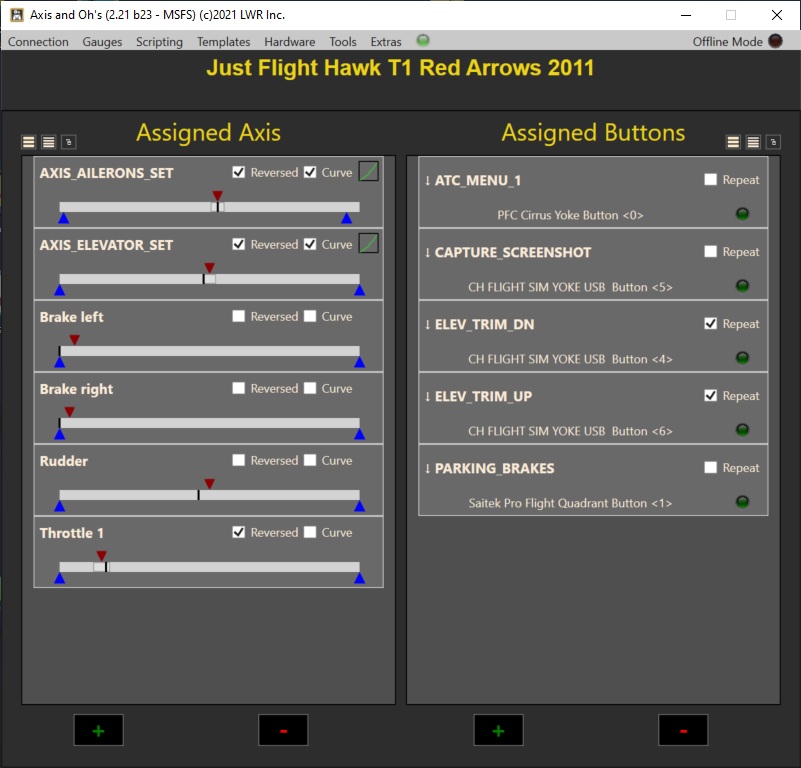
Edit: it wants the events “AXIS_AILERON_SET” and “AXIS_ELEVATOR_SET” for the primary flight controls, the axis don’t work. And it looks indeed like LVars are used throughout, I just tested the canopy handle and it worked. Well done, JustFlight.
Edit: I’m sorry, it was late yesterday. I kept mixing up the files.
Community...\LORBY_Lvar_To_Bvar.xml: you can edit it, but if you use the dialog in AAO again, the file will be overwritten. When things stop working, even when your code is correct, then MSFS doesn’t accept the file anymore because of the change in size compared to the layout.json of the package. Then you have to alter the layout.json too (or use my MSAO tool to rebuild the json configuration of the package)
\AppData\Local\LORBY_SI\LorbyAxisAndOhsMSFS\LvarBvarMappings_MSFS.xml: This is the file where AAO saves the BVar profile definitions. You can edit this file too, and then use the AAO dialog to create the behavior def file (this will build the json files automatically). Just make sure not to create duplicate GUIDs if you add new profiles.
In both cases, double check that the XML format is not compromised.
So I tried a very simple case, taken from the documentation. I wanted just to toggle the HDG Hold in the JU every time I set the LVAR (L:AAO_JU52_HDG_HOLD,·Bool)
I did this in the dialog. Here is the resulting UPDATE_CODE content:
Hi, I wonder if it can be possible to act a “press and hold” event to harware buttons. I’m not able to find this way to manage button events.
My need is to trigger the “MAGNETO_START” event in order to start my M20R Engine, but it can’t be starteb by a single impulse, even if repeated. It needs a that the command is pushed and holded for seconds.
Thanks in advance for any answer.
Regards,
Giuseppe
That depends on what event it is (sorry, I don’t have that plane).
K: simulator events cannot be “held” - at all. And if it is an LVar, you can solve this with two scripts - on the down event you call a script that sets the LVar to 1, and on the up event you call another script that sets it to 0. Or replicate whatever logic the aircraft uses in the animation defintion file to produce this behavior.
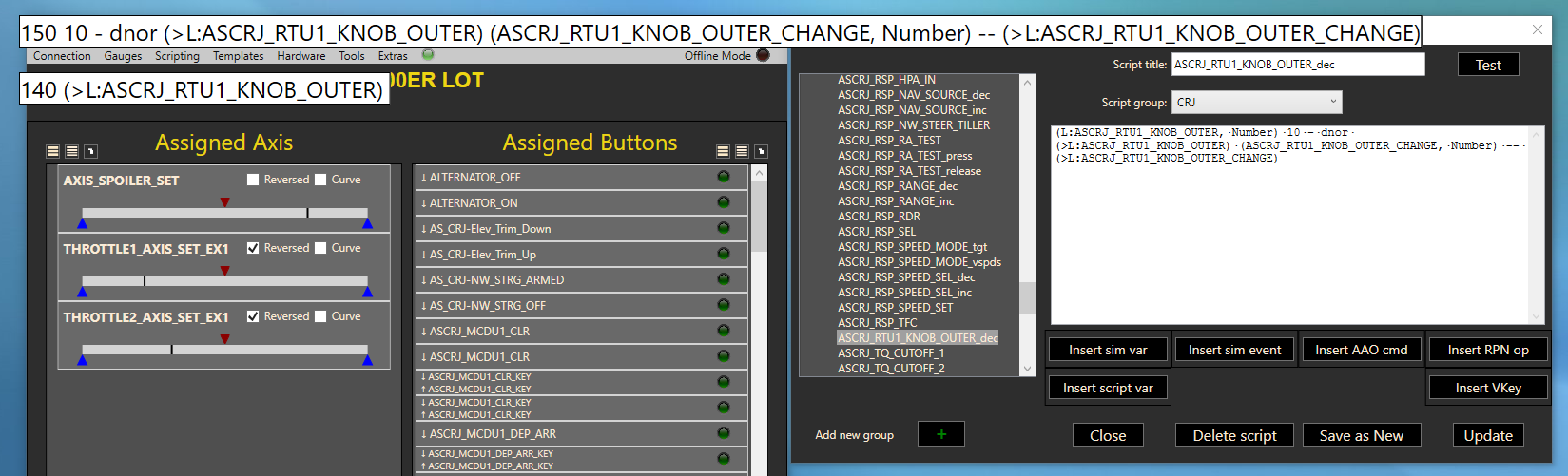
But the similar script for tuning the NAV radios on the RTU, doesn’t work:
ASCRJ_RTU1_KNOB_OUTER_dec
(L:ASCRJ_RTU1_KNOB_OUTER,·Number)·10·-·dnor·(>L:ASCRJ_RTU1_KNOB_OUTER)·(ASCRJ_RTU1_KNOB_OUTER_CHANGE,·Number)·–·(>L:ASCRJ_RTU1_KNOB_OUTER_CHANGE)
When I test it in AAO the values are not changing in response to pressing Test button, the Knob in the sim is not turning:
However, when I turn the knob in the sim, I can see the values changing (see the result after 2 decrease clicks in the sim below), so the LVARs seem to the correct. For some reason the knobs are not reacting to the script.
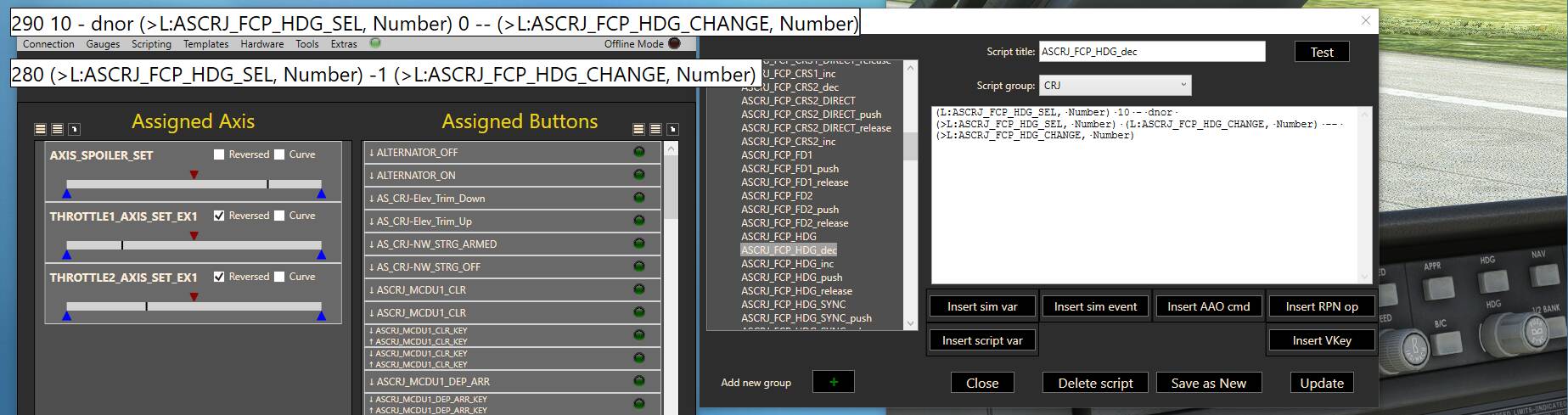
This part does nothing! There have to be two minus signs, then the value of the LVar will be decreased by 1. If there is only one minus sign, the RPN parser will try to subtract the LVar from whatever value is currently left on the stack, and if there is nothing (as will be the case with your scripts), an error will occur.
If the RPN means “Reverse Polish Notation” I should know better, as I’m Polish
It was my editor and font used, making it impossible to differentiate “-” from “–”. Also my editor was playing tricks on me automatically correcting “-”“-” to “–”, exactly te same way as the editor on this forum does!
It works now. Thank you.