BATC v1.7.3 Experimental
1 Like
I would save yourself the hassle of complete Windows reinstall. Very likely this can be solved with less pain.
I would toggle all the relevant settings (enable all MSFS traffic), exit the sim, then restart and change them back to the BATC recommendations.
Also, double check the exe.xml to make sure you are not loading any other injections like AIG or FSLTL.
Thanks - not a hassle. I set my PC up with a 2nd drive specifically to make it easy and routine to wipe and install a fresh copy of Windows and MSFS (and also erase cloud save data…) during beta testing. All in it takes me about 2 hours to get everything done - with a simple checklist. I only have BATC and FSLTL models, no injectors.
I have found that there is a pattern to MSFS not saving settings reliably (especially in beta testing), and if/when that kind of corruption happens, it’s often easier to just start fresh than to spend hours trying to track it down - and a fresh install always cures it for me.
With regard to turning off the sim’s own AI traffic, please be aware there was a bug introduced at some point in SU4 Beta that I have run into and documented several times. I am not sure it has been resolved, since it has never even been marked as “feedback-logged.”
1 Like
Always does it for me. You suddenly hear engine noises from behind, switch on external view and yes, there is somebody else’s engine in your rear cargo compartment  All MSFS traffic is off.
Didn’t they reduce model radius some time ago as some default airports only have medium ramps? Probably also affects BATCs ability to space other jets adequately?
And now I remember seeing they reverted this change?
First flight in SU v1.6.33.0, and BATC updated to 1.7.4EA, with FSLTL models.
Longitude KHPN to CYYZ, had a TCAS Alert, plane right outside captain side window.
Very cool to see the Longitude systems activate to avoid traffic, but wondering if BATC handles separation - is this kind of thing expected?
Forgive the picture, I adjusted the exposure so it would be visible
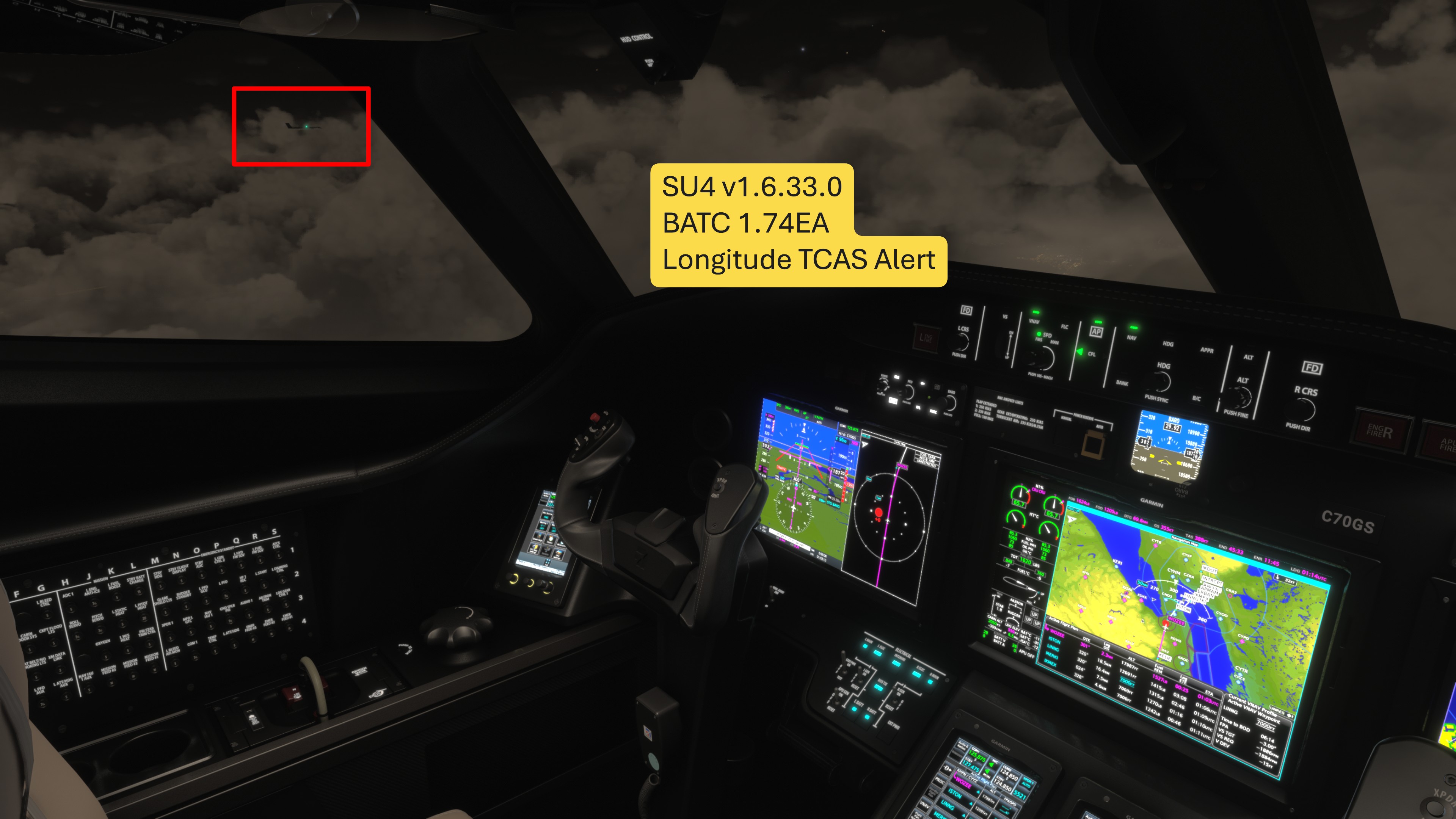
Suddenly immersion felt REAL.
4 Likes
I get this often in/out of airports.
I’m not sure how good of a job traffic separation is accounting for the user’s aircraft.
2 Likes
Announcement
Hello everyone!
Happy CPDLC and ACARS availability day!
CPDLC and ACARS support is now live on the EA branch, providing a new and exciting way to communicate with controllers in BeyondATC. CPDLC (Controller Pilot Data Link Communications) is a supplement, not a replacement, for voice communications using text based messaging and is used in a variety of regions around the world, especially in larger and busier airspaces. Some highlights on what you’ll be able to do with this functionality?
-
Receive PDC and CPDLC-DCL over text instead of having to call up the controller, especially useful at busy airports
-
Logon to center controllers using their unique logon code (viewable under the frequencies menu in BATC), allowing you to receive applicable instructions over text instead of voice
-
Request altitude changes and directs via text
-
Receive D-ATIS and METAR over ACARS*
-
Important!! D-ATIS and METAR lookups are a very new feature and developers will need time to add support for it, feel free to ask them but be mindful we have reached out to our developer contacts with the information and they are most likely working on it already.
A few notes:
- The BeyondATC integration for CPDLC and ACARS requires third party developers to add support for it within their products, this is not a plug and play system, the aircraft developers that already support our integrations are below, if you do not see your favourite aircraft on the list they may either already be working on integration, or they may need instructions on how to integrate - we’ve tried to keep it as painless as possible and any developer looking to add support for our CPDLC and ACARS system should reach out to support@beyondatc.net.
- Not all aircraft will support CPDLC, in such case you shouldn’t expect to be able to use the system - please refer to the aircraft developers for such information.
- While plane specific support should be directed to the relevant developers support channels we have information on CPDLC and how to use it on our Wiki here: How to use CPDLC with BeyondATC - BeyondATC Help Center (please note, this is in the process of being updated)
- You are always required to be tuned in and to vocally contact controllers on first contact for CPDLC to work - we do not support MONITOR messages and sending CPDLC requests to a controller you are not tuned into will not be processed until you are tuned into that station.
Supported Aircraft
The below aircraft already support CPDLC and ACARS integration with BeyondATC
⦁ Fenix Simulations A319 / A320 / A321
⦁ iniBuilds A340/A350
⦁ Fly the Maddog X MD–82 / MD–83 / MD–88
If you have any questions or feedback for CPDLC - we’ll be keeping CPDLC Feedback Forum ( Discord ) open for a while and of course any bugs need to be reported via the bug-bot.
We hope you enjoy this new way of communicating with BeyondATC and we look forward to hearing you try it out!
3 Likes
Announcement
Hello everyone!
Happy CPDLC and ACARS availability day!
CPDLC and ACARS support is now live on the EA branch, providing a new and exciting way to communicate with controllers in BeyondATC. CPDLC (Controller Pilot Data Link Communications) is a supplement, not a replacement, for voice communications using text based messaging and is used in a variety of regions around the world, especially in larger and busier airspaces. Some highlights on what you’ll be able to do with this functionality?
-
Receive PDC and CPDLC-DCL over text instead of having to call up the controller, especially useful at busy airports
-
Logon to center controllers using their unique logon code (viewable under the frequencies menu in BATC), allowing you to receive applicable instructions over text instead of voice
-
Request altitude changes and directs via text
-
Receive D-ATIS and METAR over ACARS*
-
Important!! D-ATIS and METAR lookups are a very new feature and developers will need time to add support for it, feel free to ask them but be mindful we have reached out to our developer contacts with the information and they are most likely working on it already.
A few notes:
- The BeyondATC integration for CPDLC and ACARS requires third party developers to add support for it within their products, this is not a plug and play system, the aircraft developers that already support our integrations are below, if you do not see your favourite aircraft on the list they may either already be working on integration, or they may need instructions on how to integrate - we’ve tried to keep it as painless as possible and any developer looking to add support for our CPDLC and ACARS system should reach out to support@beyondatc.net.
- Not all aircraft will support CPDLC, in such case you shouldn’t expect to be able to use the system - please refer to the aircraft developers for such information.
- While plane specific support should be directed to the relevant developers support channels we have information on CPDLC and how to use it on our Wiki here: How to use CPDLC with BeyondATC - BeyondATC Help Center (please note, this is in the process of being updated)
- You are always required to be tuned in and to vocally contact controllers on first contact for CPDLC to work - we do not support MONITOR messages and sending CPDLC requests to a controller you are not tuned into will not be processed until you are tuned into that station.
Supported Aircraft
The below aircraft already support CPDLC and ACARS integration with BeyondATC
⦁ Fenix Simulations A319 / A320 / A321
⦁ iniBuilds A340/A350
⦁ Fly the Maddog X MD–82 / MD–83 / MD–88
If you have any questions or feedback for CPDLC - we’ll be keeping CPDLC Feedback Forum ( Discord ) open for a while and of course any bugs need to be reported via the bug-bot.
We hope you enjoy this new way of communicating with BeyondATC and we look forward to hearing you try it out!
2 Likes
Minor Version 1.7.4.Experimental
Traffic
- Further improvements to avoid stuck aircraft, though this will continue to be improved we are seeing significant improvements in this build. If a traffic deadlock does occur, one of the blocking aircraft should be removed after 5 minutes.
- Guard to prevent duplicate aircraft with the same tail number being injected.
- Further refinements of stopping distances for traffic, giving better turnoff utilization
- Traffic sequencing distances are now dynamic based on the wake turbulence combination of the leading and following aircraft
CPDLC
- CPDLC: Fixed crash in QueryResponseTimer [#83620703]
- CPDLC: API stability improvements
Airport Ops Updates
CYYC, KDEN. KBDL
Minor Version 1.7.4.EA
CPDLC / ACARS
Now available to all our users, please see the announcement for full details of what is available and how to use!
Traffic
- Player airports now use a much wider traffic time slice, giving much more complete traffic at airports including cargo aircraft not leaving for a long time. In addition fix bugs that reduced the amount of traffic in 1.7.0 - in general traffic volumes will be better than ever before now, while being more accurate.
- Fixed traffic turnarounds not working
- Read airline parking codes from scenery (Asobo added an API for this) when they exist and combine them with our data for increase in parking accuracy. These are often incomplete - even in payware, so they are supplementary not the source of all truth!
- Fix overlapping traffic on top of player if the player starts a flight at their destination airport
- Fixed gate allocation timing for traffic which was causing runway turn off directions to often be wrong since 1.7.0
- Update AIG registration to livery mapping file from @MarceloNahas - reminder this only applies if AIG is top priority in your traffic list
- Taxi pathing adjustments to better keep arriving and departing aircraft on separated paths and general pathing improvements
- Improve traffic crossing runways more readily by separating timing rules of crossings vs takeoffs.
- Improve stuck traffic due head to head taxi routes or deadlocked taxi paths, this is still work in progress.
- Stop aircraft holding for ever to takeoff because of another aircraft is waiting to cross runway
- Fix low traffic volumes after you press Esc to load a new flight
- Improve deceleration calculation for landing traffic to reduce turn offs that are too early and over safe speed
- Guard to prevent duplicate aircraft with the same tail number being injected.
- Traffic sequencing distances are now dynamic based on the wake turbulence combination of the leading and following aircraft
Improvements
- Better altitude handling in STARs that do not end in an altitude constraint, which could often lead to arrivals being too high [26978337 + others]
- Improve handling of WinWing SimAppPro ghost events in binding and input control, should now be 100% reliable and no longer requires the 2 second button press process during binding.
- Frequencies: Changed callsign of center frequency 131.100 from Brindisi Radar to Rome Radar
- AIRAC 2512 pronunciation data
- Latest airline updates from pilot portal
Bug Fixes
- Fix very old METARs potentially being loaded when using MSFS2024 24 hour historic weather.
- Fix GSX arrival integration not working after the recent 3.7.2 GSX patch, that changed various menu names and flows
Airport Ops Updates
NZNP, KMCO, LEBL, VAPO, UUDD, VLVT, RPVP, YBAS, SBBE, CYYC, KDEN. KBDL CPDLC: Changed Brussels Control logon code from ENUR to EDDY
5 Likes
I’m not sure how I feel about this one. Hopefully it doesn’t mean traffic queuing to take off from a busy runway will get deleted. Thinking Gatwick here.
1 Like
It doesn’t work today. Either “No audio was detected“ or this:
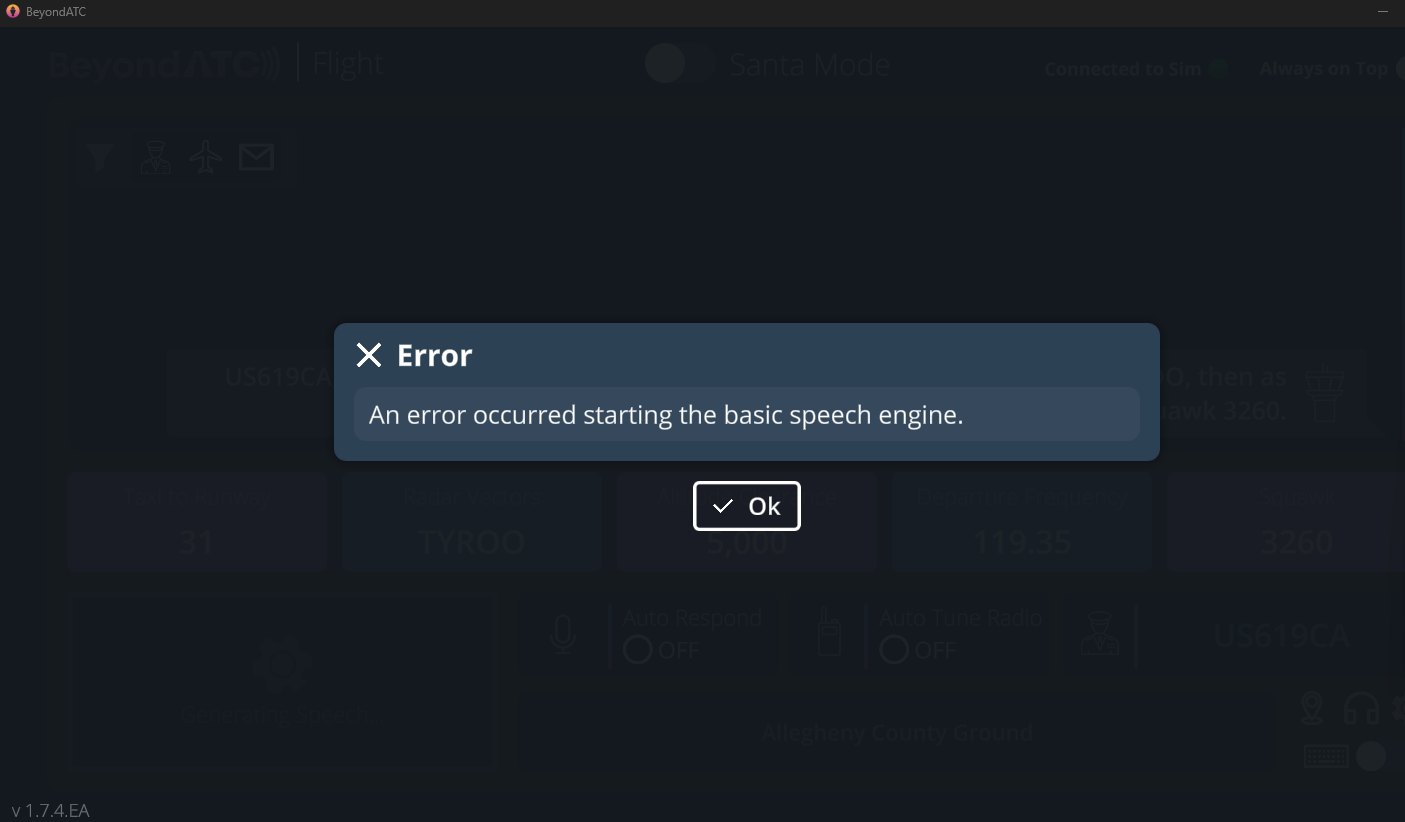
Yesterday and days before it worked completely fine
Also, I can’t even use a voice test in settings. I get the same error as on the picture above
UPDATE: premium voices do work flawlessly. Ridiculous…
A general question about BATC traffic injection (1.7.4 Experimental, with FSLTL models, no other addons).
If I open the default MSFS EFB during flight, to the moving map, it shows traffic - is the traffic displayed on the EFB from BATC injection, or the sim? (I have all MSFS traffic, multiplayer, etc, set to off).
I ask because in the 787-10 yesterday, I had another plane merging with my STAR / fix, visible outside the window at the same altitude, but it did not show on the 787 ND, nor did I hear any communication between that plane and BATC.
I keep suspecting MSFS is not obeying settings, but can’t be sure.
Have you double checked. Because this sim has a tendency to reset graphics settings. Happened to me yesterday after the laest “.34” sim update patch and I had several setings reset including all default traffic from OFF to Ultra.
1 Like
I check all my settings every time I load the sim (part of my checklist )
I had moved some of the BATC traffic sliders, in the hopes of seeing more traffic, so perhaps they are out of sync with each other - I’ll make them all 7 or 8, instead of 5, and see what happens.
1 Like
Currently problems loading traffic data on BATC, currently it won’t load AI traffic. It’s been reported on Discord.
4 Likes
In case anyone has the same problem “An error occurred starting the basic speech engine“. Try to use VPN. Problem solved in my case.
Arrived at EDDS this afternoon and there was only one AI aircraft there despite parked aircraft being set to 10, as were arriving and departing traffic. I thought this was supposed to have been fixed with the last update! There were plenty of parked aircraft when I departed EGBB. It just doesn’t seem to inject parked aircraft upon arrival.
Seems to be back, in desperation I loaded in the default AI/ATC…. In the words of R. Lee Ermey, “WHAT is that?”
1 Like