I live about 20 minutes from MicroCenter. I’ll check each component $ at the last minute, usually they’ll match Amazon or whomever else has it. That card is a bit higher than average priced. They beat Amazon 99% of the time. Sometimes the one place that has something for $30 cheaper may also be a PITA to get it. Same with ‘windows shopping’. MC has likely over 100 cooling options in stock where you can touch and see them. Heck they have 40+ DDR5 6000 combos on the shelves.
I think the X670E is worth it now being they’re within ~$40 of the 650 standard mobos?
They stock the Sapphire nitro plus vapor-x for $1059
I was referring more to the specific card model, not where you purchased it. You’re paying a lot for the name, basically. If that’s what you want, no worries.
Yes - should be, however I would definitely consider a 1000w ps as you’ll probably be plugging in additional usb flight sticks etc that you have to account for.
My favorite computer store! I have purchased many items including my 7900xtx and x670E motherboard as “open box” items and have gotten additional discounts as a result. It’s not for everyone but these are items that have been returned within the 30 day return window so no refurbs from the crypto farm.
Yes they are as they will support PCIe 5 NVMe and video cards so will provide upgrade path later on.
Keep in mind the 7900xtx supports frame generation also with the standard Adrenalin driver that you can turn on/off as per your needs.
Good tips, The 1000w is only about $15 more, so I’ll change that. In most ‘tests’ the 4080 does seem to squeak out higher frame rates pretty universally. Although I figure as they move the XB forward the tricks learned will be more linear to AMD architecture. I feel they still have performance to be found they just haven’t tapped yet, particularly with the 7800x3d’s cores. I don’t see where stacking more into the 79XX’s would help at all. MSFS still leaves a lot of available performance from being optimized. Hard to say if they will ever even code it to unleash the extra VRAM on these cards. I feel pretty safe buying now as with the XB being included in 2024 even at this level you’ll get plenty of years out of a build, pretty much anything ‘ahead’ of the series x now will continue to see optimization with what they have now. 670E should keep one pretty safe from having to take their case apart for the foreseeable future.
With such a massive build-the-world sim it’s not like they’re going to jump to some all-new game engine anytime soon. Bing isn’t even remotely close to properly painting the world as it is. Really can’t take it much further other than optimizations until we move beyond 1GB internet as a much more common norm. XB becomes somewhat of a security blanket through the 2024 FS life cycle. Unless you’re a glutton for traffic punishment, running enough screens to rival the Nebuchadnezzar, or VR, pretty much a good place to be.
The 7900xtx performs better (albeit using more power) than I expected in FS20 compared with the 4080S which I am thinking of getting. The extra VRAM is an advantage as well. I wonder how these results would change though in a VR scenario.
The thing which puts me off buying the 7900xtx is that historically AMD has not been as proactive with driver updates as Nvidia. Maybe this is no longer the case though.
Still slightly on the fence although edging towards Nvidia due to the more frequent driver updates. The difference in cost between the two for me is not a deciding factor.
I think I’m making the executive decision to go to the 4080 super. The better software and more usable frame acceleration and the ray tracing is better for me. I’m going to get back into iRacing too and every car simulator/racing game pushes reflections and lighting hard in the track-size world they live in.
I’m one big pancake TV and don’t fly tubes so it’s going to be more than enough.
This thread really has become a goldmine for those making the move from Xbox…
My GPU usage is really low with MSFS — or at least, that’s what the figures in AMD’s Adrenalin suggest. Seems to be more CPU-intensive so perhaps the focus should be there?
I really don’t know. My knowledge of PCs — although better than it was a month ago — is still pretty poor.
I’ve been able to tweak my options to get up to 90% GPU usage.
The goal is to get the ‘Limited By’ metric in Dev Mode FPS Display to rapidly switch between ‘Main Thread’ and ‘GPU.’
If my CPU intensive settings (traffic, TLOD, OLOD, and some others) cause it to always display ‘Limited By Main Thread’ I’ll back them down and increase the GPU intensive tasks (like antialiasing, render scaling, volumetric clouds, and others.)
When I see ‘Limited By’ rapidly flickering, I know I’ve hit the sweet spot.
That’s certainly a way to get maximum hardware utilisation with a high frame rate although there’s nothing wrong with being just cpu limited if you are prepared to sacrifice some fps for better traffic etc. The whole thing is one massive compromise whatever approach you take.
How do I change my mapping for Honeycomb alpha & Bravo between these 3 planes? Do I have to set up a profile for each? I’ve tried and am finding the process VERY glitchy.
Your best bet is to bite the bullet and learn SPAD.NeXT or Axes&Ohs.
I use SPAD, and create separate profiles in the software for each of my aircraft. When I load a plane into my sim hanger, SPAD automatically loads that plane’s profile, with all the bindings I’ve assigned. Not only that, many users have created snippets for buttons/ axes/ complete devices that can be dropped into a profile.
SPAD is not ‘easy’ to learn, but it has a lot of tools, and once you get the hang of it, becomes much ‘easier’ to use while at the same time being incredibly feature-rich, allowing almost endless customization of your peripherals. It natively supports the Alpha/Bravo, and also many other devices, like Streamdecks.
Head over to YouTube and search for ‘Les O’Reilly’ he’s a user who has invested a lot of time into making instructional videos. He’s very helpful on the SPAD Discord, as are many other folks there.
I’m going to get a few I told you so’s with this questions but here it is anyway:
I have some questions about migrating to PC.
I was planning to wait until the next Ryzen generation and the 50 series, but it just occurred to me that the price will probably go up as well. So even though a 5070 or 5070 Ti next year may be faster than a 4080 Super today, it may also cost about the same. Is this something borne out in previous upgrade cycles? I know we must have gotten from $400 graphics cards to $2000 graphics cards somehow, but did it scale more or less linearly with performance?
Assuming the same CPU (7800x3d), what’s the gap between the 4070Ti Super and the 4080 Super? I’m planning on running at 4K, but am OK with locking it to 30 fps if I need to (XBOX is 30fps and I haven’t had a problem with it at all). In that scenario, could I run both of these cards without using DLSS? Or could one do it where the other couldn’t? Since they have the same VRAM, I’m thinking that if they’re both going to require the same amount of help from DLSS and frame generation then I might as well get the cheaper one.
Do graphics cards get cheaper as their generation ends? When the 4090 came out, did it affect the new price of all the 30 series? Or just the 3090? If I’m going to get a current gen system my thinking is I should probably get it as soon as possible as it doesn’t really make sense to wait 6 months just to get a $200 discount or something like that. Based on what I could find, it seems like we’re 6-8 months from a 5090, and maybe a year from a 5070/5070Ti. Not sure when would be the best time to go for a 4070 Ti Super or 4080.
Pricing doesn’t really change much, at least not enough to make it much of a consideration. GPUs have become more of a commodity than they are consumer electronics. Pricing is being driven by AI demands and crypto mining.
The need for 90 series cards is primarily VR or high resolution + high frame rates setups.
Sometimes older gen cards can be a better performance option at a price point. I recently setup a family friend with an RTX 2060 on a budget build and that card was still expensive for it’s age. But was a better deal than current gen around the price point.
Anyway, if you get the best system possible at any point in time. You will always have a year or less before it’s dethroned.
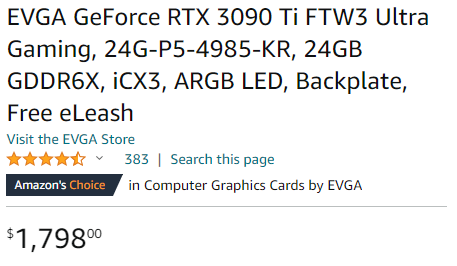
I paid $1,500 for this card almost two years ago. I bought it shortly after the much awaited ‘price drop’ after the Ethereum news drove many crypto miners away from the market.