I guess the reason is that they purchased the UK cities (apart from Southampton) from a different supplier. Neumann mentioned in one of the Q&As that this also involved a new technique to import them to the sim.
1 Like
That’s interesting to find out. I’ve also hypothesized that one of the problems with cities like London and Paris is that the buildings are for the most part Victorian which means they are not just simple boxes wrapped with textures. They are complex shapes with peaked roofs with dormers, details around windows and doors. A building in NYC that might mave 20 vertices might have double or triple that in London. I think the rendering engine in a huge city with complex structures simply falls behind.
That’s probably only true for the capturing hardware be it aboard an aircraft or a satellite. If your PC has a good connection all the way to the servers it always streams in the highest available* quality and it’s then down to your system to display it as it should be. Naturally it’s harder on your system than fields and villages but better gpu’s can still render ultra textures etc. At the end of the day the data quality of London scenery could be much better and we’re stuck with it until it gets upgraded.
*highest available could also depend on server load.
Your point would be correct if it was only your GPU doing work but, in a flight sim there is so much going on that additional vertex rendering of the highest resolution adds to that total load. A great GPU helps of course but there are simply times when the overall load to your system exceeds the ability for the system to keep up minimal frame rates. Asobo then has the choice to keep the animation going by reducing quality or letting things lag severely. We’re seeing this muddy stuff in one place only and that’s huge complex cities and we can see on Bing maps of those areas that high res info is there. There really is only one logical explanation for a user that has a fantastic network connection and a killer machine. We are simply pushing modern graphical flight simulation to the brink. That it does as well as it does to me is simply astounding. Like you say it will only get better.
Pretty sure photogrammetry and Bing scenery is uploaded in best quality before being rendered wholly by a gpu that is effectively hamstrung on what it can deliver to the monitor and has to choose, the rest is simply discarded unpacked. The CPU is effectively doing everything else, handcrafted objects, flight dynamics, weather etc. and of course the mesh for what is really just basic textures that get overwritten when online. Internet plays it’s part too but a solid 50Mbps is at least double what is needed even at LOD 4.

I would just give up with PG in London, its abysmal. Even if the building are loading reasonably well geometrically speaking they are very dark and just dont blend in well with surrounding Autogen or even the hand crafted models. New York and Rome look pretty good, even Southampton looks pretty good but London is terrible. I wasn’t too impressed with Paris either for the same reason, dull dark grey buildings that look like they were abandoned decades ago.
The issue is still not fixed. Very disappointed.


Yup I have given up on ever going near Central London nowadays ,I have exactly the same problems ,even worse in fact.Something is terribly wrong with the city especially the view when inside the cockpit which is actually worse than the external view !! shown in most screenshots.The difference compared to nearly every city in the US for example is huge,why can’t they make London as good without the permanently melted blobs…A waste of one of the worlds great cities in my opinion.
3 Likes

Out of interest, have you got rolling cache on?
I found that a 32GB rolling cache helped my PG immensely. I was seeing exactly that with it turned off.
1 Like
I have it turned off. I will enable it. Thanks for the tip!
1 Like
Just about to post a topic about this, I to have noticed all the buildings around the London city area are not generated properly, the landmarks are fine.
Xbox here.
I use a rolling cache of 16gb.
Hope it works for you. There was a definite improvement for me in the cities that were wrecked, London being one of them.
North America has always been good.
1 Like
I cleared my rolling cache in preparation for the SU. Also moved it to another drive but cannot remember what it was before, probably about 8gig, but I’ve chosen 32gig in the new location.
After your post I gave London a try and wow I’m seeing a big difference. Tried several flights now and apart from one or two oddities and cranes I’m finally seeing London properly rendered.
4 Likes
Hi, it’s been a few months since I too have the problem that cities look like after a nuclear war!
I read that deactivating the Photogrammetry improves the situation and in fact the houses no longer appear devastated and the ground and trees return to normal, even if in a bit less realistic. Is there really nothing else to do?
The bandwidth is good and increasing the quality of the buildings is useless; the early days of MSFS2020 looked good.
In the screenshot it is how they looked before turning off Photogrammetry.

Compared to London (for me at least) that looks 10/10! 
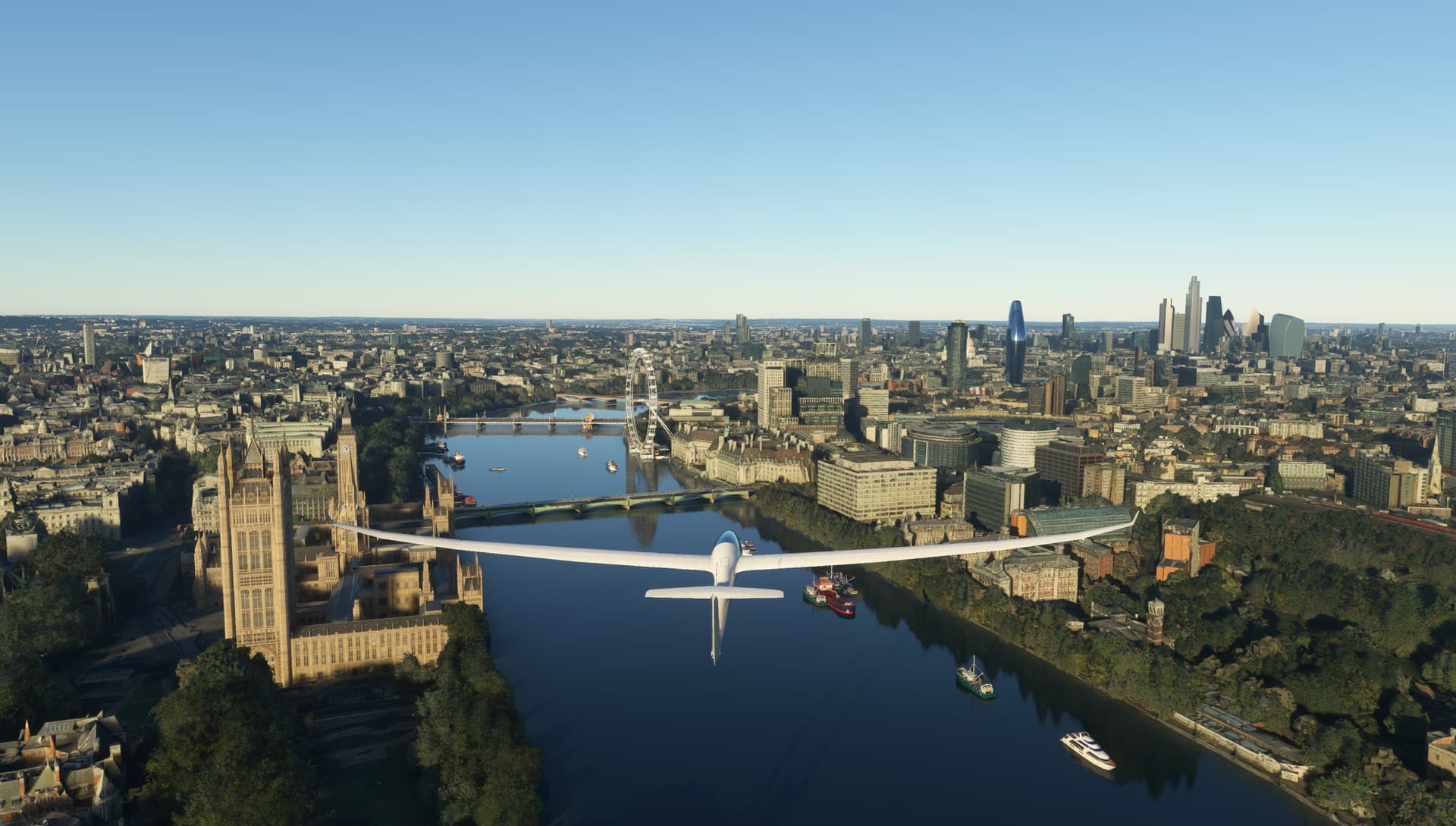
We need context - what server were you on, what SU version, rolling cache and so on.
That picture does look good but two weeks ago when i tried London again, it looked a wreck, the London Eye looked it was covered in a cement cobweb! It was not data transfer as flew around for at leat 30 minutes with the rolling cache turned on.