For context reference the title of this thread but yes I have the UK and Eire WU installed. West Europe server. R7 3800X, rtx3060(12GB),32GBram,50Mbps.
1 Like
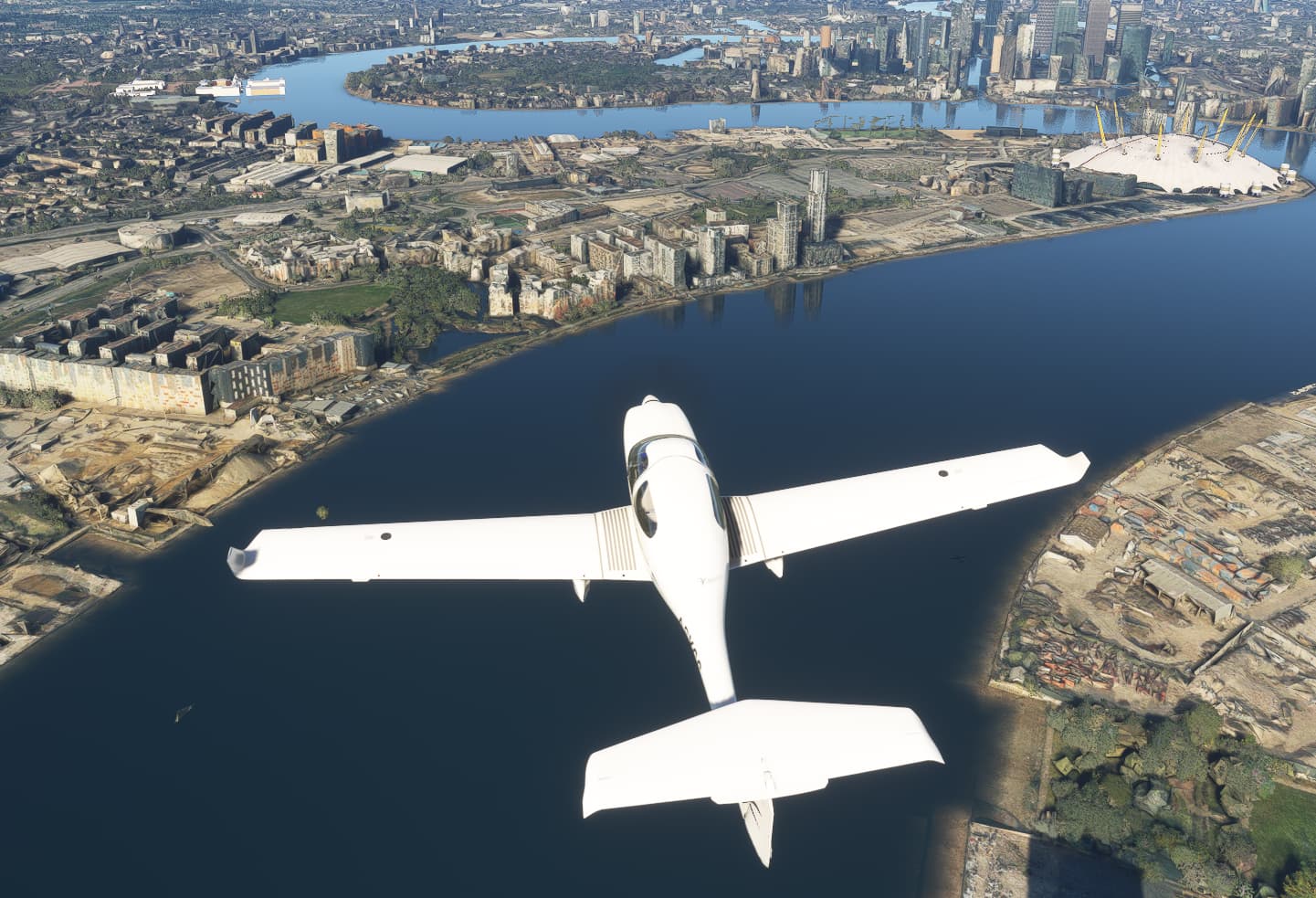
London hasn’t looked like that for me for an absolute age!
London is hard on my rtx3060 so LOD 400 no real problem in 4k, this is TAA just for the shot but I actually fly using DLSS.
It’s not that.
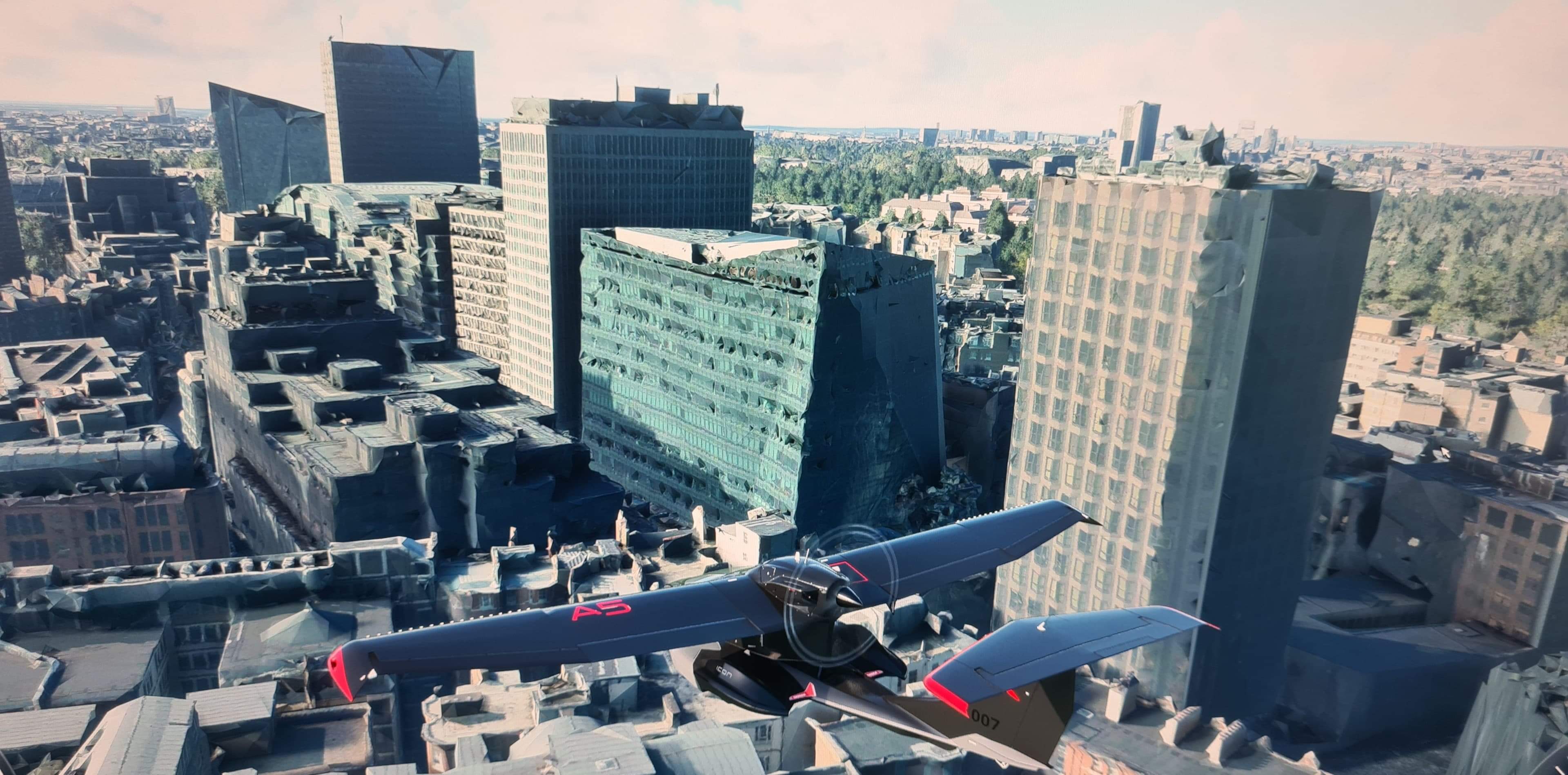
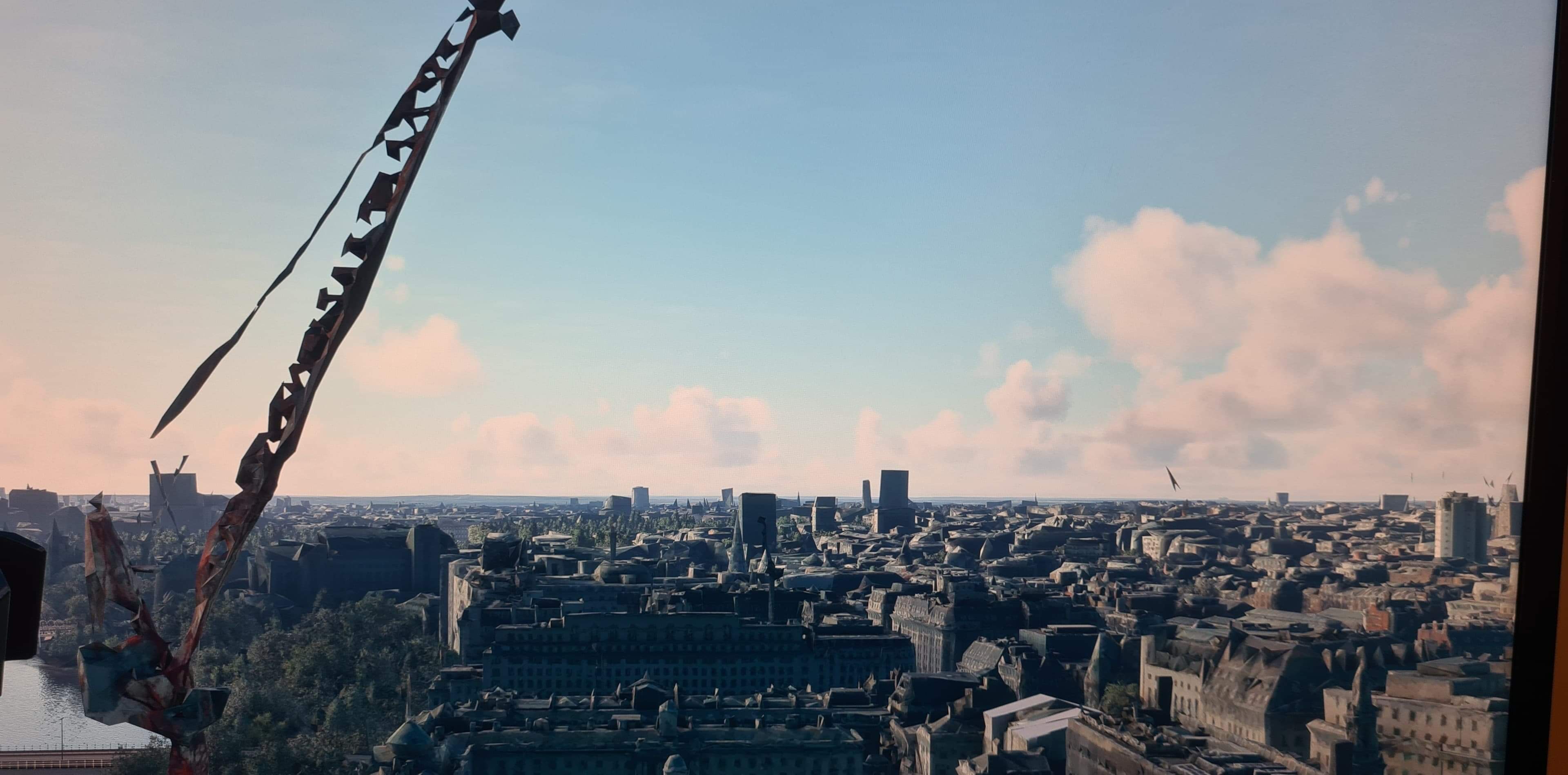
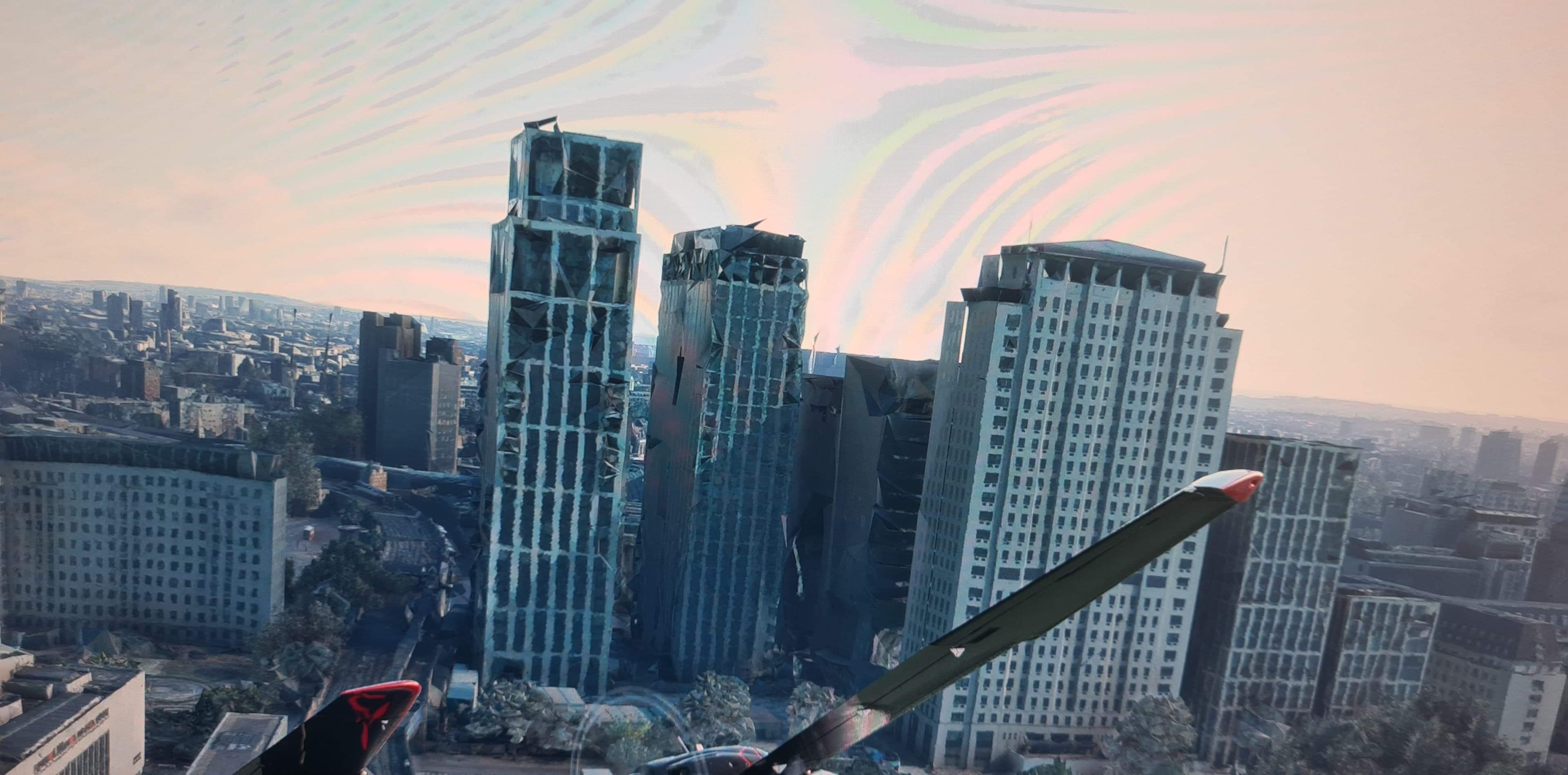
It’s just a flat useless mess punctuated with a few indeterminate spikes. As I get up close (directly above) the LOD loads but the second I pass over any given building the LOD drops right off again to a post apocalyptic misery zone. It’s awful, and has been like that for a long long time.
1 Like
Yeah I get some popping in but have you tried using a ram drive for your rolling cache? and have you got precaching set to ultra?
Also if flying photogrammetry cities lower object lod to 10 and turn bushes and grass off and trees to low
Set terrain lod at 400
Turn on cache and fly
Try this in dfferent terain resolutions and find out which fit best for your system, also when aproaching to land pause the sim and reduce tlod to 100 or so and turn up olod and trees
My apologies and no disrespect intended but, this is ridiculous to have to to do this.
London is just useless and has been since SU8/SU9 for me.
2 Likes
I know it is a work around but i suspect tlod and olod dont work that well together when pg areas are
mixing with handcrafted area or even with ai by blackshark.
I hope the devs give respons to my question to the matter.
But you can always uninstall pg in the world updates.
1 Like
It looked better before with autogen, thats me not flying around London again. The poi’s are great just the cranes and building looks like the blitz in WWII
Hi @VirtualDave68.
I have seen plenty of examples of great photogrammetry today, so hopefully there is something simple that is causing this for you and others.
I am not well placed to help you resolve this issue as my sim-time with photogrammetry is non-existent, so I have moved your topic to Bugs and Issues in the hope that someone there may be able to help.
1 Like

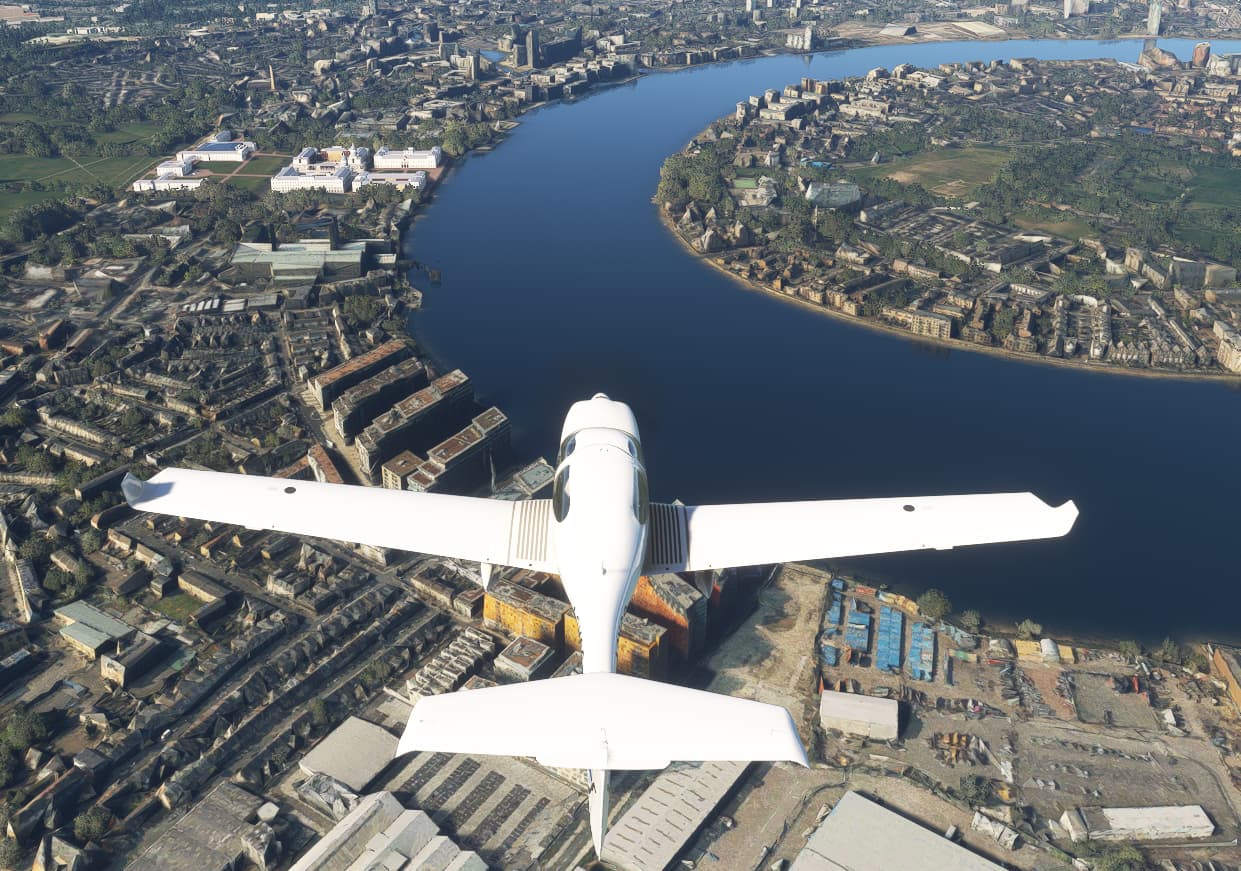
Yep, I saw that yesterday and wondered what was going on, it snaps into position as the LOD changes 
London PG is one if the least optimized of all. The data files are gigantic and hence, we get a less than pleasant experience when compared to other cities. You will get a slight improvement (don’t expect miracles) if you take the time to download London in high quality with the manual cache. Which is itself quite buggy and will surely get you on your nerves and take you all day. Flying the stock GA light aircraft also helps. Flying complex 3rd party aircraft makes it worse. Until they redo London, this is how it is, sadly.
I wish I could share a screenshot of what a London looks like on the series S… It looks like a post apocolyptic horror show, like all the buildings are burnt out husks. It’s hilarious but also kind of creepy.
I don’t fly there alone.
1 Like
Yes, a better London will be much appreciated together with perhaps other betterments in UK… as bridges, river bank craters and elevations not addressed now for years, water spills over coast lines etc.
Do you have the same issue if you follow the OP’s steps to reproduce it?
Yes
Provide extra information to complete the original description of the issue:
Compared to other cities (LA, NY, Baltimore), London photogrammetry shows low LOD, with melted buildings and excessive geometry “popping” and “morphing” as you fly along.
If relevant, provide additional screenshots/video:
Same as those already posted here.
Do you have the same issue if you follow the OP’s steps to reproduce it?
Yes, partially.
Provide extra information to complete the original description of the issue:
A lot depends on the aircraft’s distance from the buildings. As I wrote in this post, “Not the nuclear wasteland that the OP posted above, but some of the high-rises & especially the cranes look pretty bad if you fly too close to them.”
…
IMO, the sim is actually working as designed but, as others have noted, London has poor photogrammetric data. Higher resolution data and some custom-made models for the more prominent buildings would fix most of the egregious representations of the city. See-through items such as cranes, bridges & trees may need a better-trained AI algorithm.
If relevant, provide additional screenshots/video:
Screenshots and the specs of my PC were provided in my post linked above.