I have been trying all day to get my FS2020 installed i keep getting a download error.
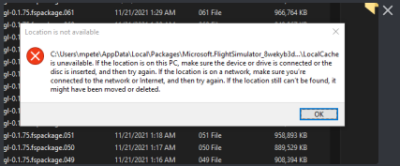
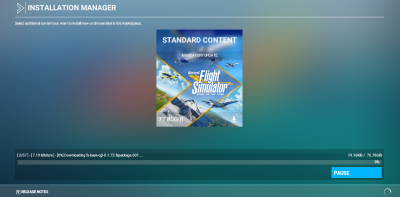
I keep having to re download the files… The location does exists
I have been trying all day to get my FS2020 installed i keep getting a download error.
I keep having to re download the files… The location does exists
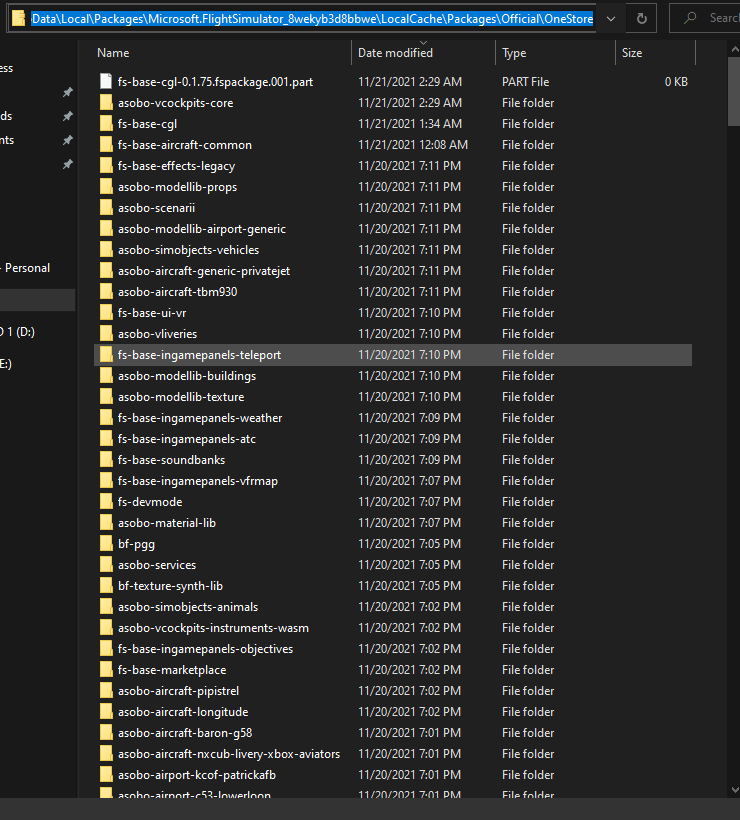
Here is the location
C:\Users\mpete\AppData\Local\Packages\Microsoft.FlightSimulator_8wekyb3d8bbwe\LocalCache\Packages\Official\OneStore
Turn off AV software and run msfs as administrator
This is a fresh install of windows. I do not have anything special installed yet…
that did not work what else can i try?
Try installing to another drive.
tried that this is my NVME so… you tell me why all my other games are not having issues and this one is? I bet MSFT cant tell me that this is so dumb.
Thts sure must be frustrating alright.How much space have you got left on your nvme?
over 700GB

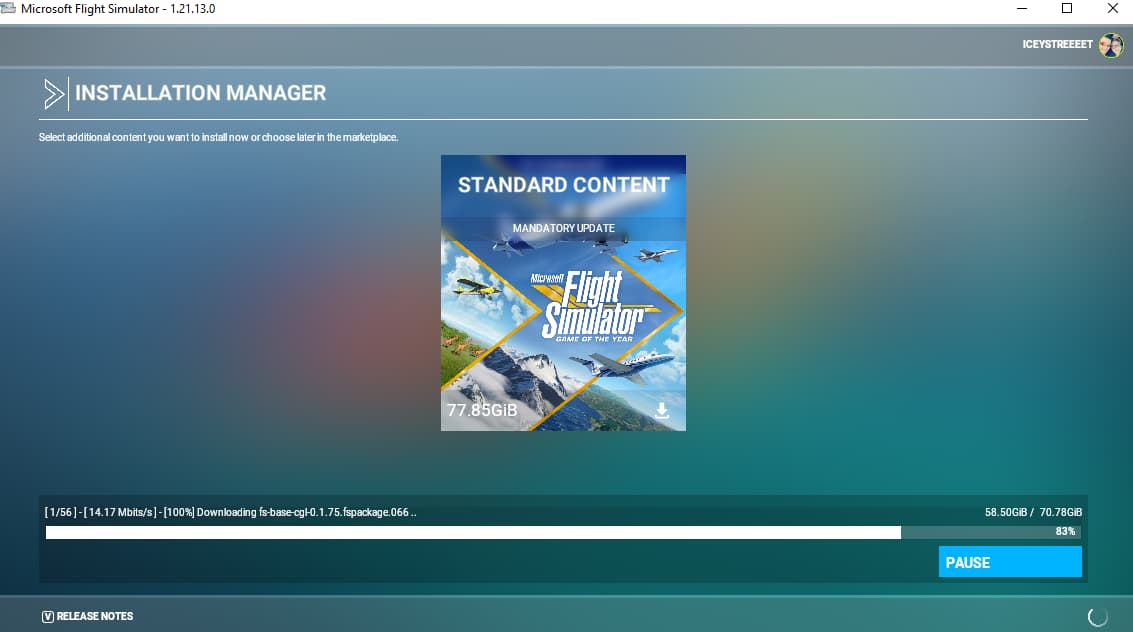
I have had nothing but issues with this installer and today its been downloading at 13MB and i have 1GB over 1GB lastnight it was hitting at 150MB
It took all day to get to this
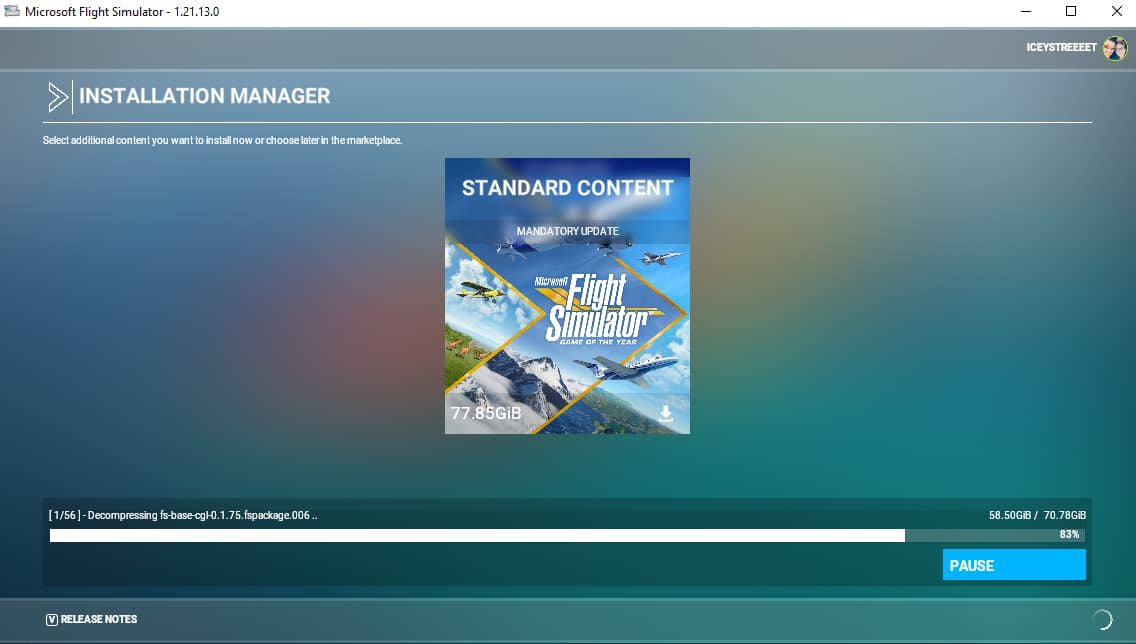
this is where it fails
decompressing stage i have no idea whats going on… I wish there was an offline installer
I feel your frustration. Just spent 2 days installing fresh OS and MSFS twice after SU7 borked the update again. Next payday I’m buying the steam version. All MS products are faulty including the OS. And Zendesk will never solve anyone’s problems. They just circle around back to you.
Go to the file that hangs (in the Official folder) delete it and see if it continues.
This )but not the same file) happened to me a with SU4 or 5 and it solved my problem.
(I have a little apprehention sharing this with you because you might take legal action if it doesnt solve your problem, but I’ll take that risk)
Sorry you are so frustrated, the install procedure is sure far from being trouble-free. However…
This is a bit confusing. So what is the state of your system now? Did you get all Windows updates yet? Games sometimes overwrite runtime libraries etc. and that can interfere with other stuff.
the OS is running
| Edition | Windows 10 Pro |
|---|---|
| Version | 21H2 |
| Installed on | 11/19/2021 |
| OS build | 19044.1348 |
| Experience | Windows Feature Experience Pack 120.2212.3920.0 |
its not hardware related and i know its not software related.
There installer has been buggy since this thing came out
NO fixes just a patch
I had issues previously where my RAM stick went bad, it caused CTD for me and when I tried doing a fresh install, I encountered the same problems as you where the installer would freeze as well. Try running a memory test, no matter how powerful or whether your parts are brand new, they can still come out defective without knowing. Yes your OS might run and other games as well, but some games are not well optimized to take these situations in consideration.
Your not the only one, I know how frustrating it can be, was for me before I fixed my issue. Truth be told, that there are people who have issues, but the majority are able to run it with no issues. There is always a underlying cause.
If I may ask what are your specs?
i have done this twice over the weekend even did a fresh install.
See, I just did a whole build upgrade so… I have done all the testing on the RAM, CPU, GPU etc. I have around 220 games installed off my steam account, I have a few from the Xbox app which is were FS2020 is. I have tried everything i know and still nothing.
Rayzen 9 5900X
NZXT 850 WT
64GB Ram ECC channeled
2x 1TB NVME
2x 10TB 7200 WD Blacks
2x SSD 1TB
XFX SPEEDSTER MERC319 AMD Radeon RX 6900XT
I am just speculating to the best so I can help you out, but I know you are running W10 21H2. As far as I am aware Microsoft does not have a list of supported processors published for that version, but from what I remember, 21H1 list did not list the Ryzen 5900X as a supported CPU, I have the same one as you. I don’t know how it is for 21H2 but here is the website for reference on 21H1.
Windows Processor Requirements Windows 10 21H1 Supported AMD Processors | Microsoft Docs
I know Windows 11 supports they 5900X as it is listed on there.
Windows processor requirements Windows 11 supported AMD processors | Microsoft Docs
Perhaps maybe that might be the issue? Do you ever plan on upgrading from 10 to 11?