Probably smth is wrong with windows services.
Try
Click start > options > privacy > diagnostics & feedback
enable - optional diagnostic data
After that go to update and security > troubleshoot > additional troubleshooters
Click Windows update > run the troubleshooter and be patient 
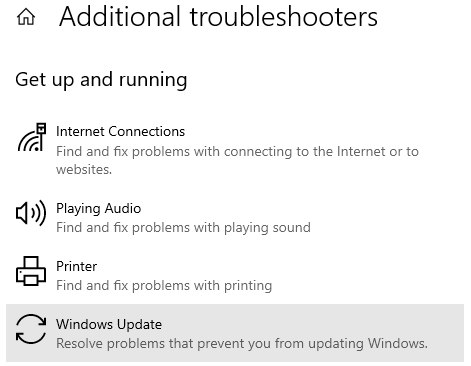
Next step - scroll down and click windows store apps > run the troubleshooter
Restart PC
If doesn’t help
try
In windows seacrh bar type CMD
Right-click command prompt and select run as administrator
Copy the command below and paste into CMD. One by one and press Enter.
(right-click to paste into cmd)
net stop wuauserv
net stop cryptSvc
net stop bits
net stop msiserver
Ren C:\Windows\SoftwareDistribution SoftwareDistribution.old
Ren C:\Windows\System32\catroot2 Catroot2.old
net start wuauserv
net start cryptSvc
net start bits
net start msiserver
Restart PC and install MSFS.