Just another obscure bug created by SU5. No fixed to date, though it’s a pretty minor bug in the grand scheme of things.
I see that too quite often.
Nothing to do with Carenado I suppose.
No all default planes do this too.
I love flying the aircraft, but there is a problem with starting the engines. The props begin to spin as soon as the battery switches are turned on, with all other switches such as the magnetos, mixture control, etc. turned off. Is a fix in the works?
I would try reinstalling the aircraft. Sometimes that helps…
Yep, already tried this. No help!
I’m definitely not having this issue, so could be something you your side? Are you using Xbox or PC? Maybe you have something double bound with the starter?
Are you parked into a strong breeze?
I have seen this, props wind milling.Mostly notice when shutting down.
No wind! The props only start turning with the battery switches are turned on!
As I noted in the other thread you started, I’m sorry, we can’t help you without more information. Nobody else is having this problem, so, there’s no way for any one to help without your answering what platform and what you use for UI interaction. Also, are you in VR?
No, I’m not in VR. Sorry for being so dumb, but I don’t know what UI interaction means. I as using MSFS 2020 if that is what you mean. With the aircraft in the cold and dark configuration, turning on the battery switches and nothing else, starts the props rotating. I am using the Thrustmaster Airbus additional joystick and throttle quadrant.
Sorry, UI is User Interface. I hate it when people use acronyms… guilty.
Okay, I’ve discovered that if I disconnect my Thrustmaster Throttle Quadrant the battery switches do not turn the props. So, I got to find what functions are assigned to the engines on my the throttle quadrant. Mystery solved. Thanks!
3 Likes
Great Work! Glad you found it.
The airbus throttle quadrant has two start switches that must be in the off position when the C337 battery switches are turned on with the mouse . Then after the magneto switches are turned on with the mouse, the start switches on the throttle quadrant must be placed in the on position for the engines to start. Pay dirt! Thanks everyone.
1 Like
Thanks for posting the answer! A lot of people never bother to do that, and I’m sure someone else will eventually run into this problem.
(I’ve run out of likes  (Why???), or I’d like your post, too)
1 Like
I absolutely love this airplane.
featuring it a lot lately on my youtube: https://www.youtube.com/channel/UCcL7k560ca64M_8ysDPjWuA
a couple petty observations though:
-
I don’t like that when I cut the mixture to stop the engines the little window on the left closes automatically.
-
It seems like the rear engine noise is considerably louder on start up than the front. I have never actually been in this airplane, but I imagine the front engine would be louder than the rear. Maybe I am wrong. It seemed like this possibly reversed on one of the updates. I want to say the front was louder initially, but not sure.
-
The sound of breaking glass is a bit much when taxiing through some grass.
edit:
4. ..oh yeah, and the autopilot buttons that remain illuminated after the power is turned off.
2 Likes
I need help. I have a problem with the Cessna 337 glass effect. Carenado put a bluish, greenish layer on the glass which is very confusing. How to repaint, get rid of this very confusing and bad layer. It’s like buying bluish or green sunglasses. Every color is distorted in the landscape, in houses …
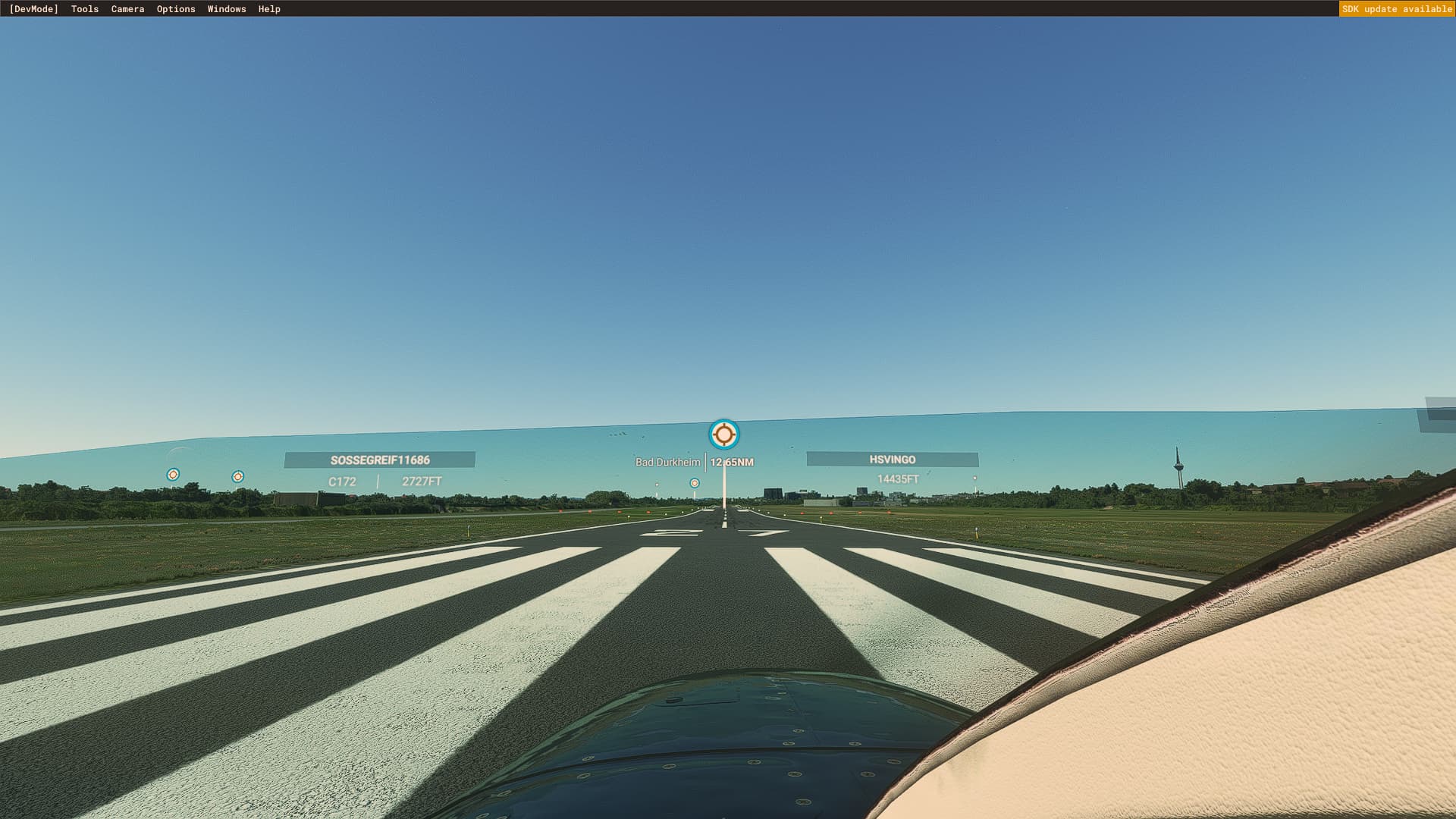
If you’re on PC, this is what I use: JayDee´s Clean Glass Mod » Microsoft Flight Simulator
4 Likes
Thank you very much! Very good accessory. I got a nice clean bottle.
1 Like