I haven’t dared to delete my cloud saves yet because I don’t know exactly how to do it or what exactly will be deleted. I’m also currently active in the challenges, and it would be a shame if all my times and points were lost.
Roger that
Unfortunately reinstalling gaming services doesn’t fix 2047 error for me.
I just tried this: the error 2047 is back unfortunately.
Error 2047 appeared after SU4 was installed. Before I was in SU3, not in SU4 beta.
On PC, MS Store.
Ryzen 9 9950X3D, ASUS ROG 5090Astral, 64 GB RAM…
Support (Microsoft Flight Simulator)
Dec 10, 2025, 18:23 GMT+1
Hi Mente,
Thank you for contacting Microsoft Flight Simulator Support today.
In this case could be possible that during the latest update an issue with the internet connection falls down and you have corrupted data in the cloud save, in order to resolve this issue, you will have delete the cloud save to see if that helps.
You may need to reset your cloud save to fix issues caused by corrupted saves or profiles. Make sure MSFS is closed out fully on the PC before performing these steps.
Warning:
· Deleting the cloud save will wipe your logbook permanently as well as custom control profiles and settings. You will not lose the achievements already unlocked on this profile but progression towards achievements and the logbook information cannot be recovered.
· Deleting the cloud save will not reset your career.
SAVING CONTROLLER PROFILES BEFORE DELETING YOUR CLOUD SAVE
2. Navigate to Settings → Controls.
3. For each controller with a custom profile:
a. Select the controller.
b. Ensure the desired custom profile is set as Active.
c. Click the cogwheel icon next to the profile name.
d. Select Export.
e. When the File Explorer window opens, save the file to a safe location outside the simulator installation folder (e.g., your Desktop).
4. Repeat the process for all custom profiles.
5. Once all profiles are saved, you may proceed with deleting your cloud save.
Restoring Saved Profiles
· Follow the same steps above, but instead of Export, select Import and choose the saved profile file from your computer.
HOW TO DELETE YOUR CLOUD SAVE ON MS STORE/XBOX APP
1. Close Microsoft Flight Simulator 2024
2. In the search box, type “CMD” then select Open to open a Command Prompt
3. In the window that appears, copy-paste the following command:
4. start shell:appsFolder\Microsoft.Limitless_8wekyb3d8bbwe!App -DeleteCloudSaves
5. Then press Enter
Kind regards,
Microsoft Flight Simulator Support Team
Knowledge base | Forums | Twitter | Facebook | Discord | SDK Q&A
To avoid clogging the system with many ‘pending’ or ‘open’ tickets, we mark a ticket as solved as soon as we provide a potential solution. Don’t worry; if you respond within three days, the ticket will automatically be re-opened with the same reference number. If you need more than three days to test the solution, responding to the original message will create a follow-up ticket linked to the original one.
This is for me not the solution error 2027 stays
This issue persists. This time I didn’t go into the settings at all. Just flying around LA in the H500C practicing my landing and takeoffs at random fields and heli pads. Was lifting off after my 7th or 8th landing and out of nowhere the notification popped up. Never paused, never went to settings, didn’t do anything remarkable that I would suspect to have triggered it.
Rebooting the Xbox now.
Today I started FS2024 for the first time in a couple of weeks and after SU4 went public. I was greeted with an unexpected cloud save error and now the sim wants to do the whole setup thing again, starting with the narration screen. As if I never used FS2024 before …
Germany, PC, MS Store, I was still enrolled in the SU4 Beta. I’m not aware of anything that I did differently than the hundreds of times I started the sim before without having this issue. The only change was the transition from SU4 Beta to SU4 as far as I know …
Quite aggravating …
P.S: I tried deleting my cloud save but it keeps happening … also, the window keeps popping up during all stages of using the sim, rendering it pretty much useless at this point. What’s the point of months of beta when the final result is something like this?
UPDATE:
I just tried two things: I deleted and reinstalled the Game Services with the procedure mentioned a few posts above and I actively left the SU 4 Beta in the Insider Hub. After restarting and loading the sim a 9 GB update was downloaded and the error seems to be gone now. I have a feeling it was probably leaving the Preview that did the trick. Not the first time that the transition from a beta to the full release caused issues. People should be asked to leave the beta before transitioning to a public release in the future.

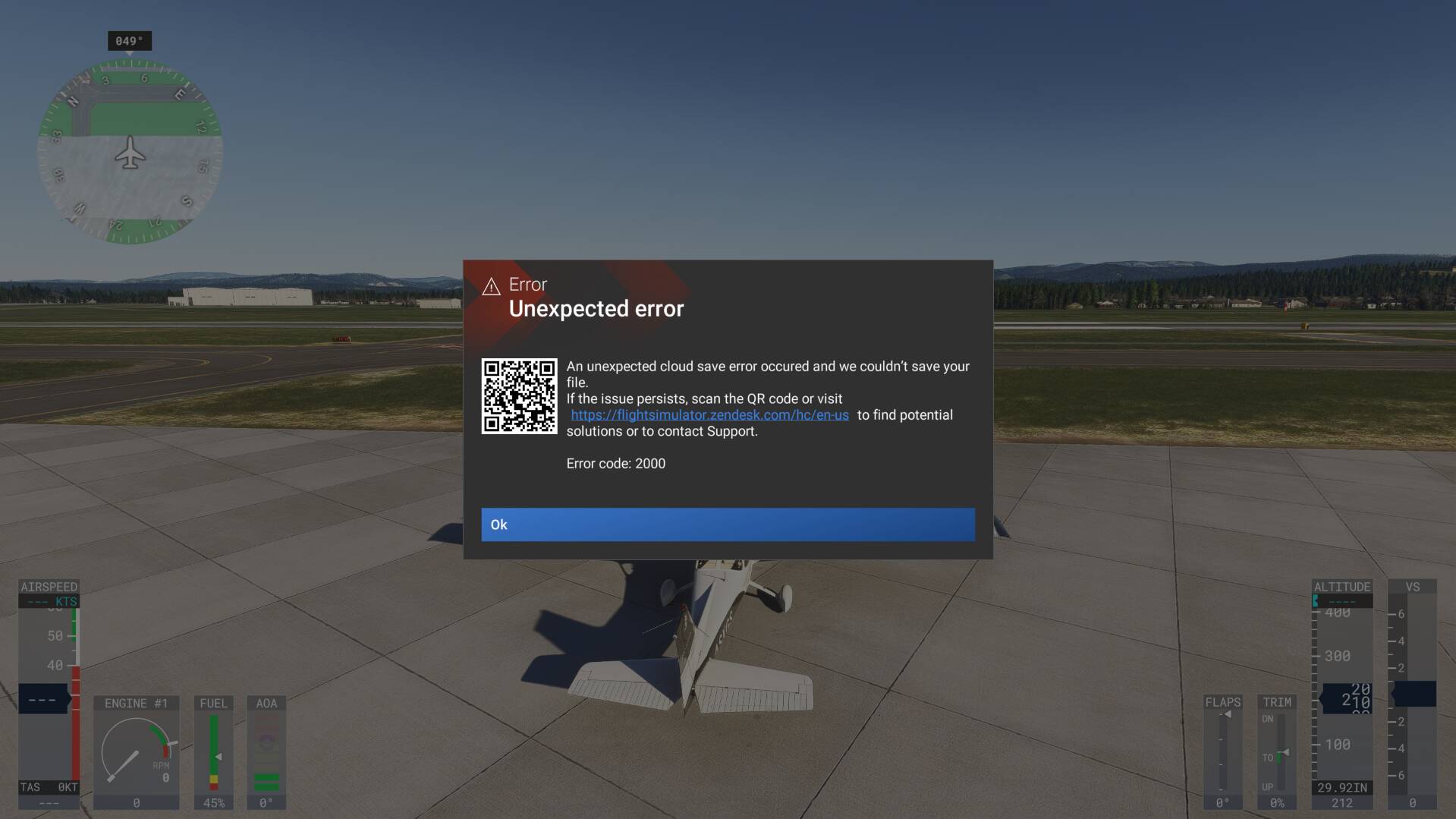
2047 keeps returning even when you’ve cleared cloud saves. It has nothing to do with internet “issues”.
PLEASE fix this Asobo, its intensely frustrating.
I have the same issue. Not possible to play this game. I am using VR and during the game I cannot even close this POP-UP 
Why we should even follow these steps. This is so stupid. They should fix this.
UPDATE:
I just tried two things: I deleted and reinstalled the Game Services with the procedure mentioned a few posts above and I actively left the SU 4 Beta in the Insider Hub. After restarting and loading the sim a 9 GB update was downloaded and the error seems to be gone now. I have a feeling it was probably leaving the Preview that did the trick. Not the first time that the transition from a beta to the full release caused issues. People should be asked to leave the beta before transitioning to a public release in the future.
That’s all well and good but I wasn’t in the beta when the update hit a few days ago
I had it in the very last build of the beta (.31). I left the beta as soon as the live build of SU4 was released (.32) and still received the pop-up. I am still receiving it sporadically today (.33).
Does anyone here know if I delete the cloud save I will also lose all my scores in the Landing challenges leaderboards and the Challenge league races leaderboards?
Hi, I did this cloud save delete, it does not solved the 2047 issue. My score were not delete but the logbook.
See full story here Career inaccessible - Error 2047
https://forums.flightsimulator.com/t/cloud-save-error-error-code-1047-and-now-2047/738971/116
I had the same error once - it happened during the synchronization of local saves with the cloud. I had to choose between the local save and the cloud version. It only happened to me that one time. I remember reinstalling Gaming Services and deleting my cloud save (though I deleted the cloud save for another reason, not specifically because of the error). Either way, the issue never came back.
MSFS support is absolutely right to mention reinstalling Gaming Services and signing out and back in. Gaming Services has been affecting various game settings and online connectivity for a long time. Of course, there’s no guarantee it’s the cause in this particular case, but it’s definitely something worth checking.
Leaving the beta was a very good idea. I exited the beta on the day the final (Live) version was released. After restarting my PC, I cleared the game cache, driver cache and WASM. Later that day, the SU4 update was already available, so I installed it.
As for Gaming Services itself, there are actually two officially available versions - the stable build and the beta. Not all players know this. The beta version of Gaming Services and the Xbox app installs automatically when you join the PC Gaming Preview program. I don’t recommend joining it.
I was never in SU4 beta. Please upvote this issue guys.
I’m not on the beta version.
This might be a solution From the Microsoft Flight Simulator Support Team:
Support (Microsoft Flight Simulator)
Dec 11, 2025, 04:00 GMT+1
Thank you for contacting Microsoft Flight Simulator Support today.
Please try and create a local account and launch the sim with that account to see if the situation has improved.
After you have created a local account, make sure you log into MS Store / Xbox App with the MS account that was used to redeem the license.
HOW TO CREATE LOCAL ACCOUNT ON WINDOWS 11
1. Type settings into the Start menu and select the Settings app.
2. Navigate to Accounts.
3. Select Family & other users.
4. Select the Add account button under Other Users.
5. In the dialog box, select I don’t have this person’s sign-in information.
6. Select Add a user without a Microsoft account and select Next.
7. Enter a username and password of your choice.
8. Once you have chosen a password, scroll down and set up security questions for password retrieval.
9. Select Next to create your account.
10. To turn the new local account into an administrator account, return to Accounts > Family & other users and find the account under Other Users.
11. Press the drop-down arrow on the right-hand side and select the Change account type button. In the new dialog box, change Standard User to Administrator and select OK.
HOW TO CREATE LOCAL ACCOUNT ON WINDOWS 10
1. Open Settings on Windows 10.
2. Click on Accounts.
3. Click on Family & other users.
4. Under “Other users,” click the “Add someone else to this PC” button.
5. Click the “I don’t have this person’s sign-in information” option.
6. Click the “Add a user without a Microsoft account” option.
7. Under the “Create an account for this PC” section, confirm the new Windows 10 local account information.
This seems like a typical Microsoft “We don’t really know what the problem is, but jump through all these hoops which may or may not make it any better” I already use a local account, they don’t say whether they think another local account with a different name will help, but as they don’t really know what the issue is, I suspect they have no idea.
Thanks for passing on the information though City.
Thank you @FlySafeNFast
Like @TGP7777777 , I was never in the SU4 beta.
This error 2047 started just after SU4 got installed on 8 December 2025. I never had this error 2047 before SU4.
Yesterday, I deleted and reinstalled the Game Services with the procedure mentioned in post 116
https://forums.flightsimulator.com/t/cloud-save-error-error-code-1047-and-now-2047/738971/116
but the error 2047 remains.