Which version of the Xbox app and Gaming Services do you have? You can find it in Xbox app > Settings > About.
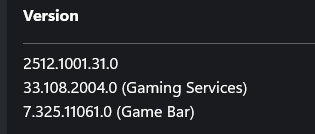
Same versionS:
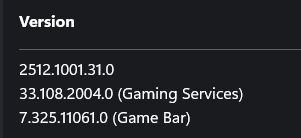
NB: I left the preview version of Gaming Services a few months ago, when it turned out the preview v of GS caused FS2024 to crash to desktop on startup. You should remember, because it was you who pointed me in the right direction!
Since having the “normal” version of Gaming Services, I had absolutely no problems.
Error 2047 started after SU4 got installed.
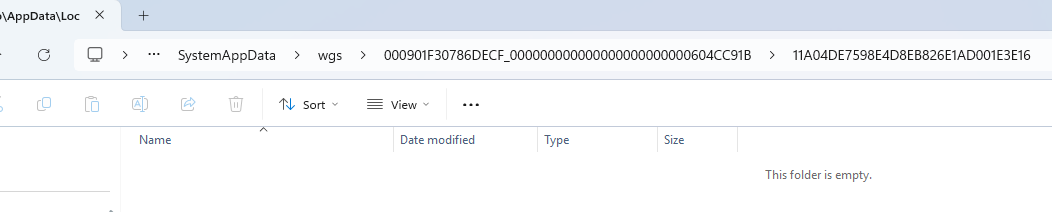
Wouldn’t that just be a profile with no bindings?
I seem to remember that when you clear cloudsave it leaves the old bindings you had in the WGS folder but zeros them. Could be it does the same when you delete a profile….? I’m just guessing. It’s a pity we don’t have anyone around who has the file structure and purpose information….
Just to clarify, I get the error 2047:
- every time after I complete a landing challenge, when I get the score, and the score gets saved
- every time after I complete a race in Challenge League, when I get the score, and the score gets saved
- every time after I close a Free flight
- sometimes, but rarely, after I change a setting in a controller
Just after SU4 got installed and I started to get error 2047, and because FS2024 can save the score in the leaderboard, I thought it wasn’t failing to save the score. So, it failed saving something else.
I started FS 2024 and made 3 short flights:
Looking at my logbook, FS2024 had stopped recording my flights in April 2025.
I just did 3 flights today (to check when I get the error 2047):
Note the > 6000 flights
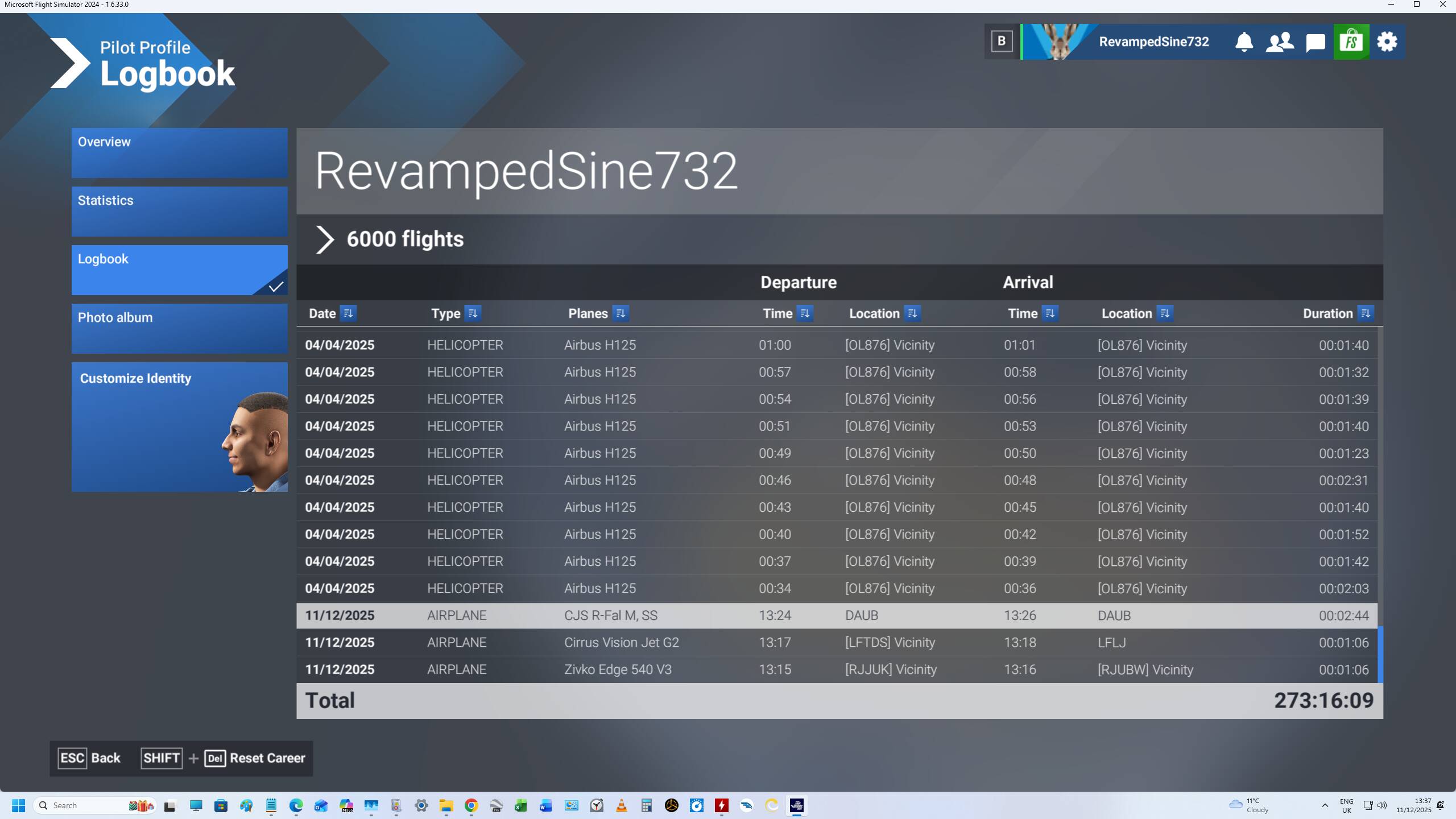
TO CONTINUE VERY SOON… (I save before I lose this: it happens sometimes)
BACK:
I closed, then restarted FS 2024, and my logbook shows this: the 3 flights done earlier today are gone, because it stops in April 2025.
And note the > 5997 flights (6000 - 3 flights done earliertoday)
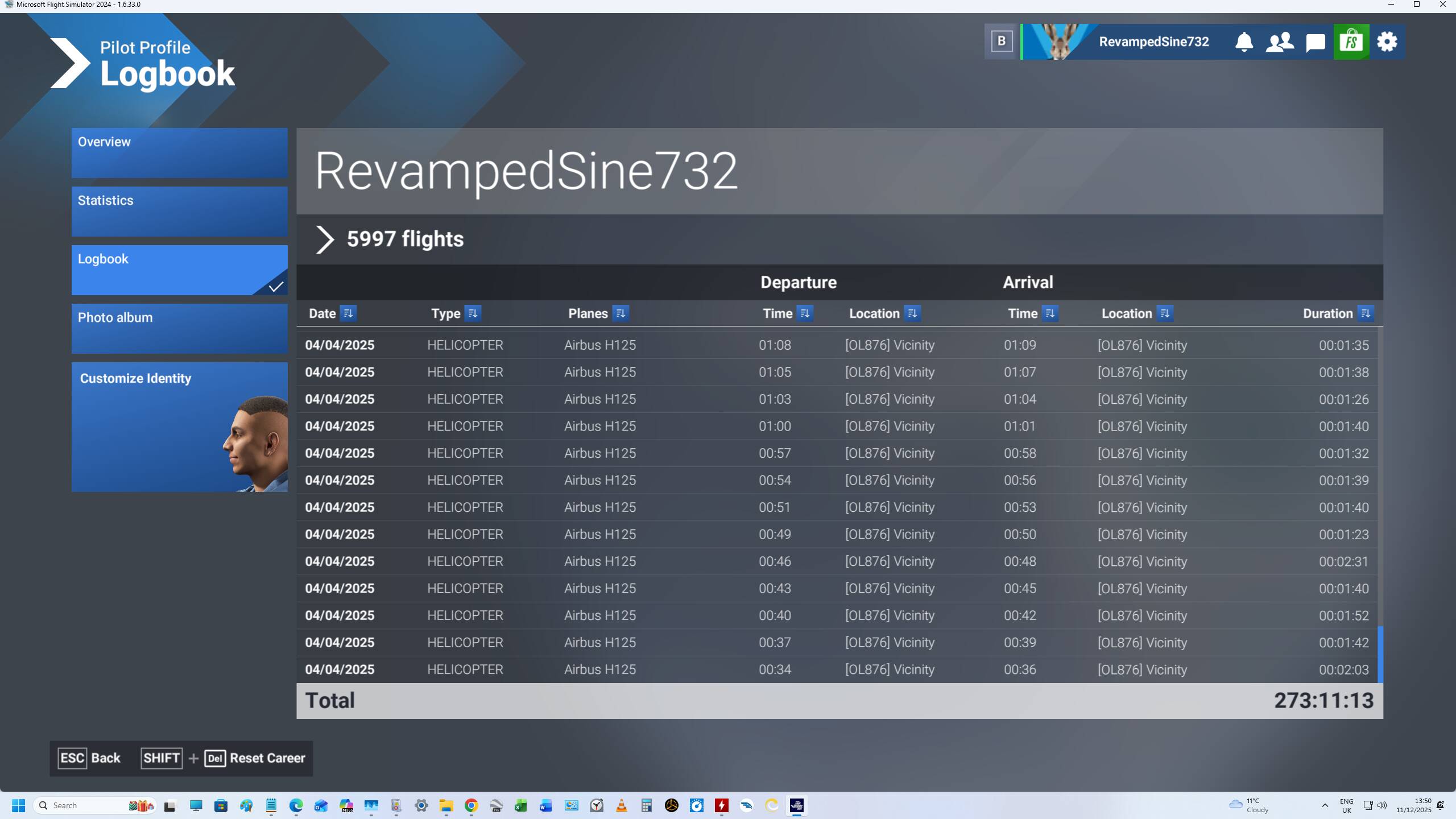
So, the flights are not saved in the logbook.
The fact that it shows “> xxxx flights”, with xxxx = ~ 6000, suggests the systems is limited to record up to ~ 6000 flights!
There was a similar problem in FS 2020, where after ~ 6000 flights (many landing challenges or races done!), FS 2020 would stop recording flights because the logbook file MAX size was too small.
I thought they fixed that, by having a bigger MAX size…
It is clear to me that, from when I get the error 2047, and with what the logbook shows (or doesn’t show for that matter!), that error 2047 correctly appears because FS fails to save flights in the logbook. There is a bug when saving flights.
I didn’t know my logbook failed to save my flights (after closing FS2024) up until 3 days ago, as I never looked at it. I just checked remembering the FS2020 logbook bug…
This failure to stop recording my flights in the logbook started in April 2025.
I would think error 2047 correctly identifies a logbook save bug. It is just that there was no such check up until SU4…
What do you think?
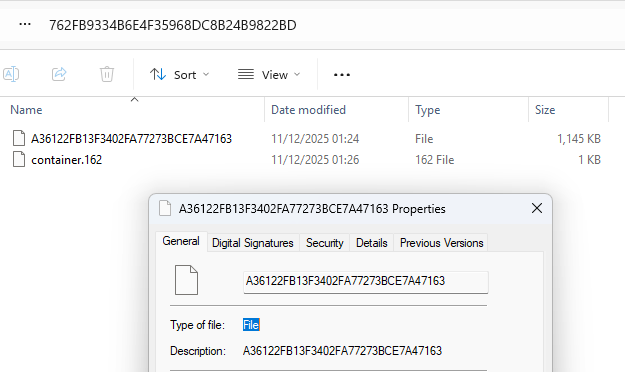
How to identify the logbook file in wgs? I doubt it is my biggest file in wgs, as it is quite small at 1145 KB.
Interesting theory. It clearly isn’t my 2047 issue though as I’ve had to clear my logbook so many times it only shows a handful of flights before I get to clear it again.
I agree for you it seems something else.
When the error 2047 appears is indicative of what has failed.
Can you put a picture of your logbook? Is it very big or quite small (in number of flights)?
It seems a counter bug or a mismatch in the logbook between the PCs and the cloud…???
(Sorry, I type slowly because I lost my left hand in an accident.)
I haven’t checked my logbook in a while but I can be sure I’m not near 6,000 flights.
I also find the fixes people have posted from Zendesk amusing, as they seem to be attempted fixes for those on PC. None of those are applicable for Xbox users, so even if it did work, we wouldn’t be able to do that.
On the bright side, I only had this issue pop up once yesterday. I restarted my Xbox and thankfully it didn’t come back up the rest of the evening, even during a 2 hour helicopter flight all over California coast with a few other people, so that was nice.
Doesn’t work.
I’m having the exact same problem with error 2047. My logbook shows 4435 flights. The recording in my logbook ended on October 12, 2025. My total number of flights is 7778.
The logbook has been broken for quite a time now. This cloud save issue may just be exacerbating the issue.
I am at 4486 flights in the logbook, but 5964 flights total in the overview screen. I can also confirm that for me, the 2047 error seems to come up whenever the sim tries to save flight information to the logbook.
This just started happening for me with SU4 (I was not in the beta). I haven’t cleared my cloud data yet as I don’t want to lose the logbook if I’ll just face the issue again. Hopefully Asobo can find what the issue is. I’m on PC/MS Store version.
PC Play. What it seems to help me with Error: 2000 is to Logout from XBOX, Launeched the MSFS2024 - login back to XBOX and I am in the game without this error. Let see with the 2nd start when I am already logged in to XBOX.
Or, a corruption of files in the save causes the logbook issue.
Losing my left hand made everything a challenge, but you won’t believe me when I say that I learned so much:
- it made me grow a rhino skin!
- during the several operations I had, I proved several doctors and surgeons wrong. To put simply, they would say something, I would tell them, it is not what I can feel, and I was right (shrapnel to remove). I realised doctors get things wrong all the time, and years later, I was right to do things my way, rather than listen to doctors, dentists. I still can’t believe what happened. Too long to go into details.
- it forced me to find solutions, workarounds, which would help anybody by the way
- I go to the gym (special prosthetic), I can do almost everything
- in FS, I reach the top 14 regularly (that is when I can compete rather than fix bugs!) like here recently:

and everyone:
Now, I managed to solve MY issue!
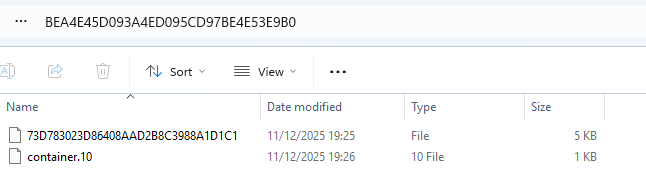
In wgs, I had a folder starting by BEA, BEA4E45D093A4ED095CD97BE4E53E9B0
in it, there was a file of size 16,383 KB
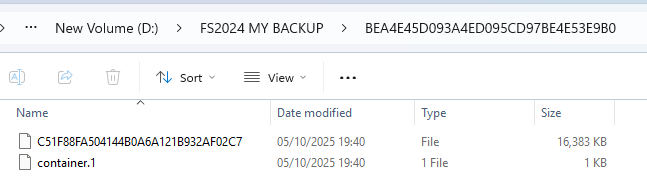
I suspected it to be the logbook, becaue of this:
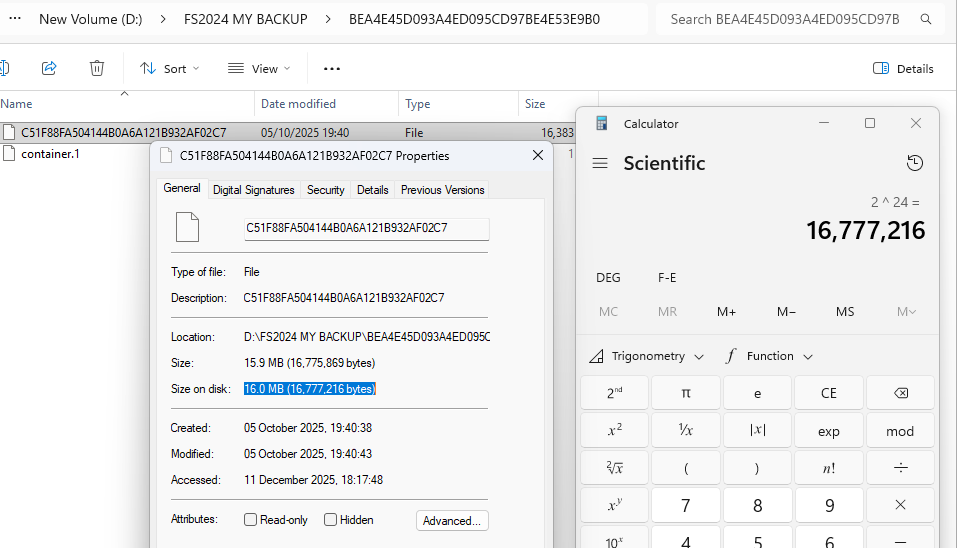
I removed the folder (cut and pasted somewhere else).
I started FS 2024, and the logbook was empty.
I did 2 flights (1 landing challenge, 1 race). After finishing these 2 flights, I no longer have Error 2047!
After those 2 flights, the logbook had 2 records.
I closed then restarted FS 2024…
A new folder BEA4E45D093A4ED095CD97BE4E53E9B0 re-appeared, with a much smaller file:
I CONTINUE LATER…
I CONTINUE:
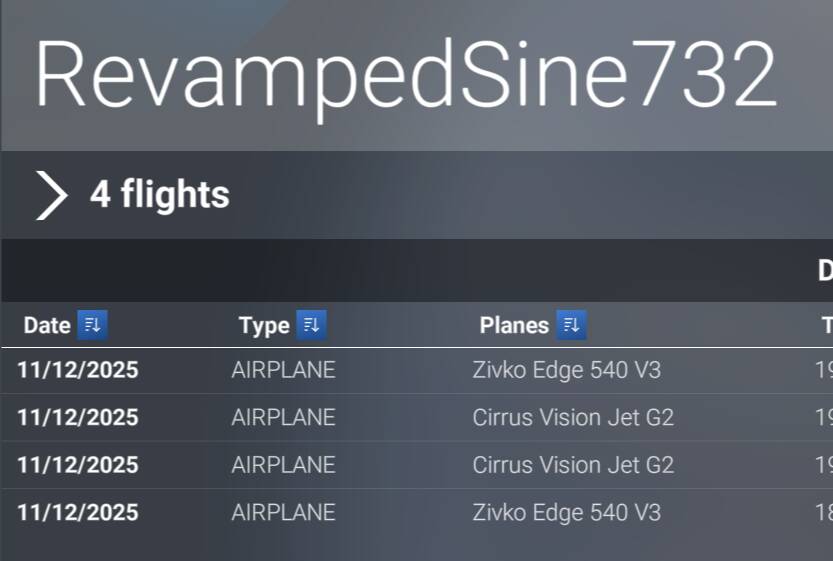
After restarting FS 2024, only 1 record appeared in the logbook. There should have been 2.
So, I made 3 new flights. No error 2047 after finishing these flights. And the logbook had 4 records, as expected.
I then closed FS 2024 and re-started it: it now shows 4 records, as expected:

So, it seems that just removing that logbook file that had reached its maximum, was the solution for me. I thought Microsoft/Asobo had changed the system so that the logbook file would NOT be limited in size. I just don’t understand now!
For people doing the competitions, these “flights” are usually up to 5 minutes, often less. So, it is easy to do many, many flights over time. I reached 6000 flights from 26 Nov 2024 to April 2025! Then, the were no longer logged.
I am glad that once again, I did it my own way, looking at my problem, rather than just reinstalled FS 2024 completely, or deleted my Cloud save. This is one thing I learned from my accident, and this attitude towards reality helps me every single day.
So, for those who get that Error 2047 AFTER finishing flight/races/landing challenges, try to find your wgs folder, and go into its subfolder, then the folders inside that subfolder, and find the folder with a file 16.0 MB in size.
It could also be named BEA4E45D093A4ED095CD97BE4E53E9B0 but I don’t know this for certain.
This is faster than
- reinstalling FS 2024
- deleting the Cloud save, then restoring the ControlS settings (either by importing previously exported controls settings, or worse, re-doing all the controls settings from scratch")
Looking at the logbook, it seems “>” is not a “greater than” sign, but just a cosmetic pointer, because this would make no sense for 4 records!
That’s quite some story. Always trust your instincts I guess. I hope you found the answer to your 2047 issues. mine has returned and I can’t dismiss the message now so I can’t use MSFS2024 now. Can I get a refund Asobo?
EDIT: Seems like if you happened to be in VR when the message appears then you can’t repond to it or do anything more but exit MSFS from TM. Restart and it went away. Hold fast on that refund for now Asobo, lol.
The interesting thing that proves the point is if you were to copy it back would the error reappear?
This would prove whether it was a corrupt original logbook or a corrupt copy of the logbook.
Indeed quite a story. I always trust my reflection/reasoning, and I am glad I dare following my way, rather than the “globally accepted solution”. I look at my problems, I read several solutions. I never rush. I wait. I sleep on it. I keep searching, then I often think “this makes no sense; why reinstalling it all again?” Many times I found a solution to my problems.
Tell me when, for you, Error 2047 appears.
You say it appears in VR, and there is no way to click OK in VR? Or is there no OK button in VR?
Can you try using a monitor/screen, and see what happens?