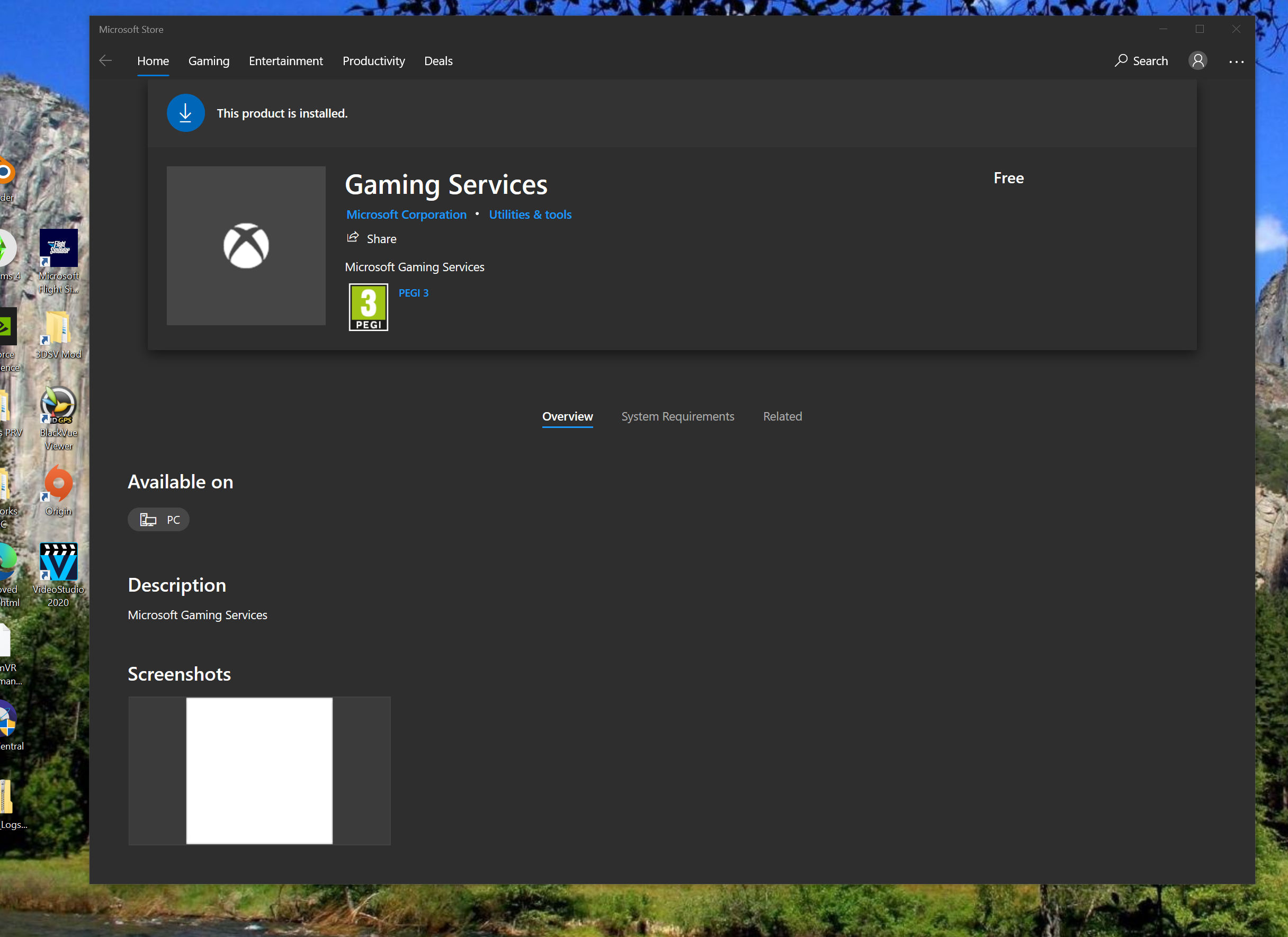
This is yet another reason that we need a log file created when the exe runs. Although it may not solve this guy’s problem, people could at least analyze it if he could post it. That way, at least some of the more obvious problems could be eliminated from consideration.
Yes, it’s been suggested, and yes, I have voted for it.
Not saying this is necessarily a solution for the OP but with my 3080 (EVGA 3080 FTW3 with an add on hybrid kit) the OC on the nvidia card can definitely make a difference. My experience is that I can make it through a 3D mark benchmark with the voltage maxed out and frequency set to >140 MHz (on the EVGA OC software). If I try to run those settings with MSFS, I get CTD pretty quickly. My stable settings for MSFS are 80-100 for frequency and 80 for voltage. This results in a GPU frequency of about 2055 MHz. Anything above that results in frustration due to CTD.
It’s worth a try to lower or even underclock the GPU to see if that’s the root cause. MSFS is brutal on my hardware.
Having said all of this, I have found a pretty good compromise set of OC parameters that makes it run smoothly with the Baron at maxed-out graphics settings on a 4K main screen with two 1080p touchscreens displaying the popped out G1000s and Air Manager G1000 bezels. And a bunch of extra stuff running in the background. I haven’t tried jet tubeliners for a while. Surely they would be more taxing on the system.
Please don’t give up yet ! There are many very clever and helpful people on this Forum who will help you realise your Dream of an Authentic Flight Sim experience.
Kind Regards .
1 Like
Months ? If you wait too long, updates could become a pain.. at least go along with the updates to keep things server-compatible… also keep in mind if you want to fly, you gotta wait for hours before you can start again. The longer you postpone updates, the longer that wait time will be.
1 Like
Thanks. Its only been 5 days since I last played FS2020. How can I update the game if I cant even start It? And I have reported it to FS Tech Support, and still waiting for a reply, they don’t hurry themselves. I want to try and avoid a un-install and re-install of the game, because of the massive time it takes.
My answer was directed to XPLANE7878427 
As I believe it is only some conflict between FS2020 and Microsoft Store, maybe some account bug, I don’t think this is hardware related. It was running fine on the hardware and all the settings before.
2 Likes
Thanks. I have not quite given up yet, as I am waiting to hear from FS Tech Support. As said to many others this is a conflict with FS2020 and Microsoft Store, maybe some account bug.
1 Like
This is what opens when I double click on FS2020?
1 Like
…and what happens if you open the Store direct, click the 3 circles top right then click ‘Downloads and Updates’?
What version of FS do you have installed?
If I open the ‘MS Store’ direct, and click on the 3 dots, a sub menu appears. Click on Downloads and Updates, then ‘Get updates’, the ‘busy’ circle appears few seconds. And then a ‘tick’ You’re good to go’ All…latest updates.
And what version of FS2020 does it say is installed?
If it’s taking you to the XBOX Game Services page it’s almost certainly an account thing and probably came out of the server outage around the 5th. If it were me I’d circumvent Zendesk and go direct to Windows tech support.
It says 1.15.10.0 I last played FS2020 5 days ago, I believe there has been an update since then, but as I cant even start FS2020 I cant update it. I have sent another reminder to FS2020 Tech Support (Zendesk) and have been waiting for 4 days for a reply.
I agree. I have a perfect hardware setup and the latest update has a spinning wheel and a true mess. I’m done.
1 Like
That is interesting because the problem appeared at that outage time, Some how this has affected my account and has caused a conflict with FS2020 and Microsoft Store preventing FS2020 from starting? What a Microsoft Mess!
1 Like
reboot reboot reboot…this sim sucks
1.15.10.0 is the latest version. That was the last update.
It was the day after (I think) when the servers went ‘Tango Uniform’. I’d bet that’s where your problem lies as it’s taking you to ‘Game Services’ in the store. Given that, I’d say you’re perfectly within your rights to contact Microsoft tech support to rectify the issue with your account.
1 Like
did the update 1.15.10.0. Spinning wheel. Spend way too much time with this software and the problems are definitely software. Had enough. Starting the uninstall process and getting my money back.
Did you log out from your MS and X-box account ?
try to log-out and then login
This happened to me the other day. Some sort of authentication error with my microsoft account caused the problem. Clicking the flight simulator icon took me straight to the windows store and the gaming services page.
I tried all sorts of things including removing and re adding my account.
In the end I reinstalled windows and now all is well.
Wish I’d purchased from steam. MS store is ■■■■.