report back wether this happens after the re-install is complet. To find the reasons for general 000005 errors would be much more difficult as the vcruntime… I hope this is not in relation to your issue you have currently with the download-speed
1 Like
i see, i understood what you meant.
For me it stutter everywhere every 5 seconds or so in Vr.
On flat screen need to fly low but we need to see terrain passing ( jumping).
Any route you like with building and vegetation would do 
Thanks
its important that I try the same places.. In special it seems there are some issues in phogrammetry areas. As I started first time in Rom at lauch date, I got also stutters… later then never again seen these stutters and I fly often with Helicoper near the peoples on the street
The “jumping” can also be streaming stuff. I had one day where I had a strange issue and only restart of avionics while flight helped. I think it was also streaming issue, because next day I can’t reproduce. But what we can say is, I would say definitily, the fps depends strongly on the region. But I just had since two years no single ctd.
i fly helicopters too most of the time.
KLAS
LFLJ
In this places we should see.
Does not matter if i disable PG or not, i tried too.
oh.. KLAS.. I remember some reports about that.. I will try it, LFLJ too.. May be I can today do some test-flights ( but I own the Flytamba las vegas add-on ) when I’am back. What I remember from last visiting this place, that I need in this areas lower the tLOD much.
1 Like
You are not alone with the CTDs when starting a flight with VCRUNTIME140.dll errors. I’hve had this issue for a few months now and have followed lots of threads regarding CTDs but nothing fixed mine.
Specs: AMD Ryzen 7 2700X, RX Vega 64, 32GB RAM, no OC
Updating to Windows 11 didn’t help, neither did a clean reinstall, switching off live traffic / ATC, deleting and reinstalling MSFS, sfc, deleting and reinstalling Visual C++ libraries, memtest, GPU benchmarks, safe mode
Name der fehlerhaften Anwendung: FlightSimulator.exe, Version: 1.25.9.0, Zeitstempel: 0x00000000
Name des fehlerhaften Moduls: VCRUNTIME140.dll, Version: 14.30.30704.0, Zeitstempel: 0x615a9215
Ausnahmecode: 0xc0000005
Fehleroffset: 0x000000000000140a
ID des fehlerhaften Prozesses: 0x2ef4
Startzeit der fehlerhaften Anwendung: 0x01d87101486c25c8
Pfad der fehlerhaften Anwendung: C:\Program Files\WindowsApps\Microsoft.FlightSimulator_1.25.9.0_x64__8wekyb3d8bbwe\FlightSimulator.exe
Pfad des fehlerhaften Moduls: C:\Program Files\WindowsApps\Microsoft.VCLibs.140.00.UWPDesktop_14.0.30704.0_x64__8wekyb3d8bbwe\VCRUNTIME140.dll
Berichtskennung: 9fd9d02e-06ed-4119-b63b-437a1daaa4ed
Vollständiger Name des fehlerhaften Pakets: Microsoft.FlightSimulator_1.25.9.0_x64__8wekyb3d8bbwe
Anwendungs-ID, die relativ zum fehlerhaften Paket ist: App
2 Likes
Oh a Vega 64 + ryzen owner that is also experiencing VCruntime140.dll crashes. I’m going to try sending a bug report through AMD drivers and see what that does for us. Because the game is unplayable at this point.
hmm.. then we are realy back by the ‘old’ topics related to ATI ( usually about 5/6xxxXT cards and in special VCRUNTIME140.dll ) and may be also topic about driver timeout, which he had in this topic too.
I searched some existing topics which I had in mind. Not less users reported issues with ATI cards. Some can avoid that with limit the fps ( mainly limiting load on the gpu ) , other mentioned specific drivers, and others simple switched to nvidia.
I’am not sure whether in meanwhile a final conclusion about possible issues with ati cards exist.
( partly realy old topics )
Hi..
I check both now.. Main important point: no CTD in my test-flights ( think over all around 1.5hours ).
Performance aspects: in LFLJ is all fine. KLAS is as expected very demanding, at least the area around the main-terminal and with my settings ( may be bit to much for my hardware ). The area around KLAS itself is “oookay”.
The recorded vid can you find here ( not listed, 4K (may yt need bit time to render )). At the end I added also the settings..
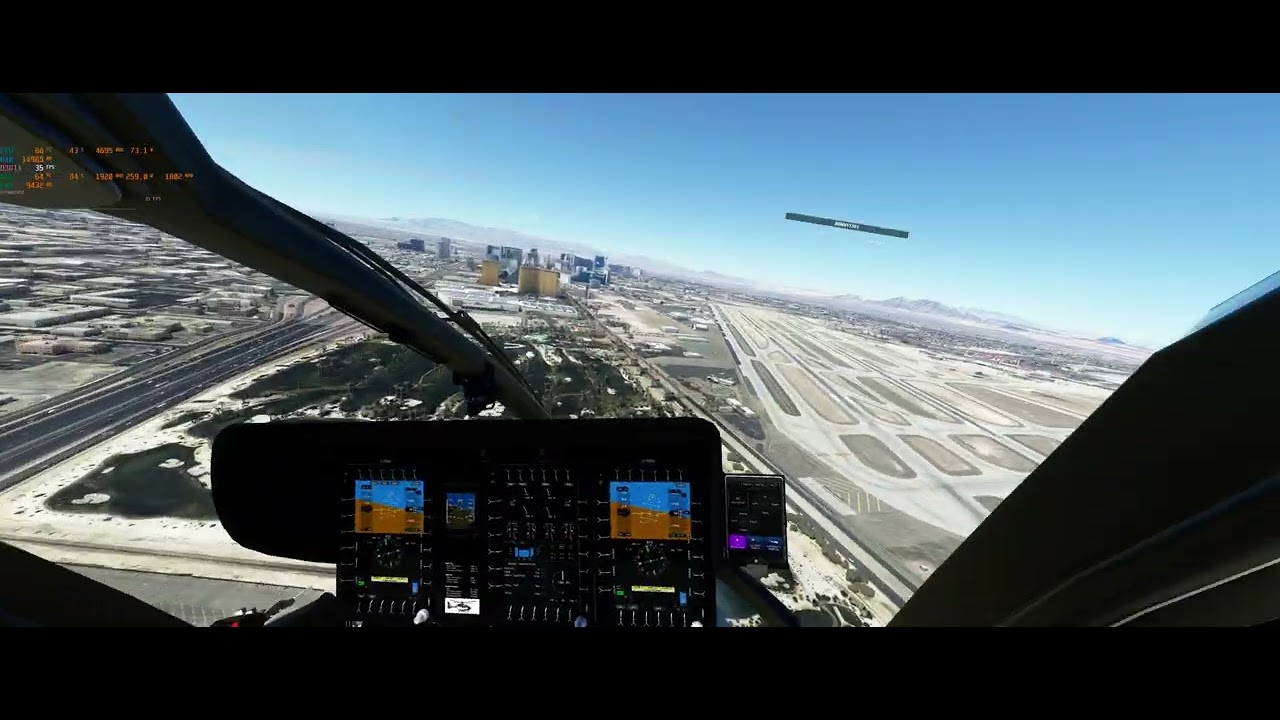
1 Like
Thanks man really appreciate the effort, watching video now .
Edit***
Just in the first 10 seconds i see the same stutter as on my setup, i let you imagine in Vr how it feels.
At take off we can notice when rotating, when passing next to restaurant we see picture and terrain jumps a bit.
When i activate vr, as the pc uses much more resources it becomes more visible and unplayable.
After watching the stream i know understand why and what their plans are.
Merging both Vr and Core team was a needed move and hopefully will bring some fixes.
The question is when, they kept saying SU10 a few times and i am afraid it will take time..
Has been a month for many of us already and some like me had the same issue during the beta.
I also have those random CTDs in Flight Simulator 2020.
Had them since it was in alpha mode. Had them on my nvidia 3090 and now have them on my 6900 XTXH.
Flying in VR. And I think they only happen in VR. And often when you switch between VR/non-VR.
I don’t think those are driver issues as long as they are appearing on multiple system configurations.
Overall the MSFS runs smooth. Some flickers/vsync issue in VR when I turn around, but overall it is flyable.
But it is so annoying with these CTDs on 9 out of 10 flights. You put a lot of effort in those flights and then 10nm before landing CTD.
CPU (11900k) is on stock settings. GPU is set to Default (no Anti-lag etc.). MSFS is set to Default in VR and non-VR.
The only “overclocking” I usually have enabled is XMP. I am now trying with Default RAM settings (2133Mhz) to see if that helps. But I don’t think it helps. I never experience any form of CTD in anything else than MSFS.
2 Likes
Update: Since I disabled XMP I could get my frist flight completed even with multiple switches of VR/non-VR.
This is not the first time I noticed that XMP is causing issues. Sometimes RAM-related issues are just so rare and occur only in one application that you don’t think that this could be an issue.
1 Like
Run Memtest86 overnight in both XMP and non XMP mode.
use HWInfo64 to log WHEA errors.
Zero errors is the only acceptable number of errors - and, if RAM is unstablenit tends to manifest itself everywhere: BSOD, other applications crashing, slow corruption of OS and files. I disagree: there’s nothing special about MSFS2020 that 'touches RAM other applications can’t reach". Your RAM OC/XMP is either stable or it’s not, and if it’s not, it’s not stable anywhere.
in forum it was a long time like a default check : try disable xmp mode. There are seemingly more issues with the RAM ( and the XMP OC ) as we expect.
XMP (Extreme Memory Profile) is a safe and approved memory speed by the manufacturer of the memory.
If you don’t want to run your memory at it’s rated XMP,
then you should buy cheaper memory at the slower non XMP speed.
No offense @MichaMMA, but I don’t consider XMP as an Overclock.
It is the intended clock that you purchased.
1 Like
XMP is still overclock and " the riscs " are mentioned. We had this so often within the forum.
There is a high chance that it works fine in general and of course nearly ensured in case the memory is mentioned within the QVL. But there are lot of factors, it is not only the RAM itself.
Some of people understand me wrong ( or want that extra ) and wrote then " that I’am agains xmp mode". But this isn’t true. First thing what users should do, if they bought fast RAM, is to enable XMP mode - it runs fine in almost cases. But I mentioned a little “but” - be aware that there is a risc.
And also it was not the point which @SchmockLord had. He disabled XMP mode and it works without crash, similar what other users reported too. That can be the RAM itself or just another component, which is OC too ( e.g. mem-controller ) with that, which run into trouble. I would let run in this situation some memory test-tools to narrow it down.. same as mentioned from WeirdNeville.
1 Like
You might have to check if your bios is up to date or run a ram test .
Did try 5 different bios and with / without xmp, same results.
Can’t believe they still haven’t released a patch yet.
There is also a very simple test, running another sim even just Xplane 11 demo for example.
With my Quest 2 i can set pc as follow
No cpu OC as not needed - 12600k
No gpu OC and with power limit - 3080
XMP activated 32G 3600 - Corsair
Oculus resolution 4864x2248 90 hertz ASW auto
Nvidia - Max perf power mode
Using Vulcan and maxed out settings.
Not one stutter or lag, runs super smooth as it should, can even see that i have +65 % perf headroom in performance graph.
With msfs it is stutter straight away, lag of terrain and black screens in headset, -25% perf headroom even tho the dev fps mode shows me everything in green.
My point is that it does not matter if you OC or not, XMP or not, unless an issue already exist in your or my system.
It is the game, not the pc or the xbox.
Some people think they have no issues but they just don’t see them or see them much less, helicpter in Vr is a mess right now but boing on screen at 10000+ is fine even on my system.
I am worried that they wont release anything for at least another month.
Interesting. I’ll have to try this. It’s not something I would have thought of or discovered on my own. I should just get rid of avast entirely as it will randomly decide some apps I’ve been using forever need to be sent to quarantine.