They 've change sensitivty on joystick as you can see on my screen :
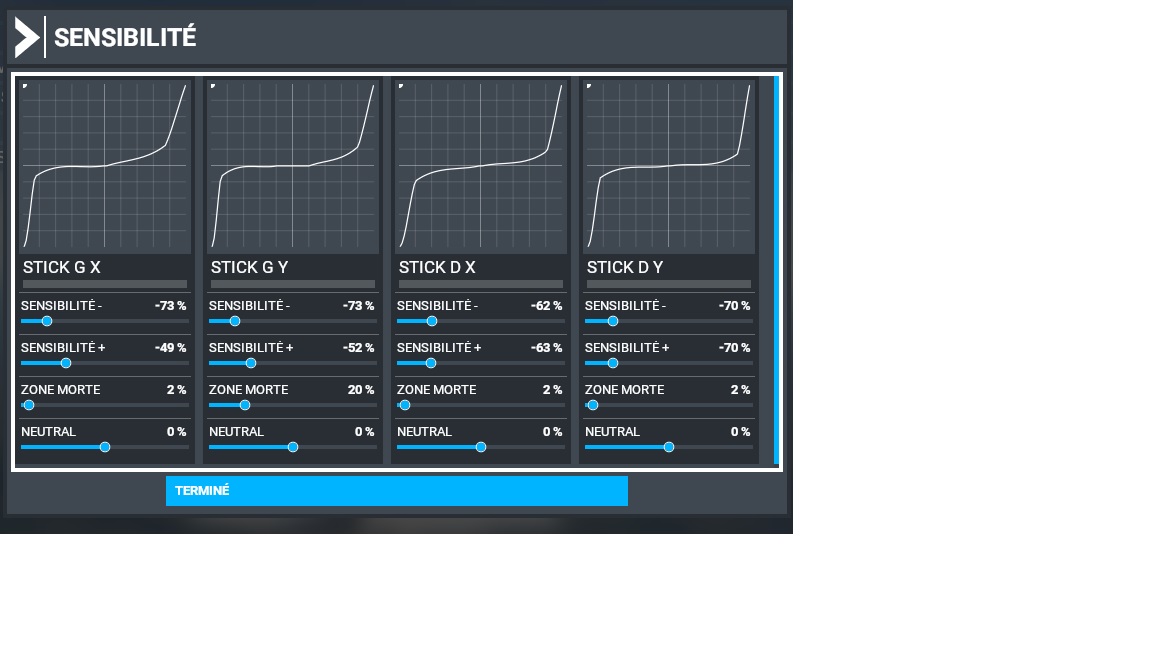
this is why your old joystick profile bug .
Hey guys, new update in MS Store for MSFS 2020 !!!
UPDATE - Oh dear, it didn’t fix anything for me 
I do not see any updates. I wonder if this will take time to get to US.
It updated for me in store version and now my sim works again. (I am in the US)
Re-adding other parts one by one.
The update did’nt fix anythinf for me. The SIM is totally broken. Asobo!!! What are you doing?
For Steam users, update is only in Steam (few mega)
Steam version shows “Update” and when you click on it 237.4 MBs download. That’s it.
I always have CTD after 1 hour of flight time
THIS SOLUTION WORKS!!
This resolved my rudder issue CTD issue first try, thanks!
CTD for me again. This fix didn’t work
The hot fix got my GoFlight throttle working. The sim loads much faster now too, even with large add-on airport mods like ORBX or Gaya Sim. The main menu is snappier too. So they are moving in the right direction.
Congrats!
Working again (so far) after full reinstall.
Glad to know that, thanks. I might try this drastic action.
Tell me Speedbird, do the Bush Trips reset after re-install?
Emptied the community folder, Now works perfectly. The graphics seem to be a bit different from the previous patch
I’m still getting CTD just after I click the “update” button on the mt fuji screen for the content that’s to be downloaded to the packages path. Here’s my event viewer text:
Faulting application name: FlightSimulator.exe, version: 1.10.8.0, time stamp: 0x5f9c145a
Faulting module name: ucrtbase.dll, version: 10.0.19041.546, time stamp: 0x43cbc11d
Exception code: 0xc0000409
Fault offset: 0x0000000000071218
Faulting process id: 0x5c50
Faulting application start time: 0x01d6b097f9a36a65
Faulting application path: D:\Program Files (x86)\Steam\steamapps\common\MicrosoftFlightSimulator\FlightSimulator.exe
Faulting module path: C:\WINDOWS\System32\ucrtbase.dll
Report Id: 596b1167-80c9-4bea-801f-7cdd5de61c98
Faulting package full name:
Faulting package-relative application ID:
Hi,
You should update your Microsoft Visual C++ Redistributables - both x86/x64
Good luck!
hehe - first 
I had about a dozen different versions, so I cleared them all out the. Just installed the latest x86 & x64 versions of the 2015-2019 versions.
https://support.microsoft.com/en-gb/help/2977003/the-latest-supported-visual-c-downloads
In the end it wasn’t the cause of my crashes at the time, but it tided up my install base quite a bit, and didn’t harm anything either.
I haven’t noticed it yet. I will check later on tonight