as of version 5.7.1 the issue is as bad and unrealistic as it can be even in the light of FS2020 not having this issue.
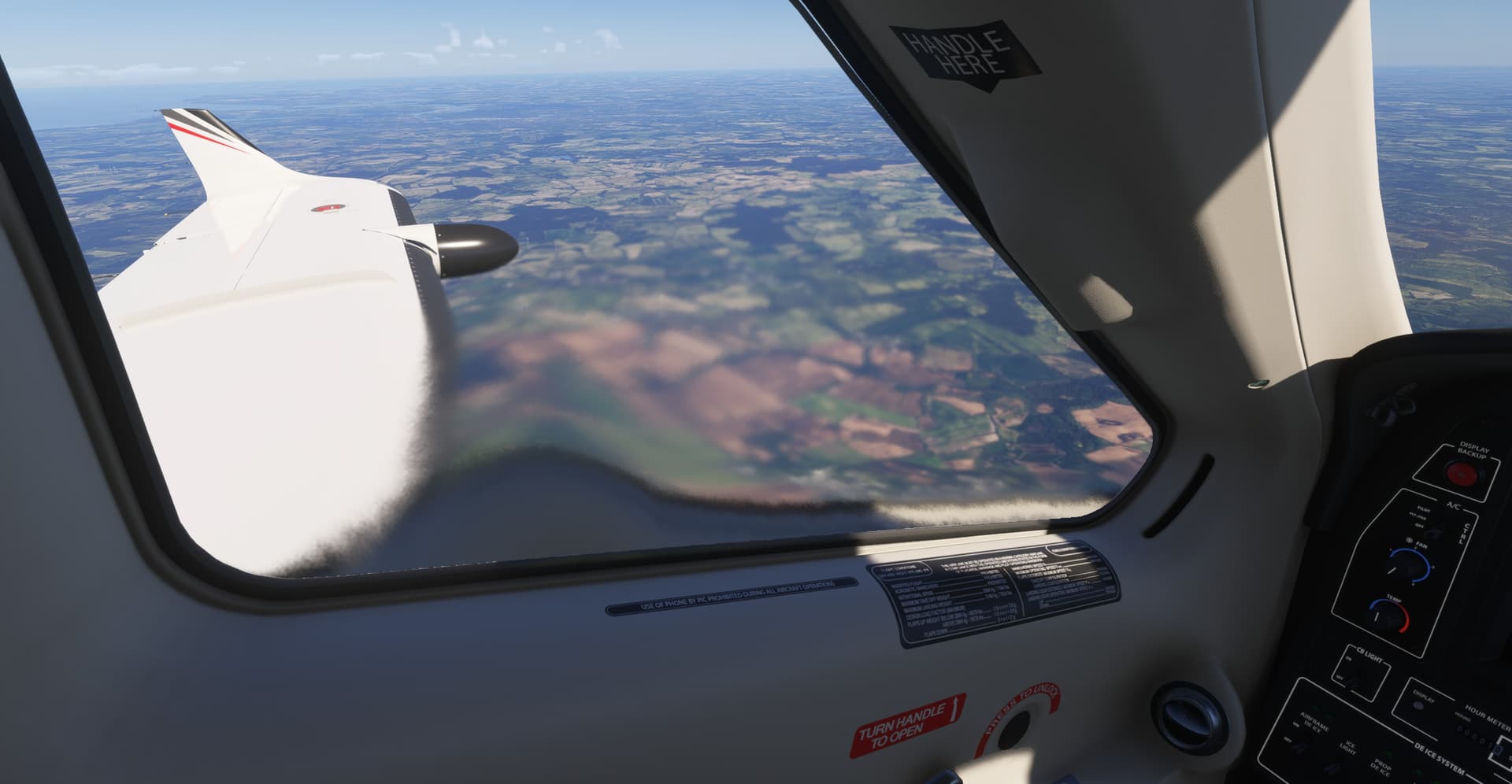
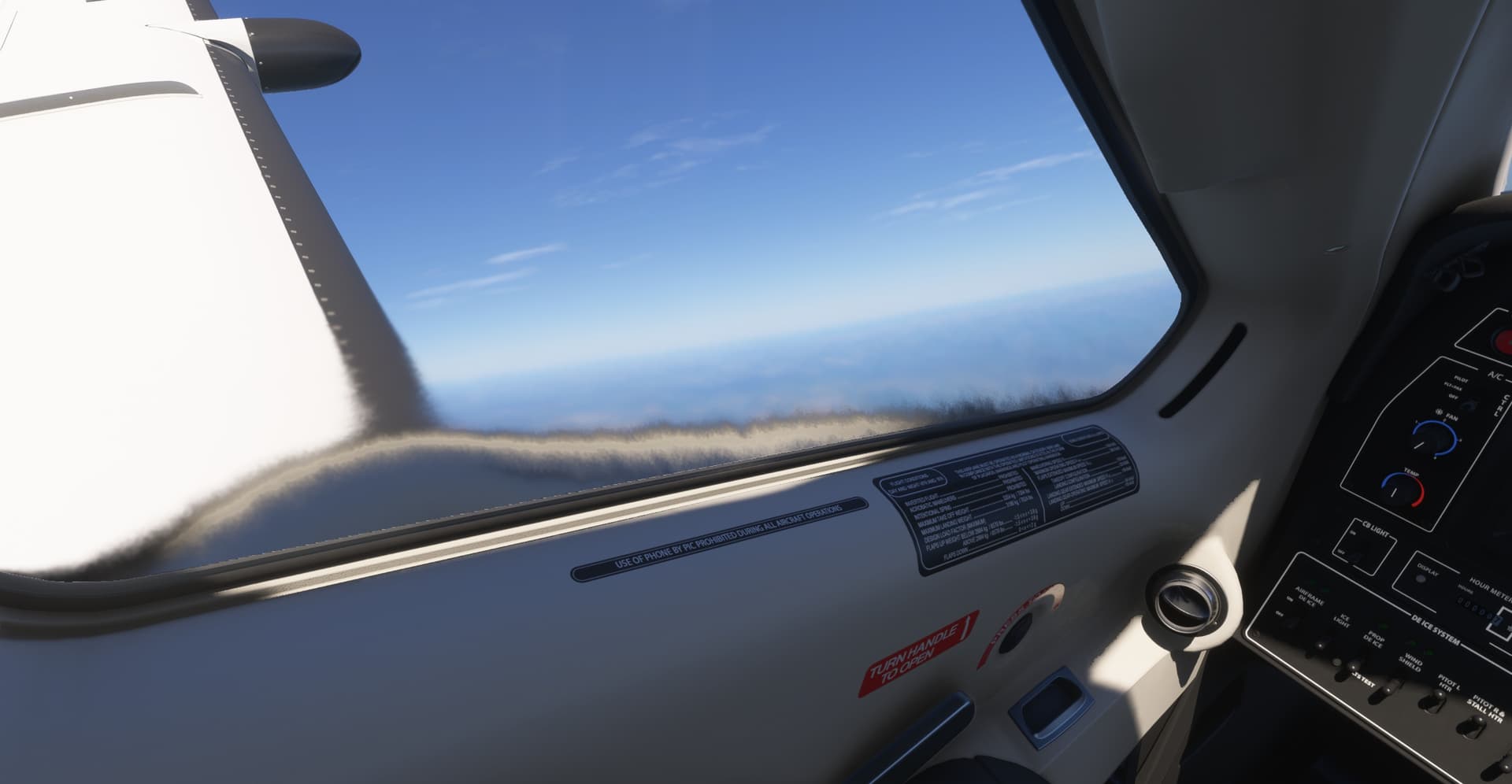
They should completely remove that effect, in flight or on ground for that matter with propeller unfeathered, you won’t be able to see the heat blurr. It is a cool effect, but totally unrealistic.
6 Likes
Is there any way to remove this ridiculous blur effect on the TBM yet?
EDIT: Have just seen the temporary workaround. Will try it next flight.
Will leave the post here though as a bug report. Voted.

2 Likes
This does seem to have been fixed as of SU4 beta 1.6.19. This means that the workaround is no longer necessary.
The “fix” actually looks like they’ve completely removed the exhaust effect in the Daher rather than reduce it to a reasonable level as in FS2020, but I’d certainly prefer the no-exhaust option rather then excessive one we had.
Note that no fix has yet been appied to the Draco, which has a similar excessive effect but actually inside the cockpit.
2 Likes

seems to be “fixed” or at least removed on my side as well with SU4 beta 16.21.0?


and again, if actually fixed, and i think this might be the case since the many airframe LOD issues the TBM had, are fixed as well, proves one thing: the changelogs of this game are worth little to nothing.
1 Like
I have the same version 6.14.0 but had it streamed. Since you’ve posted a screenshot showing you have it installed, I did the same and in effect blur is almost gone (can notice a slight effect from external view at the output of the pipes). I then uninstalled it to have it streamed again and effect is not back. Interesting…
2 Likes
I have to withdraw my comment that it’s been fixed.
Flying today, it’s back again as bad as ever.

Words fail me (for once).
1 Like
Since you are the beta SU4, have you tried to install it (and then have it streamed back again if you want) as I explained in my above post ?
It was working for me, so I can’t understand why its’s changed!
Thanks for your suggestion. I’ve given up for the evening, so I ‘ll try it tomorrow.
1 Like
i removed the TBM and streamed it, besides the super slow texture load of the interior (90mbit) it shows no sign of the heatblur? Maybe remove chached files manualy?

correction: in either downloaded or streamed version there is a actually nicely and realistically made heatblur around the exhausts now:

The latest few flights have are actually now OK, with the small amount of exhaust distortion around the pipe. And that’s without changing anything. Somehow it must have streamed the previous version of the TBM or the exhaust file.
If I hadn’t taken the picture, I might have thought I dreamt it.
I am not sure, I am also on 1.6.21.0 and still have the extreme heat blur  …
…
This is indeed am interesting behaviour.
When I see your findings and think about it, I think the extreme heat blur is indeed a bug and not supposed to look like this. But then, why it isn’t fixed till now? Is this maybe a really isolated issues only observable by a view? But then what do we, which see this effect, have in common to trigger this bug?
Hmm, deleting the chached files could be a good tip. Does anyone know where I find these files exactly (I am on the steam version)?
Yes, the extreme blur is not supposed to look like this. Are you in SU4 ?. If yes, could you try to install from My Library the TBM and check if issue is fixed ?
I am in fact running SU4 beta - I can try this later when I am at home. I’ll report back.
1 Like
That blur has always been there. Also in msfs 2020 i belive. A bit to much indeed!
Why is this thread, still marked as feedback-logged and not bug-(almost)resolved or at least bug-logged, since someone at Asobo has apparently reviewed it and made a change, effectively fixing the issue (at least for now)?
@DementedCorn327 , I have some test results. I am on latest SU4 beta. I do have two Daher TBM930 modules (one version 6.12.0 the other 6.14.0) in my library. I am not sure if both of them are actual planes, I think one is the plane and the other is another vital component to the plane 
Anyways. I tried first the workaround from above, what maybe was not that good of an idea in hindsight. Please keep in mind I do have the steam version of the sim, where files are located in different places then the marketplace version.
So I renamed following file G:\SteamLibrary\steamapps\common\Limitless\Packages\fs-base-effects\VisualEffectLibs\Asobo\Base\FX_Heat_Exhaust.spb to __FX_Heat_Exhaust.spb. In this case the excessive heat blur was gone as described above by @Coleo91 

But I now have (or maybe I didn’t relized it till now because it is very hard to see, or it was introduced with the lates SU4 beta update - I havent flown the TBM since) a "sticky side window when opening the door. Only visible from the inside, not when the player chart is outside the plane:

Look for the door hinge, there you can see it best, but if you look closely you can see that actually the whole window keeps in the door closed position.
I then reverted the file name change back. It seemed it had no effect, the heat blur still was gone but the error with the window was still there.
A install of the plane (installed all packages which came up when entering tbm930 in the markeplace search window) didn’t change anything.
Ok for me now the heat blur issue is somewhat solved for now (I can live with the sticky window), but only time will tell, if this is a permanent solution or the issue creeps back in. If something changes, I’ll report back.
2 Likes