I’m not sure myself, I ran problem free for quite sometime and thought the exact same thing. Am I lucky, am I doing something right? MSFS is still very young as far as a simulator goes. Both Euro truck and American truck Simulator, and many others took some time to get all the bugs out. Sure, not everyone knows how to OC properly, could be some fault. But when you read heavily into this forum you can see the problems progressions. Not just a handful, Crash to desktop without error message - #3079 by MroozW This thread is very much alive, and getting even further activity after the last patch.
1 Like
I’m seeing this problem everywhere. You’re made to take off and land with tail winds instead of headwinds. It’s been the same at all airports I’ve be to since 1.14.6.0.
I’m not sure if that was an issue with SU3 that got carried over, as I wasn’t able to really fly after SU3. But it’s definitely present now.
I’m about to land on 27R at KOPF when in reality I should be on 9L instead due to the tail wind.
I did more tests today. With and without the content in the Community folder, with and without any traffic (ground, air, workers etc), the same pauses and stutters still happen.
I don’t fly in busy cities at all.
Asobo mentioend they addressed the Server Request process in the latest patch, I have the feeling the issue is still related to this.
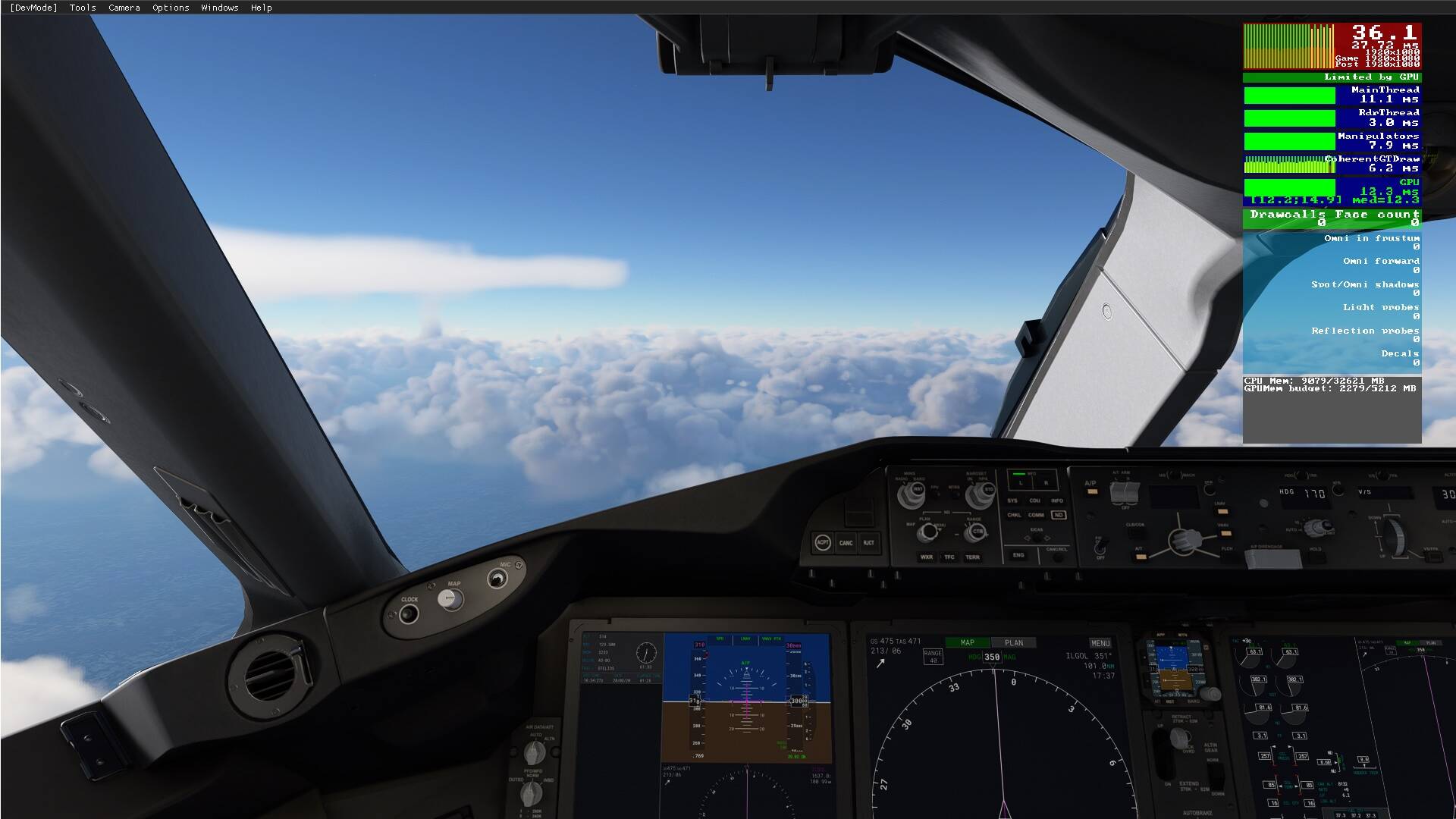
Like now I am doing a trip around Africa, with stops of course. Now I left Cape Town on the way to Luanda Angola 3 hours into the flight and everything OK

3 Likes
I’m sure eventually we’ll all be happy and flying trouble free, great pics! Haven’t been around that way myself. I have the Mauritius addon and a few others close to Madagascar and have been through that area some. Meaning to try the area around the cape, Looks like your coherantgtdraw is going for a loop in the second pic. Hopefully further patches resolve that
So you restart the sim each time to do a new flight to avoid CTDs ?? You don’t think that’s a problem ? FS 2020 should seamless.. it’s already enough you have to go thru the main menu again to change aircraft and re do the flight plan (yes I know you can use the fmc but most people won’t know how to do that)
No big deal to restart the sim if its going to avoid CTD. After all its just a game…
What does it mean? explain to me please, my English are not so good
how dare you talk bad about PMDG in Avsim LOL! I think part of it, it is full of the “older” generation of the simmers whom not used to certain part of things
My experience with this update has not been good.  Although I’m not seeing the sudden drops to 9-12 fps anymore, what I’m getting now is inconsistent low fps, where it constantly oscillates between the low to mid 40’s and low 20’s, (like… 41, 22, 40, 21, 41, 19, 38, 21, 39, 24, 43,… etc.) so the entire time everything is hitching and stuttering, from takeoff to landing. Prior to SU3, the only time I would drop into the 30’s, or there 'bouts, was over really dense photogrammetry cities, while everywhere else I was getting about 50 fps on average.
This is what my frame graph typically looks like now, just littered with red and even purple. This shows limited by main thread, but it actually flips back and forth between main thread and GPU all the time, so it’s not just the main thread anymore like it used to be.
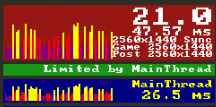
My only choice at this point is to limit the fps in the nVidia control panel to 30 fps (the in-game limiter doesn’t work), so I can keep from getting the 20+ fps oscillations and keep it looking more consistent. It still does drop into the mid-teens though over cities. Basically, the whole thing now feels like it did when it was released… just unoptimized and struggling. I used to get really good fps even with a lot of graphics options on Ultra, but now I’m having to run everything on medium or high, and I’m not even sure it’s helping much. I think I’m going to give up sim flight for a while… go back to ATS and ETS2.
Oh, my specs for reference;
i7-10700K
RTX 2080
32 GB RAM
Samsung 850 EVO SSD
In your second pic, you can tell you are micro stuttering. All the black lines in the topmost bar show this clearly. I see a few black lines in your first pic too. Every black line is a pause, no matter how small. In the second pic, your micro stutters are caused by one of your CPU threads, coherantGTDraw. That’s not at all normal behaviour. You’re in the right spot though, nurture your fellow forum members, you’re going to need them. Your sim has issues brother
“It’s the mods” / “Empty your community folder” tend to be a bit of a red herring reply that people throw around constantly. Mods are often blamed for core issues with sim when they have nothing to do with. People parrot that “empty your community folder” without even reading previous posts on the topic.
Not saying all mods are perfect. There are definitely cases where a misbehaving mod causes issues. But to blame everything on mods is counterproductive.
3 Likes
True but if it avoids ctd for you then there is something on your end as that should not be needed, I don’t reboot for weeks on end and no issues in fact I’ve had 3 ctd since August and 2 were definitely my fault
1 Like
OK Tony I haven’t though SEEN any stuttering, looked very smooth to me. I can live with these unnoticeable issues . But I suppose the “Robot” PC has different set of eyes… lol
2 Likes
Micro stuttering can run on without being very aware of it. You definitely suffer from them. Your screen shots fall into the category of… a Pic is worth a thousand words. Trust me, that second pic screams micro stutters to anyones eyes. If you enjoy it, and don’t notice, right on. That’s what matters
2 Likes
Well all I can say every pic I have seen posted on this forum have had those Spikes. On people claiming they are pleased with the smoothnesss..not seen a pic without it yet…but I dont claim I am an expert.
I guess this patch had also addressed the pesky stuttering locking the FPS at 5.
I’m not sure if it is fixed at the expense of downgraded graphics, though.
Am I missing something here, even if the Graphics have been downgraded, which is debabatable, its the best graphics than any other flightsim on the Market..in my opionion
I use userconfig.opt to greatly increase my LODs, hence my CPU performance in yellow… not a spike to be had. My pic isn’t alone with this  A lot of people posted before and after pics before the update showing poor performance. I’ve seen them all in this forum. And the befores are generally “spike” free
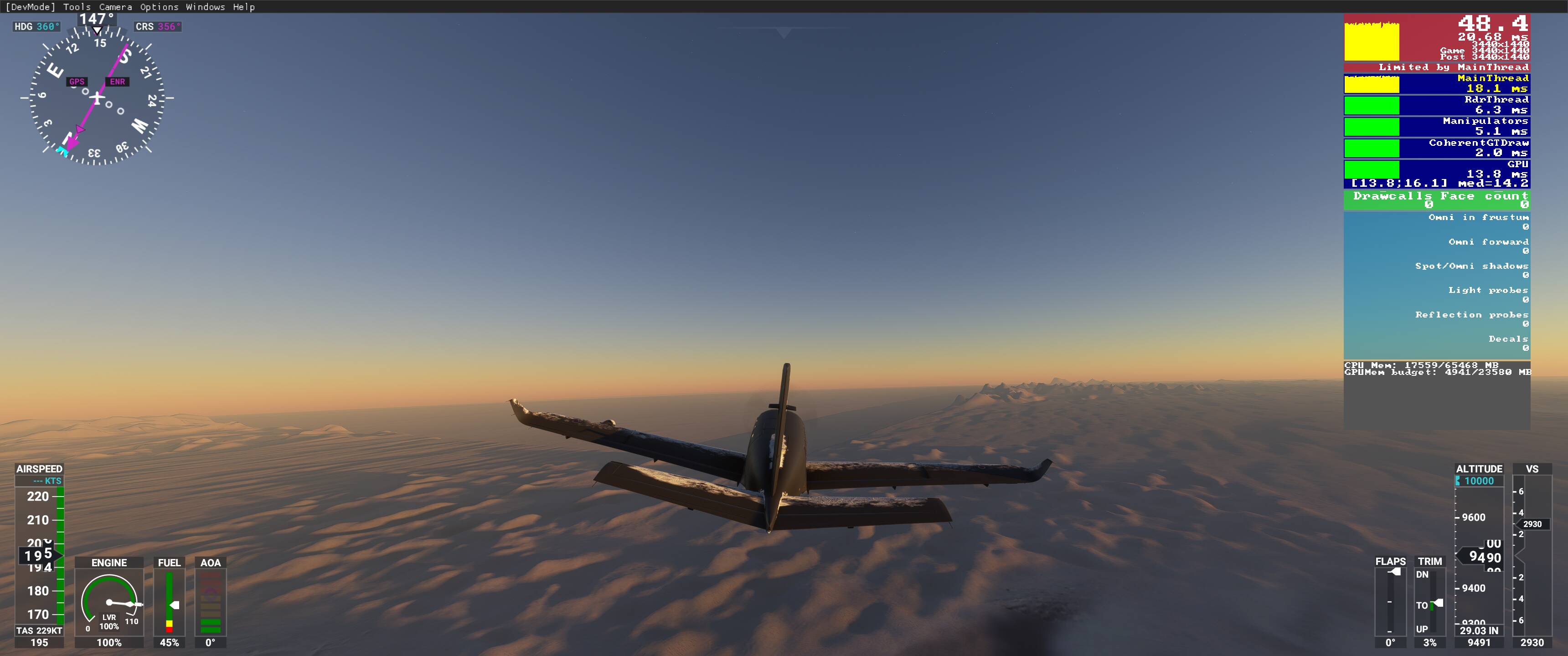 A lot of people posted before and after pics before the update showing poor performance. I’ve seen them all in this forum. And the befores are generally “spike” free
Like I say no expert..so if you did have those spikes you would notice…it be unflyable or a game changer
1 Like