Getting a lot of crashes in VR now. I\m completely unable to play. Most of the time the game crashes even before getting into the cockpit, when trying to start VR.
performance has worsen since the update.
what a joke.. is this what I’ve been waiting for for 3 months ?
@Crunchmeister71 expect it will take a while.. i’ve been looking at DX-12 examples in Visual Studio.. it’s big and complicated, much more code is needed than DX-11. In the end it will probably pay off.. it is lower level code ! you get part of your driver to (re)program, that gives nice opportunities for very fast effects like particle models (e.g. waterfalls !) and also FpS optimizations.
Is it me or the TBM starts its engine without touching the starter switch?
It is you…
- Has the ESC/Throttle at 50% bug Ben fixed?
- Is VR support now abandoned? No fixes just an extra CTD to worry about #sigh
Did the Microsoft 1.05gb now sim goes black at start up then ctd ! Have restarted no joy help please no delete and re start 

i share you enthusiasm, though i rarely thank my car vendor for my car having 4 wheels insted of only 3
@SimRealA320
same here, somehow Asobo gets busy with all the sugar coating, eyecandy ATC phras, weather(which is nice though!) worldupdates, but when it comes to CTD, frametime spikes, stutters and so on, they either claim like in the last WU that it is “fixed” or just not talk about it. THIS is the essential stuff BEFORE any world update what so ever.
Oh  but that’s Microsoft, like Windows they always break stuff
Unbelievable that you could get graphics like that in 2021 using a GTX 970! wow
And additional 500mb through the content manager (Updates available). Airplanes only…

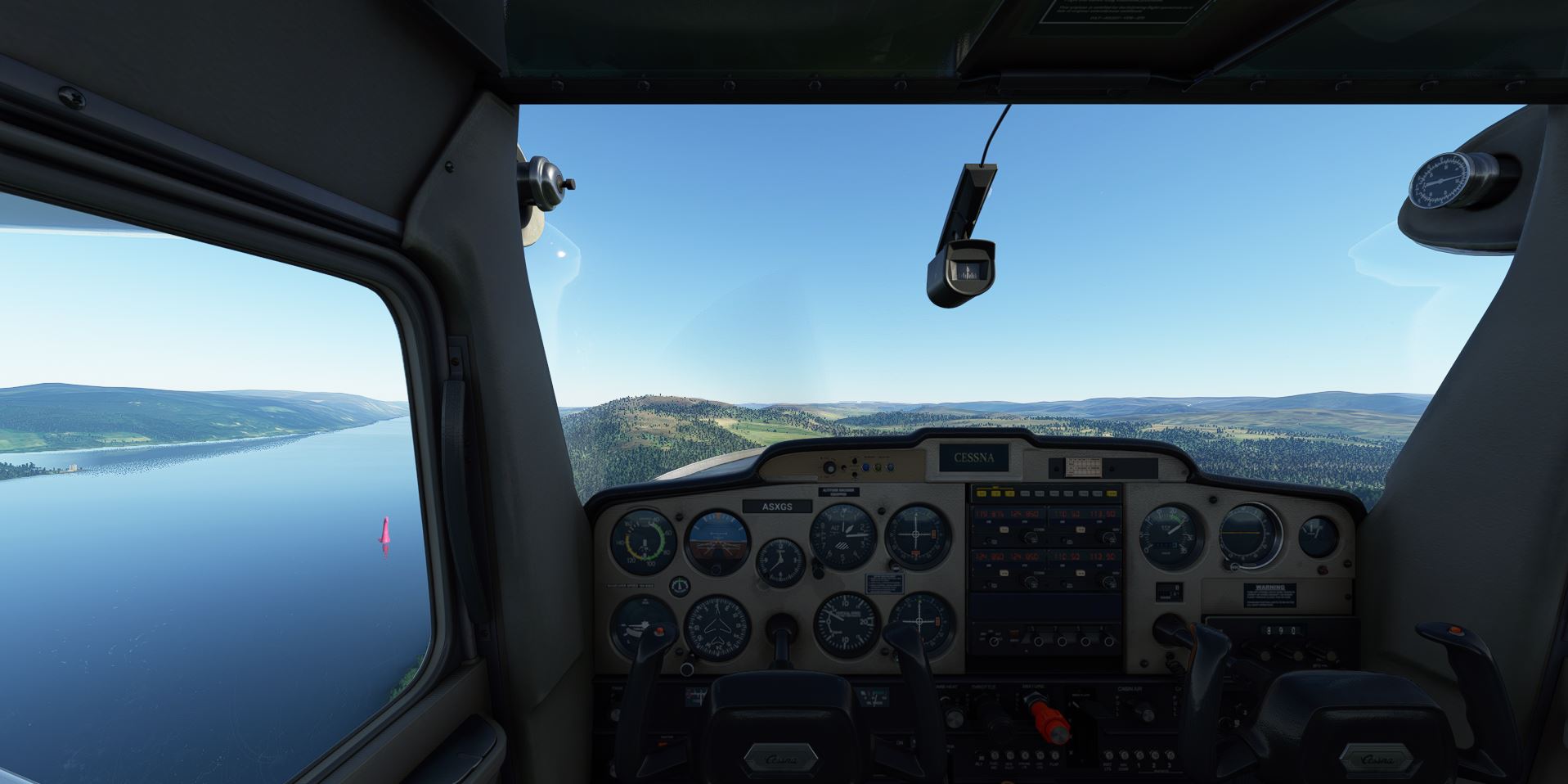
Eye candy ? It has graphically downgraded, Please see my thread “Degradation of ground textures” .
I just had to do this. It was caught on an endless look trying to DL the 747 package. Had to shut down the sim (update), go do my official folder, and delete all folders that referenced the 747 and its liveries. Started back up and installer continued, properly installing the 747 related content and moving on to the next files.
The last 2 updates have come with a huge visual downgrade plus performance hits for me. Trees and buildings only draw in a couple of mile radius around my plane with ugly pop-in and stutters. And outside that radius, it looks like FS9 graphics. And this is at low altitudes. I only fly GA and typically under 10000 feet. The scenery looks horrible now to say the least.
Updated via the Windows Store (using the Game Pass subscription free version), start game, thinks for a while…
PLEASE INSERT THE MICROSOFT FLIGHT SIMULATOR GAME DISC
Head → Desk.
I had an additional download of 500Mb through the content manager. Updates for aircraft only…
Only 500Mb 
I’m in Halifax, and I received it. Did you check the MS Store first?
