This is the most well received release so far. Will download on the weekend. Looking forward to this.
Flying now from KLAX to CYVR on the Longitude at FL430. No more rocking and oscillations  yay!
yay!
I don’t see any improvements in imagery as described in the update and with the map. Same green ground and roads.
Am I missing something? For a quick reference, fly a little south of KMDW and see what I’m describing.
Update says this areas is fixed. It’s no different.
Other than that, I’m still checking things out. Nice to have DFW and ATL now:-)
Actually, I did but I will try restarting it again. Thanks
I have not changed my settings from before the update. I have in the past changed some defaults. I do not see a setting for this when look at all settings. I think it was there, but I never changed this.
So here we go again a new update. And back to cant fly the citation as the fuel just drains from 100% to 20% in 30 mins of flying. So how is anyone suppose to do a flight in it. And WHY every 2 weeks are things broken. Also cant adjust the cockpit height in the sim anymore. This is just the worst way to update software. I still have to fly about twice as many flights to get a few to work from beginning to end.
I’m sure we don’t need a specific post for every issue.
Not to mention the people that are working on the CJ4 and the A320. That actually make the planes flyable. Every 2 weeks there patches are broken and so we have about a week of things working then a new update breaks it. Very frustrating
Give it a few hours unless they really changed the core of the plane, if it’s something like last time will take the Working Title of Flybywire team a cpl of hours to release a patch for it. If your flying the default versions of the planes then you’ll have to wait for Asobo to fix them via next update or a hotfix patch in a day or two like a month or so ago.
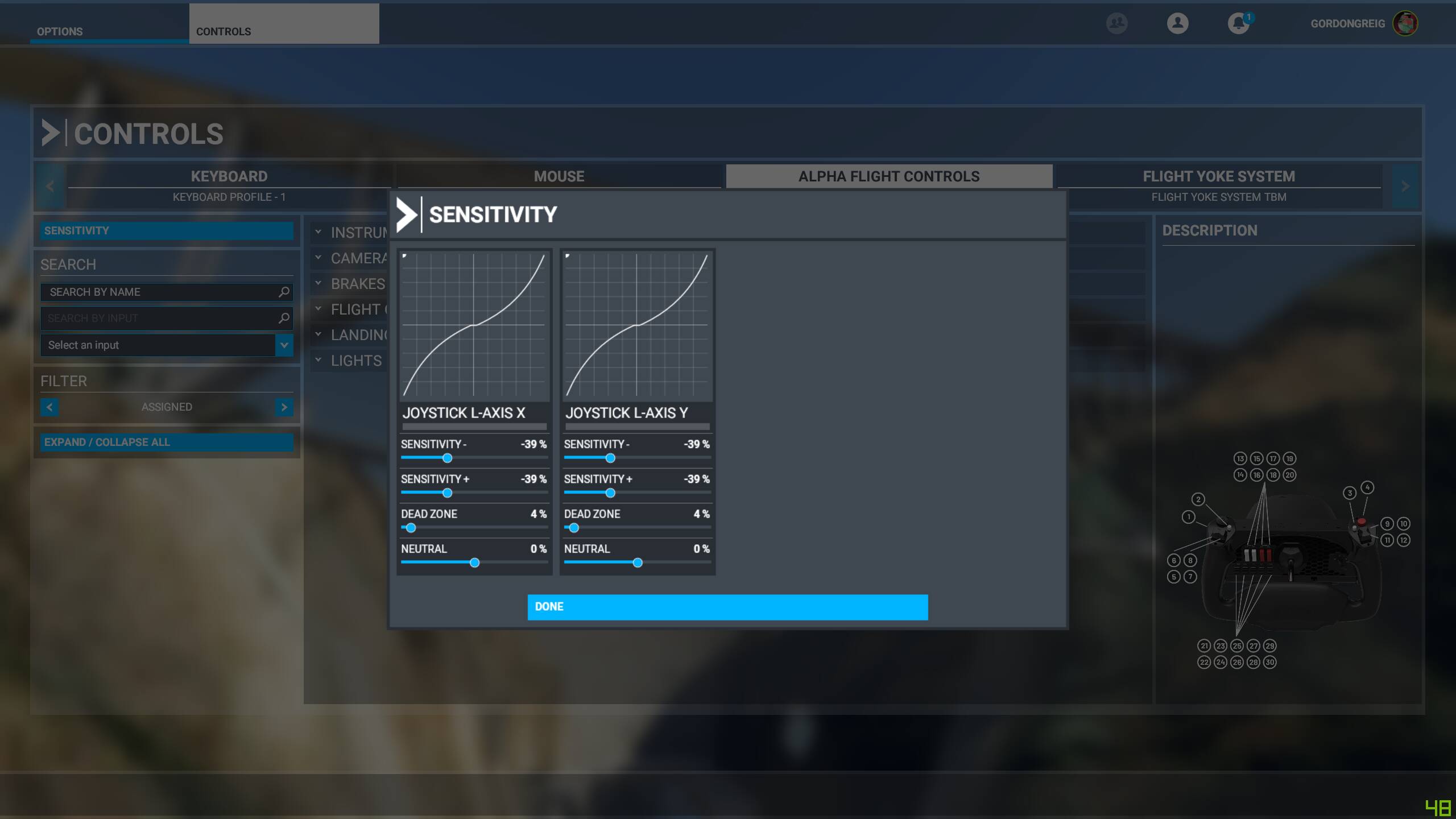
Sub-menus in UI have all gone low-res while main display remains correctly proportioned. I use an ultra-wide monitor and all the sub menus used to scale down properly (before 1.11.6.0) - now they all stretch across the monitor at the wrong resolution and are too wide-view…weird and ugly.
TCA throttle is all over the place now with the shakes…I’ve tried moving the dead zones and sensitivity settings slightly to try and regain control but cannot. It’s unstable now (the visual model shakes and bounces, and right throttle moves differently than left).
Was excited to try this but I’m not even gonna try and get off the ground with a throttle this jacked.
EDIT: The throttle isn’t perfect but the major issues were my fault. I had bumped my other controller while doing some other things and they were conflicting. Have had three successful A320 flights since update. Mostly happy. The flights went perfectly and no CTDs on approach, no shaking or rolling, but the A320 didn’t exactly follow track and I had to course correct on final (known issue per Asobo video update).
It’s not that hard to assign the arrow keys again, is it? Come on.
Which menus? I’m not seeing that, but would like to check.
Load Flight Plan dialog is very low-res for me.
I’m just wondering how many people have silently given up and moved on. Seeing thread after thread like this is just embarrassing for Asobo. The ones who post at least are trying to figure out what’s wrong and fix it. I applaud every single post highlighting the problems. Keep them coming
When I went in to try to change the sensitivity settings on the throttle. The sensitivity menu, for one (but others too). Please do check and let me know so I’m not crazy or it’s something on my end. Thx.
See this:
If it’s any help… I can adjust in the A320 without issue as before.
Oddly enough though, that issue isn’t mentioned in the patch notes…so probably why it isn’t fixed
Its absolutely awful I paid £110 for a sim that is broken I can’t even launch the sim after updating the game from the Microsoft store