Would he benefit from things like ghostbuster and other features built into the mod?
haha. alright.
somehow after putting the file into my main msfs folder every flight gets a total mainthread overload of 150ms and a thick lilac line. don´t know how or what it did. will keep on troubleshoot.
When I have MSFS in background or I am working on another screen (MSFS not highlighted anymore) I got stutters. It looks like Frame Gen is only working when MSFS is highlighted/on top, as soon it is not highlighted the NFG 4x dissappears. If thats a feature and not a bug, how can I get rid of stutters when MSFS is not in focus?
If I select AMD FSR there is no problem, it only happens using NFG.
Win 11 - RTX 3090
Does someone know how to fix that?
Edit: I fixed it by simply updating to the latest nVidia Game Ready Driver. So if anyone else got the same, update your driver.
you dont need that software that simulates nVidia DLSS when you have an RTX5090, that card will run native DLSS far better
4.6 available now
How do you remove this from PC. I have taken the original dll out of the folder but the MENU still shows up in sim. Thank you for the help.
Anthony
To uninstall completely, remove all of these:
-
version.dll
-
dlss-enabler.ini
-
dlss-enabler.log
-
dlssg_to_fsr3_amd_is_better.dll
-
OptiScaler.ini
as mentioned by the author here
Thank you for the help, I have looked at the link you provided but I can’t locate the files you posted. Do you know where they are installed so I can delete them. I deleted version.dll but I can’t find the others. I appreciate the help.
Anthony
New version available 4.6.0 Stable
Changelog
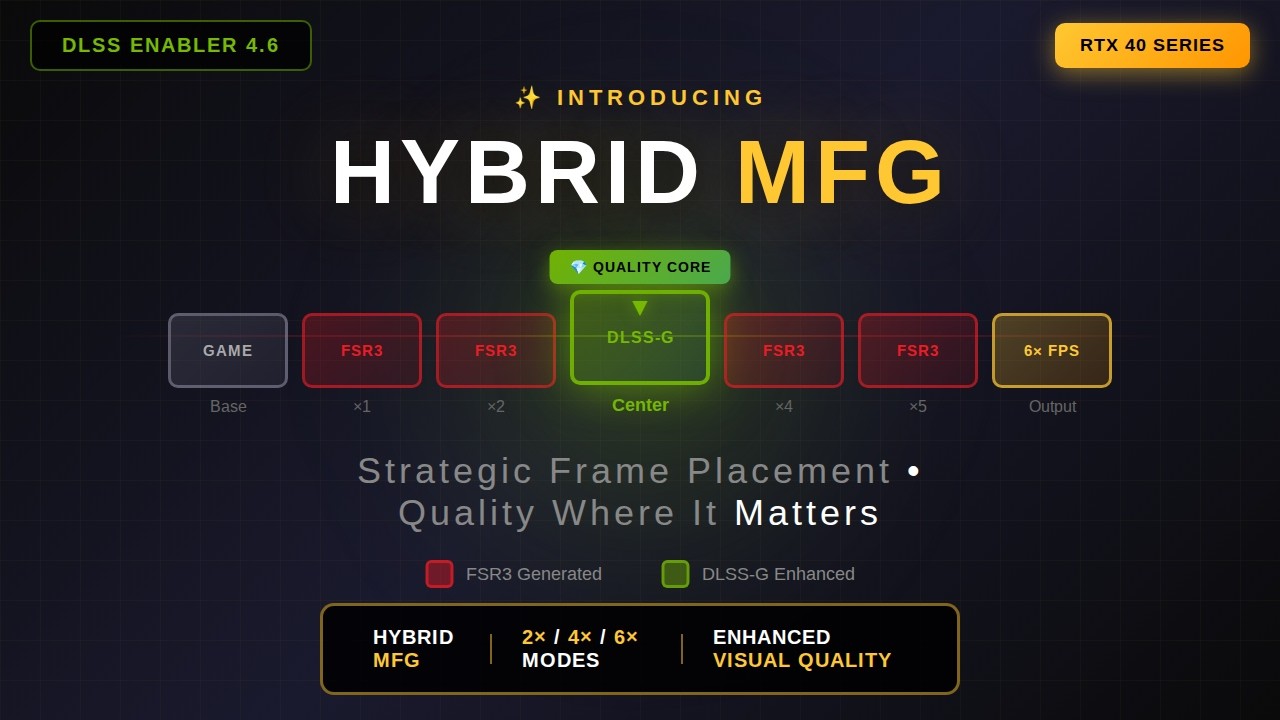
- Feature: Hybrid MFG for RTX 40XX cards (enable it in DE sidebar by selecting “Frame Generation: DLSSG”, works in X2, X4 and X6 modes (in X3 and X5 FSR3 is used exclusively)
- Feature: Ghostbuster updated to version 2.8 (improved quality of occlusion/disocclusion areas and shadows)
- Feature: Hybrid Multi-Frame Generation is disabled by default on first game start (you need to enable it manually via UI)
- Feature: Phazed HUD - HUD elements are now updated during the middle MFG frame, not the first one, giving more fluid transitions between real frames
- Feature: Dedicated headless mode of operation provided to Optiscaler (no Ghostbuster, HUD detection, nor SSRTGI, no DFG Instinct)
- Feature: Optimized and improved Optical Flow module (improved image stability especially on stairs + rewritten parts of the code to benefit even more from DP4a usage)
- Feature: Various performance tweaks in Frame Generation module to improve asynchronicity between real frame rendering and interpolation (lower GPU registry occupancy, more efficient GPU cache usage, lower VRAM bandwitdh usage, leaving more GPU capacity to actual game’s renderer)
- Feature: Improved SSRTGI module (more atmospheric/fog aware, reducing ambient occlusion in such scenarios, still contast shadow strength should be reduced in UI depending on game).
- Bugfix: Fixed regression from 4.6.0.x in Dying Light 2 HUD detection
- Bugfix: Made the status bar wider to fit the upscaler info properly

Those files will be in the exact same directory as the version.dll file (they are at least for me)!
Weird my directory has none of them. I put the original dll in the folder with the flightsimulator2024.exe file. Not sure why they are disappearing on me. I have show hidden folders set on my pc, any ideas? I appreciate the help. Also love your videos.
Thank you,
Anthony
Have you booted up MSFS 2024 and loaded into a scenario since placing the version.dll file into the folder? It may seem like a silly question, but off the top of my head that’s the only reason I can think of as to why the other files will not have generated. @TenPatrol any idea as the resident expert? 
Cheers! 
Yes I have the menu available with the ~ key, I just can’t delete it. I was trying to install the new one but I wanted to remove all of the old first. Just to be prudent that I have a fresh dll.
It depends on how you’re installing it. If you’re only downloading the version.dll file, then the other files won’t show up. If you used the DLSS Enabler 3.02.000.0 Installer, then those additional files should be there.
If you already installed it with the 3.02 installer, then after that you usually just need to download the version.dll and overwrite it when updating.
I haven’t tested the installer myself, so I’m not 100% sure, but that’s what my brain tells me based on how it should work. Someone else can confirm to be 100% sure.
Thanks for the input. I only downloaded the version.dll and put that into the folder like instructed. I just want to make sure everything is gone when I delete it. I have tried but ~ still brings up the menu after the original dll is gone. Weird that it would still be available to use.
I’ve decided to stop testing GPUs and MSFS 2020/2024, because I don’t want you to spend the weekend stressing over how to fix it instead of relaxing. So I stopped testing, installed a new version.dll and moved it to the main game folder (where the FlightSimulator2024.exe file is). Then I launched MSFS 2024 and while in the menu I pressed the ~ key and the mod menu appeared.

After that, I closed MSFS 2024 and deleted the files shown in red.
- dlss-enabler.ini
- dlss-enabler.log
- dlssg_to_fsr3_amd_is_better.dll
- fakenvapi.log
- OptiScaler.ini
- version.dll


After deleting the files, I launched MSFS 2024 and while in the main menu, pressed the ~ key. This time the DLSS Enabler mod menu did not appear, which means the mod is not working anymore because I removed it from the main game folder.
EDIT
Just a friendly reminder - As I mentioned in my first post in this thread, installing DLSS Enabler simply involves downloading the version.dll file, extracting it and moving it to the main game folder. Nothing else is required - no additional installers or setup tools.
Thank you for the help, but those files do not show up in my folder. The only ones that are there are the .exe file for msfs2024 and version .dll file ever after running and exiting. Not sure why I’m not seeing them.
Close MSFS 2024 first and delete the version.dll file. Then launch MSFS 2024, and while in the main menu, press the ~ key.
I’ll give it a try again.
Please delete the version.dll file now because I’m running out of coffee 