Hi everyone,
I’d like to share a small personal side project I’ve been working on in my spare time and get some feedback from the community.
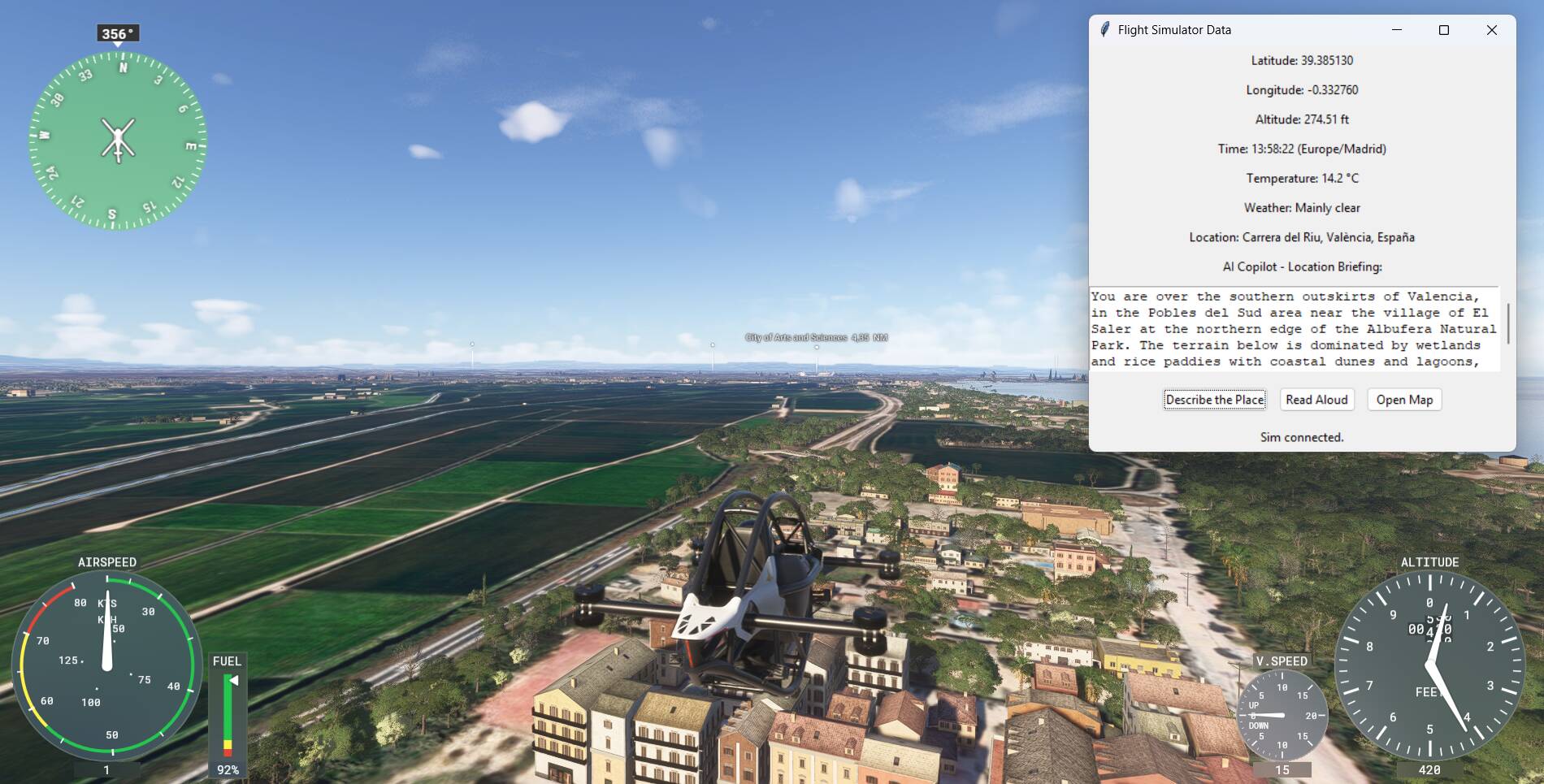
I’m experimenting with an external desktop app (not an in-sim addon) that connects to MSFS 2024 and reads the current simulator state.
Based on that, the app can generate a short location briefing about where you are currently flying, and optionally read it aloud using voice.
The idea is mainly aimed at:
Rather than being a realistic ATC-style tool, it’s more of an immersive “context companion” that tells you where you are, what kind of area you’re flying over, and what’s around you.
Important note:
This is something I’m building mostly for my own enjoyment and learning, and I already have a full-time job, so there are no plans, roadmap or promises around releasing this as a proper product.
That said, if there’s genuine interest from the community, I could consider making it available in some form in the future.
I’d really appreciate your thoughts on:
-
Would you personally use something like this?
-
In which situations (VFR, sightseeing, bush trips, casual flying)?
-
Would you prefer brief, factual descriptions or more narrative/touristic ones?
Thanks for any feedback — positive or negative is equally welcome.
2 Likes
I like the idea for VFR sightseeing flights in unfamiliar terrain. Best it should work in the background and tell you aloud what it knows about the area. The FS2020 bush trip flight plans were made a bit similar, containing some local knowledge (but mostly not very well put together).
1 Like
I’m immediately reminded of Bushtalk Radio with its thousands of fixed POI locations and narration when you fly close to them.
Which LLM do you utilize, and does each user require an account to use this?
Most (all?) LLM’s have some limit to free access. Would your tool require a subscription depending on usage?
1 Like
I personally wouldn’t use this because I use SayIntentions which already has this feature (although it sometimes doesn’t say anything and has to be prompted) but if I didn’t have that I would definitely be interested.
2 Likes
Hi paoloman72,
Yes. I would use an app like the “context companion” you described above.
And yes, I would find it helpful to for VFR flying, sightseeing, bush trips, etc.
Brief, factual descriptions would be a good place to start.
Then, if your interest with the project remains strong, consider adding user selectable options like:
- A more detailed general description of each POI
- Where relevant, the current and/or historical:
- Aeronautical significance of each POI (e.g., Water Tower X is used by pilots to guide them to Airfield Y, Airfield Y is now popular GA field, but in WW2 it was major RAF Base, etc.)
- Cultural significance of each POI
- Religious significance of each POI
- Ecological significance of each POI
- Economic significance of each POI
- Military significance of each POI
- Political significance of each POI
- Etc.
The growing number of freeware and payware addons for parks, nature reserves, and natural wonders (see Bijan, Cli4D, Flak, Jeppeson2001, NZA, etc.), and for cultural and historical sites (see michelvp, mv46, Redwing, Skell300, and Time Machine Design (@PipsPriller )), strongly suggests there might be a lot of interest in tools that provide live info on POIs.
You might even find some coding or POI information partners among these developers …or among those who create bush trips and flight plans.
Cheers.
1 Like
Thank you all for the feedback — very appreciated and right to the point.
It’s interesting (and useful) to learn that there are already apps doing something similar. In my case, I’m very much a “virtual tourist” when I fly, and I felt the need for something that could provide lightweight, contextual information about where I am. That’s also why I wanted to experiment with SimConnect and LLMs in the first place.
Regarding the technical side: the current “copilot” part uses gpt-5-mini, so yes, it requires an API key and therefore a subscription. In theory it could work with different models at different price points — I haven’t explored a fully free option yet, so I can’t promise that.
All the other data shown (position, time, weather, etc.) is based on services that should be free, although I’d obviously double-check everything if I ever decided to make something available to others.
For now this remains a personal experiment, but the feedback is very helpful — feel free to keep sharing your thoughts if you like 
1 Like
Great idea, particularly as the current POI markers are so immersion breaking, but at the same time so useful. If only we could turn them on and off during flight, or at least make them invisible. However, your idea improves on this and help us appreciate the wonderful MSFS scenery. It would be really good in VR, as long as we can turn it on and off during flight - I don’t want it talking over ATC!
1 Like
@paoloman72 I think this is a really interesting idea. and something that has been at the back of my mind with the Time Machine Designs roadmap.
If you would like to experiment with any of our releases, just let me know.
Hadrian’s Wall 180
Iron Age Hillforts
RAF Kenley 1940
We have found that for non flight simmers the POI markers provide a useful reference point for what they are seeing ahead of them. So, being able to provide more information about the upcoming location would be ideal.
2 Likes
Hi PipsPriller,
Thanks a lot for the feedback, and compliments on your work — using MSFS for historical reconstructions is a very intriguing idea.
I do think an LLM could help with immersion and understanding, especially when combined with strong visual reference points like POIs.
I’ve noticed that the need to better document and contextualize POIs comes up quite often, so this is definitely something I’ll look into further. At the moment, my approach is still primarily based on geolocation data rather than curated POI datasets.
Thanks again for sharing your perspective. If this ever grows beyond a simple experiment, I’ll be happy to keep you updated
1 Like
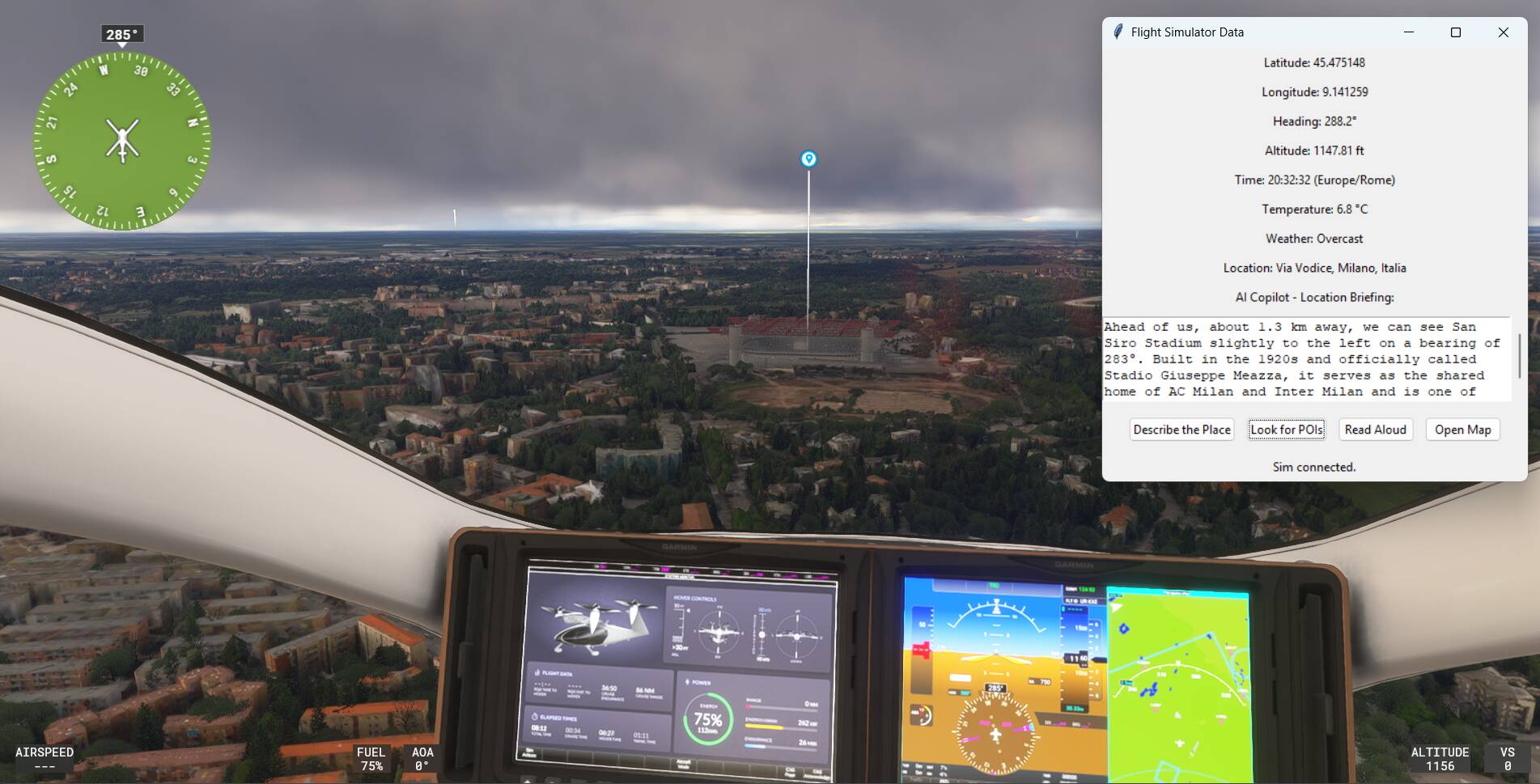
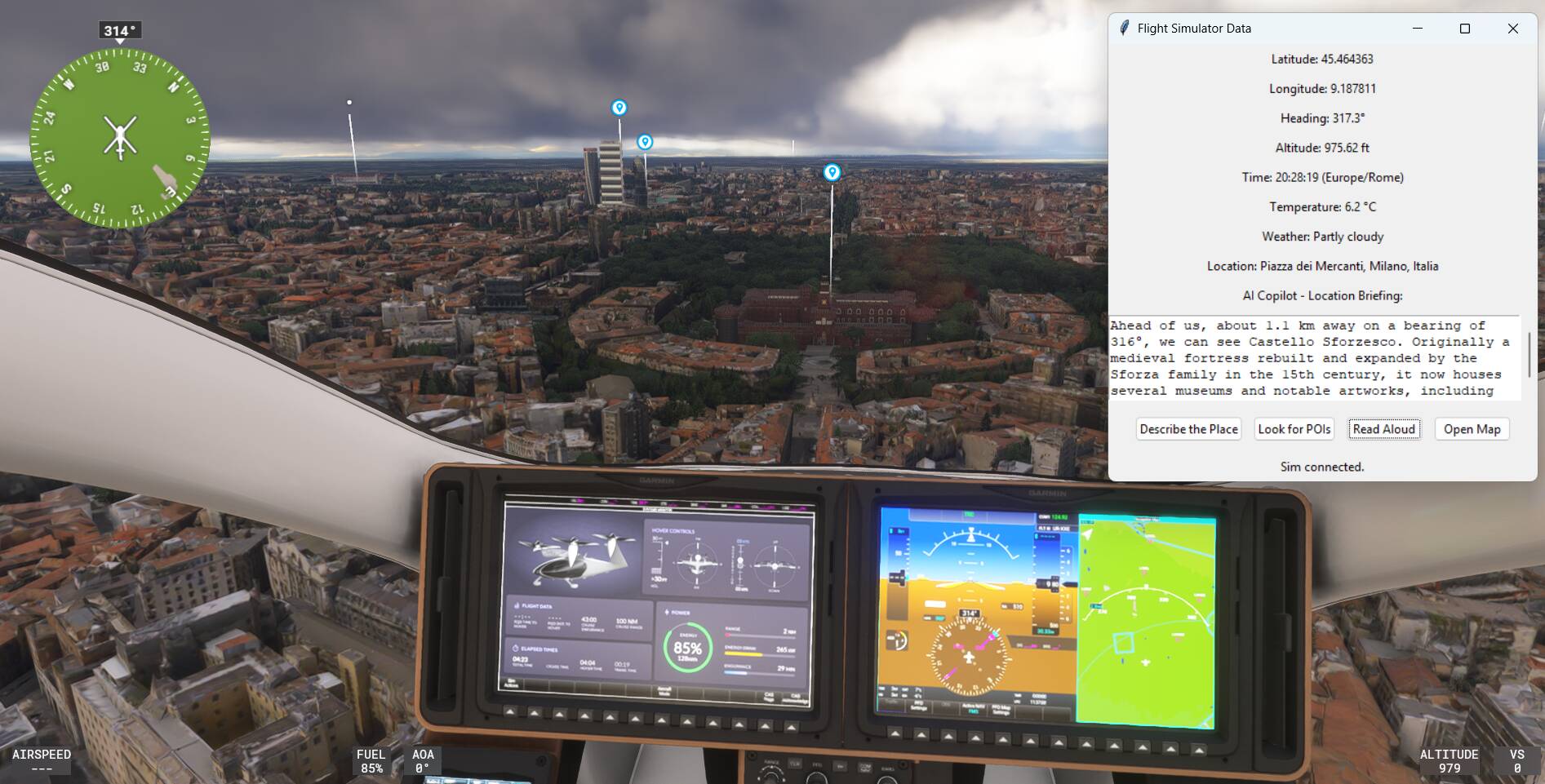
I ended up experimenting a bit more and added a simple “look ahead for POIs” function, based on bearing and distance rather than fixed triggers. Still very rough, but interesting to explore how visual markers and contextual descriptions can complement each other.
1 Like