At the moment the files, including the cfg files, ARE encrypted (I bought it). We will see if that changes when SU10 goes live in two weeks. But I doubt, that it will change.
Kind Regards
JayDee
At the moment the files, including the cfg files, ARE encrypted (I bought it). We will see if that changes when SU10 goes live in two weeks. But I doubt, that it will change.
Kind Regards
JayDee
Would you provide a list of those switches and any other controls that are not operational. I hope they are nothing important.
Exactly. Working to a budget for sure.
I hope it’s realistic because a faster more modern V tail in the Vision jet will be coming at some point.
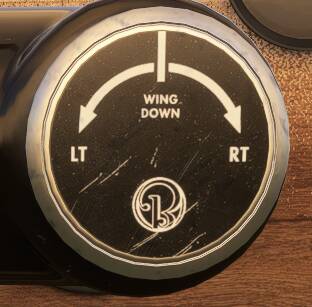
I was really excited to get this aircraft and even though I haven’t spent much time in it, as yet, I really do enjoy it. The modelling is impressive and it handles as I would expect. (I have no irl life experience with this aircraft and what I expect may be different to those who have actual experience in this aircraft!) . However I am still getting used to the need to adjust the wing down knob to keep the wings level in flight. I am a big fan of steam gauge aircraft!
I spend a lot (mostly all) of my time in GA aircraft flying with my VR headset on and this little beauty does not disappoint. As has already been mentioned, the aircraft supports VR zoom and the immersion is impressive.
I did get a StackHash ctd (not a common occurrence on my PC) while I was adjusting the wing down knob with the mouse scroll wheel while in flight in VR. Hopefully this was a one off. (Hasn’t happened on subsequent flights)
I also enjoy “throwing” GA aircraft around in the skies (in VR) with various aerobatic manoeuvres. This aircraft again doesn’t disappoint… however caution is recommended as a few times I have ended up in an uncontrollable (and seemingly unrecoverable) spin. (The good old slew key comes to the rescue  )
)
In brief, awesome little aircraft that I will greatly enjoy flying.
Cant use it. INOP i think
Downloaded this aircraft this morning. Absolutely beautifully done aircraft, it has to be said. However on my maiden flight sim has completely hung/frozen, with zero % CPU, non responsive, stuck mid air, no menus or anything, complete sim freeze.
Haven’t seen this before and have flown other aircraft a lot recently and haven’t added anything else mod wise than I usually have installed.
All I was doing whilst airborne was rotating the NAV2 dial to change the frequency.
Will give it another go, but now have to do a windows task manager/end process to stop the sim which isn’t ideal.
This is win 11, and I’m still using SU9 not the beta.
When I ALT-TAB in windows FlightSimulator.exe has an ‘Application Error’ window, but no message on it.
In the dev Q&A on Thursday, the Carenado guy talked a lot about how they worked hard to get the flight model to reflect the reality of the v tail. No idea in what way it feels different in real life, or indeed whether it feels equally different in the sim.
Carenado seem to quickly becoming the preferred partner for the Microsoft releases. Makes sense…more system detail than default without being complex and great looking planes at a good price point. Can’t really fault them
Quick question, can you uninstall the X-Box and Aviators Club livery?
On second flight now. Nice aircraft, feels (and sounds) a lot like the other Cardenado aircraft I own, but visually seems even better. This one is very nice, some notable ground handling differences. Just tried out ADF, NAV1, NAV2 and they are all funtional.
So far so good on 2nd flight with sim stable (It hung during flight 1st time around). 
Beautiful animations and finishes everywhere, a work of art.
A bargain at the asking price. 
OK, sim crashed again this time complete CTD which isn’t common for me these days. Enough with this aircraft for now, pity as I was enjoying it, it is beautiful.
Having problems switching off the autopilot. Have to keep pressed the button on my Honeycomb yoke.
Anyone have any ideas? Otherwise I’m enjoying this aircraft, great value for the money!
I’ve not even used that knob. I assume it’s aileron trim?
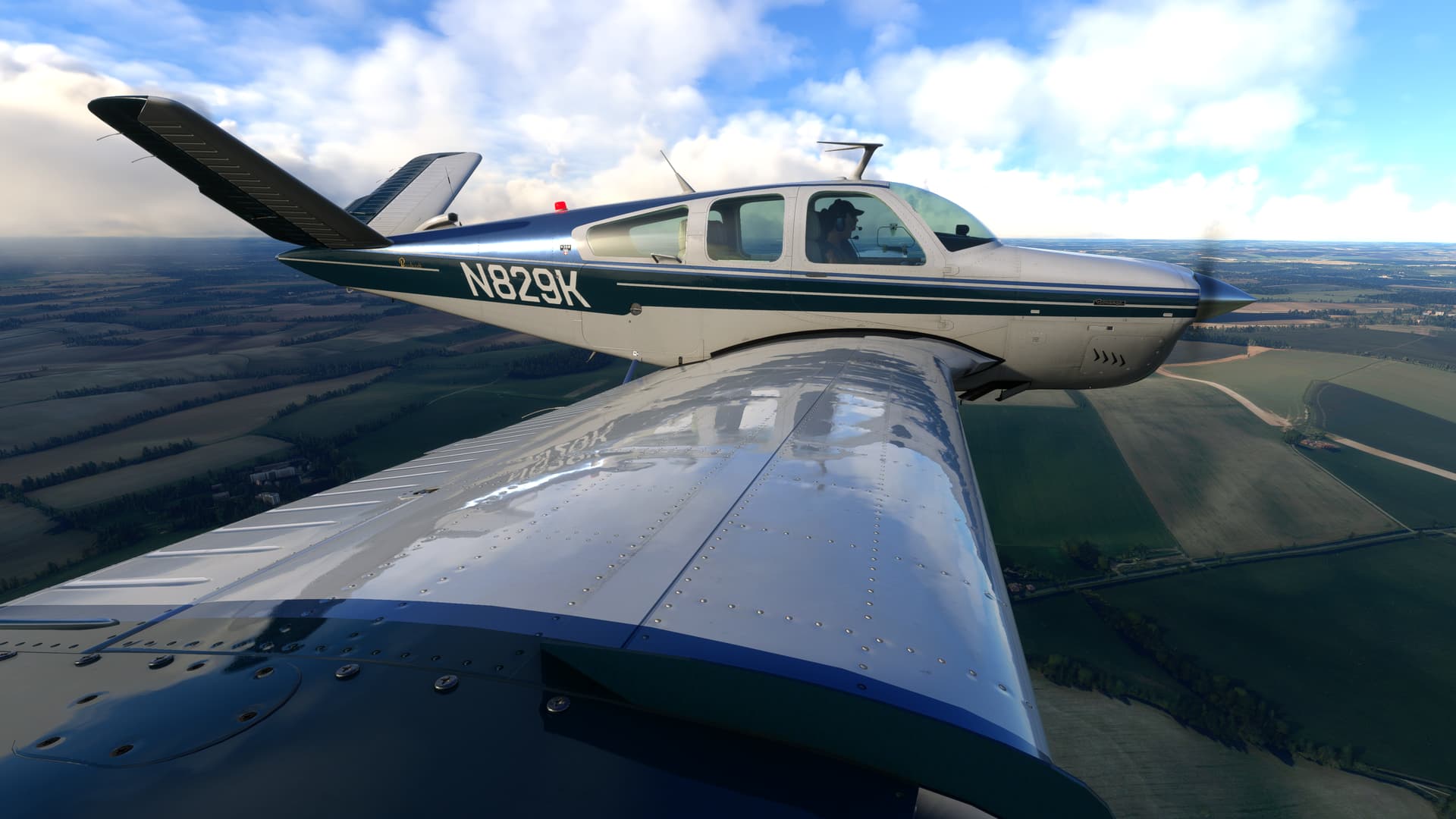
Just look at the modelling! All these little imperfections in the metal surfaces and how the pressure of the rivets affect them at the contact points. This is the kind of stuff that sets Carenado apart and what’s missing in many other aircraft. This makes the difference between looking real and looking cartoony. Many add-ons out there are just too clean, too smooth, and simply do not look real because of that. Micro detail matters!
It does, though personally I would prefer that attention to detail was focused on INOP switches in the cockpit.
Actually he talked more about how impressive the textures are  … I was missing a deeper insight in flight dynamics … It was mainly really just a very brief insight on the plane …
The only thing mentioned regarding flight dynamic was that MSFS does not support V-tails and they had to fake it (no mention on how they actually achieved it, nor any other flight dynamic insight)
Agree, still doubting about this one, INOP switches is just not the level anymore I like.
Visually it looks absolutely really cool though!
Carenado make very nice models but the same can not be said for the systems. I fly from the pilots seat and can’t see much of the exterior from there so none of that has any relevance to me. I’ll take an inferior exterior model and on point systems rather than the opposite. But each to their own.
I really like the wooden finish in the cockpit and the overall vintage feel. The price is great but I’m just not sure if I would fly this over the Just Flight Arrow III that I currently own and fly a lot. I believe they are in the same category but surely the Arrow III is better in all departments except for the visuals, right?