Yep looks like it.
I added a screenshot for clearity. I forgot my FPS Counter but is was around 10 FPS, maybe a bit lower.
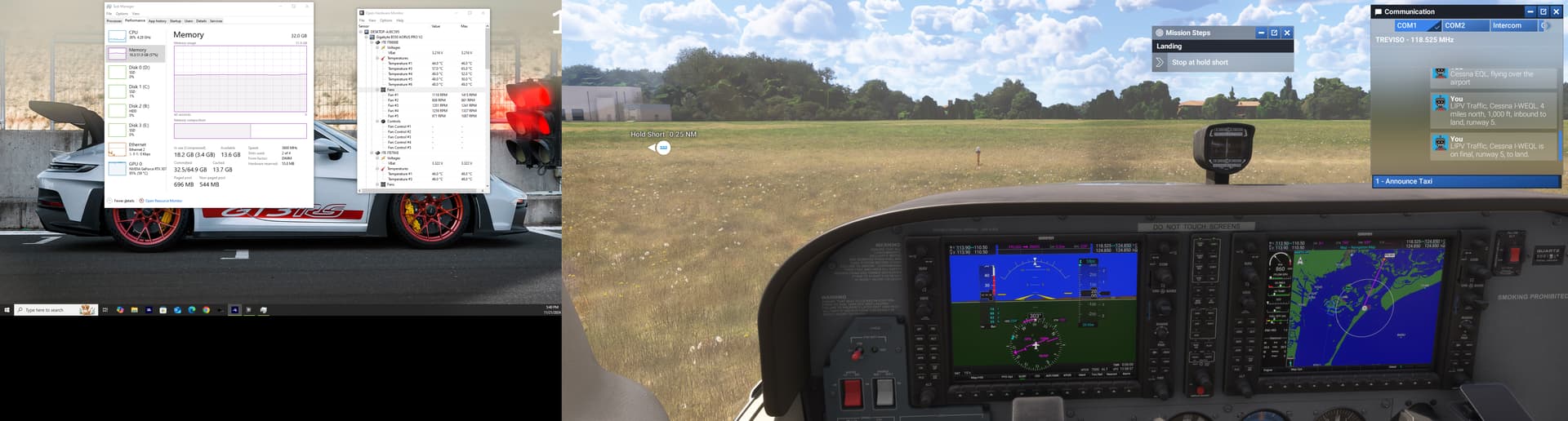
I did a comparison between fs2024 and fs2020 and indeed fs2024 utlizes 99% of my GPU however the fs2020 the GPU does not passes over 80% with an average utlization of 65% the CPU stays at an average of 45-50% for both games for me. This is telling me that the game while streaming the images the GPU is trying to keep up with the images that being streamed so constantly drawing the images.
Same here, but for me, I notice that when I first tab in, performance starts around 75FPS, then gradually drops to about 67FPS over the next minute.
I’ve noticed that CPU time increases during this time
at least you still have a playable fps, our fps drops to 10-15.
I think I found a temporary solution. It doesn’t fix the problem but for me it extents the time when the problem arises.
I had the texture resolution set to high but when I set it to medium it takes at least an hour for the FPS to drop. So now it is somewhat playable.
Despite all the negatives I still think msfs 2024 is an amazing game with great visuals. We’ll have to be patient.
Same here. FPS are great for the forst hour and then they drop to 10. Temps clock and memory are perfect
I’m running a 4090 with a 7800X3D
Matteo
I have noticed some odd FPS issues where it will drop to say around 10 FPS then after a short period of time it will recover and FPS goes back up.
Specs: 9800X3D, 64GB DDR5, RTX 3080
Yeah that looks like VRAM issues. I have the same with a 4080. I had to change texture resolution to medium for it not to fill up 16GB of VRAM.
When VRAM is full it tries to use regular RAM and this makes it very slow.
This is not normal. Some stuff stays in there that doesn’t need to be.
The same issue I’ve got,first when I load game got 32 FPS and than after 10 minutes it dropped untill 8 FPS
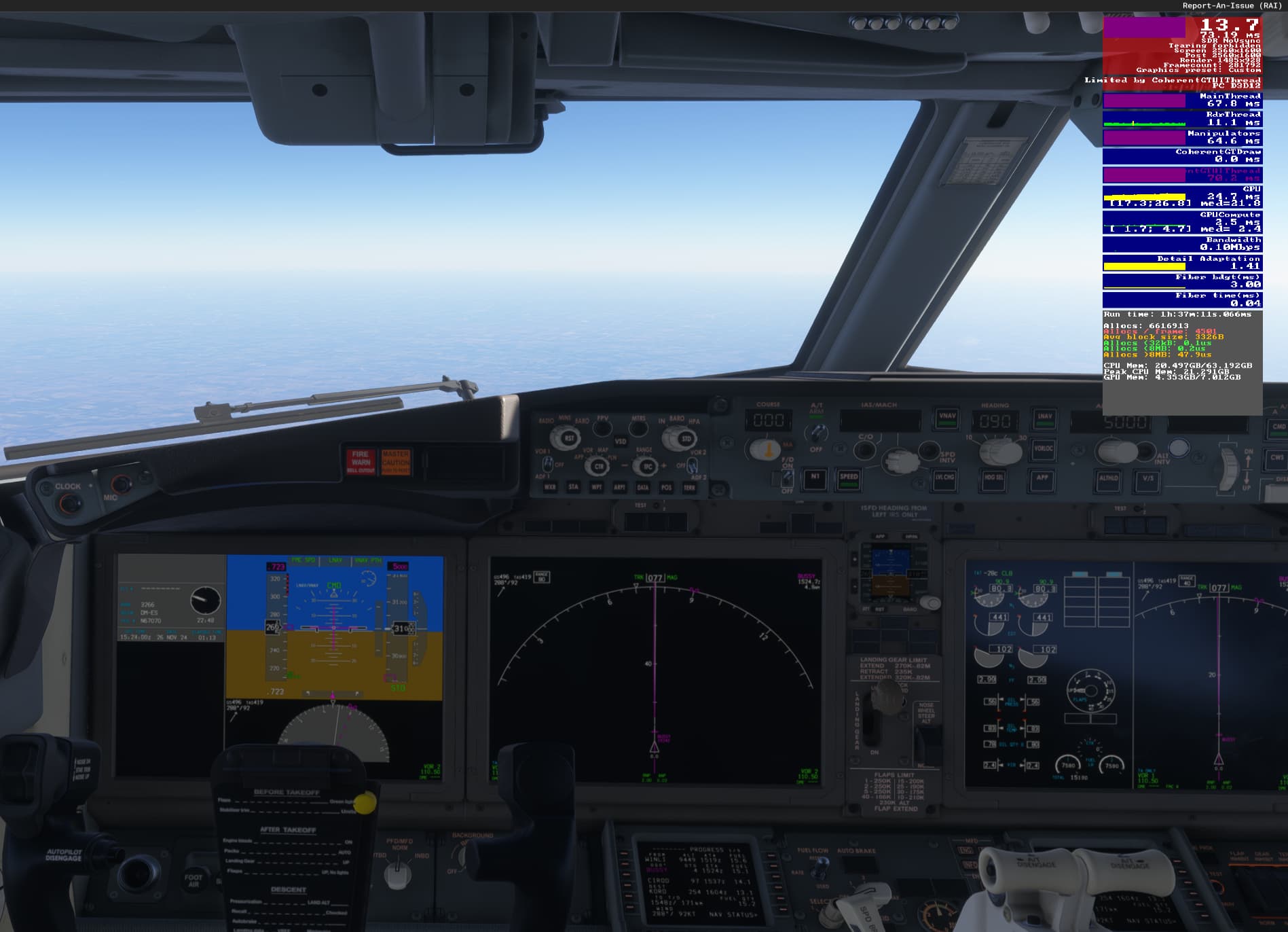
ISSUE DESCRIPTION
Description of the issue: Sitting around 17 fps, limited by main thread. 30% cpu utilization and 0% gpu utilization. MSFS-2024 set to high cpu priority, medium msfs settings.
[PC Only] Did you remove all your community mods/add-ons? If yes, are you still experiencing the issue?
Yes, first time booting up the game, fresh install.
FREQUENCY OF ISSUE
How often does this occur for you (Example: Just once, every time on sim load, intermittently)?
Constantly
REPRODUCTION STEPS
Please list clear steps you took in order to help our test team reproduce the same issue:
- Installed & Launched
- Loaded up free flight
YOUR SETTINGS
If the issue still occurs with no mods and add-ons, please continue to report your issue. If not, please move this post to the User Support Hub.
What peripherals are you using, if relevant:
N/A
[PC Only] Are you using Developer Mode or have you made any changes to it?
Only for fps counter
[PC, MSFS 2020 Only] Are you using DX11 or DX12?
[PC Only] Many issues may be due to an outdated graphics card. Please state your Graphics Card Driver Manufacturer (NVIDIA, Intel, AMD) and Version:
566.14
[PC Only] What other relevant PC specs can you share?
i3-10100F
GTX-1650 Super
16gb Ram
MEDIA
Please add a screenshot or video of the issue occurring.
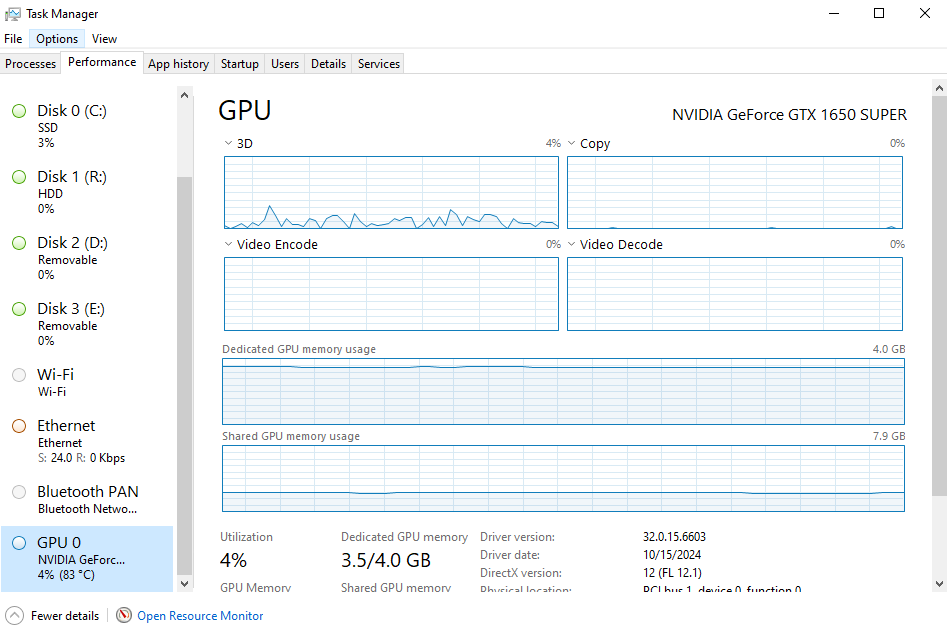
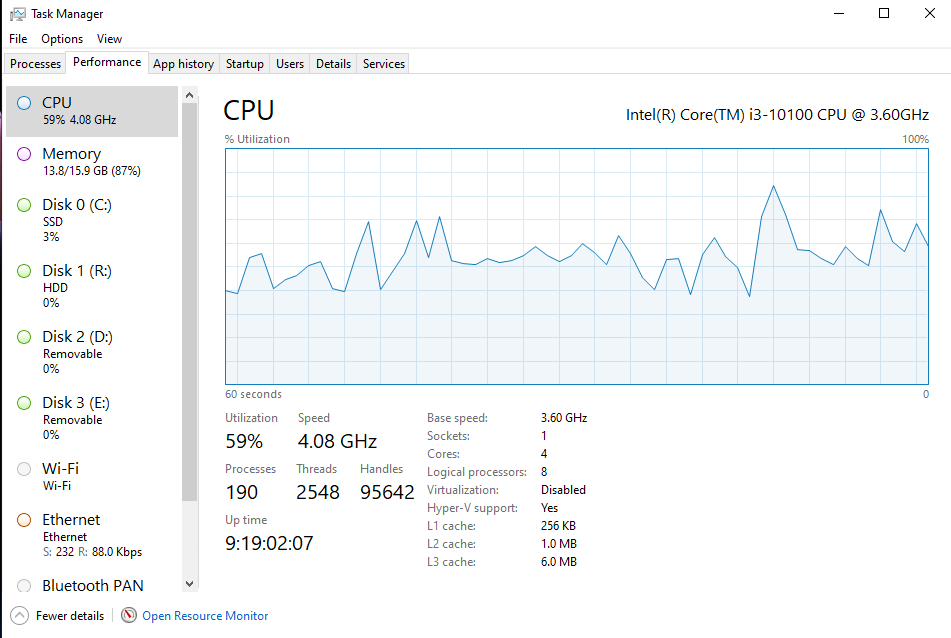

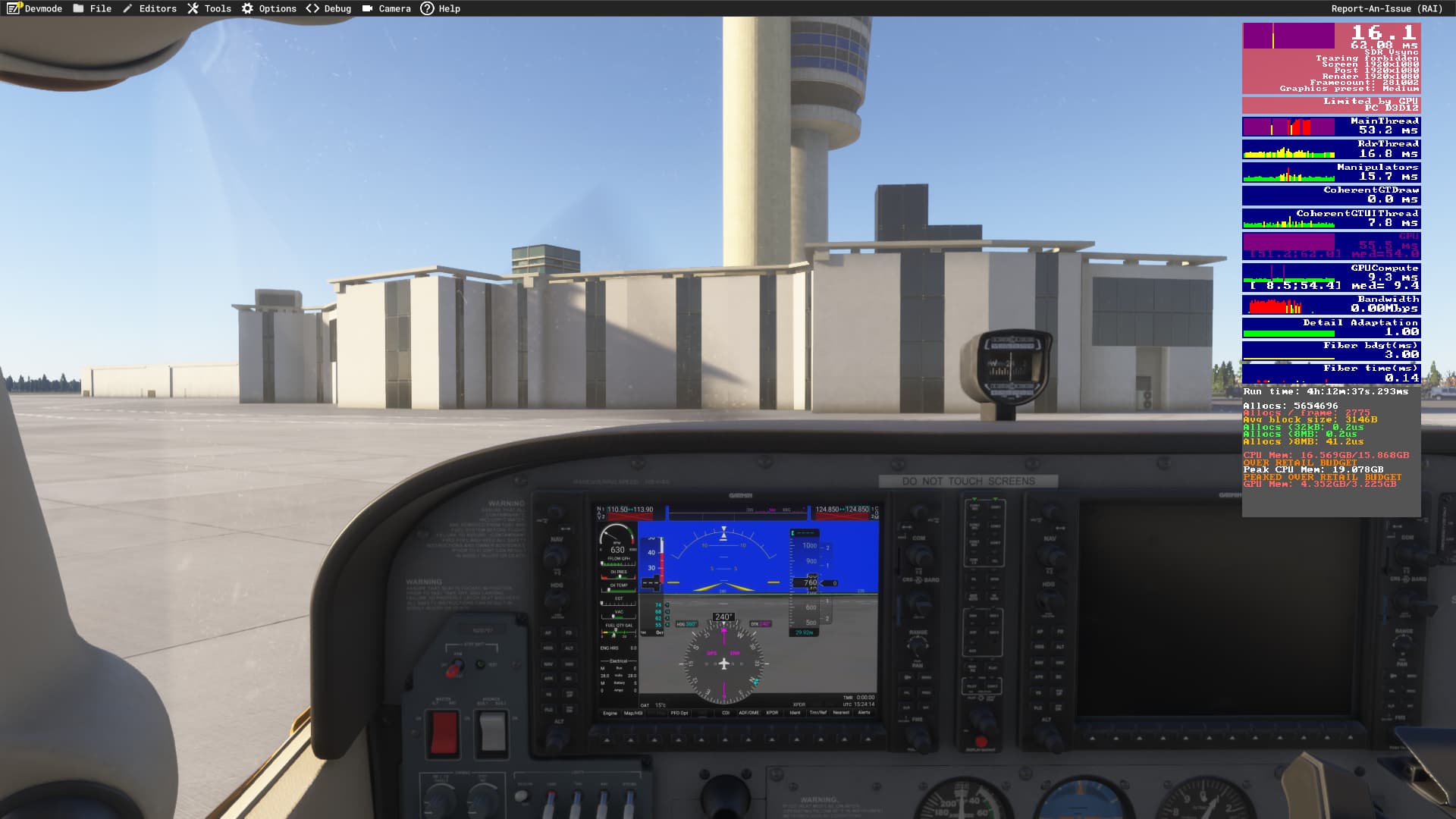
You need to change the view of task manager so that it will show graphs for each logical processor. The view that you’re seeing is the average among all cores. Likelihood is one of the cores is maxing out, hence limited by main thread.
This game was supposed to have better use of multi-threading over 2020. However it seems like it wasn’t enough of an improvement and 2024 still has problems with main thread usage.
i3-10100F
GTX-1650 Super
Seriously? You’re using a graphics card from the Byzantine era, a processor of a calculator and you are complaining about low fps? Don’t be riddiculous please…
I guess calculators can run 2020 on high-ultra at 30 fps. Never expected the same in 2024, but this isn’t old hardware 
dont mind him
there is a problem with shared vram memory allocation that’s resulting in lower than expected fps
you can vote here
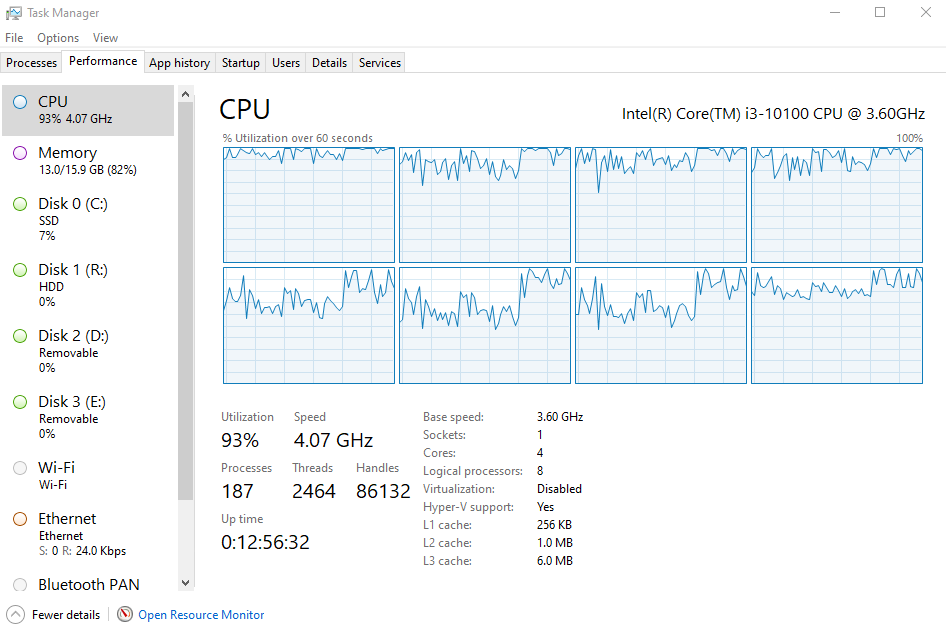
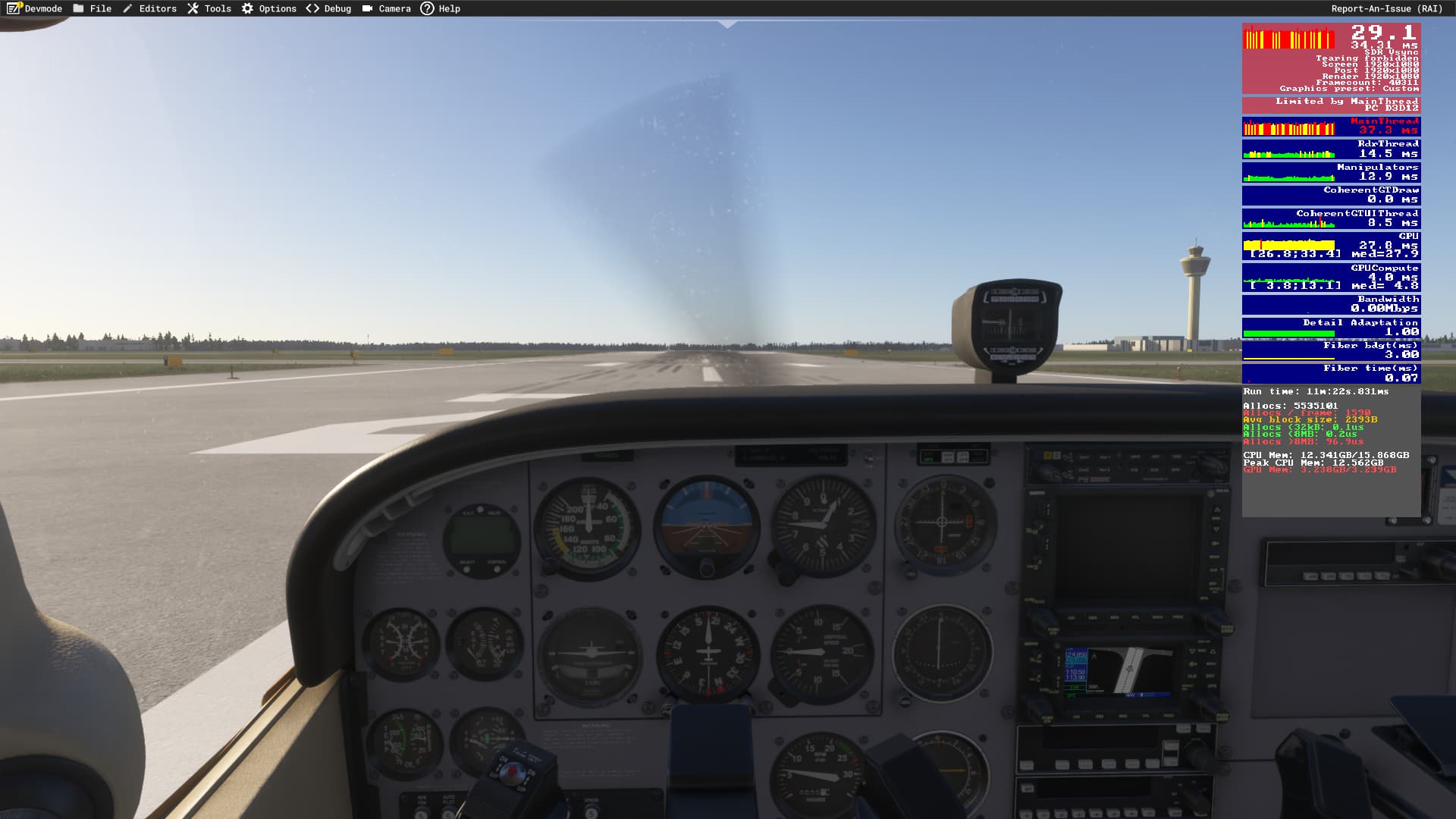
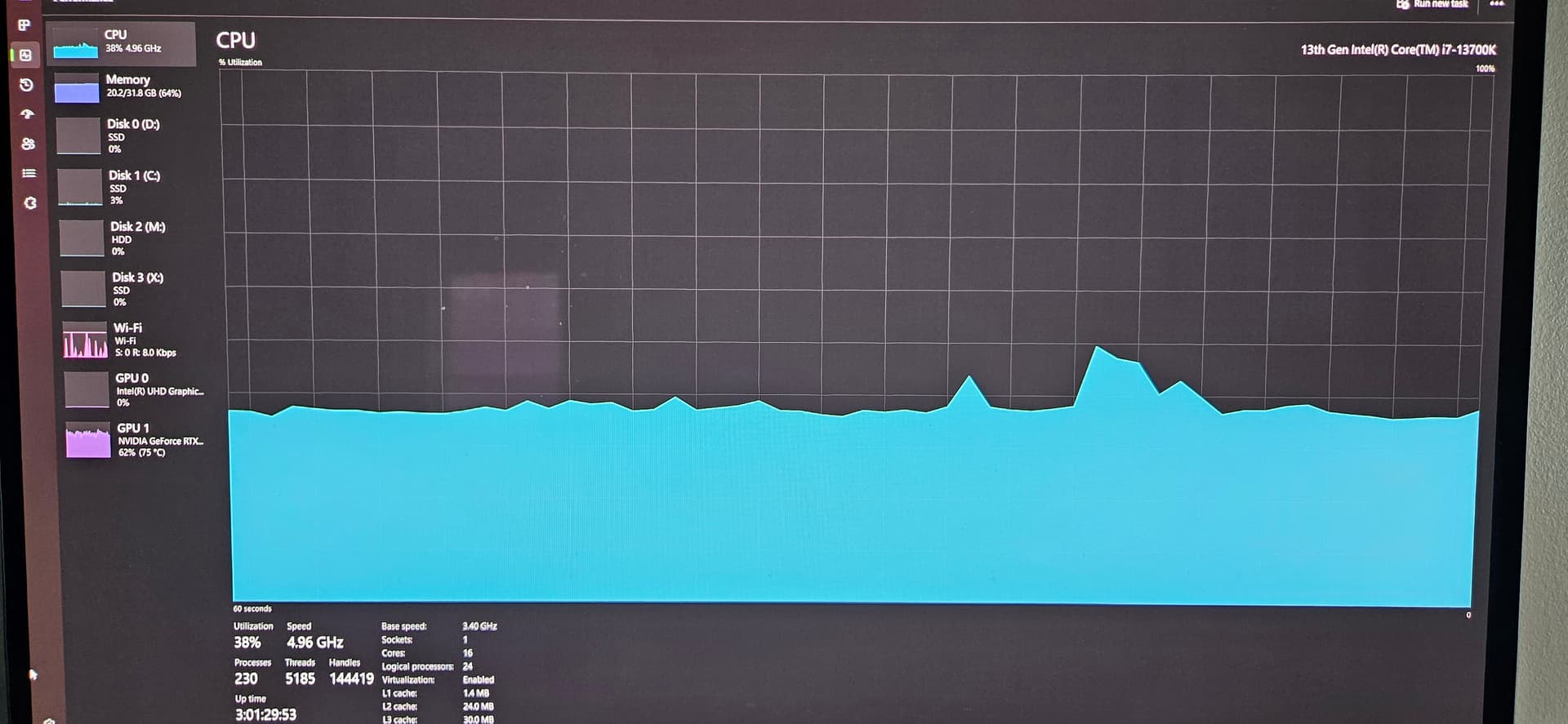
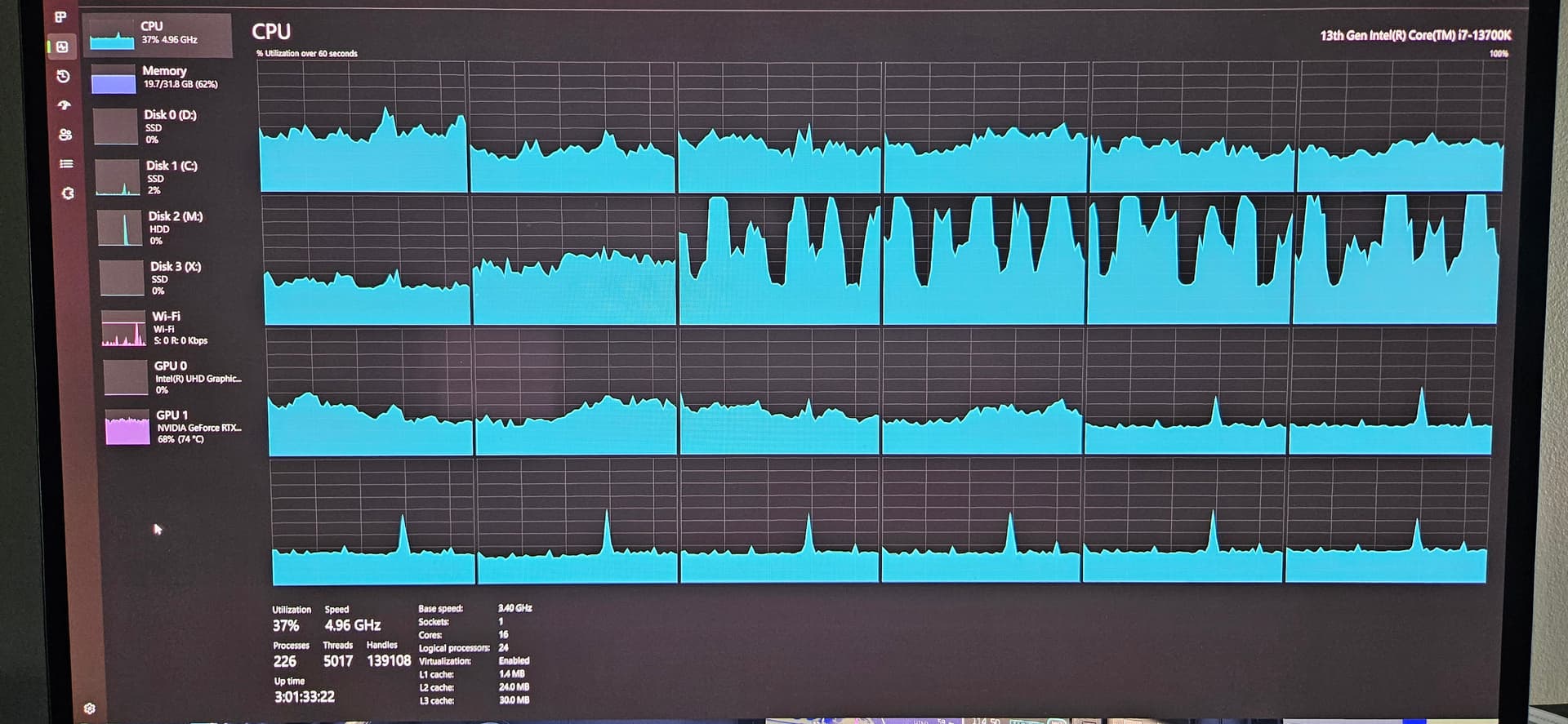
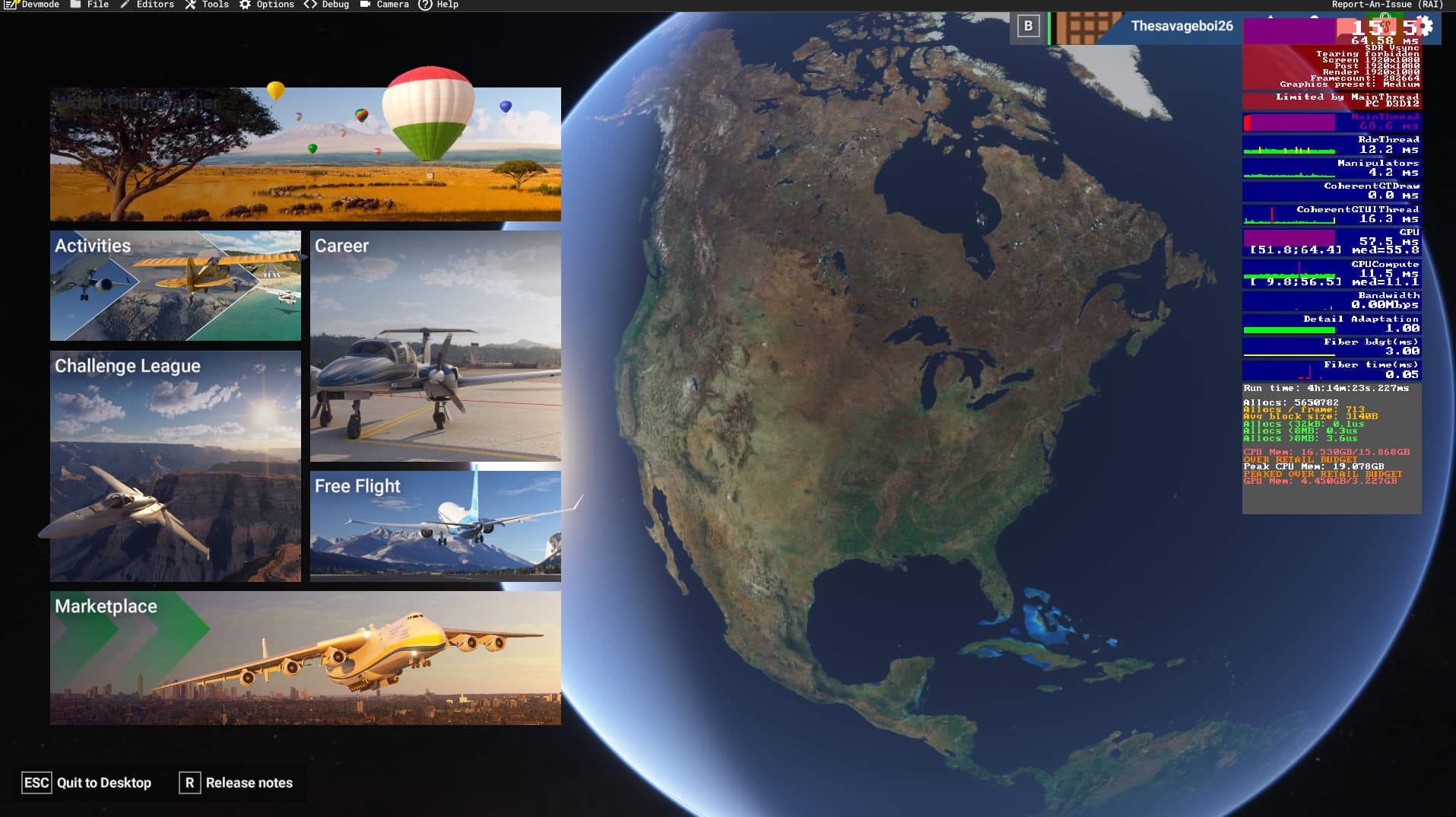
Jumped in the longitude and performance got worse again, 70% cpu usage, 0% gpu and 15-20 fps. Carried over into the menu after ending the flight, main thread all purple but 50% usage.
Same Issue here, after yesterday update..
PC idling after main menu is loaded.
Running a 4070 8Gb & 7800X3D, 32Gb Ram
what is going on ?