I would really love to see a freeware plane using the KLN-90B. That would make it much more accessible for a wide audience. Let me know if you need any help or have any questions. You can also find our Discord community here if you prefer that:
Hi @Sal1800, I really have to say you have created a great aircraft! Exactly what I was looking for to do some heavy duty bush flying. It looks and flies wonderful and has lots of features, best of all the adjustable radio stacks - absolutely fantastic!
However sometimes when I start a flight my 206 doesn’t load its radio panel preset but starts with the default setup. Sometimes It’s enough to open the tablet and select my user setting, but sometimes all saved setting are gone … do you have any idea what could cause this and what I could do?
@Sal1800 Ever think to add this to the marketplace like how GotFriends added their freeware planes so xbox could access them? Marketplace has a $5 minimum but this is well worth $5-10, even $15 imo when compared to Carenado and local legends, etc. It would also put this plane on a lot of simmers radars seeing it in the MP. I would easily buy it to support the dev and the ease of updates, even if longer to acquire, is always a bonus.
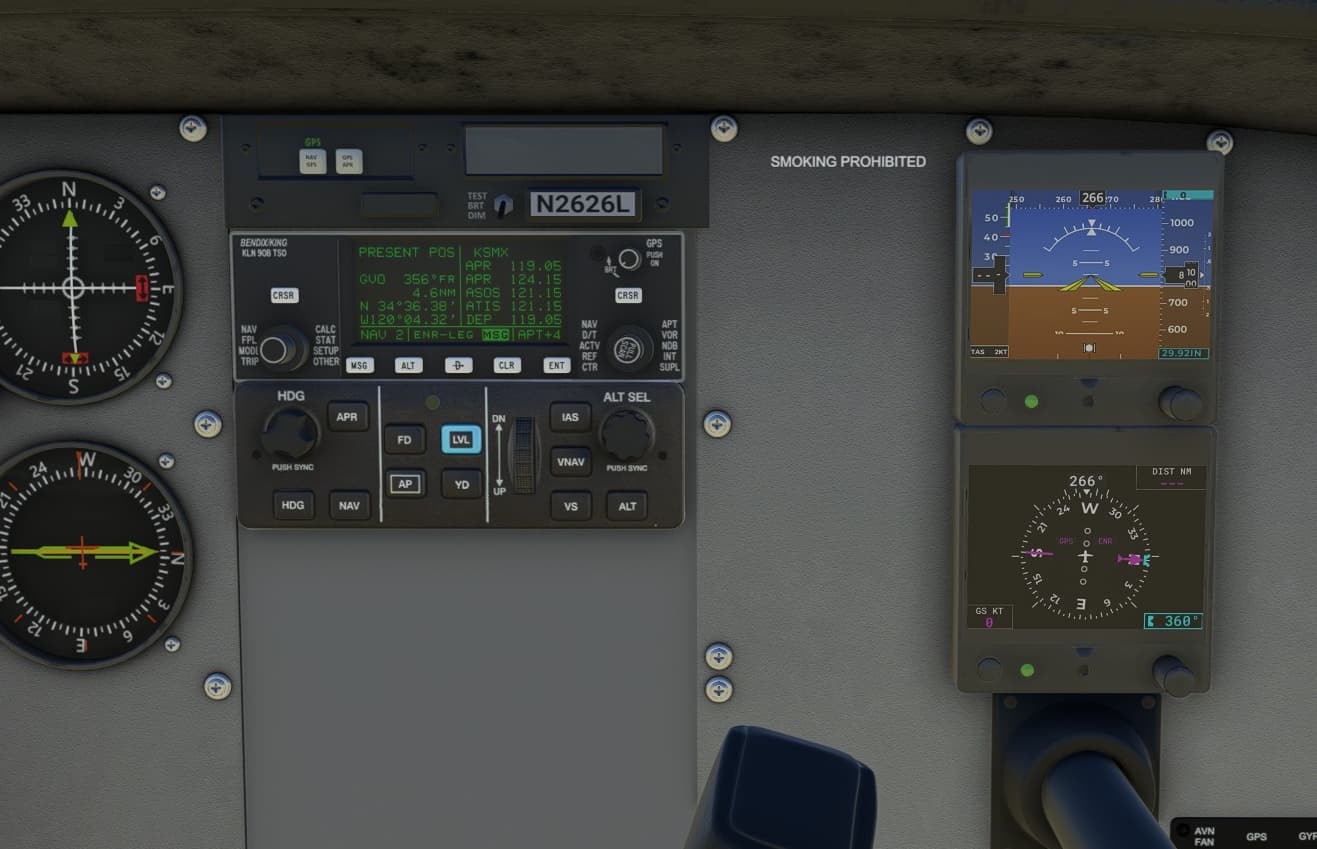
The next update is almost finished. By request, I am adding the KLN 90B GPS. You will have to install it separately like the GTN750. And I am adding the Garmin GFC500 Autopilot panel.
I am happy to show off a visual enhancement mod for the G5 displays. And as you can see, they can be enabled for the copilot’s side. If you like flying from the right-hand seat, this will be nice.
I can see more areas to improve on the G5 so there is potential to make these instruments even more useful.
@MisterKay7305 I don’t have an answer to the saved state not always working correctly. I have seen this also but I haven’t found the root cause. In my day job I have an amazing QA team that is great at finding edge cases.
@KingEasy001 There are no immediate plans to have this addon in the Marketplace. I would have to partner with another developer who already has a Marketplace presence. For now, this is just a hobby project.
To all of the livery designers trying to work with my models, I apologize for making it more difficult. I experimented with a different way to make liveries which was easier for me but apparently much harder for you.
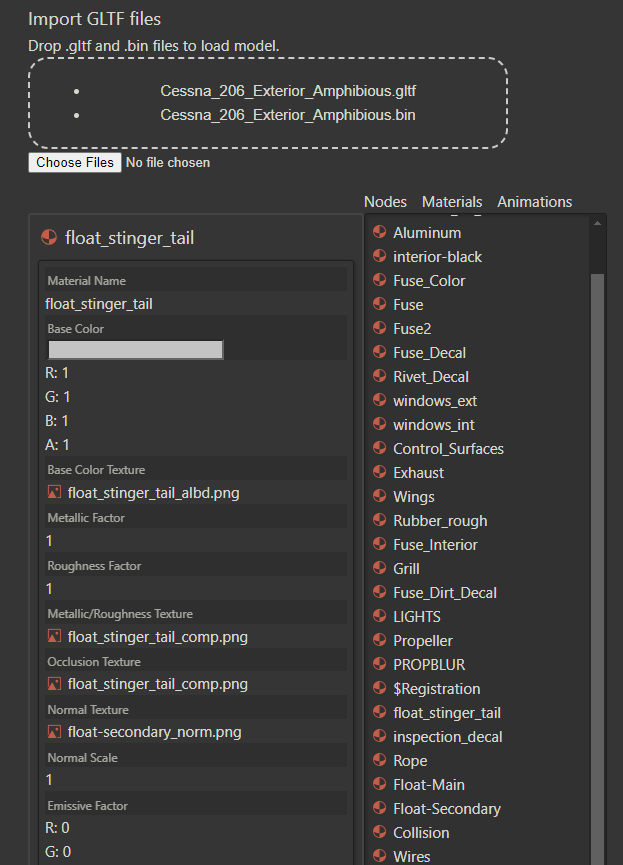
So I am working on correcting the models with the help of many of you showing me the defects. But I was thinking that we need a better way. I have this idea of a GLTF tool. So far, it can inspect model files and show you the details of the materials.
Eventually, I would like to be able to make edits and export a new model file. That will take some time. But I think these types of tools are needed.
Thanks for the legacy KLN 90B GPS, looking forward to try it out. If I recall it correctly some old King Air in FS2004 had that.
The kln90 is very well modeled. A few devs have offered it up (it’s a project on GitHub), including the Duke and the Comanche, but you probably know this already.
I’m loving how this is unfolding. I’m really enjoying the 206 able to do an ILS approach and also land in a 600ft strip. It’s amazing Sal. Thanks.
I’m enjoying this a lot, except for the default view. A bit too zoomed out for my eyes.
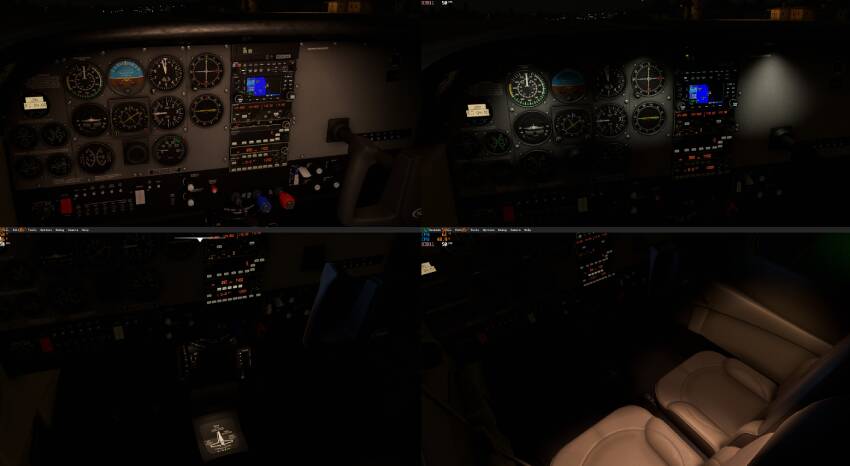
I think I’m having issues. The only night lighting that seems to be working is the panel flood light beneath the lip of the glareshield. Every other one is dark. The overhead dome lights aren’t illuminating anything either.
You do need to turn up the lighting controls depending on the conditions. There are 4 different lights that are controlled by the knobs. There are click spots on the outer and inner knobs.
Here are the different lights. Upper left is the panel, upper right is glareshield, lower left is the pedestal lights and the last is the overhead spots. The avionics knob changes some of the button illumination so that one is least useful.
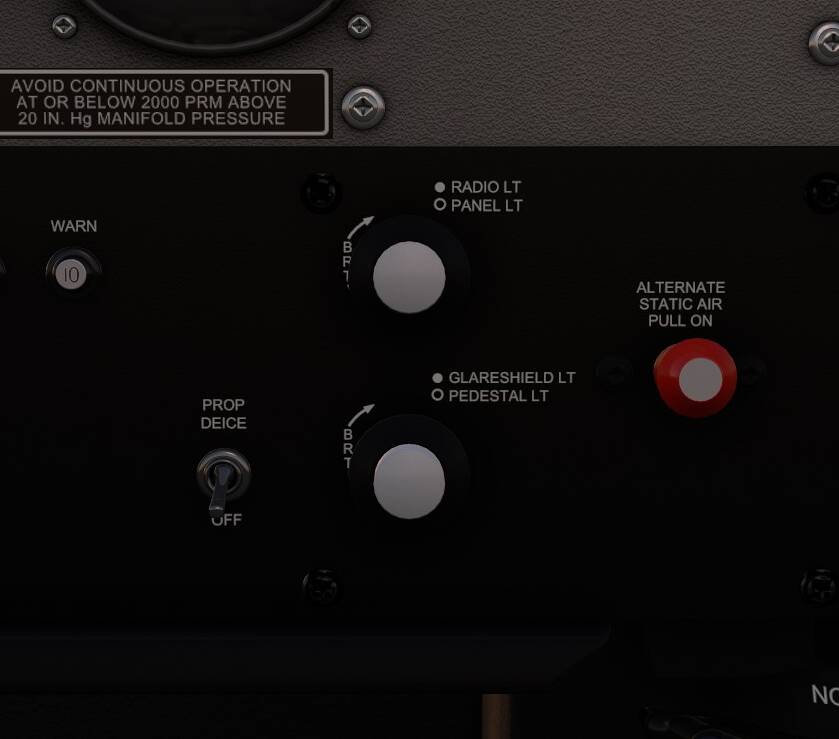
I had found the click spots. Not working for me. Maybe some conflict with another addon?
This looks so cool !
One question though: doesn’t the 206 have some individual gauge lights, like in the C152 for example ?
Are the panel lights the only possibility to see the gauges at night ?
I don’t know if the real instruments would have been backlit. The panel light here is not very realistic because there is no source. I would consider giving all the analog gauges individual backlighting as I plan to open source all the instruments.
There is definitely something wrong with my install. I’m not even getting light from the flashlight. This is the only aircraft where I have that problem.
That is very unfortunate. I do use some custom light effects which should get enabled with this plane but I can’t think of anything that prevents the lights from working. The only time I have lighting issues is in dev mode but that is a very specific situation that you are unlikely to encounter.
I thought I would have the next update ready by now but since adding the Garmin autopilot panel I realized that there is no indication for which modes you have selected so I added the AP display to the G5 but that still needs more work. So more delay but I think the AP needs to be correct.
Try to re-install with a new download. Mine works fine. However, I have heard of poor downloads doing just this thing on other planes.
To be able to see the autopilot modes, I added the AP bar at the top of the G5 PFD display. I was surprised that this was not in the default unit. I also added some additional shading and changed the TAS indication to ground speed.
I tested this out on a RNAV approach and while I don’t often use the autopilot, I did find it very easy to fly the approach. Maybe I am warming up to the glass cockpit displays. They do give you more information in one place to look.
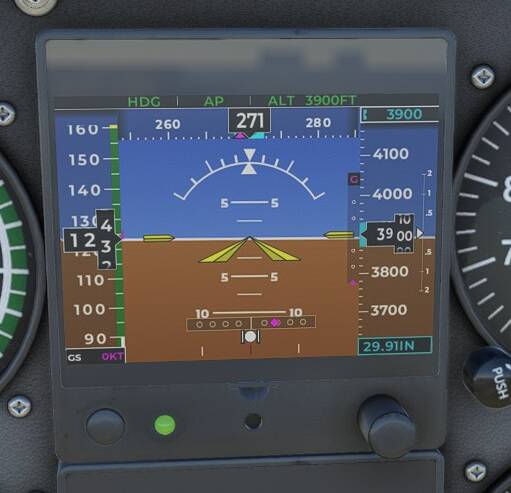
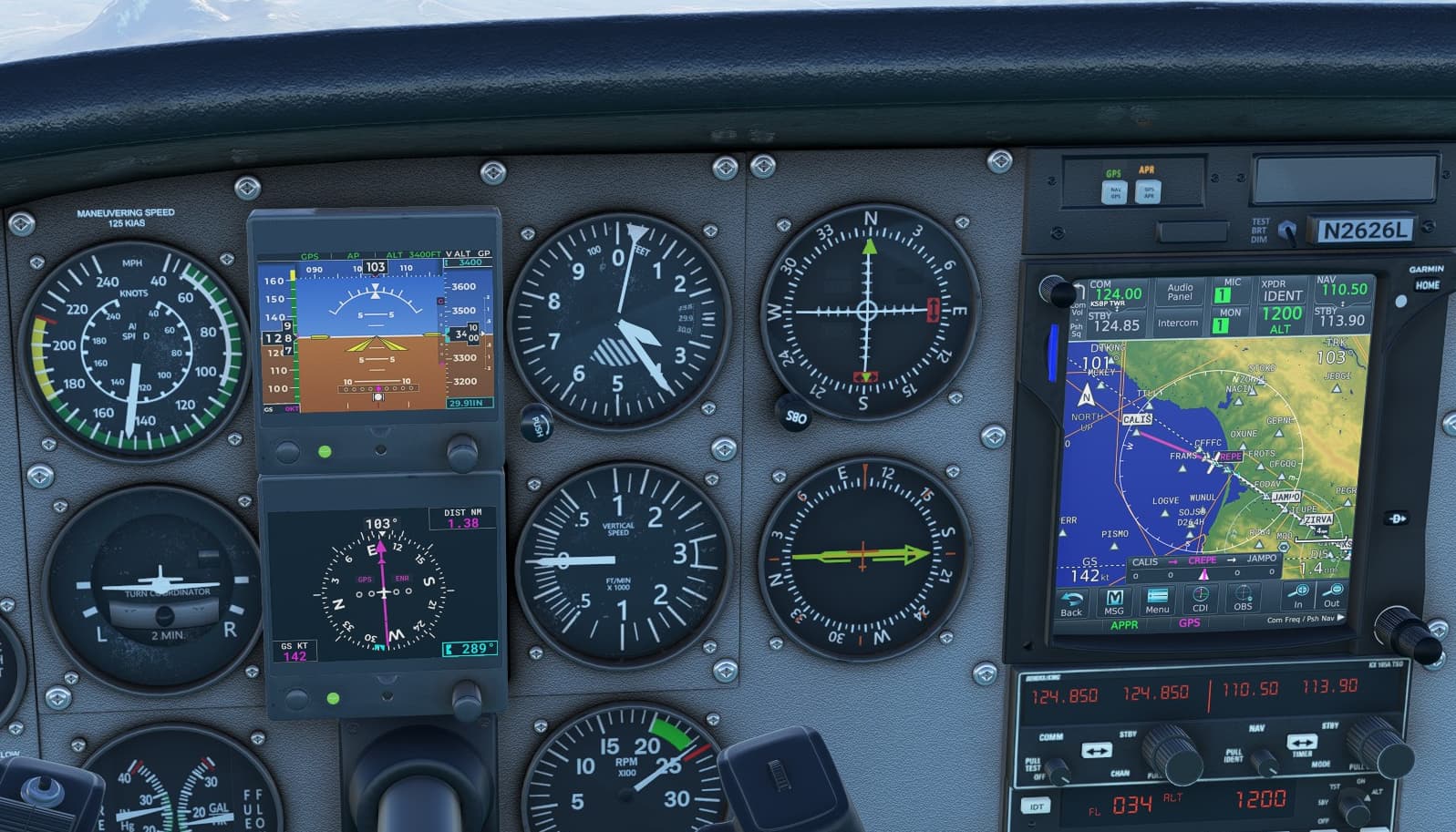
The hard part about glass cockpit displays, if you’re used to steampunk, is that there sooo much info in one place. With steam, you glance from one gauge to the next, one piec of info to the next. With glass it’s a big change going to having to scan one location for multiple bits of data. Steam is like looking, Glass is like reading.
That’s how I feel too. I can glance at the analog vertical speed indicator and get a good picture. Or I can just look at the altimeter to see my vertical speed quickly. With the glass, it’s more cerebral I guess. Like reading as you say.