Hello, yesterday I updated the GSX and the passengers were acting fine, look to update the GSX.
I’m sorry if the passengers already work well in the ATR
GSX (all versions) NEW: Acceleration for Vehicles coming from an away parking spot is now an option in the GSX Settings page, “Speed up far vehicles”, by default is Enabled.
GSX (all versions) NEW: Currently selected Multiple Custom operators are also shown as a text field, in addition to the Listbox.
GSX Pro Fix: Help texture for Parking System editor Pointer now showing correct Q/Z keys to Raise/Lower the object.
GSX (FSX/P3D 32bit): Couatl Engine updated to fix the “missing length data for points” error.
Don’t understand what your 2nd point refers to (Currently selected Multiple Custom operators…). Tried to find such a reference in the new manual but no luck. Can you lead me to where I can find more what this means and how I might choose to use it?
Thanks
Garry
Very happy that we can now have the vehicles arrive at a more realistic speed again, and that you are giving us an option. Thank you for all your ongoing work on the program.
Is there a way in the latest version to circumvent the “you’re too late” message you get when the time in the flight plan does not match the sim time? I can’t see any reason why GSX has to be so fusy about that?
Yes, sorry, the manual hasn’t been updated to cover that part:
with the April 27th update, custom operator can be more than one (before, if you set a custom operator for a parking, it could only be one), so the control changed a bit, to allow multiple selection by using CTRL+Click to set more than one operator for each parking.
This allows total freedom in creating a profile, since you now can have every operator you might want to, everywhere, without worrying about the GSX scoring system or the presence of airline codes in the parking spot. You can now have a menu with a certain list of operators at one parking, and a completely different list on the next one, regardless what GSX would have normally assigned to that airport, if it was only using its basic rules.
However, we realized that, with 350+ handling operators (and 140 for catering), it was a bit cumbersome to see at a first glance what was assigned to a parking, since they would likely not visible at the same time in the list, which only has a limited number of rows, so this update has added a text field besides the list, to recap the assigned operators.
New to GSX, but I was wondering if anyone knew how to stop the ground vehicles from leaving?
For example the food truck comes along, does its thing, then leaves right away. However I want it to stay after it’s done loading, as I want to decide when it goes away. I like all of the vehicles to be around the plane for aesthetic reasons (and screenshots).
Anyone know how to stop the vehicles from immediately leaving?
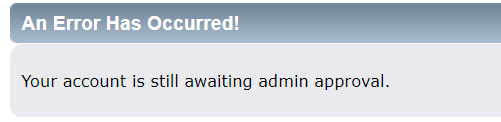
However, the forum registration is only required to post questions in public, but this won’t prevent in any way your access to support, since email support is always available.
They surely have a driver, a default Asobo driver (because they are acting as default vehicles in that case), but especially with AI, and especially with ground vehicles servicing AI, it’s easy to surpass the maximum Simobject limit, over that objects will start to disappear.
There aren’t any serious issues with GSX but of course, if you emailed support while waiting the forum approval, we would help you understanding them. Waiting for your email.
You might also try the GSX Creators channel on Discord, those are the most experienced GSX users there, and I’ll also sometimes help people, in addition to email.
Currently searching forum posts for answers to avoid repeating questions already responded to.
If I don’t find what I am looking for I will mail you directly. Thanks.
From the GSX manual:
“We have found that the most efficient way to provide customer assistance is through
the forum, because a solution to an issue posted in public could benefit many users
at time. For this reason, all questions should be posted on the forum. Please
DO NOT send messages via email requesting question about use of the product or
submit bugs. You should email support only in case you need a reactivation.”