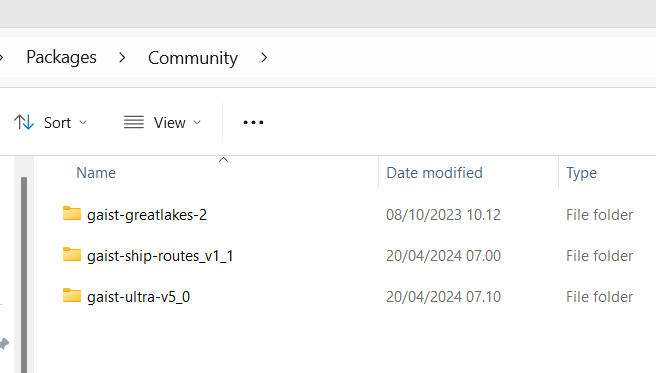
This is the installation if you have both GAIST ULTRA V5.0, the new routes and the Great Lakes expansion installed. And now I will run to my plane 
Hope you didn’t miss your plane Henrik. 
Thank you and all contributors for the new package!
Unfortunately, I dropped both folders in my community folder and I am not getting any AI ship (confirmed with little navmap). I removed the previous GAIST version and Ship AI traffic is at 6% in the sim. Any idea what could be the problem?
In any case, many thanks for your work Henrik! What a great contribution to the flightsim community.
just arrived to my hotel
Where do you look? You might look in a place where there is either no traffic or the traffic density is low. Try to go to the English Channel. Fly from Calais towards Dover, if you don’t see the ferries, you probably have an installation issue. Check the screenshot I dropped this morning with what you should have in the community folder.
Question: are the routes provided by Fischkopp for Europe additional to what your basepackage offers or will installing them result in doubles?
Hello everyone,
Many thanks for your addon, which I think is a must-have.
Do you know if there could be conflicts with Gaist ultra and the aerosoft offshore landmarks north sea addon?
Thanks in advance
Olivier
Hi Henrik, I was looking in the strait of Gibraltar and also in the English Channel, where I know there should be plenty of traffic. Finally I could find the issue, for some reason one of the folders was only partially extracted from the compressed file. I unzipped them again and working perfectly now!
I do not know. I don’t think there would be something which should make it crash, but you might have GAIST ships hitting static objects from the Aerosoft add-on - and as I understand some of the Aerosoft models are quite heavy so that might mean something. However, you might also have “synergies” between the two as many of the GAIST off-shore vessels sails to locations with real life oil or wind installations, which I believe is the fundament for Aerosoft… so… in short give it a try.
I think some of the ferry routes could be conflicting as he did not have my new routes, when he did his package and I did not see that he had done a new update. However, he has all my old routes and would make his pack work with them and my new ferry routes are with models he did not have access to until today, so he would most likely not have put anything on these routes so probably the problem is limited.
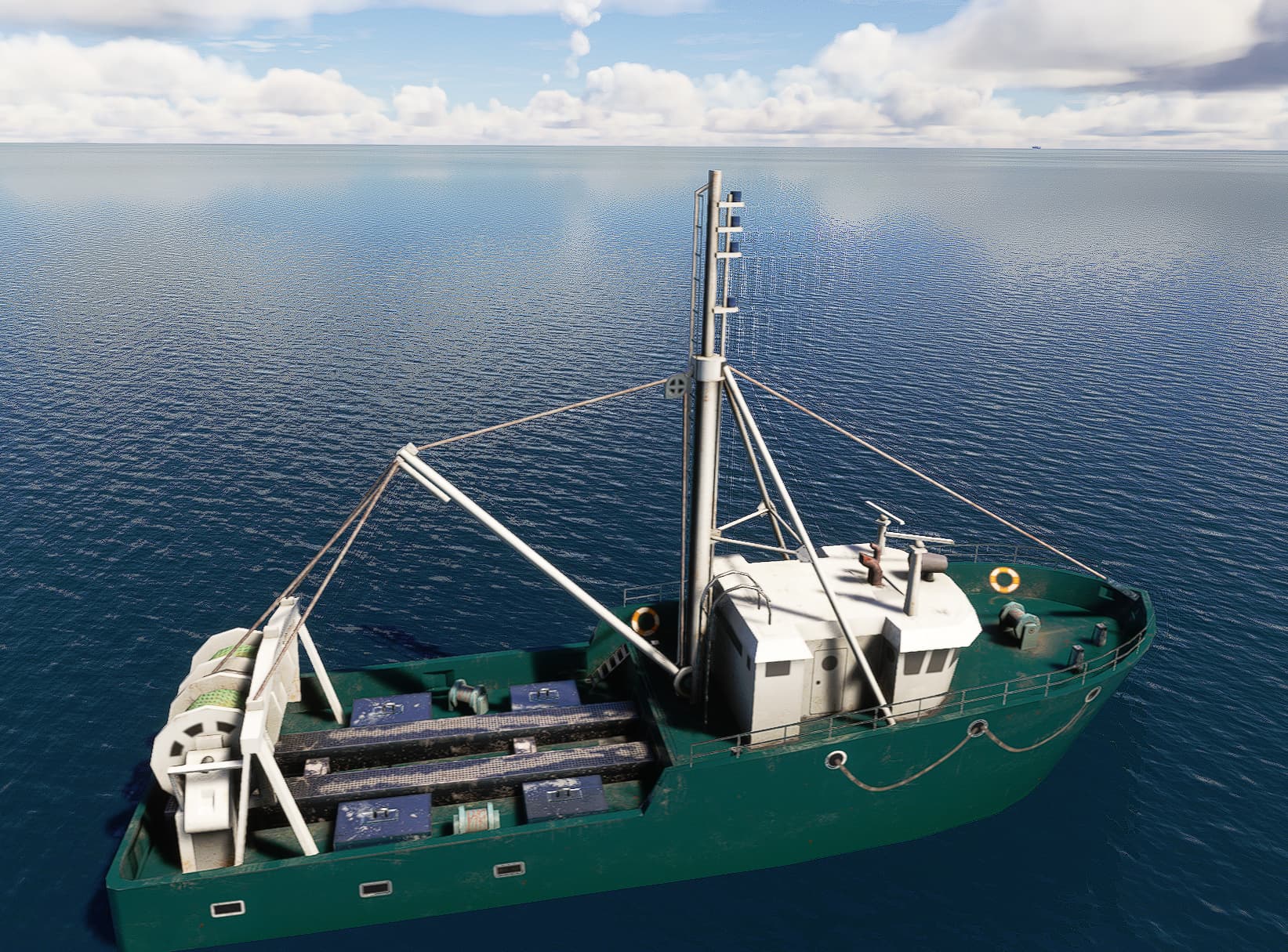
It is not… it is one of the nicer default ships. But they enjoy sailing backwards
just for those who doesn’t like scrolling too much…
This is the only active link so far:
AI Ships, Boats & Global Traffic for MSFS (flyawaysimulation.com)
That’s no excuse for bad behavior by people whose goal is to criticize something they know very little about. Opinions are one thing. But they should be informed opinions.
Do you have to be a Pro member to download? The Free link doesn’t seem to do anything for me.
Had no issues using the free link today, even got way more than the mentioned 2mbps
About the installation:
Should you remove also those routes of the various areas (Africa-Asia-Australiaoceania etc…)?
Do we still have the option to activate just one or two of them with MSFS Addon Linker?
Edit: And one more q: I seem to have folder called “gaist-us-lakes” AND another with name “gaist-greatlakes-2”. What one should do with them?
hnielsen791Verified Forum 3rd Party Dev
This is the installation if you have both GAIST ULTRA V5.0, the new routes and the Great Lakes expansion installed. And now I will run to my plane
Thanks, I got it now, must have been a browser caching issue.
Interesting, the free link gave me an unexpected 60 MB/s, the max speed for my new fibre connection (500Mbps).
I prepared for hours of downloading but it finished within a minute.
Getting superfast fibre broadband installed tomorrow, 10x my existing speeds. Should have waited to test this out but I let it run whilst flying my tour of Africa.
Now to try out the new release!