@hnielsen791 - do we keep the v1.3 Ship Routes folder that came with v7 when moving to 7.1?
I have the latest gaits from today it is activated in addon linker along with Great Lakes. I have flown at Singapore and Rotterdam with very very few ships showing. Please repeat the basic settings needed to make this work. I have 2024 aviators and every thing ultra
No, you can delete that folder. It’s all in one folder now.
Installation:
- Before installation please remove all old versions of Global AI Ship Traffic / GAIST. However if you use Global AI Ship Traffic Great Lakes in MSFS 2020 you should leave this active as this version 7.1 of Global AI Ship Traffic GAIST Ultra does not add preprogrammed traffic on the Great Lakes.
- Notice that in V7.1 route files are included inside the main GAIST-Ultra-V7_1 folder. Please remember to delete your old route folder (the last version was gaist-ship-routes_V1_3)
- To install please unzip the folder GAIST_V7.1 and drop file gaist-ultra-v7_1 in your Community folder. If you use automatic installation programme you might have to unzip the main folder before installation.
- In order for ships to display in MSFS 2020 ensure your traffic settings for Ships and Ferries are 5-10%. You can use a higher setting but it will not increase the amount of shipping provided by GAIST and it can result in onflicts with other AI ship traffic including default.
- In order for ships to display in MSFS 2024 you must first choose under settings/online whether you want to use real time live traffic or pre-programmed offline AI traffic. Next under graphics setting increase ship traffic to ultra independently of which of the two modes you chose. It is possible to have real time shipping without having real time air traffic. More on that here: MSFS AI Traffic Settings – Alpha India Group
Known issues:
MSFS 2020 and 2024:
- Models do not have hard decks - it will eventually be reintroduced later
- Effects will display best with ground wind setting between 5 - 15 knots. Below this wind speed not much to see, above they might look exaggerated-
- The MSFS engine is simple and not very stable; ships will sometimes be unstable or making strange movements if they meet other objects
- Not all ships appear in harbor areas with heavy scenery; some prioritization by the sim engine can prevent ships from showing
- The project includes more than 15.000 textures and almost 1000 model files, we do expect some glitches - if you find something really disturbing, please send me a PM here or comment on forums.flightsimulator.com
MSFS 2024:
- Depending on whether you chose online traffic mode or offline traffic mode, you can have different types of problems. In general offline traffic is more stable with less problems.
- MSFS 2024 live ship traffic relies on AIS data from ships all over the world. That data can be erroneous or missing and further GAIST relies on a model matching done by the simulator.
- AIS data comes from ships - normally it contains beyond position, heading, and speed also ship type, flag nation, ship dimensions and MMSI identification. However, sometimes AIS data is wrong from the source eg. ship dimensions or type missing. Currently MSFS can not filter out these erroneuous data and the result can be wrong type or size of ship being displayed in the simulator. GAIST v7.1 suppress more of these errors than GAIST v7.0, but it is impossible to remove all without having access to filter raw data.
- In harbors it is common to see ships mored with wrong heading - sometimes they will be well aligned with quais but often they will be completely misaligned. Even small sideways movements of more ships can contribute to this.
- Some ships eg military ships will sail without AIS activated and smaller ships will often switch off AIS in port so don’t expect to see all ships in the simulator.
- Ships might spin around when stopped
- Wakes only display when the ship moves above 5-6 knots - in the offline version that is always the case - but in real life some ships move very slowly just 1-2 knots eg sail boats and worse, in MSFS ships are sometime just displayed as static due to data flow.
- The data MSFS currently provides only contains 32 general ship types eg. it doesn’t make a difference between a cruise ship and a car ferry - both are denominated PASSENGER - so you will often see a car ferry where a cruise ship should be or the opposite.
- The current sim.cfg structure does not contain a section for IMO or MMSI identification making it difficult to achieve a sufficiently good model matching. Sometimes a 100% match will occur, but mostly not.
- The live data flow is often not sufficient to show moving ships, however, you can get very impressive amounts of static ships if you go to places like Panama City, Santos, Singapore, or other big harbor towns and sometimes the moving traffic will be decent
- If you use offline traffic in MSFS 2024 you will typically see less traffic than in MSFS 2020 and there can be a saturation over time.
- You might experience sailboats in MSFS 2024 switching several times between having sail up and down while seemingly stationary. This is due to an animation being triggered by misleading AIS data - it can be solved but currently I have no solution which would allow to do it without spliting up the package in a real time and and offline package.
- You will have ships on lakes and rivers, however the MSFS match module can not distinguish between inland vessel types and ocean going ships. If you fly inland switch off real time ship traffic in MSFS 2024.
- Most of the above issues require action from Asobo, MSFS, and in some instances their AIS supplier to be resolved, please do not spam with comments or questions to us. We have given all the appropriate inputs already.
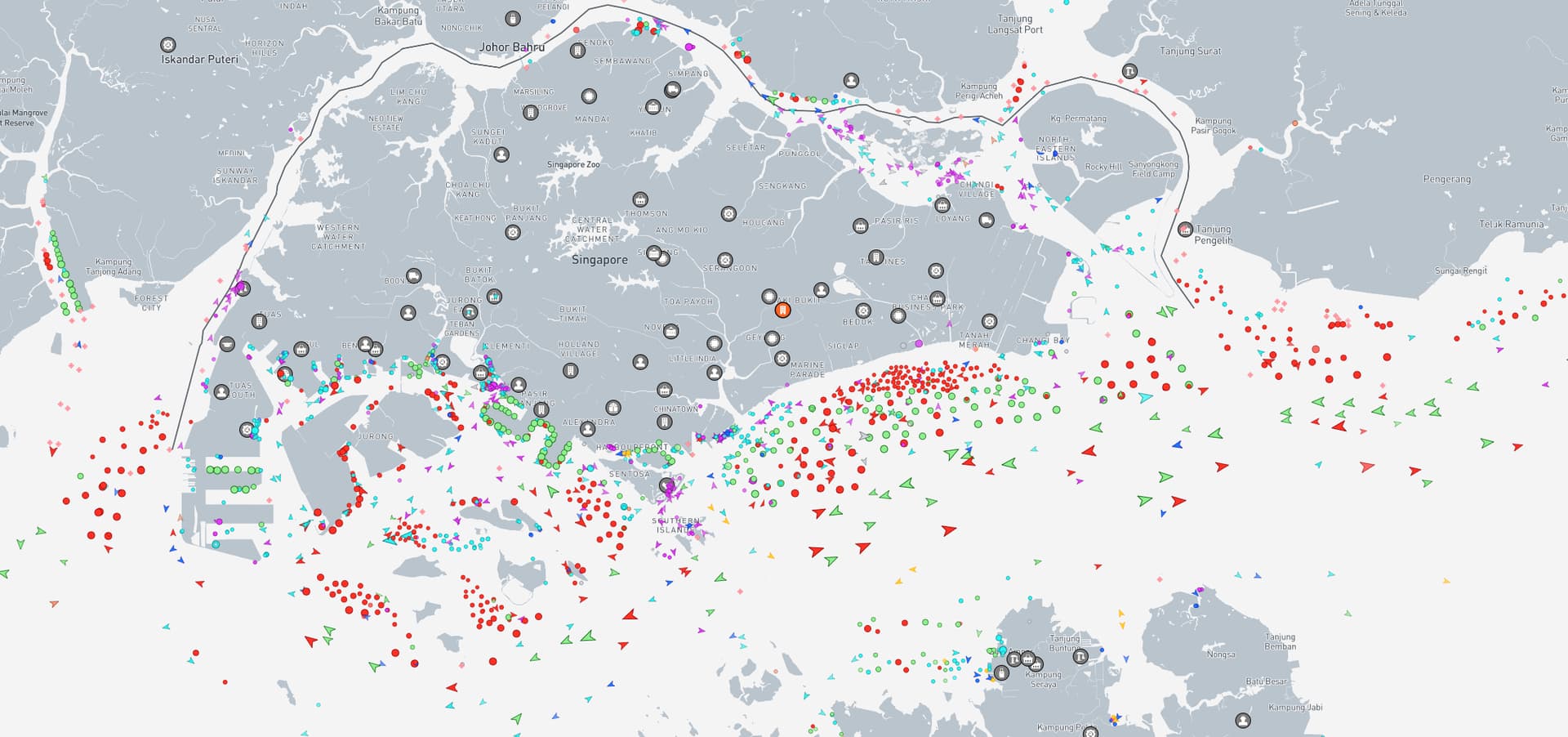
In Singapore you should have a lot of Static ships. The area below the approach to Changi airport is an anchorage which in real life has hundreds of ships waiting for orders. On the image below from marine traffic the round dots are ships at anchor and the arrows, which are comparatively few, moving ships. That said, the simulator doesn’t always show moving ships. It seems like the dataflow sometimes is restricted.
It depends… Both works, both have flaws. If you want to see a huge number of ships in anchorage points or large ports use live. If you can’t stand that the wrong ship appears - eg a cruise ship where there should be a ferry - or you can’t live with the mess that live traffic sometimes create in ports with superimposed ships - use offline. The offline is coded so the right type of ship appears in the right place and the focus is on moving ships. So you will have less ships in harbors with offline, but you will have the right ships moving in an area, though they won’t be real time. Personally I switch between the two. The offline combined with Mamudesign’s marinas I think is still the visually most appealing at this point.
Thank you for the explanation and for the wonderfull add-on!
Thanks a lot.
Offline works for me perfect, even when I wish more pleasure boats at the coast
No matter what setting I use (AI offline, online or OFF), as soon as I put sea traffic to anything other than OFF, I see yachts and small boats populating lakes where they should not be (e.g. lakes used for fresh water with no boats allowed) there is some kind of generic thing going on even with online traffic selected. Does anyone know a solution? There is definitely no ship traffic possible where I’m seeing them (confirmed when checking marine traffic).
Disable all default ships in your library
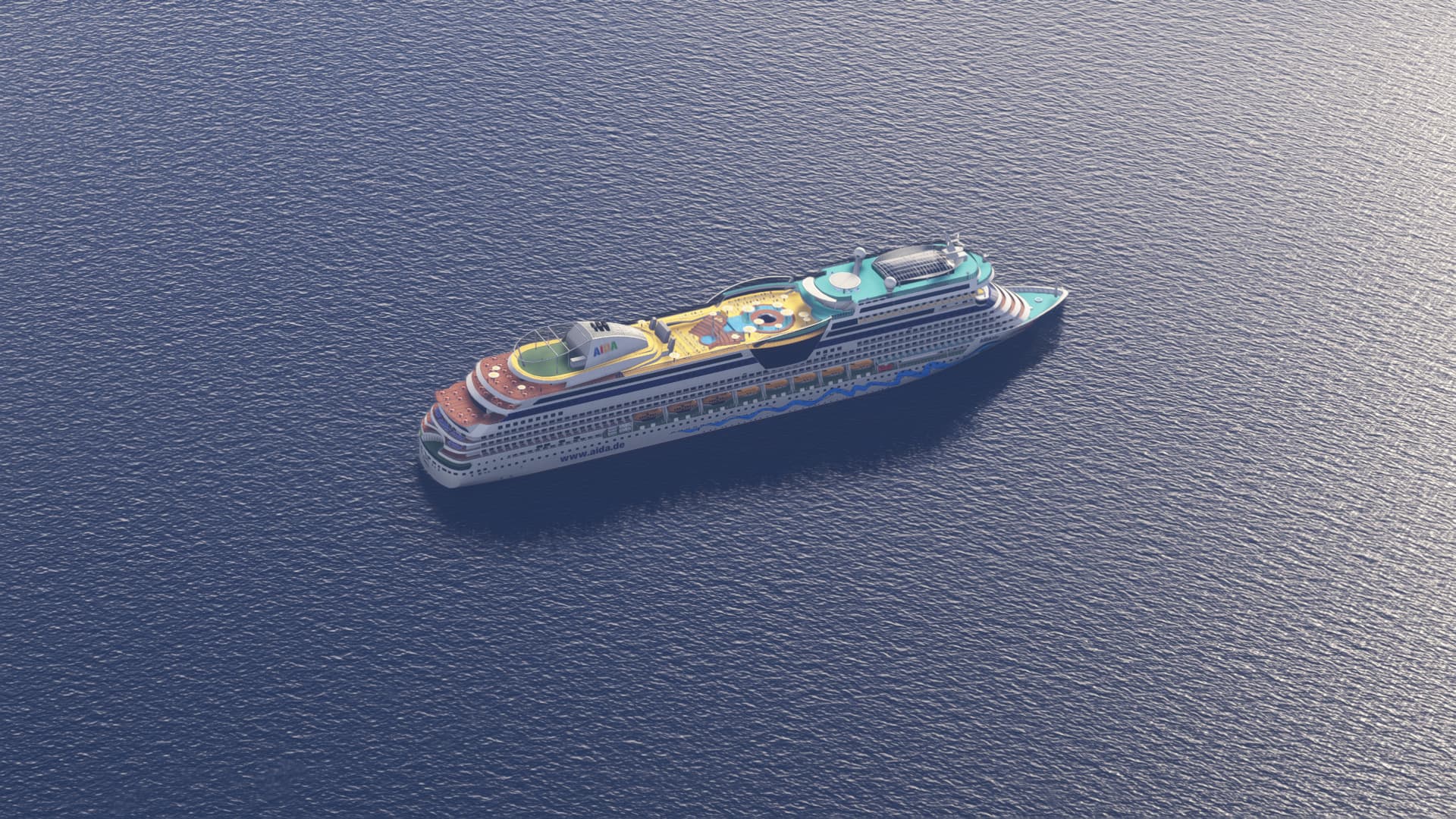
Slowly it will be coming - I am expanding the fleet. Both with models that I have done myself and with models purchased for donation money. For the offline routes I don’t want to do too much repetition, so new models and routes will be added together as it is the case in version 7.1.
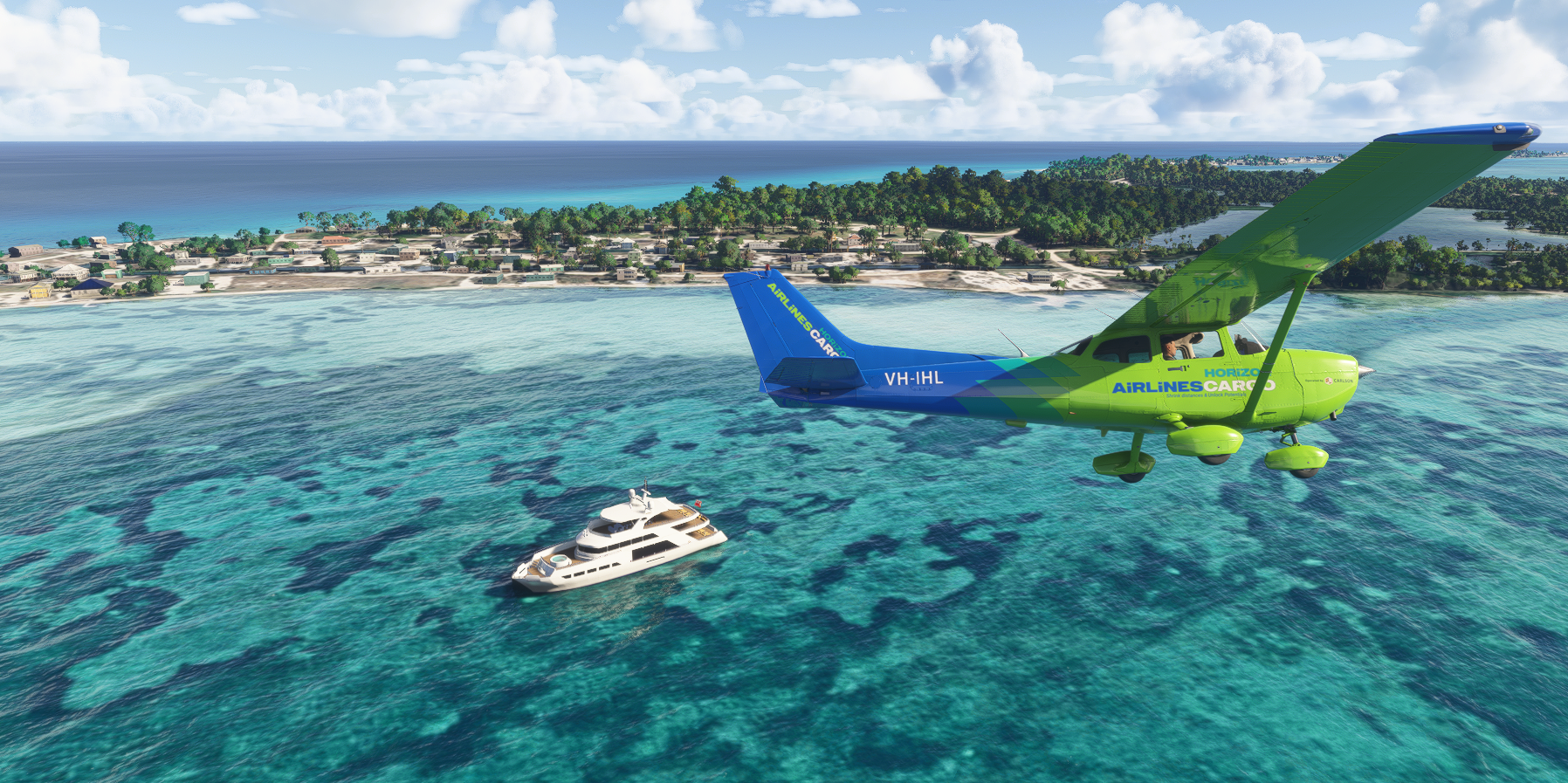
One of the new ones near Bimini Islands of the coast of Florida
So what happens if you want to use FSLTL, GAIST real time online ships, and multiplayer. Well good old CHATGPT helped me figure it out so I thought I put the summary here as I am sure it will help someone:
Objective
- Use FSLTL for real-world aircraft traffic
- Use GAIST 7.1 for real-time shipping traffic
- Enable Multiplayer to see human pilots
- Prevent MSFS default AI aircraft from appearing
MSFS Settings
General > Data
- Set Online Functionality to On
- Set Bing Data World Graphics to On
- Set Photogrammetry to On (optional)
- Set Live Real-World Air Traffic to On
- Required for GAIST real-time shipping data
General > Traffic
- Set Aircraft Traffic Type to Off
- This prevents MSFS from injecting default AI aircraft, even when real-world traffic is enabled
- Optional: Ensure Use Generic Models is set to Off for better visual fidelity (optional for FSLTL and GAIST)
Flight Conditions (from World Map)
- Set Multiplayer to All Players or Live Players, depending on your preference
- Set Weather & Time to Live for best synchronization with FSLTL and GAIST
FSLTL Setup
- Launch the FSLTL Traffic Injector after MSFS is running
- In the injector settings, make sure the following are set:
- Block Sim Traffic: Enabled
- Injector Type: Use the default FSLTL real-time traffic option
- Do not enable MSFS AI aircraft traffic or use “Real-Time Online” aircraft injection
GAIST 7.1 Setup (Real-Time Shipping)
- Place GAIST 7.1 correctly in the Community folder
- If using a version that connects to real-time marine traffic, make sure any required tools (e.g., SimBridge or additional connectors) are installed and running
- Ensure Live Real-World Air Traffic remains On in MSFS Data settings, as this is required for GAIST to function in real-time mode
- GAIST does not inject aircraft, so it will not interfere with FSLTL or multiplayer
Summary
You will see:
- FSLTL-injected aircraft using real-world traffic data
- GAIST ships moving in real-time based on marine traffic data
- Human pilots via multiplayer
- No MSFS-injected AI aircraft (because Aircraft Traffic Type is set to Off)
Okay, I spoke (or in this case wrote to soon). I am sure the above will work for most people, I got excited, thought it was all working but I am still seeing no multiplayer live traffic. I don’t see any green dots on the world map even when zoomed in to what should be busy areas. It has been months since I have seen multiplayer traffic (or possibly never). I am in the beta. Does anyone else have this issue? I have tried all trouble shooting. My router is set correctly, no firewall issue, settings are correct in the sim, I am checking major airports, and nada. I use other multiplayer games with no issue. What is going on here?
P.S. I don’t want to hijack this thread. If someone has a quick solution, I’d be happy. GAIST is amazing by the way!
I’ve done that, I’ll try again
If you’re in MSFS 2024, they’ve changed the way you can enable or disable the ability to see other players.
This option is now also linked to the traffic options.
If you set AI Traffic Off, you’ll also disable multiplayer traffic, so you won’t see other players.
Oh really? So does that mean there is no way to use FSLTL and have multiplayer on without also inadvertantly seeing AI traffic? Is the only ‘workaround’ to use GAIST offline, and turn AI Traffic Type to ‘Off’ in the ‘Online’ settings?
Remember in SU3 (if you’re using it) it’s broken and these things re-enable themselves every time you restart the sim.
There are ways around it but they’re not for here.
Jup noticed that. Thanks, I will give it another try.
But weird from Microsobo to have some kind of generic nonsense going on eventhough live traffic is selected.
One of many questionable design choices.

Jepp, this “feature” is a huge step back