The GPS line does not appear and the compass does not point.
did you tried with a clean community folder ? suggest you to remove all your addons, if issue is fixed, try then bringing back 50% of them in order to identify wich one may be conflicting, once your issue come back repeat the process with half of your previously added mods
Question: is the NXi able to provide airspace entry alerts? They are in the menu but I am not able to highlight and select the options
No, airspace alerts are not implemented, that’s why you can’t highlight them.
I tried the CDI. The Garmin works on all other planes, but on the cessna 172, I do not get the route to show.
I noticed there’s no “Minimums” callout in the G1000. I fly the Kodiak regularly and even though I set minimums, there’s no callout for it. Only the 500 callout is audible.
The Callout Sample is not licensed I believe, so not useable in an MS Official product. Many of the WT Legacy CJ4 sound clips also fell into this category and had to be removed.
Can’t they just record their own sound clips? I could get my wife to do it for free 
Just seems odd that we can get the 500ft callout but not minimums.
I asked about minimums a long while ago but got roasted.
Having said that, everything else that I asked about has now been addressed, including the minor issue of scrolling speed in the MFD map, all of which I am grateful for, and so is my cat 
1 Like
Thanks for the info. Audio callouts are generally in a very bad place in this simulator. Most planes are missing them, or most of them, or they’re just not audible enough. This applies to both Garmin and other systems. It’s annoying that such a small but immersive detail is seemingly so hard to get right.
3 Likes
Yes, still no heading needle point or GPS line.
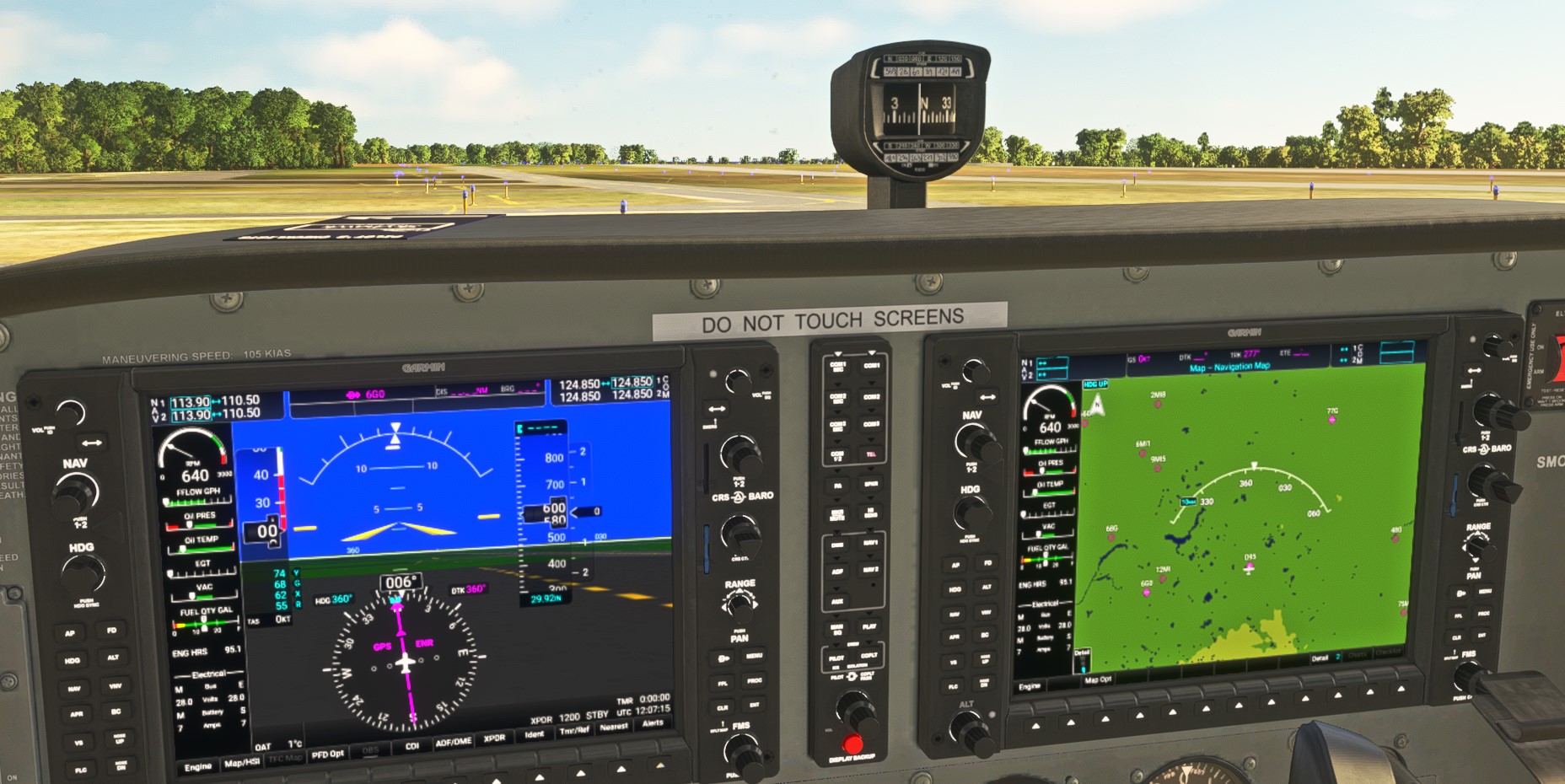
Here are three pics to demonstrate my problem:
Cessna 172 instrument panel after loading with flight plan:
Cessna Caravan:
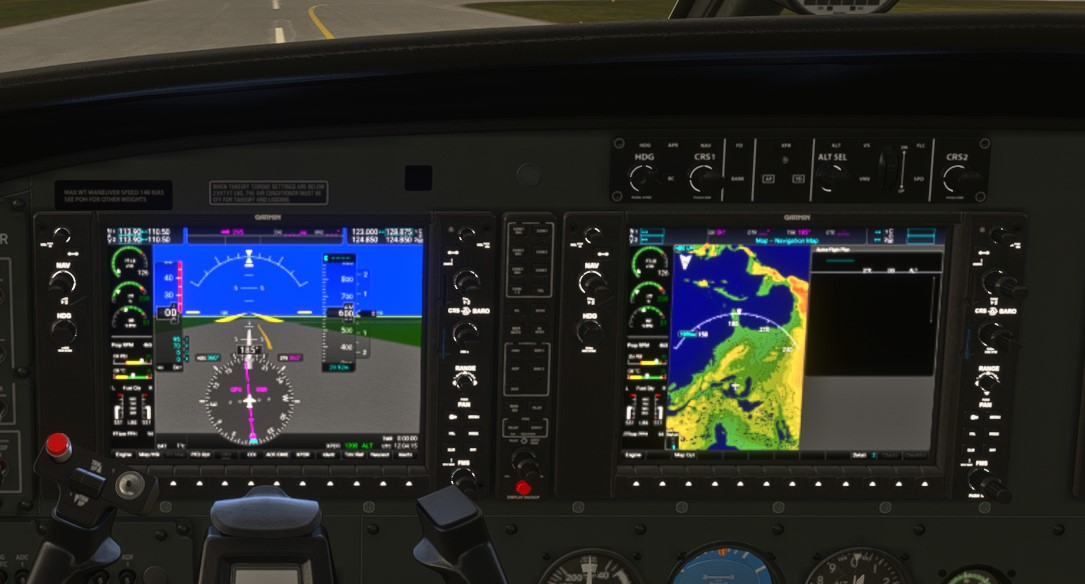
King Air:

As you can see, the Cessna Caravan and the Cessna 172 do not show the GPS track. Whereas, the King Air looks fine and works fine. That’s my dilemma! What am I doing wrong and how do I fix?
Thanks in advance.
1 Like
I’m leaning to some sort of mod conflict. Note on your MFD’s that the area where the NAV and COM frequencies should be is blank. I’ve never seen that before. The old G1000 still installed? Some livery or plane mod that is conflicting with your displays?
Hmm, I’ve tried to isolate it with no luck. I will go back to a “vanilla” state and see what happens…thanks.
Howdy. I keep finding myself fumbling about trying to get my procedures to link in to my flight plan in the G1000. I will select the departure, approach and arrival but it seems to go direct to the airport or sometimes direct to the approach, ignoring the departure. I’m sure there is just some obvious solution here but I really am klutzing around so I thought I’d check in with you lot about setting up a tidy flight plan in the G1000.
Come to think of it, I have the same problem in the flight computer (MCDU???) on CJ4. I get all the procedures in but can’t get it to nest together in the fpl. I assume this is part of the same skill issue.
1 Like
Highly recommended:
2 Likes
Oh great thanks I’ll watch it. Yeh I like Kip a lot.I managed to work out my FPL in the 5000 this evening so I’m getting somewhere. Doesn’t mean I didn’t get completely lost taxiing in the dark and drive a perfectly good Longitude into the water at YSSY…
Im having the exact same issues, im using cbox though. Did you ever find a fix? Im on the latest su update, this is an issue im having a year after you reported it.
I seem to have a problem with loading procedures, the waypoints appear to be correct but no altitude restrictions are loaded. I have emptied the community folder to no avail. I’ve tried on the 172 and the da62.


A good percentage of times i create a flight plan im the flight planner, load up fpl on the g1000nxi mfd, and there are broken waypoints. Often the first one. Its hardly ever a fully connected plan starting with magenta as the first leg. I will often have to use Direct to in order to make it go where it should go. Then when i do that the ils doesnt seem to capture gs later on. Just seems broken right now. Xbox latest updates
1 Like