Hi everyone!
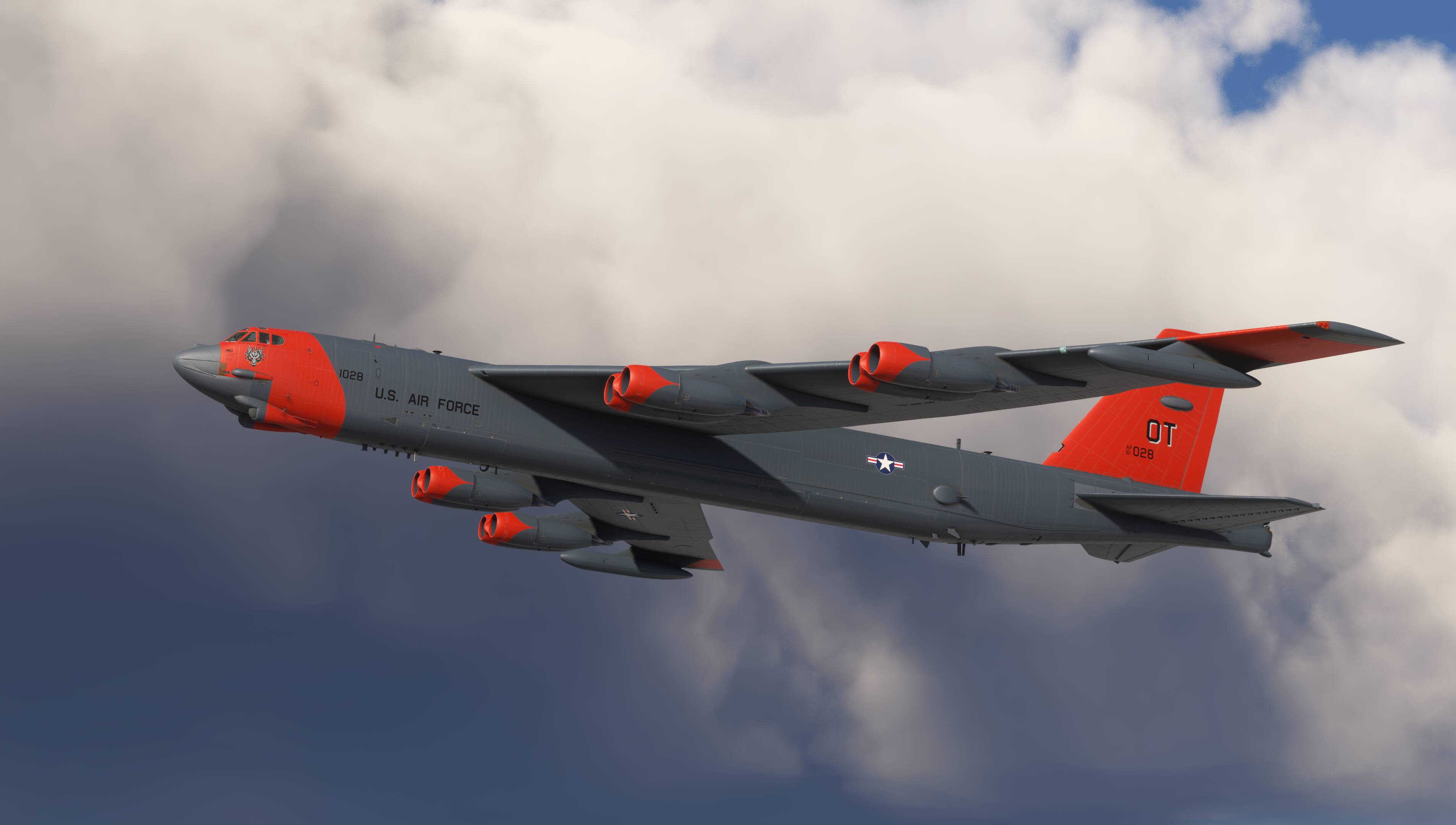
As many of you already know, we’ve released our new B-52 Stratofortress for MSFS 2020 this week, and the MSFS 2024 version will follow very soon.
I have your Mig 21, Mig 25 and F111 and must notice you never updated these aircraft, specially the F-111 where new systems were promised and never done.
I leave this here as a warning for potential buyers.
This is fantastic in VR. There’s been comments already about engine smoke and sounds but I can’t see any wing flex on the port side. Starboard side appears to be flexing fine.
Since the Bravo Throttle Quadrant has only six physical levers, i would suggest to assign outboard engines in pairs.
In MSFS, you can map multiple engines to a single axis — for example:
Lever 1 → Engines 1 & 2
Lever 2 → Engine 3
Lever 3 → Engine 4
Lever 4 → Engine 5
Lever 5 → Engine 6
Lever 6 → Engines 7 & 8
This way, you keep separate control for the inboard engines, which provides finer control during asymmetric thrust situations.
Tools like AxisAndOhs or SPAD.neXt can also help with more advanced setups and custom curves.
Important note:
Please avoid using the Ctrl + E auto-start function.
There’s a known MSFS bug where, after using auto-start, only the first four engines respond to the throttle quadrant — the rest will ignore axis input.
Always perform a manual engine start or use “ready to taxi“ state in options menu to ensure all throttles work correctly.
But that does not answer the problem. What default control assignments to use to assign more than one engine to a single lever. The sim control assignments for throttles only refer to throttles 1 thru 4, but no reference to assign engines to a specific lever. I would ideally assign engines 1&2 to throttle 1, engines 3&4 to throttle 2, etc.
I see. We are not used Bravo Throttle Quadrant in tests but i would suggest to try an external tool such as AxisAndOhs or SPAD.neXt - both allow you to map multiple engines to one physical axis and fully support up to 10 engines.
The B-52 looks great, inside and out, but it leaves alot to be desired still. The sound is very generic, some of the strobes are floating off of the wingtips, throttle is funky (idle is 39%), requires 70-80% trim UP to get it off the runway, elevator loses all effect around 155kts, everything is clickable, but doesn’t seem to do anything. The lack of exhaust smoke is a crime and the autopilot kinda,sorta, works. It does fly nice, maybe too nice, it’s very hard to get her slowed down without excessive spoilers. Tacan does work, but the heading bug doesn’t, course does. Nav1 radio doesn’t give me ILS needles and the option button on the dash for modern avionics doesn’t work. I REALLY hope they put out some updates, because the external model and cockpit look great. She’s got potential, I’m just not sure if it was worth the $40 on day 1.
Almost every review I have seen mentions the smoke. Not sure I understand how a B-52 product can get Dev sign off for retail release without the smoke modelling being bang on ……!?
Thank you so much for adding the K.I. Sawyer livery!!! You can catch me flying out of K.I. for the next so many days, until my pc doesn’t run. Someplace special
The cinimatic trailer is captured from a flight recording, because it’s practically impossible to manually control the aircraft and at the same time manage the camera, lighting, etc. However, the MSFS flight recording system has a number of limitations — for example, it doesn’t capture the wheel steering animations.
On the B-52, the front landing gear steering angle can reach up to 55 degrees, which is almost perpendicular to the aircraft’s axis. This allows the aircraft to perform very tight turns on the ground. At the same time, once the aircraft gains taxi speed, the steering range becomes limited to prevent damage to the gear.
All of this behavior is accurately implemented in our model.
We’ve also implemented full gear steering synchronization through the crab system (you can see this in the short demo clip). Unfortunately, MSFS doesn’t currently display the aircraft’s taxi movement correctly when using crab mode — we’re exploring possible workarounds for this limitation.
A full tutorial video covering all aircraft systems, along with a short manual, will be released soon.
And regarding the famous smoke, without which all that B-52 cockpit complexity seems to lose its charm — don’t worry, it’s coming in the next update. It’s not a big challenge to add.