There are many small ways to improve all areas of the simulator interface.
For example, the Free Flight screen.
When we select an airport, a sizable sign automatically appears, obscuring part of the airport, and sometimes it’s difficult to select a departure point, such as a parking area.
Furthermore, the departure point doesn’t change to a selection color and remains white, like the rest of the parking areas.

Based on the current interface design, there are several better places to place these floating windows.
An example would be this one, created by me with a bit of editing of a screenshot of the Free Flight screen, taking advantage of the airport information box, which currently has little information.
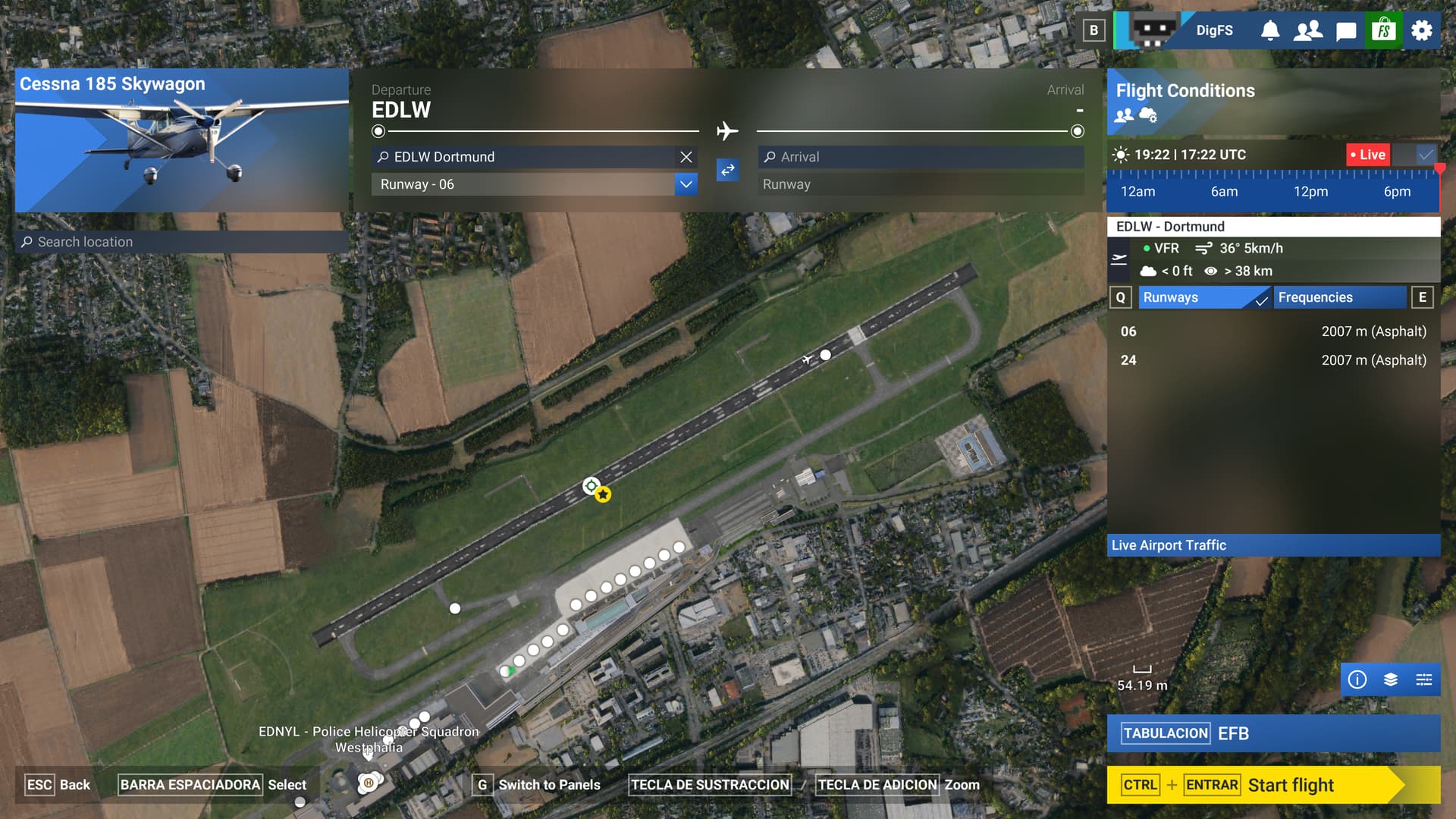
With this simple change, you get the same information, but integrated into the box dedicated to airport information. This also creates a cleaner main screen that doesn’t obscure other elements of interest, such as parking areas and boarding gates, or the view of other users on the map.
This is just one example; there are many other places where major changes aren’t needed. Just a rethinking of usability and better use of screen space.