The only problem I dislike is if you uninstall planes or liveries you don’t want it breaks the installs because they’re required packages. I say they should make default planes and liveries optional
I really can’t see MS abandoning FS20 on consoles for a long time yet. I think it would be too embarrassing for them apart from anything else.
And by the way, I read and play chess too. Great hobbies alongside a lot of other stuff 
Like every single Xbox-specific post the PC crowd come with suggestions that, while appreciated, simply aren’t applicable. (Do we even have a moderator or community manager that is 100% Xbox based?!?!)
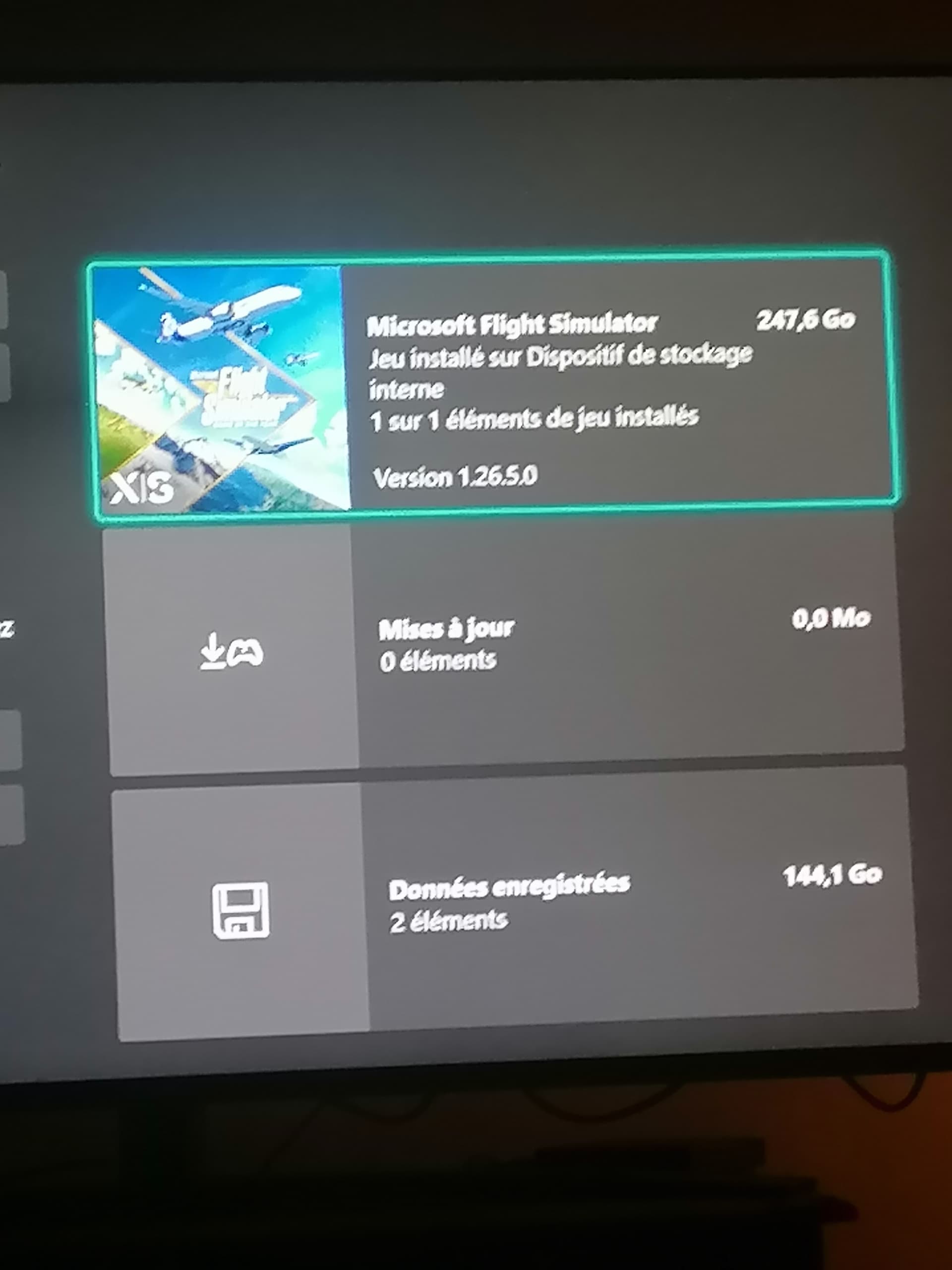
For instance, on the PC you can delete individual installation components via the Content Manager. On Xbox, that isn’t an option. You either install the entire package or you don’t. You can’t hand pick bits out of a package to delete. The option to do so simply isn’t there.
It would be extremely helpful if we had the option to uninstall default aircraft and content that we have zero interest in using. That would go a long way to allowing the Xbox user base to have more control over our installation size.
I don’t know if there are far stricter User Interface Guidelines for Xbox development that dictate the omission of these controls, but my guess is that there probably are.
this. It should really be possible to do that and could solve a lot of problems regarding disk size
on the other hand since xbox can expand the storage I wouldn’t label comments like “buy another ssd” as out of the world
I already did that. The Zlin, pitts, pipestral, dv20, the ctsl? Is that what it was called? The extra330, they are all gone.
Once again, you can’t do this on an Xbox.
(It is really tiring this pointing out that this is an Xbox thread and that both iterations of the sim do not share identical feature sets)
Would be nice if specific topic markers were color coded, that way xbox specific threads like this wouldn’t be overlooked as PC topics. Its easy to overlook and ignore the markers as is.

Specific color coded tags for topics would catch the eye better.

I’d like to add that it would be fair representation if we had an Xbox-specific @moderators and/or community manager.
It seems that everyone on the team is PC-based and unfamiliar with the Xbox and its specifics.
It shouldn’t be up to me (and other Xbox users) to clarify Xbox-specific issues.
It wouldnt matter that much in my case. After my detached retina surgury i cant read anything that small anyway. Its a squiggly
This was discussed here about the time FS20 was launched on the Xbox. Those in charge of the forum, however, came to the conclusion that it would be best for us all to be in one big community rather than have two separate forums.
I understand of course where you are going with this and see the sense of having two separate forums but I don’t think it is very likely now that it will be changed
I’ve bought the add 1 TB that plugs into the back of the XBox Series X. However I’m wondering how seamless it will be used once the install size of the fs2020 gets beyond the base 1 TB storage… 
I’m not sure how you came to the conclusion that I’m asking for an Xbox-specific forum.
I’m asking for an Xbox-specific moderator or community manager, so that we Xbox users have someone on staff fully versed with the Xbox, who represents us and understands how our System/User Experience differs from that of the PC.
Time and time again, moderators chime in with advice that is only applicable to PC. Time and time again, I’ve had to clarify on a multitude of threads tagged xbox that the thread is Xbox-specific, such as this thread. I’m not a moderator, but I feel like I’m doing their job way too frequently when it comes to Xbox-specific issues/threads.
If the moderators don’t know the Xbox system and the sim’s Xbox version UI/UX how can they know how to moderate Xbox-specific issues?
I do not see a way to split the sim’s installation across both internal and external storage.
Thus far, it seems it’s either installed completely on the internal storage or completely on the external storage.
My assumption still is that the filesystem (XBox not NTFS or something) is just extended or the 1 TB plugged in is just appended to the base storage. Would make sense but I don’t know for sure.
I just tried to switch the place where recordings are stored on the base storage to the add storage I had plugged into the XBox. I got an error saying that the storage is formatted in Xbox file system and that in order to use it for recordings I’d need to format it to NTFS. This in turn means that the storage is formatted in Xbox file system as well and thus it could well be that the extra storage is just simply expanding the base storage.
Any Xbox expert around may be to help answer?
Well, on my Xbox it definitely isn’t appended. It’s treated as a secondary storage device in the same manner as a USB HDD/SSD would be.
When I’ve moved the sim from internal to external (or vice versa) it moves all the content to one or the other.
Ah I see. Are you sure about the “device in the same manner as a USB HDD/SSD would be.”? I’m just asking as the added storage is formatted with the Xbox file system whereas if you want to use it as a USB HDD/SDD (to store recordings for example) it needs to be formatted w. NTFS using a PC…
I dunno.
When I got my 1TB expansion, I just plugged it in and it functioned without any configuring on my part.
Having had an external HD on my Xbox One, for example, I see that the relationship between the internal storage and the expansion storage on the Series S/X behaves in an identical fashion as it did on the One.
I’ve not tried setting the expansion as my recording location.
When I get back home in a couple of days, I’ll give that a go and see what sort of message, if any, I get.
It probably can’t span disks, so you would have to choose internal or external storage.
If you have it on internal, I don’t know if there is a procedure to move it to the other disk.
There is.
10 characters.