Have a look at these? Bottom one says “system-wide” so sounds like it should work (no pun intended) 
1 Like
Huge thanks for those! I’m going to take another shot at it. That APO eq looks good.
1 Like
No worries my pleasure. Hope it does the trick. Let us know! 
1 Like
Mission accomplished! I’ll create a thread for G2 Sound and post a link.
1 Like
What I mean is that in the engine.cfg file they have it set as a jet engine not a turbo prop. What you’re seeing is jet lag not turbo lag.
2 Likes
That is actually quite realistic as the real aircraft has software that slows down the spool up times to those of a jet and the flight control system completely neutralizes the effects of the prop as much as possible so the plane flies as much like a jet as possible.
So if they would use msfs turboprop logic they would have to completely write this software layer wich would be pretty hard, or use the jet model wich does all of this pretty well already
5 Likes
Yeah the point of the real world PC21 is for use as a fast jet trainer so they modified the aircraft to emulate how a real world military jet behaves.
2 Likes
That is correct. But emulate doesn’t mean the aircraft is free of any prop effects in all flight regimes. And it’s these prop effects that are missing because Iris unfortunately chose the easy, unrealistic route by using the jet flight model.
The other shortcut was for them to use a default Boeing FMC for their avionics, instead of programming the real unit.
Now this doesn’t make the add-on worthless, not at all. But it’s still a bit of a shame that Iris took so many shortcuts on realism while other developers do code and model the complete aircraft.
I’d love to get a PC-21 in the sim, but for me it needs to be less generic and more PC21.
2 Likes
If I enter an incorrect way point into the FMS, how do I remove it from the route? CLR button is not working and there’s no delete button. I tried everything I can think of
Also, any way to create custom waypoints?
Thank you
I was doing some takeoff comparisons between the Tucano newly arrived in the Marketplace and the PC-21. When I was finished it occurred to me that, since I was flying from a grass airfield, perhaps I should have had the particle separator turned on for both aircraft.
And this is how I discovered, having flown the IRIS PC-21 pretty regularly since the day it launched, that the PC-21 doesn’t have a particle separator. You might think I should have noticed earlier, but no.
I couldn’t find one in the cockpit so I checked the manual. No mention of one there.
There is an intake bypass, but it’s part of the de-icing system and the manual makes no mention of using it for any other reason.
So what’s the deal? Should the intake bypass be used on grass strips? Does Pilatus simply assume that as a training aircraft the PC-21 will always be flown from clean, hard surfaces? Or is particle separation automated within the engine?
If anyone knows, I’d like to know too. TIA
The intake bypass in the PC21 IS the inertial separator.
It should be used for icing conditions and also for grass runways or in general when taking off. It should take some torque from the engine that I believe should be measurable and will probably raise itt a bit. Unsure if all this is simulated in the Iris PC21 but the bypass intake is definitively the inertial separator.
1 Like
Thanks for that. I shall test using the intake bypass tomorrow on a grass runway I can barely get off as it is.
The IRIS PC-21 is famously configged (see above) as a jet rather than a turboprop so it’s quite possible the intake bypass hasn’t been modelled to do inertial separator work. If, on the other hand, you hear a loud crash at some point tomorrow…
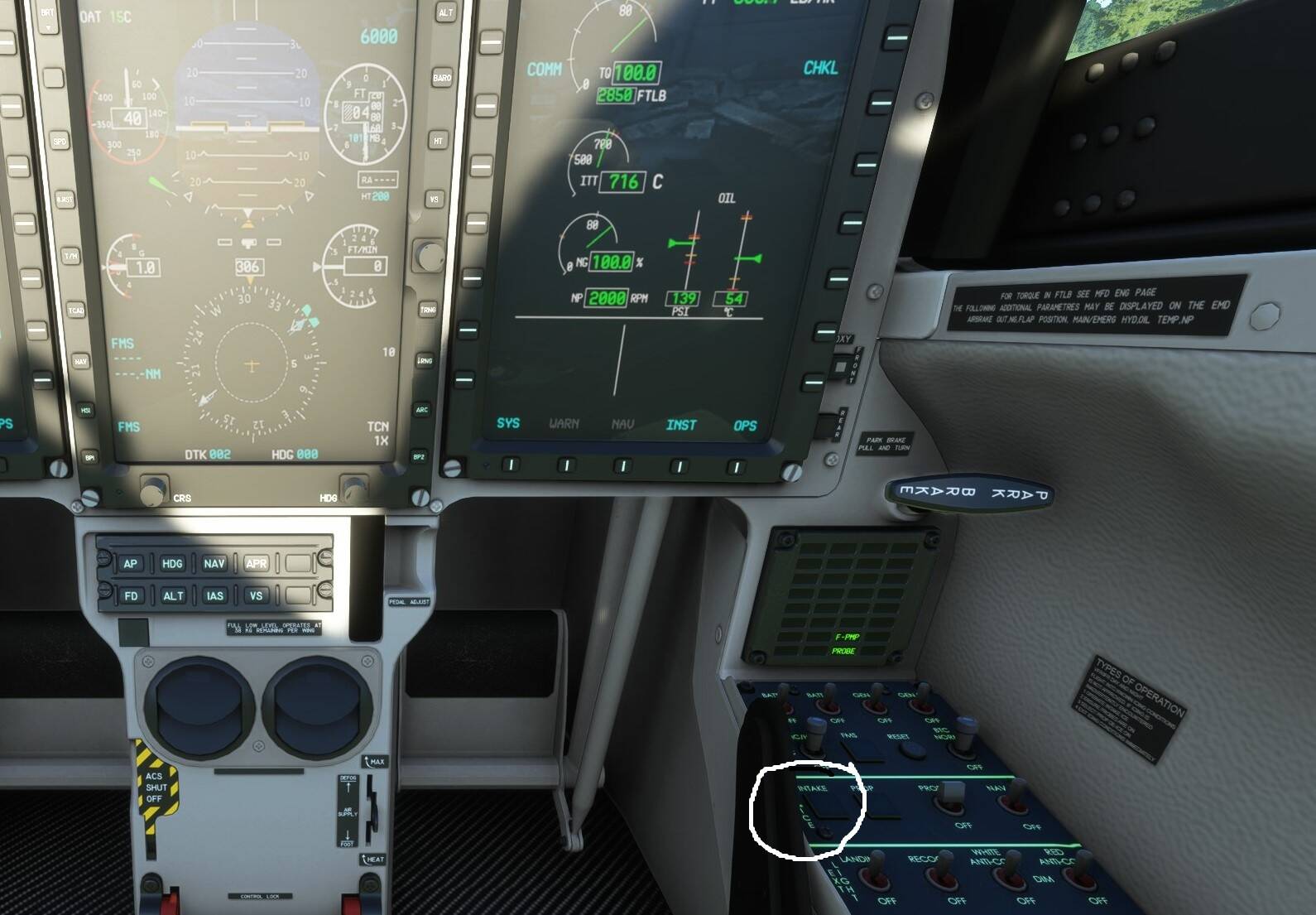
IRIS PC-21 engine readouts with Intake Bypass off:
Engine readouts with Intake Bypass on:
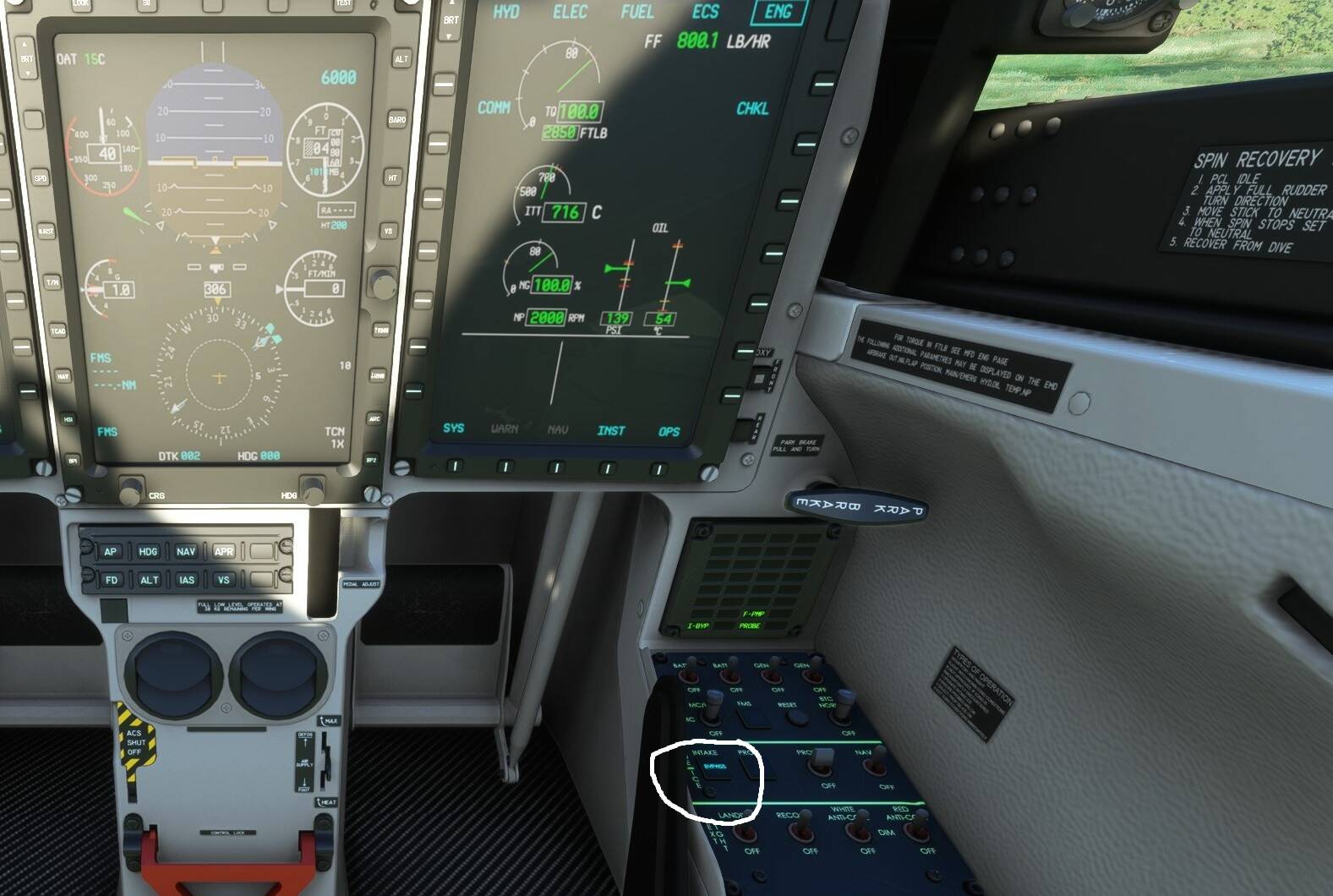
In case you’re on a small screen, the figures in both cases are:
Tq 100% (2850 FTLB)
ITT 716 C
Ng 100%
NP 2000 RPM
No difference in any parameter. Nor was there any subjectively noticeable difference in takeoff performance.
Both sets of readings stationary with full throttle.
It’s clear that, while you would expect the engagement of an Intake Bypass to produce some reduction of engine performance, it’s not modelled - at least not on the ground, where it would be working as a particle separator - in the IRIS PC-21.
I have to say it is sad but expected.
The intertial separator is not precisely an easy piece of hardware to model and few people would notice it if the dev takes the effort to do it. Most people just turn the switch on or off and are happy with that.
Sad because it is always fun in the PT6 when you turn the separator off after takeoff to have the rise in power and you can even overtorque the engine if you are not careful.
The PC21 was actually a very nice plane when released but IRIS completely abandoned the project.
Agreed. It’s still one of my favourite planes but there’s stuff I’d like to see fixed.
In particular, the HUD, apart from not being contained in its frame, isn’t like the real one (of which I have a picture from a Pilatus brochure). In particular, it’s missing the radalt readout. I tend to fly low, I don’t like having to bury my head in the cockpit to find out how low.
Also, I’ve heard nothing about the fancy map tiling system being extended to work outside South Australia. I’d rather have the default Asobo map than nothing.
2 Likes
The map can work anywhere, as long as you have the images…
A guy managed to insert a new map…
Also think it would be better to have some kind of default vfr map
Hi Guys, I purchased this a/c via msfs marketplace. Version V1.0.221103.2305 is installed. I wonder how to get this new version 1.1?
IIRC, the version numbers may differ between the Marketplace and other vendors.
According to the ISIS Simulations site the most recent version is:
Current Version
MSFS Version // 1.1.0 (View Changelog)
Software Build // v1.1.230326.2045 – 26MAR22
If it was released on the Marketplace, you should get it automatically via the Content Manager.
You may want to check the changelog: if your plane has the latest features listed there, you should be good.
Hmm strange, I deleted the Pc21 in the install folder, went to the market place to reload it again. Nothing changed installed version 1.0.3
I guess i will never buy a 3rd party aircraft in the marketplace.
thanks for help anyway
News from Iris Simulations‘ Facebook page:
Out Now! Version 1.3.0 of the IRIS PC-21 is now available on the IRIS Storefront. Submissions to Marketplace and Orbx will follow shortly.
Two of our biggest requests have been added to this one, a new PC-21 style HUD in HTML format for improved performance and clarity (plus collimation), and an MSFS Moving Map display, both shown.
Enjoy!
4 Likes