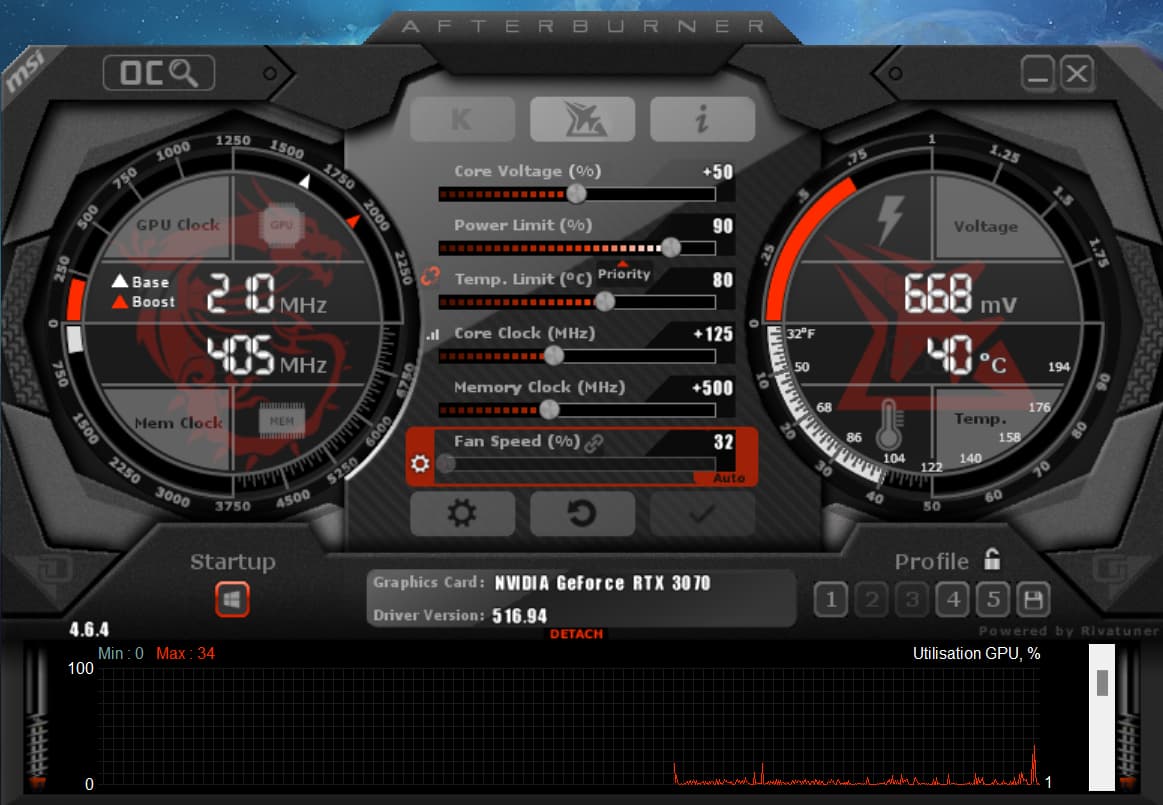
I suggest to try instead to undervolt the GPU, as often it come at no performance cost at all, and avoid card to overheat to much.
Usually my RTX3070 could reach 85 degrees this summer during benchmark. I set the “Power Limit” in MSI Afterburner to 90% instead of default 100%, and overclock at the same time, +125 on Clock and +500 on Memory, so I have same performance and even more (fps in benchmark) and temp don’t reach more than 72 degrees. Win Win
no, no, good info, but i tried msiafterburner and had quite bad results so i decided to avoid trying using it as we can also create some big troubles with wrong settings…
but if your scenario is so simple to install, then maybe i will try..
but i did 2 tests, the 3D standard copied above and after another one for the VRAM
i can see several errors with the same message between 7:30 and 8:12
and the most worrying is the results of the second test here below
GPU (RAM) chip may be a bit “tired”. This is what I suspected for mine.
Possible that it can no longer work safely at the initial (when new) rated clock, if the initial clock margin was not high. Time after time, the max operating speed of a circuit slightly decreases, due to aging of transistors, this may create internal timing faults.
You may try to go to the NVIDIA control panel, “Aide”, and check “Mode de débogage”. Then you can run again MSFS or OCCT and see if it improves things. Careful, this option is lost after reboot.
Alternately, you may test with - 100MHz on core clock (underclock, not undervolt)
If no result, you can try reducing memory clock a bit (again not changing anything else)
i am running again both OCCT tests and i can’t find any error now…
I have activated anyway the debug mode, and also installed MSI Afterburner wich provide a better fan curve, now the GPU temp stays below 65° without too much fan noise.
i will try again MSFS…
Ok, but yesterday i had errors in one OCCT test but not in all others i did after without any changes.
This morning i activated the debug in addition.
Trying MSFS now…
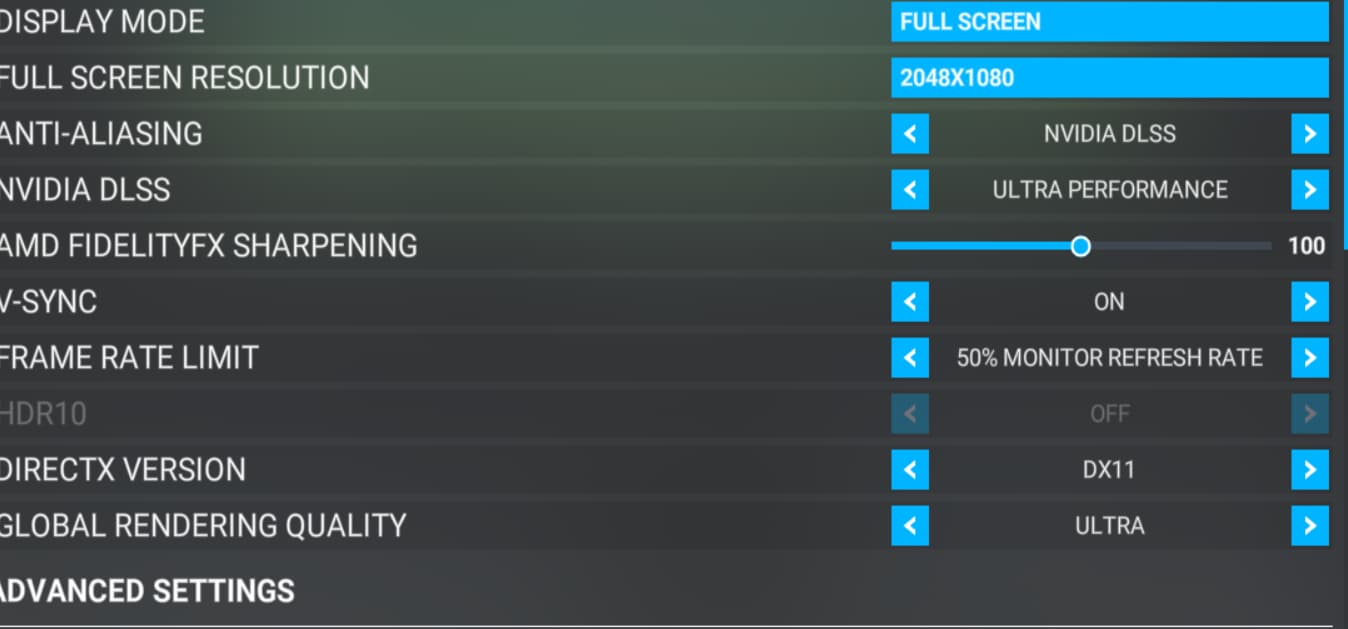
edit : flying with DLSS Ultra Perf and AMD Fidelity 100 since 30 mins , no issue… but debug mode active on Nvidia
The error on nvlddmkm is a generic error regarding the graphics driver, as well as the other one you’re getting about:
This error was added in one if the SU10 builds to provide an error message rather than a CTD. Under previous times, this would probably just lead to a CTD. Getting this many errors on nvlddmkm without an active overclock isn’t normal.
Have you tried to increase the TdrDelay option in the registry? Changing this to 10 seconds is a good start. The default timeout detection for an unresponsive GPU is two seconds - after this, Windows will restart the graphics driver. This prevents the entire Windows from crashing, but the two seconds can cause issues for some people. It could be worth a try. It seemed to have helped my errors on a 3090, when it would often CTD when loading the PMDG 737.
but a note about: be carefull, for some users the DLSS option was gone then. ( at least with disabling the recovery with the TdrLevel param ). Therefore I not mentioned it.. But yes.. the users often tried to avoid the error with a higher delay time. But in my opinion, if that is necessary, it hides only a different system issue.
yeah.. we can so also check whether you still get DLSS and then we know whether TdrDELAY affects DLSS, or only that completely disabling of the driver recovery
testing in progress, same flight starting from Bergerac in France, Heading South, if i reach Pyrenees mountains, that’s not so bad, with TBM, then to see up to where i go
I think my last option now is to do a clean reinstall of Windows 11, since the start of MSFS i am applying many changes like the regedit just before, and i think that they are still there, many of them… and i am totally unable to remove all them !
so restarting from fresh clean install could be a good thing !
but it sucks a lot…
edit : oh, question : where can i declare a zendesk issue with my problem ?



 ).
).