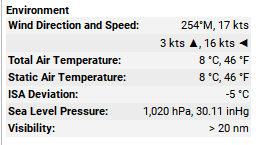
Then the dewpoint is just a random value?
Because the dewpoint does/did change. So it’s either random or the sim is interpreting “something”.
Check your Windows time settings to be sure your computer has the correct local time and date for your physical location, and most importantly the correct time zone for your location. The latter is extremely important, as MSFS uses the time zone to determine the current Zulu time. If the Zulu time is wrong, you won’t get the weather for the current hour from the MeteoBlue model.
I did an experiment (detailed in another thread), where I loaded at my local airport with Live Weather active and noted the weather conditions (wind, temp pressure etc). I then forced the wrong Zulu time in MSFS by changing my Windows time zone from EST to Alaska standard time. When reloading in MSFS, I got completely different Live Weather at the same location. The particular forecast hour data injected into the sim from the MeteoBlue model depends on the current Zulu time.
That is not to say that you might get the completely wrong weather from the server even if your local time settings are exactly right
A more subtle error would be if your Windows local time and time zone are correct, but the day of the week was wrong - i.e. it was set to November 3rd instead of November 2nd. In that case, you might get tomorrow’s predicted weather from MeteoBlue instead of today’s even if the Zulu hour was correct.
Every time I have checked ATIS, at any airport, the dew point is always given as 10 C. But, I don’t check ATIS on every flight, so I can’t say it might not be different sometimes.
The real time weather doesn’t seem to be working in Iran! It does not even match the ATIS report. The temperature in OIII and other airports are significantly higher than real life. I do see some clouds high above sometimes and I do see the wind, but that’s it. Any fix to this? I have followed all the guidelines for real weather and when I check it does say that I am using real weather! Thanks for your help in advance
Exactly, I’m experiencing the same issue, temperatures are too high and the winds do not match real data.
Well just did a check again of the live weather, and, well, we’re back to 12 hours delayed weather.
KETB 021755Z AUTO 26013G22KT 10SM CLR 07/M07 A3010 RMK AO2
KETB 021735Z AUTO 25015G22KT 10SM CLR 06/M07 A3010 RMK AO2
KETB 021715Z AUTO 24015G21KT 10SM CLR 06/M07 A3011 RMK AO2
Current METAR
KETB 030515Z AUTO 28010KT 10SM CLR 06/M02 A3002 RMK AO2
Okay I got something to add to this.
I just noticed that MSFS has decided to arbitrarily select on my behalf, against my will, the online servers (the list you see when you click on your gamertag at the top-right). It calls itself Automatic. I am in Europe and there’s no reason why it should choose East USA as the server. So I decided to manually select West Europe and tried KETB again. Looking at the wind direction and speed display in the world map menu and matching it with the current metar and Meteoblue reports, I’d say they matched quite closely and accurately this time around.
This is just an initial observation and I need to do more test, and I’m choosing KETB as the testbed for now.
So here’s a suggestion: keep an eye on that server list, and manually select the server that’s as close to you as possible. Don’t select “Automatic”, and don’t let MSFS select “Automatic”. Manually select the server right after you launch MSFS for the first time.
Report back if you see any improvement.
I was flying around Greece today and the weather interpretation was pretty spot on. No delayed cloud layers or anything(maybe a 1 hour delay at most,after comparing the sim to some weather satellite images and they were some quickly moving clouds too) . Surface temperatures were slightly off(higher than the METAR 2-4 degrees Celsius), wind speeds were alright. No rain or anything, just overcast weather. I’ve found overcast ,opaque weather to be pretty useful when comparing the cloudy boundaries in the sim to real satellite images.
I also chose to compare REX weather and Unreal weather too. Both of them didn’t manage to even come close to what the real thing was like. They looked nothing like the real overcast weather and the fairer cloud layer towards the north that MSFS live weather got right. Just a few clouds(wrong altitudes) and extremely sunny.
MSFS live weather won today big time for this specific flight.
any lightning? lol
I assume what causes such an inconsistent experience is it’s all dependant on data from the cloud, no pun intended.
If they at least Showed what data was arriving nobody would be confused as to the extent of their problems..probably often realizing there isn’t a problem in that situation and saving headaches all around.
Strangely no. I didn’t experience any. A few minutes later I loaded another flight from a different location in a different country and it was the classic non stop lightning as usual. It is not the first time that I experienced no lightning at all with live weather enabled. This bug is so random at least on my side lately.
Correct me if I’m wrong, it seems that people are trying to read the weather in the sim through Little navmap, as far as I know, little navmap does not use simconnect to read the weather in the sim but uses external data.
Weather in the sim can only be evaluated from the plane instruments.
It does get wind from the sim though.
I just noticed: since winds reported by the G1000 are in magnetic north and METAR are using true north; winds beeing reported with shift of about 20 degrees by comparing METAR and onboard instrumentation in Canada and northern USA should be the correct situation, am I wrong?
Correct. METAR winds are referenced to true north. The winds given by a recorded ATIS broadcast at the airport, or by an ATC controller will be referenced to magnetic north.
Winds aloft are always given in true north.
In the eastern US and Canada, magnetic variation is westerly, so one would add the local variation (in degrees) to the reported METAR wind direction to get the magnetic wind direction.
Many of the default MSFS aircraft have wind displays. It is an option on all the G1000 and G3000 systems. One thing that is unrealistic in the default aircraft so equipped is that the wind display works on the ground, whereas any real aircraft capable of calculating wind speed and direction can only do so when airborne. (That may have been fixed in the default aircraft in a recent patch - I’m not sure). The G1000 and G3000 mods from Working Title do correctly disable wind display on the ground.
For aircraft that have a wind display, the direction will always be referenced to magnetic north.
You’re wrong, Little Navmap can pickup environment info from simconnect at your location.
Maybe we are not talking about the same thing, I read on the github page of Little Navmap 2.6.4 beta:
“Simulator weather cannot be shown for MSFS since SimConnect weather functions are deprecated and do not deliver data. Needs update or documentation in MSFS SDK. Use NOAA weather which gives you the most up-to-date weather reports.”
So I was assuming weather in Little Navmap came from another source than the sim.
You’re lucky, you had a nice haze layer !
I did not have live weather at all this afternoon even after restarting the sim several times…
And now it seems to be back to normal for me.
Luckily, I am patient.
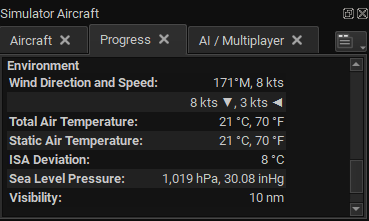
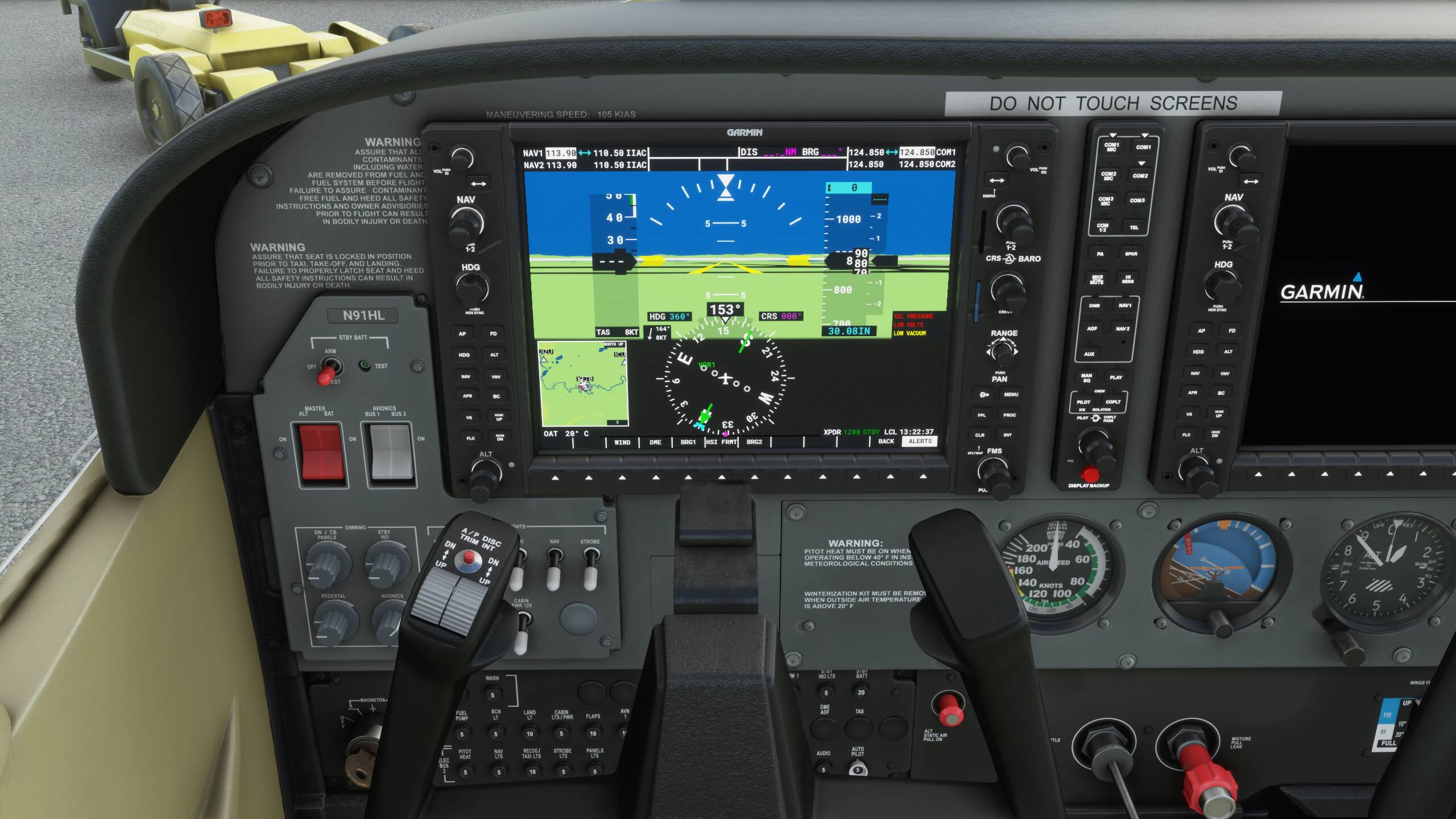
We are not, Simconnect cannot read the information at airports, but Simconnect can read the environment at your current location. It’s in the Simulator Aircraft section and Progress. See the following example of “live” weather for an example. Not exactly terrible for once, but it seems to match better with weather yesterday. Just noticed thunder and lightning in partly cloudy skies and a very pleasant day. Ugh.
Current METAR data.
KETB 081915Z AUTO 20005KT 10SM SCT060 SCT070 20/15 A3015 RMK AO2
Link for the last 24 hours of weather.
https://aviationweather.gov/metar/data?ids=ketb&format=raw&hours=24&taf=on&layout=on
And what I get in-game.
Crosschecked with G1000 display.
The “live” weather was the same on the East, West Coast servers, along with Western Europe.