I got the “Switched offline” message a few days ago (Tuesday evening 2nd July '24) when there were MS server issues and since then I cannot see online players at all.
It took about 45 minutes to load the sim with most of that having a black screen. I forced a close a couple of times because it was ‘hanging’ like I had never seen before, and thought it was a local issue until I noticed a stream chat saying that other folks were having issues loading the sim.
On the main menu screen the online friends options are disabled.
All the data connection options are ON:
Data limitation : OFF
Bandwidth : UNLIMITED
Rolling Cache : OFF (but I’m creating one)
I’ve tried changing to SE Asia servers, North Europe, US servers. No change.
I’ve tried following the ZenDesk article : 4414599136146–Your-bandwidth-is-too-low-for-data-streaming-you-have-been-switched-to-offline-mode-error-message
The Friday fly-in was disappointing as I couldn’t see anyone. Also the sim CTD’d as I was turning onto final.
And yes, I’ve tried turning it off and on again (both the sim, and the computer).
Was not able to complete a single flight today because of this. Oh well good thing I have an alternative.
I’ve literally just been seeing the same issue…connection messages and when checking data area, photogrammetry and Bing data keeps turning itself off.
wondering if people experiencing this are using the unofficial and not supported Map enhancement tool
The hosts file gets corrupted if not exited properly.
Reset my hosts and everything was tickity boo
I uninstalled all my content, cleared out my roaming folder, and uninstalled in Steam. I the reinstalled the sim and downloaded all my content again, and I STILL have controller profiles that I created, and that were created for me in the past. So much for uninstalling it. The profiles that it created for me as default when I started using my controllers were great, but they got lost / corrupted when new profiles were added in for some helicopters I bought.
Anyway, I still have the offline issue. I can set to offline and save my changes, and the online players button briefly enables for a few seconds (sometimes) and then quickly disables again.
I still can not see any players online no matter which server I connect to. I do see friends on the world map though, which is frustrating.
I’ve uninstalled and reinstalled content through content manager.
I’ve uninstalled and reinstalled the sim through Steam, and reinstalled all the content.
I’ve checked the HOSTS file.
I’ve flushed my DNS.
I’ve rebooted numerous times.
I’ve tried different DNS servers on my network adapter settings, including default, the 8.8.8.8 ones, AND Cloudflare’s.
I’ve deleted, recreated, moved, and played without a rolling cache.
I don’t have a content.xml file to delete.
I still can’t see any multiplayers.
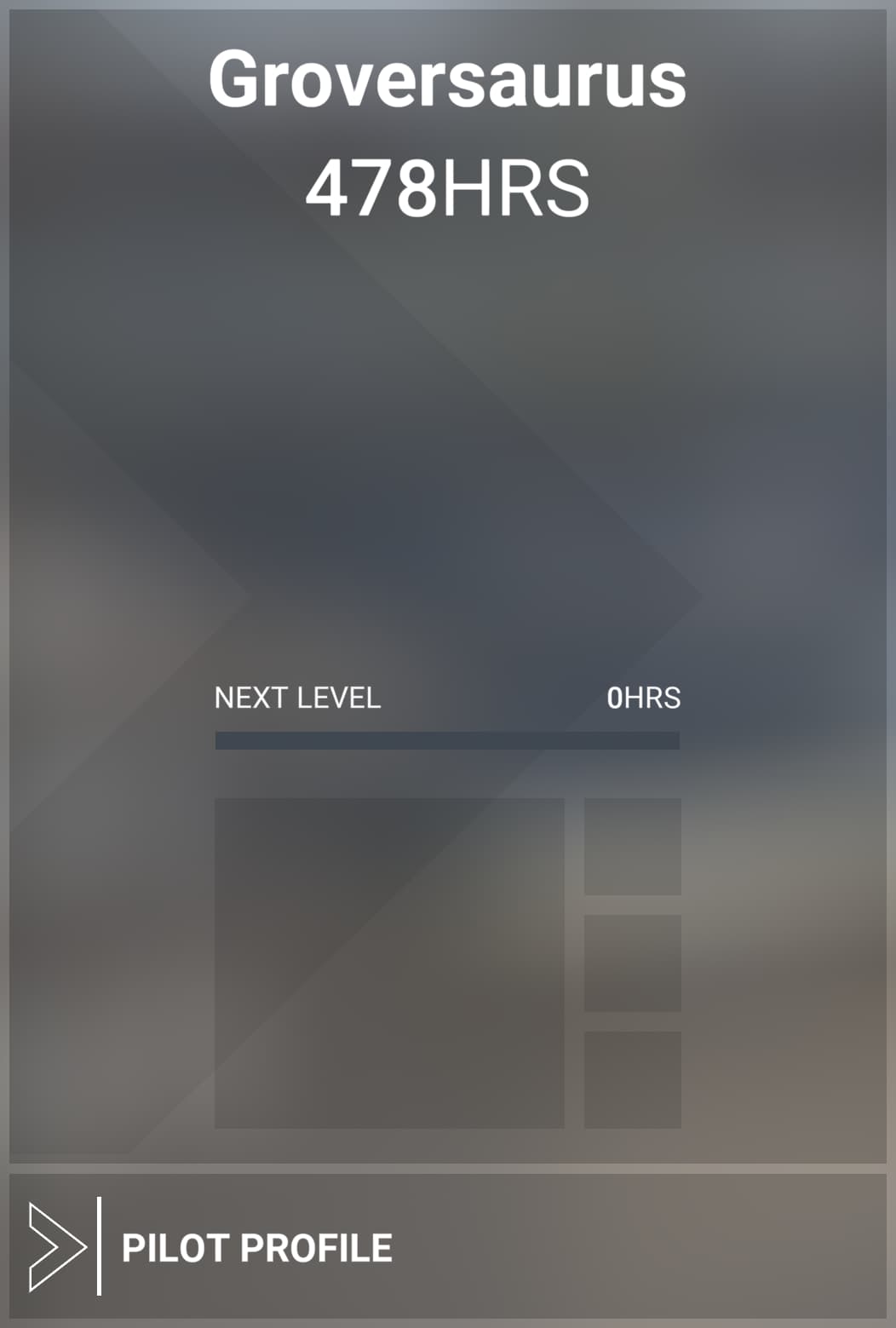
Also, when I go to the profile page, I get a dialogue that shows 0 hours to the next level.
All this was since the XBox live server issues the other week
I CAN SEE LOCAL PLAYERS !!!
I CAN SEE NEARBY PEOPLE !!!
WOOHOO !
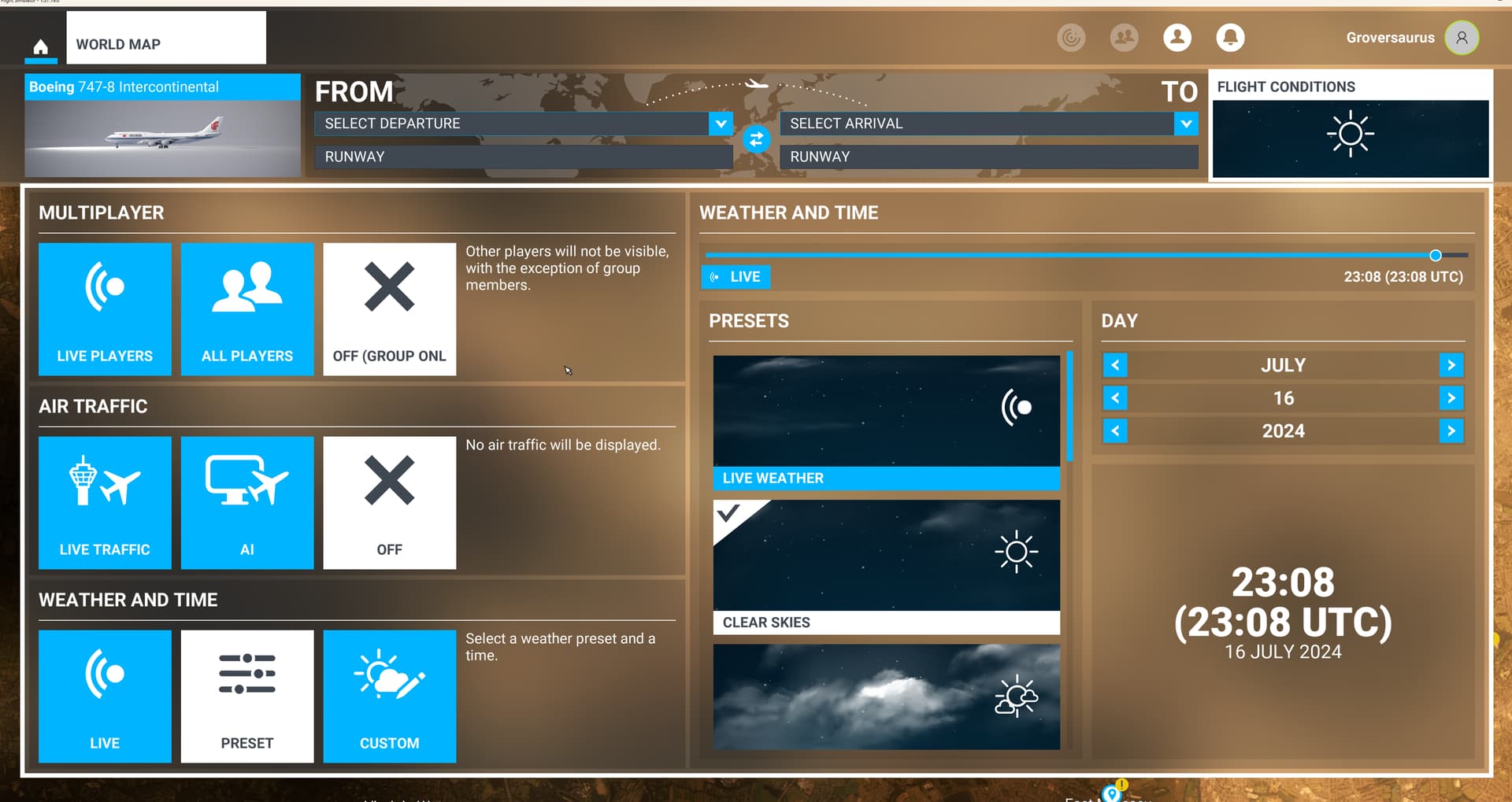
OK, the issue was that settings got scrambled / reset when the servers were down, and I subsequently uninstalled and reinstalled the sim, and forgot some settings that I never changed.
If your local players button is disabled.
Go to the World Map, and make sure ‘ALL PLAYERS’ is selected under MULTIPLAYER.
Happy flying all
I had been having issues for over a week, thanks to this thread I am back online. Google maps replacement had several entrys in HOST file. Once I deleted all of them I am back online. Thank you.
Xbox x offline multiple kickouts during simple singleplayer flight… I doubt I will buy msfs 2024, with this kind of flaws it has no sense. Shame.
I just went offline too. No wait, I’m back online. Oh darn, I’m back offline. No, I’m back again. Good. Now I can - oh wait, I’m back offline again.
Me too. Last night was the first time I have had this happen. Several times in an hour and a half of flying.
I have the bandwidth too low problem allmost every time I use msfs. I own cable internet with about 80 MBits/s but my router shows, that msfs uses only 1 to max 8 MBit/s of it and there is no other traffic. This seems to be a server problem.
I’ve seen more of these messages recently, and they always occur when flying in regions covered by the recent WUs & CUs. I always have the network tab of Task Manager showing on a separate monitor than MSFS, so can see in real time the amount of data being streamed over the network.
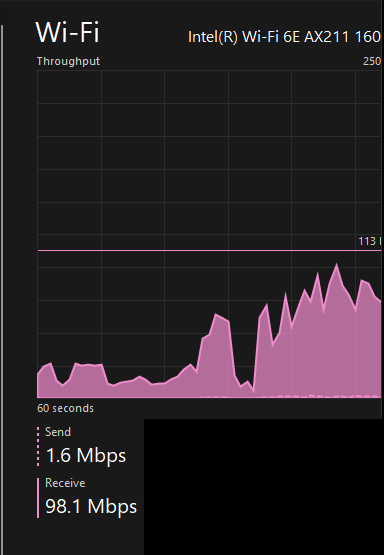
Yesterday, I was flying over Frankfurt am Main (the new Discovery Flight) when the “low bandwidth” error message popped up. I snapped a screenshot of the network traffic:
IMO, 98 Mbps is not “Low Bandwidth” in MSFS 
Clicked on the ignore option and the flight continued, with spurts of up to 100+ Mbps being noticed.
Partial Specs & current settings at the time:
Build: SU15 (v1.37.19.0)
3rd-Party Addons: None, Community Addons: None
Flight configuration: Multiplayer: All Players. Traffic: Live, Weather: Live
i7-12700K (No overclocking or undervolting), 32 GB 5200 MHz DDR5 CL40, Intel Arc 770 (16GB, v31.0.101.5768).
Graphics Tab: Full Screen 3840 x 2160 TAA, Render resolution - 100, AMD Fidelity - 150, VSync - On, FRL - 50% MRR (120 Hz), HDR10 - On, DX12B, TLOD @ 400, OLD @ 200, Motion Blur - Off, Other settings - all Ultra, except: Water Waves & Glass Cockpit Refresh Rate @ High; Texture Supersampling, Terrain Shadows, Ambient Occlusion @ Off; Contact Shadows @ Medium.
Traffic Tab: Aircraft Traffic Type - Real-Time Online, Slider Settings - All 100%, Generics (AI, MP) - Both Off, Show MP in Vicinity - On, Traffic Variety - Ultra
Data Tab: Data Connection: All six options - On, Data Limit - Off, Bandwidth - Unlimited, Rolling Cache - Off
Developers Tab: Developer Mode - Off
MSFS Version: MS-Store, Standard, plus All World and City Updates
In my case yesterday it was Frankfurt too.
But this even occurs when creating a manual cache of that region (and others…).
I have a 100 MBit internet cable connection which delivers in reality rates about 78 MBit/s. When MSFS is running and shows the low bandwith error (during flying or downloading )on my PC, MSFS uses only 1 to 8 MBit/s out of my bandwidth according to my monitoring and other applications like Firefox or Edge Browsers seem to be blocked by MSFS and there performance goes down as if I had only a modem connection with 68 kBit/s - in this time the monitor shows, that my network is not really used. This seems to be a bug in MSFS.
i am in Düsseldorf,happen also yesterday.
but;
The Message should be,
“The MS SEVERS BANDWIDTH Is TO LOW”
most happen for me at Times when there are a lot online.
also very bad loading from scenery then,so fly when other Work fix it for me most Times,will see wat happen in 2024,i am shure to wait before i buy this  …luck is, i am retired
The Netherlands, West EU server: monday augustus 26th, this entire evening repeatedly the bandwith low message and after 1 minute, the message, that the connection is restored. About 5 minutes later, it all repeates itself.
Luckely no stuttering or freezing, so, I could continue flying.
Getting this right now in the US.
I’ve also been bothered by those annoying “fake” warnings for about 3 hours now.
// Central Europe
Same. Repeatedly. California.
Pacific Northwest here, ya something’s going on with their online infrastructure.
I just spent two hours half listening to a meeting I only sorta had to be a part of and half watching a plane cruise, had the online/offline message pop up multiple times but no disruption to my meeting so definitely not my connection(and the meeting was on Teams no less)
same here Germany  Bandwidth to low