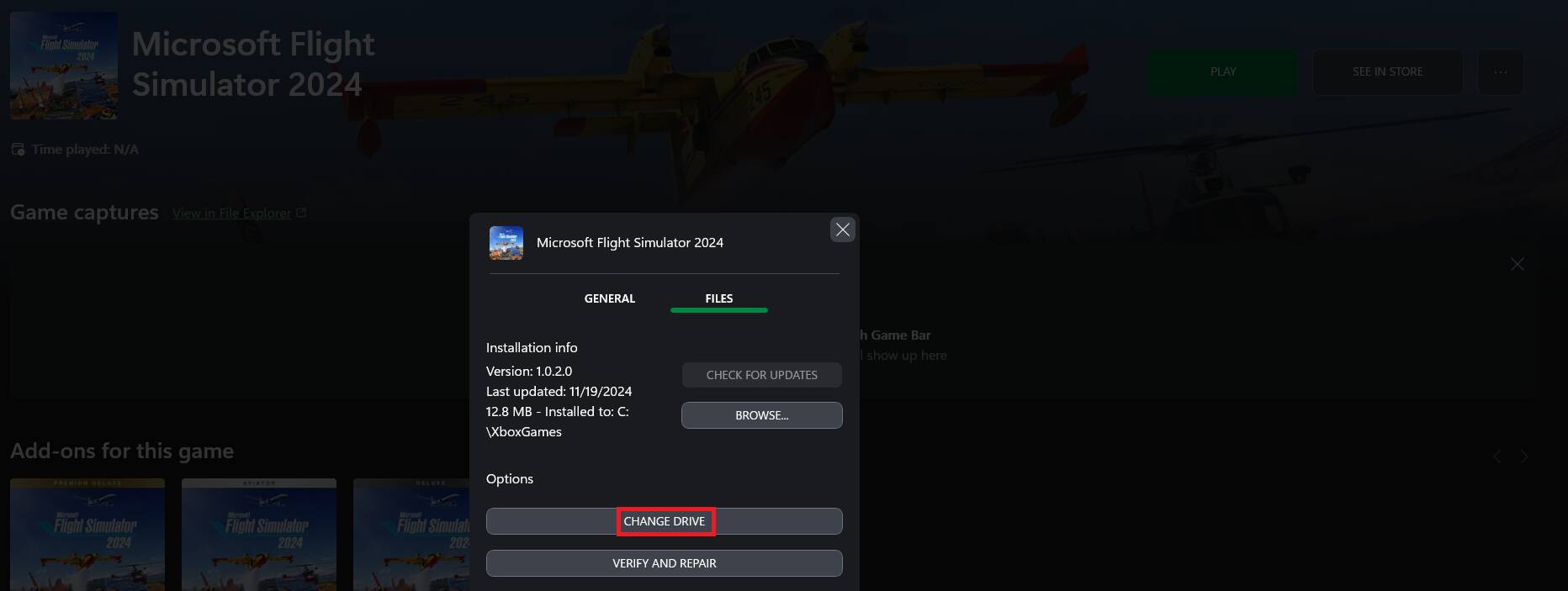
This is only going to confuse people and potentially do more harm than good.
There’s absolutely no need to do anything with the install options or manually create folders. Doing so will make that location the default for all subsequently downloaded games, which is obviously not a very sensible thing to do.
The problem you’re creating is that people likely to follow your instructions are the less technically-savvy. If someone does this and needs help with their installation in the future, it being in a non-standard location won’t help at all.
These people are also unlikely to have a PC dedicated to MSFS, so god knows what else might end up in your ‘MS2024’ folder.
This video is simply not appropriate for those who you think might benefit from it. The decent thing would be to remove it.
I’m sorry to say that this video is misleading. There’s no need to create new folders for the MSFS 2024 launcher. By default, in the Microsoft Store version, it should install in default XboxGames folder.
You can create a separate folder on a different drive or partition for the “packages” but the launcher itself should be installed in the default folder.
I’ve always emphasized this point and I stand by it.
Yes. Keep the installation in the Xboxgames folder. However, you can pick your preferred drive, and the Xboxgames folder will appear in the root of that drive.
Not necessarily. In the the Alpha there were no option for a folder for the packages like in 2020. The game simply just loads in to the main screen (after a quick accessibility and graphics setup) The previously known folder for packages/ingame download is simply just the rolling cache now. (As of the Alpha) You can define the size and location/drive folder of it, in the settings menu. Disclaimer, final release could be different.
And if you’re on Xbox then there’s no instructions. Caveat only being storage space. At most need to delete or move 2020 to a different drive or add 2024 to a different drive.
This post shouldn’t be here in my opinion. It’s more noise than good, and when you start thinking about addon linker and all kinds of things, you are causing more trouble than you need to. I would re-think this.
I’ve been wondering about this.. Do we even know for certain whether the game is again split into a launcher and the “packages”, with separate install locations being choosable for each? Or is that just an assumption? I want to avoid a situation where I leave it on the default xboxgames folder on C:, only to find that the full game installs there later too…
I want the bulk (or all of) the sim to be on my dedicated A: drive. I’m also assuming we’ll be able to choose this in a second step, but not 100% positive at this point.
Also, I could just put the launcher in A:\xboxgames, right? Or would there be any advantage to have it on C:, the Windows drive? Both A and C are NVMEs btw.
(it’s a preinstall stub that then gets updated to the release code whenever that gets pushed out. Fairly normal for xbox with the exception that it looks like that release code is coming real hot lol)
With 2020 the main program installed on the C: drive (my smallest.) That’s fine, since I was able to direct the Packages install to a dedicated MSFS folder on the D: drive (the biggest.)
I’ve seen conflicting information as to whether this will be the case with 2024, and whether I can direct it to the D: drive during the Packages download, or will need to manually configure the UserConfig.opt files to specify that location.
I don’t care where the minimal base code lives. I do care where the Community and Official folders live. And I definitely want to have my Rolling Cache in a custom location.