They’re internal.
1 Like
Thanks Mate…I should have taken a leaf out of my own book…“if everything else fails, RTFM…”
Cheers and Beers
“The cowl flaps on the 310R are de-
signed to minimize drag when in the
open position and as such, normal
operation is for the cowl flaps to be
left in the fully open position.
The only times when the cowl flaps
require attention is to prevent shock
cooling of the engine during rapid
descents, during simulated single
engine training, or when conduction
engine shutdowns for emergencies
or training purposes.”
5 Likes
…so is fully open pushed in?
3 Likes
Yes, open is in, pull it out to close it.
4 Likes
Push to open, pull to close. There is a label between levers as far as I remember. (:
4 Likes
Hi Captains!
I like this video so I’m sharing 

(Glad to notice that since SU9 the Air Mass mouvement/atmopshere feel much more realistic, it feels alive and the Milviz 310R through its flight model/physics translates that in a very reliable way imo! Hopefully Gust Winds/CB, convective and severe turb in TS will come in our MFS2020 skies asap! )
3 Likes
But they are not working at the moment so at this moment it doesn’t matter if you pull or push lol
I agree with this. very hard to read the gauges, even in the daylight. Otherwise I love the plane!
5 Likes
Are they broken?
I’d have to refer back to the manual but I believe they stated that the cowl flaps could be left open during all normal operations. The only time they recommend closing them is during a very rapid descent to protect against shock cooling. Bottom line, I think you’re okay not worrying about them too much.
1 Like
They are not broken. RTFM on usage of the cowl flaps please.
They’re internal so you will not see them functioning and, as well, they will have pretty much zero effect if you’re not using them correctly. Eg: no change in flight/engine modeling.
2 Likes
sorry, i haven’t been following your posts on discord. silly me.
Sorry wasn’t meant to you but to @Krazycolin
Have you seen my screenshots on Discord? One engine pulled and other pushed and 0 effect on the CHT
I’m not allowed on Discord. The support team is fairly active there but, if you’re reporting a bug, your best bet is the support forums.
If this is concerning the cowl flaps, there wouldn’t be any change afaik. They only have an effect on steep descents.
Ah if that’s the case I’ve misinterpreted the manual (as I did FRTM ;)) but also if that’s the case it doesn’t matter if they are open or closed during normal flight I guess?
Great plane but it does have a few issues. The night lighting for instance is pretty woeful…can barely see a thing…I’m sure its not this dim IRL.
Also I know its not a fast plane by nature but I’m finding it takes forever to get up to cruise altitude. Once I’m up there its ok though and she chugs along at about 175 K or so.
Gotta say though, I have both this and the 414 and I definitely like the 414 better overall even though it’s not finished yet. Now if the 414 had this planes excellent state saving it would be no contest.
4 Likes
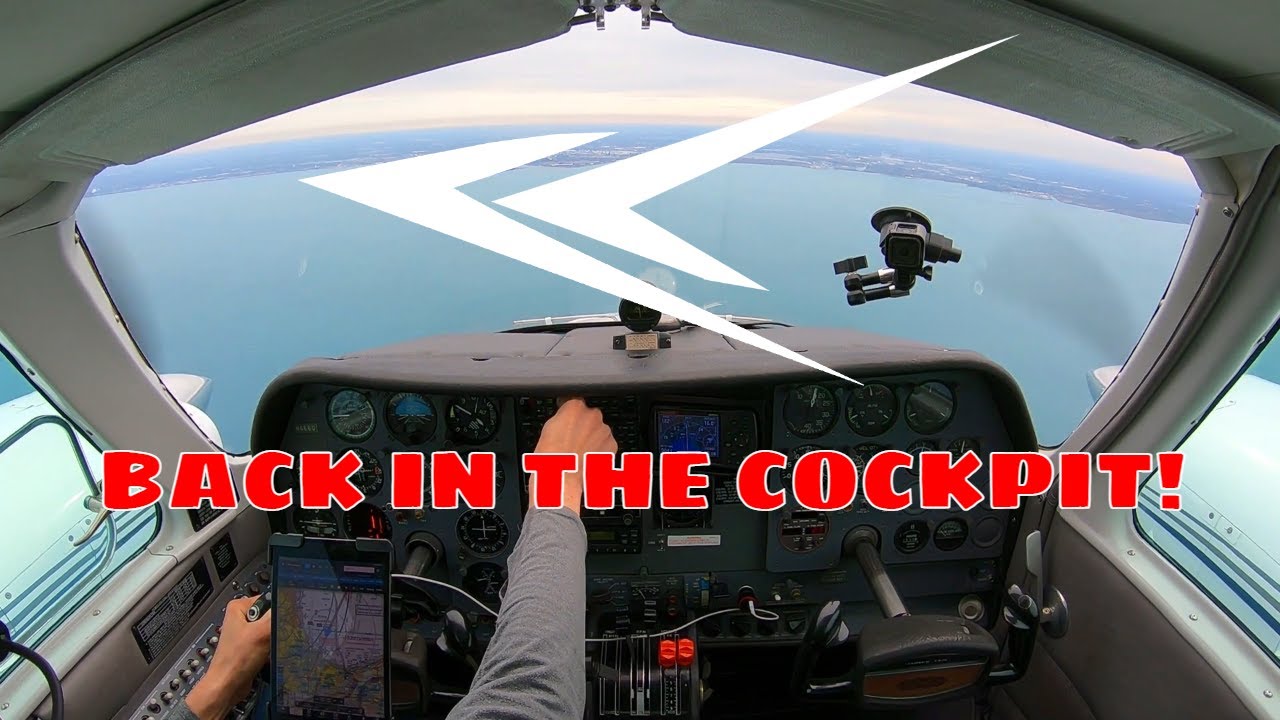
This Video’s cameras are driving me crazy , as I look at it w.r.t. Turbulence.
There is a Camera on the windshield, and when that shows the view looking backwards in the Cockpit, the internals of the plane and the pilots are locked, stable in the frame (as expected)
The other camera is attached to the cabin Ceiling, centrally behind the pilot, looking forward, showing the Instrument panel, the windscreen, and the view out of the windscreen.
This is showing signs of Turbulence (as expected), but the turbulence effect on the camera is also being modified by the fact that the camera image of the internals of the plane, is also moving in the frame. This makes the visual of the turbulence “Different”.
Turbulence aside, why is this camera view, showing the plane internals moving within the frame ?
Camera is not mounted solidly, and is moving with G forces ?
Some sort of Motion Stabilization turned on in the camera ?
If so, I am wondering what that view would look like with the Motion Stabilization turned OFF, and which mode would more represent what the Pilot “appears” to be seeing, after any Human Brain compensation of motion.
Then Back to MSFS, what should MSFS really be depicting on the Computer Monitor, to simulate what you, the Pilot, are seeing. ?

