Asobo promised again and again that most community folder content from 2020 would work in 2024. But for liveries this just isn’t the case. I am a livery creator and of the the ones I have tested so far, very few actually work in 2024. The ones that do work are grouped together as a separate aircraft, rather than appearing as livery under the main 2024 aircraft (ie 172). But the majority of liveries just don’t appear at all in 2024, even though they all worked just fine in 2020.
The downside of this is that when I eventually work out what needs to be changed, I am unlikely to want to maintain 2 separate versions. So Asobo’s changes to the 2024 aircraft structure are at the expense of anyone not making the jump to 2024.
You also can’t currently change aircraft from Streamed to Locally stored, so I can’t even look at the new structure to work out what has being changed and update my liveries. This may be because the marketplace itself is disabled, but who knows.
So the statement that “Most community folder content will work in 2024” is simply not true, for liveries at least. The reality is that “Most liveries will not work in 2024”.
32 Likes
Have you seen that liveries are under Configure in the aircraft menu? Do they not show up there either? That would be a bummer.
Using the 172 as an example, none of the community folder liveries for the 172 show up under configure for the 1u2. The ones that I can find are grouped together as a separate 172 aircraft. The main problem is that over 90% of liveries in my community folder don’t appear at all in 2024.
The OP’s observations are correct for the most part. I’ve got over 18,000 skins I need to convert, and I’ve been trying to figure out why each skin is showing up as a separate variant.
The first thing to ensure is the ui_createdby=“Whatever Developer Has Entered Here” entry in the aircraft.cfg file exactly matches the entry in the aircraft.cfg file for the original aircraft. That’ll ensure the skins show up under the same aircraft in the main aircraft menu.
Next, make sure this line is in your new aircraft.cfg file.
IsFlyable = “1”
That’ll probably be the reason some are not showing up for you.
The issue then is, each added third-party skin shows up as a unique variant in the menu under the parent aircraft when selecting the “Variant” button in the menu.
I’m seeing no work-around for this. Modifying the ui_variation = “Your Livery Name Here” in the aircraft.cfg file does nothing. Best I can tell is that the sim looks at the default aircraft.cfg file and will consider only those entries as children under the parent aircraft as individual skins for that aircraft. I’m still messing around with this to try and figure it out. I hope this is not the case or it is going to be a significant issue in terms of livery management for third-party skins. What a mess!
4 Likes
So here’s an example of the Got Friends Astro One aircraft.cfg entry.
[FLTSIM.0]
Title=“Astro ONE: Default”
ui_type=“ONE”
ui_variation=“Default”
ui_manufacturer=“Astro”
ui_typerole=“Rotorcraft”
ui_createdby=“Got Friends”
atc_id=“Astro ONE”
Texture=“DEFAULT”
Model=“”
Panel=“”
Sound=“”
Soundai=“”
Effects=“”
description=“TT:AIRCRAFT.DESCRIPTION.ASTRO.ONE”
ui_certified_ceiling=12000
ui_max_range=40
ui_autonomy=1
ui_fuel_burn_rate=0
atc_parking_types=“RAMP”
isAirTraffic=0
canBeUsedByAITraffic=0
isUserSelectable=1
isFlyable=1
And here’s an example of one of the third-party skins aircraft.cfg file my PowerShell script creates. All pertinent entries are good. I really think this is an issue where the sim reads each aircraft.cfg file as a separate variant for that aircraft. Which is “No Beuno” from a livery management perspective.
[FLTSIM.0]
Title = "Astro ONE BurstixTV (N421ZT)"
Model = ""
Panel =  ""
Sound = ""
Texture = "BURSTIXTV"
Description = "TT:AIRCRAFT.DESCRIPTION.ASTRO.ONE"
KB_Checklist = ""
KB_Reference = ""
WIP_Indicator = "0"
Short_Description = "Astro ONE"

UI_Type = "ONE"
UI_TypeRole = "Rotorcraft"
UI_Autonomy = "1"
UI_Max_Range = "40"
UI_Variation = "BurstixTV N421ZT"
UI_CreatedBy = "Got Friends"
UI_Manufacturer = "Astro"
UI_ThumbnailFile = ""
UI_Fuel_Burn_Rate = "0"
UI_Certified_Ceiling = "12000"

ATC_ID = "N421ZT"
ATC_Heavy = ""
ATC_Airline = "BurstixTV"
ATC_Flight_Number = "1ZT"
ATC_Parking_Types = "RAMP"
ATC_Parking_Codes = ""

ICAO_Airline = "Astro"

IsAirTraffic = "0"
IsUserSelectable = "1"
CanBeUsedByAITraffic = "0"
IsFlyable = "1"
2 Likes
Great thanks for the info. I’ll see if I can get my liveries working. Looks like the changes required might not have any impact for 2020.
Adding the IsFlyable=1 had no effect on a missing livery for the DA40 at least. I think that perhaps the base container value may have changed for the DA40 and other default aircraft and this may be a contributing factor in the missing liveries. But I won’t know for sure until they allow me to save them locally and I can get to look at the default aircraft’s folder structure and aircraft.cfg values.
I updated the UI_created_by value to match the default aircraft (based on 2020 values, since you can’t see the values in 2024) and found that this change did get the livery grouped under the source aircraft and it no longer appeared as a separate aircraft. As you indicated the livery appears as a separate variant rather than being grouped under the Liveries tab.
But this it didn’t work for the 2nd livery I tried. So I am guessing not being able to see the actual values in the aircraft.cfg is preventing me from exactly matching the value required in this field. I assumed that the 2020 values would be the same in 2024, but have no way of knowing for sure. And in the case of aircraft like CaptainSim C130 the aircraft.cfg is encrypted so you just have to guess what the value might be.
I will also need to fine tune some of the descriptive fields in the livery so that the on-screen description indicates what variant the livery is, since all liveries are grouped as variants and not categorised as a livery under each variant. ie for the 172 classic or G1000, floats, skis etc.
Yep, I agree. A peek at the new config files for the default aircraft would be tremendously helpful. Just a quick reference in the new 2024 SDK indicates that livery creation is an entirely new ball of wax and much more complicated than the 2020 format. There are merge considerations etc., and none of those files are present in the Got Friends conversion of the Astro One. I was using a Got Friends aircraft as a reference as theirs are supposedly updated to be compatible with 2024. Their conversion is good for all aircraft liveries defined in the original aircraft.cfg file, but not so for third-party liveries.
And I just realised that the UI_created_by appears in MSFS after the aircraft description so will be able to match encrypted aircraft after all. Hopefully this might give me some clues about other liveries I haven’t been able to fix yet.
Managed to find the SDK for the aircraft.cfg. But IsFlyable is not one of the available parameters. Gotfriends may have placed it in there for other reasons.
Yeah, I’d not referenced that one in the SDK. Figured it was a new parameter.
Have a look at this.
https://docs.flightsimulator.com/msfs2024/html/3_Models_And_Textures/Modeling/Aircraft/Thumbnails.htm
There are significant changes to the file structure depending on what type of aircraft it is. If Asobo modified the legacy 2020 aircraft to the new format, it’s not going to be easy to figure out what was done without access to the folder structure and cfg files.
I’m sitting here trying to figure out a way to use PowerShell to deal with all the changes in terms of importing skins into my sim. I usually run the script, then take thumbnails, run the script again and all is good in the sim. Doesn’t appear that the new method is going to be easy to deal with in the least from this perspective. We’re going to have people setting up skins in all kinds of formats more than likely. Uggggh!
is_flyable was deprecated long ago.
The order of entries doesn’t matter.
The only entries that matter for the name of the aircraft are
ui_manufacturer
ui_type
ui_variation
and of course it’s related to another package by setting the base_container value.
In a given aircraft.cfg, it used to be most of the values were defined by flightsim.0. It still read values like ui_variation and a few others for each flightsim.xx. In FSX you could use ui_typerole to create a new variant type, but that went away in 2020 when they pretty much ignored the value after flightsim.0. I loved being able to sort my aircraft in FSX by ui_typerole, but that went away with 2020.
In FSX, you could create another variation by changing ui_type in the same aircraft.cfg. That stopped in 2020. The only way to create another type in 2020 was to create another package within a package, IOW, another directory under SimObjects\Airplanes, hence you could have multiple aircraft in a single package in this way.
I used to change the manufacturer and type by making sure the SimObject\Airplanes\0000 directory alphabetically came before the base_container aircraft, then the values in my livery’s aircraft.cfg would replace the manufacturer and type names, etc..
It may be that for some reason Asobo changed the order in which files take precedence. It used to be that any file that had the same name in the “same” package would replace the file before it in the VFS and take precedence. Now it seems like they’ve reversed that somehow. I have a feeling they screwed something up and it may need sorting.
2 Likes
Wow, they like to make it hard. This would explain the missing thumbnails I have found on some of the main screens.
Yes, no combination of the various fields in the aircraft.cfg saw my liveries sorted after the default livery in 2024. So I think you may be right and they missed something there. All the changes add very little value, so I have to wonder if they made the changes just to make it look different.
Using different methods depending on whether the aircraft is modular, simple or legacy is unnecessarily complex. It also means that if an aircraft creator updates their aircraft from legacy to simple or complex, it means the thumbnails of any 3rd party liveries all have to be redone and moved to a new part of the livery structure. Surely they could have set it up so it just uses the existing thumbnail images and locations. Whoever thought up this mess should be given a long walk off a short plank.
The easy solution for at least legacy aircraft is to just ignore all this drivel and just create the good old thumbnail.jpg as we have always done. MSFS just displays a generic Flight simulator placard where it can’t find the right thumbnail anyway. Most of the screens on the aircraft and livery selection screens use the original thumbnail image.
Also I think the SDK may be wrong as the screenshots don’t match up with the thumbnail names for the legacy aircraft examples anyway. I tried using all the correctly named thumbnails on a legacy aircraft (CS C130H) and no matter what I thumbnail I created, all screens used the good old thumbnail.jpg, while the new screens that supposedly use the button or variation thumbnails just used the generic placard.
After a bit of trial and error I found all you need to do is take your existing livery thumbnail and save it as thumbnail.png, thumbnail_button.png and thumbnail_side.png. These all reside in your texture folder for legacy 2020 aircraft and seems the small version is no longer required. Ignore any of the SKD comments about size or transparency.
If you want to future proof your livery for possible future conversion of the base aircraft to the 2024 format, you can also place the same 3 files in a folder titled “thumbnail” so your structure looks like this. Note that I have yet to find a 2024 format aircraft to test this with yet.
The requirements for 2024 modular aircraft are bit more complex, and I have yet to work them out.
Using my original thumbnail but copied and renamed as the appropriate files you end up with the screens below. I have always used my own method to generate thumbnails to show my livery off to its best advantage.
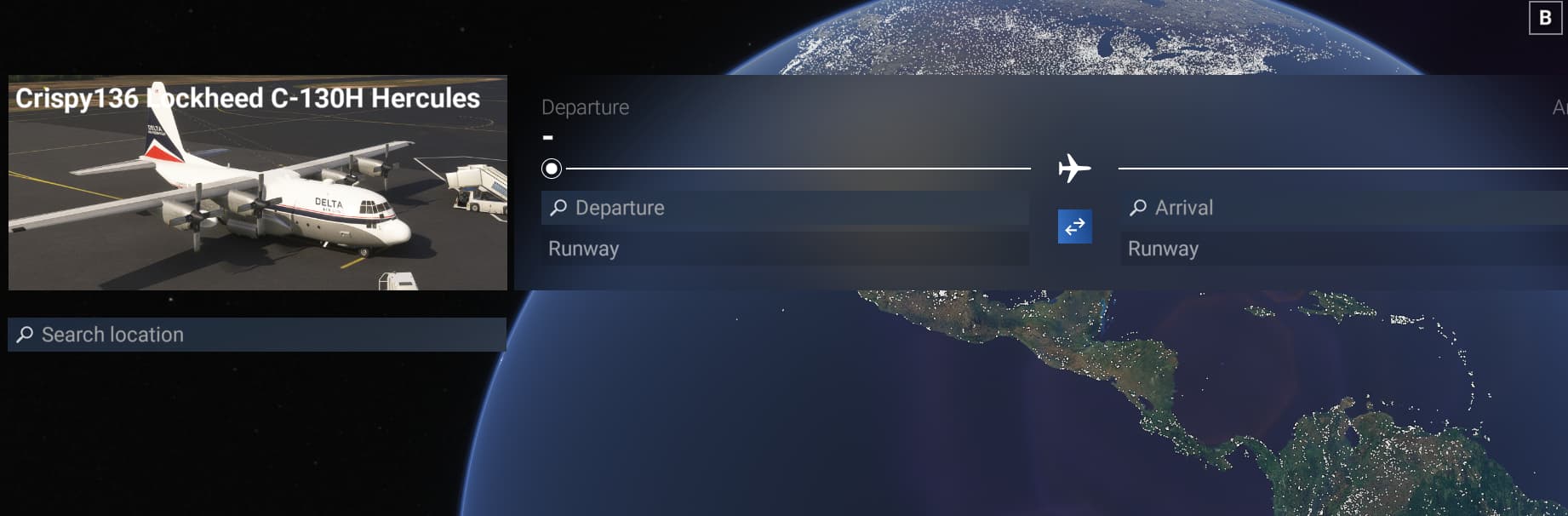
Free flight selection screen (image uses thumbnail_button.png)
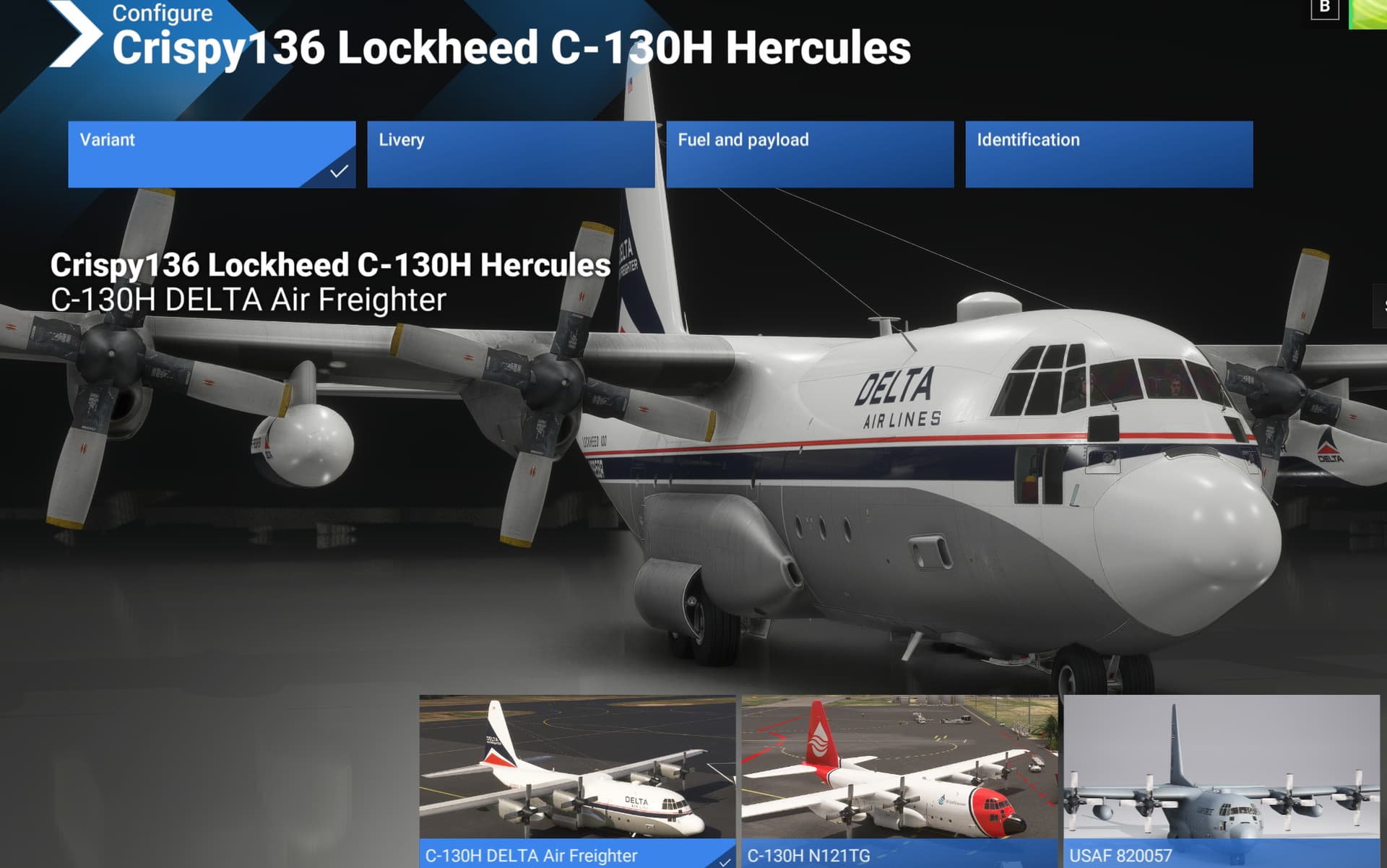
All other aircraft or livery selection screens (image uses thumbnail.png).
1 Like
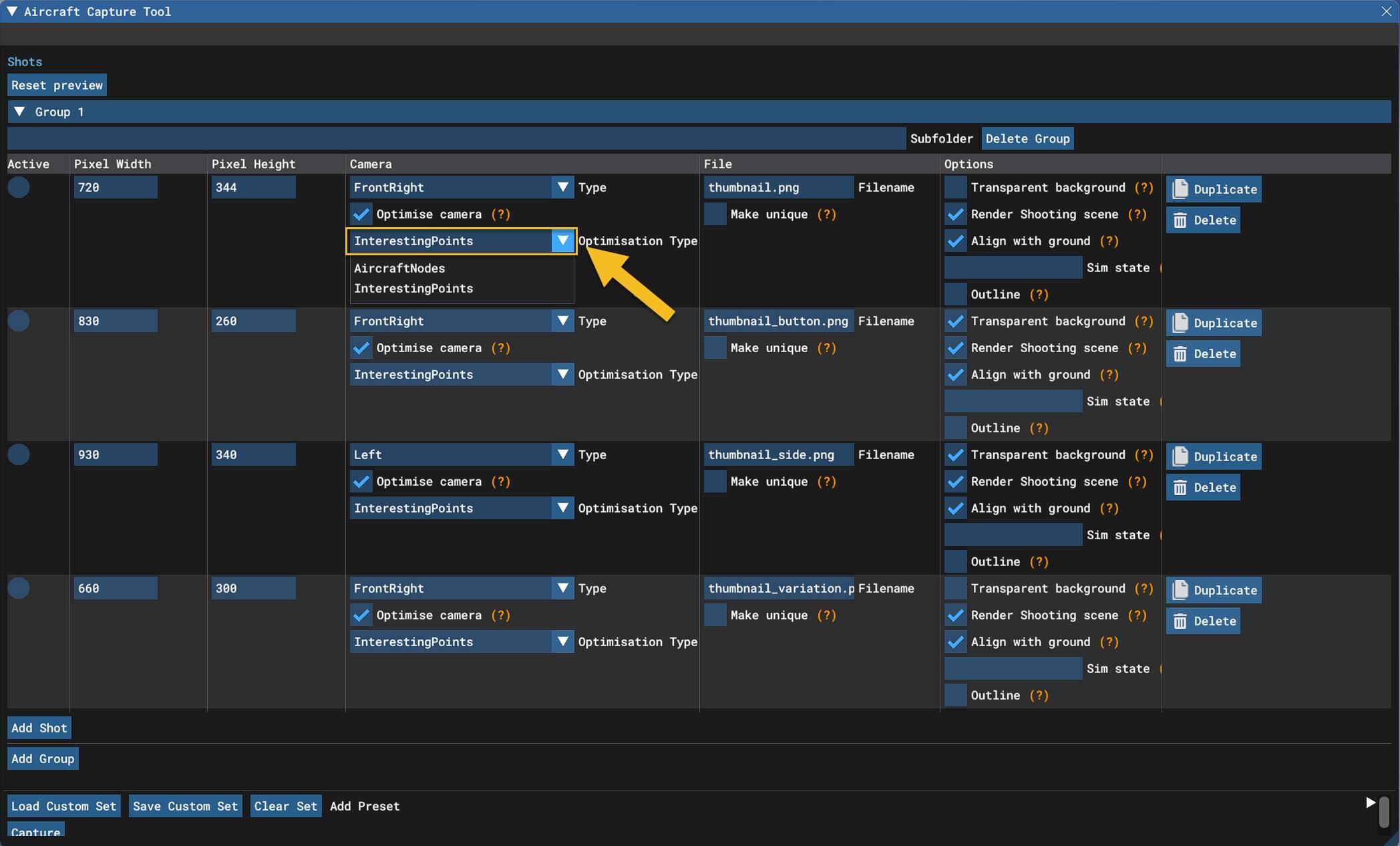
You’re doing it the hard way. Have a look at this. Looks like they are working on batching capabilities too. The Aircraft Capture Tool
Thanks for that information. I gave it a go and it is neither intuitive nor quick to get to the point where you can capture an image. So I wouldn’t describe this as the easy way. But once you have created a project that you can reload, it is relatively easy to get to.
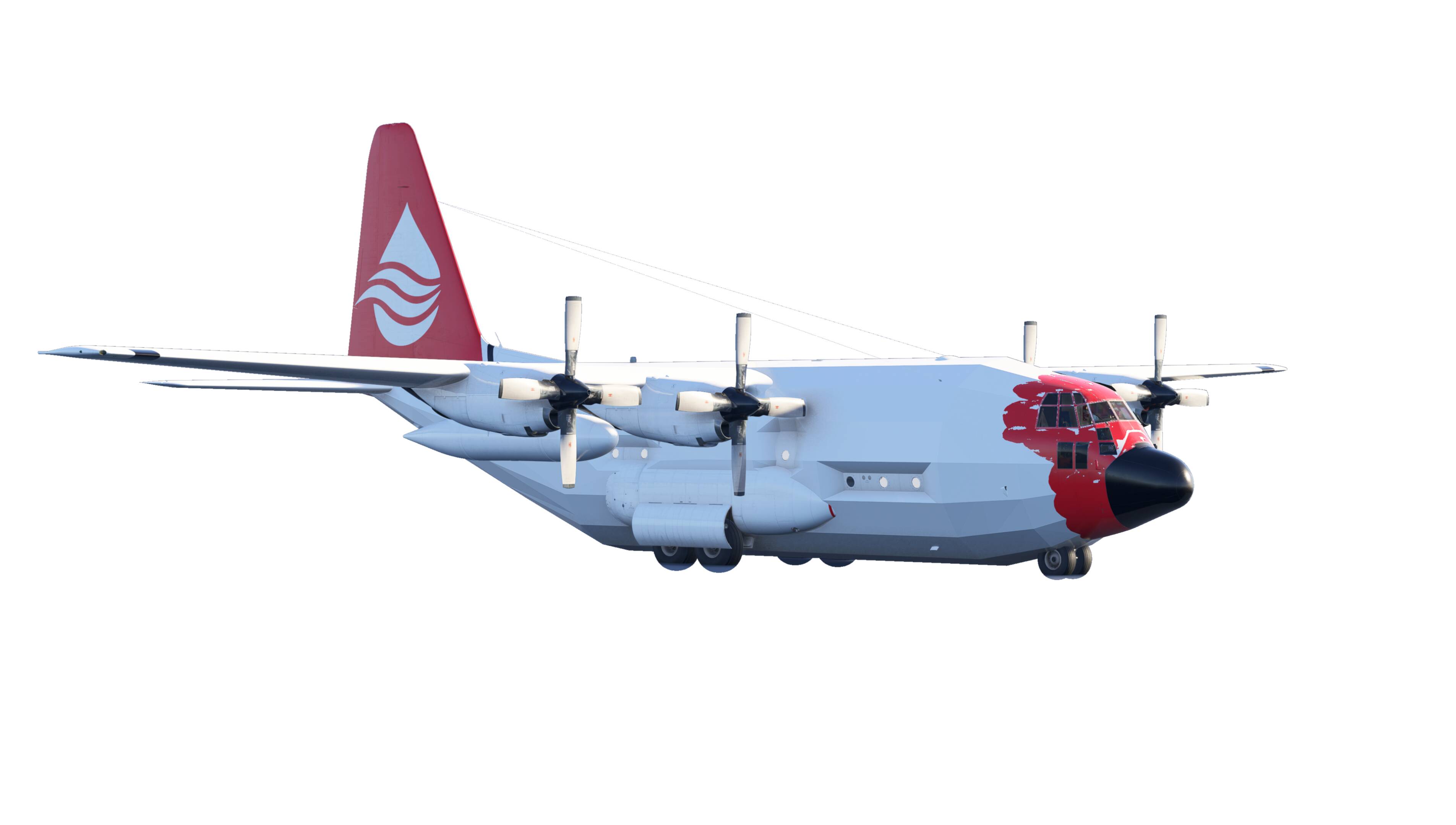
Here is the thumbnail it generated. On this aircraft at least it appears to be rendering something extra over the fuselage. Perhaps the drone collision structure. Might be just something odd about the CS C130 I used for the test.
There are lots of other view options so this variation shows the livery better.
I’m starting to like this so it might be the way to go. I’ll give a go on more of my liveries, as the CS 130 probably wasn’t the best example to use.
Edit - after a bit more testing
Another problem when you generate the side view the SDK says is required. It displays the packard for the tail number as a white square. This was a random problem that appeared in 2020 from time to time, although only in the hanger view. Probably just better to use the front right view for all thumbnails as it makes this problem less obvious.
Interesting about the registration issue. I’ve not run into that one yet as the only skins I’ve begun to convert don’t use dynamic registrations.
Make sure you flip between the “InterestingPoints” and “AircraftNodes” as this will sometimes alleviate the off-center issues you are experiencing.
Here’s a screen of the XML I have saved for quick loading in the Capture tool.
Do you have a Discord we can jump in to discuss using this tool? I’ve been using it for a very long time, and it works great. Would love to screen share with you to show you how fast it is to setup.