
At the beginning, it would report an error and crash after a period of operation. After I rolled back two versions of the graphics card driver, I successfully flew for two hours and landed, but just now when I switched to the external view, the game froze for a while, and then reported an error and crashed again. Now, I don’t know how to solve it.
Same issue. Mostly when switching from 2D to VR and back a few times. No addons, clean MSFS20.
Windows 10
AMD 6900 XT
Ryzen 5800x
32 gigs of RAM
Guys, you can try all you want, but this is clearly a software issue on ASOBOs side. It is easy to reproduce. So I see no reason why it should take long to fix.
And yeah, pointers are fun. 
In the most of the already existing topics about these “memory could not…” we mentioned so often : check the pagefile setting. A manual setting is more important if your harddisc,ssd,… is nearly full.
And that is what these Video your post from year 2017 for Windows Vista describe and you already mentioned too:
example Search in Forum about existint topics:
https://forums.flightsimulator.com/search?q=memory%20could%20not
( you may find, its not allways caused from pagefile )
here now the requested informations about pagefile, which are more up2date.
From the official MSFS FAQ:
INCREASE THE VIRTUAL MEMORY (PAGEFILE) ON YOUR SYSTEM (ALL VERSIONS)
- In the Windows Seach bar, type Advanced system settings and open the Control Panel.
- Make sure you’re on the Advanced tab.
- Click the Settings button from under the Performance
- On the Performance Options box, go to the Advanced tab > Performance
- Click on Settings
- On the Virtual Memory box, uncheck the Automatically manage paging file size for all drives
- Click to select the drive on which Windows 10 is installed (by default C:)
- Click to select the Custom size radio button.
- In the now-enabled fields, type the minimum and maximum size of the Pagefile in megabytes (MB) according to the physical memory present in your computer.
- Click Set and then click OK.
- Restart your computer.
And intressting topics about the pagefile, example
And related to the OP, which own 64GIG RAM, exist also a good topic:
Sitting in Scottland on a small GA field and doing NOTHING for 20minutes.
aaaaand BOOM…

Folks, go away with pagefile and some obscure YT videos or other snake oils .This looks more like a classic memory leak to me.
3 Likes
what you think.. can I try to reproduce that ? can you give the airfield / airplane / .. and I should try ?
Sure, but I think it’s rather a random thing.
Plane: Carenado’s C170
Airfield: EGPT Perth/Scone https://flightsim.to/file/29665/egpt-perth-scone-airport
All AI traffic OFF.
ah… with an add-on scenery and airplane. hmmm.. at least let me run the engine in a 172SH for a while  ( I will use my usually setting, with near all ultra, all live, etc - so the “full programm” )
1 Like
so.. first I checked it “vanilla”.. no issues so far and memory consume of MSFS 5 / 11 GB ( working / commited ).
Then I thought “why not try this little scenery add-on” and installed it. Airport looks much better as vanilla. The memory consume of msfs is not much higher 5.6-6 / 11.5 - 12 GB . The memory usage is not increasing over time ( and I played 20 minutes with the views ).
( the drone modus and quick looking around may need 1gig more memory, but is quiclky cleaned up ).
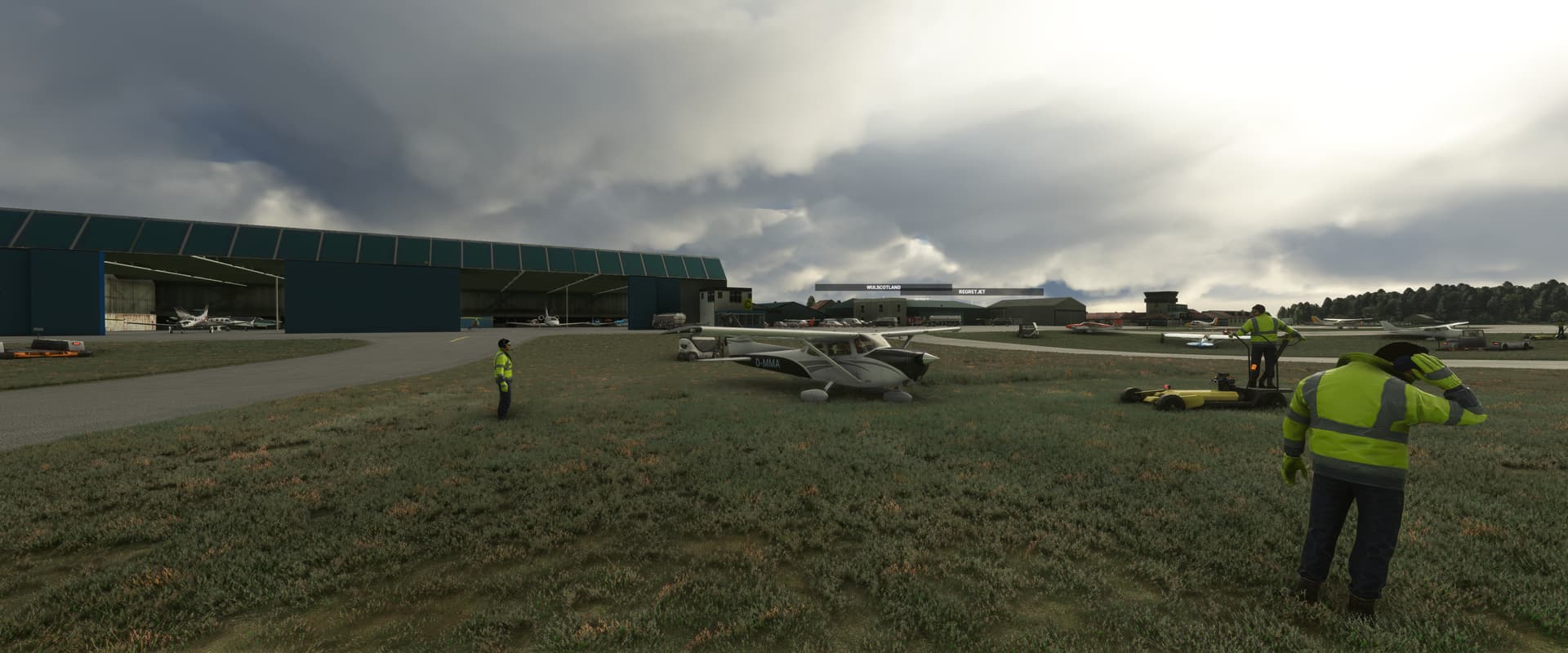
So, yes.. I can not reproduce it , as you feared.
100% not  increasing pagefile is sooo 2005…
This error pops up since SU9 beta (i guess, maybe after SU8) Asobo is in response for this, not you,not me and not the end users et all.
Nobody should fiddle around with his OS to get this sim running without CTD’s.
@ Admins, can you please bug log this issue?
4 Likes
Thanks Micha, as I thought. This randomnes makes it difficult to tackle down the exact reason for the CTD’s
1 Like
ähmmm. I have to agree with JetMocha6156 in the point to check at least the pagefile ( or set for a test a sufficent minimun value ), simple same as we already mentioned former in the topic. Also a sfc /scandisc can not be wrong ( needs a minute ).
We had realy strange cases in forum where as example the free disc space of users hard/disc coming very low and the system no longer increased the pagefile as necessary ( there are build in rules when windows can increase etc. ).
For users it’s may its better to check/try it, and it was not the reason - as never checked and it was the reason. Of course it must not the reason for all users, but checking is for free and at least for JetMocha6156 it was helpfull.
And I also with you: the count of reports about these “memory could not read” are increased since a short while, so a relation to the SU8/9 may also not unlikely ( but there must then a reason why e.g. I not get this error ) 
1 Like
Guys, please post your specs.
My ones:
Win10
AMD Ryzen 7 2700X
Sapphire Nito RX 580
32Gig Ram
Been happening at the end of nearly every airliner flight for me.
Win11
i7 10700k (no OC)
ASUS RTX3080
64gb of RAM
This was KLAS-KFLL

Ok, I have just flown 2 successful flights with no memory errors, WHY, I have no idea, but I will share what I did anyway, note, both flights were with add-on planes, one the Stearman short hop across the bay, and one with 414 Chancellor, from add-on airport San Louis Obispo to LAX WITH the TDS GTNXi enabled and autopilot on, scattered clouds, simple traffic on live.

All I did:
I updated every addon I could find an update for, for me, there were only 2 (at this time) the 414 Chancellor and the TDS GTNXi.
THEN I remembered a fix that I found in my neverending searches that for some reason made sense to try, GO HERE:
C:\Users\username\AppData\Local\Packages\Microsoft.FlightSimulator_8wekyb3d8bbwe\LocalCache
RENAME (don’t delete JIC) the content.xml file to something like what I did in my picture (you can see that I have done this several times with no issues from my renames and did it just last night)

I then started up MSFS let it make the new xml, took actually about 5-10 minutes for it to complete for some reason, then shut down the sim and re-start it…and load a flight.
NOW, you can try this OR you don’t have to, it’s up to you, and YOU are ON YOUR OWN!! I am not a tech, I just found this in a Reddit forum some time ago while looking for another issue.
BUT what I am thinking is this, I never emptied my community folder (or renamed it) when updating, and THAT is what Asobo recommends, so it must be for a reason, so it makes sense that after “major” updating the sim needs to reestablish the “content.xml” file, BUT if you don’t empty it before updating it just uses the old one, which is what “could be” causing errors???
Again I am NO tech, BUT this worked for me and I am flying sooo, take that for what it’s worth!!
Good luck!
OH and my specs:
EVGA Z590 Dark (1.07) ; intel 11900k ; RTX 3080 FTW3 Ultra ; 32G Corsair Vengeance 3600mhz ; WD Black M.2 SN850 Gen4/Windows 11 Pro ; WD Black Gaming M.2 ; Creative AE-7 ; 4 - 4TB WD Black drives.
1 Like
Got also same memory error, many times since last week. I did not see this error until I updated to sim update 9
Windows 11
Ryzen 7 3700x, no overclock
Asus RTX 2070, Nvidia 512.59, no overclock
32GB RAM
Basically, unplayable for me because it crashes almost instantly. It is odd because it was fine during SU9 BETA.
Windows 11
Intel 10900
RTX 3080
64GB
Have tried:
Empty Community
Deleting Content.XML and DAT index files from cache
Deleting/disabling rolling cache
Tried some of the pagefile.sys idea (highly doubt this is related)
Different planes and airports
Safe Mode
Rolled back to older video card driver
Super frustrating. Spent the weekend tinkering with it.
2 Likes
I have joined the memory error club also. I have never had a memory issue with the game until today. (SU9).
1 Like
Same. Twice now since SU9. Never happened before. Interestingly enough the second time my game froze for a few seconds and then the memory error popped up, but the game resumed in the background. I chose not to press ok on the message and just continued flying. After landing when I pressed the closed button the sim also closed.
Same here, never happened before SU9 and now the game is simply unplayable since i got CTD at EVERY. SINGLE. FLIGHT.
1 Like