 Thank you for using the Bug section, using templates provided will greatly help the team reproducing the issue and ease the process of fixing it.
Are you using Developer Mode or made changes in it?
No
Have you disabled/removed all your mods and addons? If the issue still occurs with no mods and add-ons, please continue to report your issue. If not, please move this post to the Community Support section.
I get the same error pop up with or without addons.
Brief description of the issue:
MSFS does not load instead it shows an error pop up as shown in the provided screen shot. MSFS was working normally last time I flew which was about two months ago. Now when I start MSFS I get the error pop up something about unsupported 16bit something. I have no idea what this pop up window means. I don’t know if this is a bug or if my MSFS installation is corrupted somehow.
Provide Screenshot(s)/video(s) of the issue encountered:
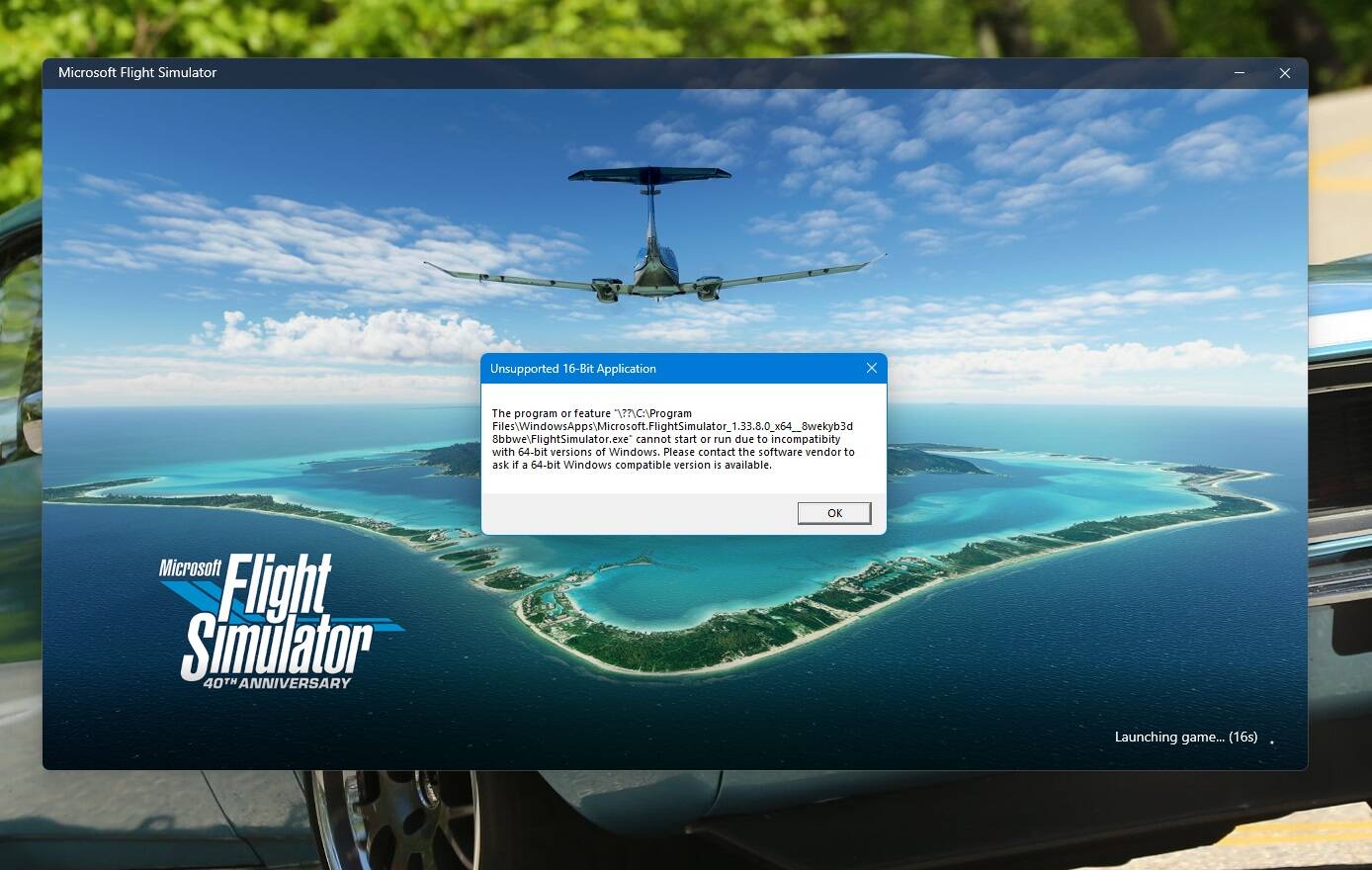
Detailed steps to reproduce the issue encountered:
All I have to do is start MSFS and I get this error as soon as the program starts to load.
Many issues may be due to an outdated graphics card. Please state your Graphics Card Driver Manufacturer (NVIDIA, Intel, AMD) and Version (Learn how to find your current graphics card driver version):
Nvidia driver 546.17
PC specs and peripheral set up:
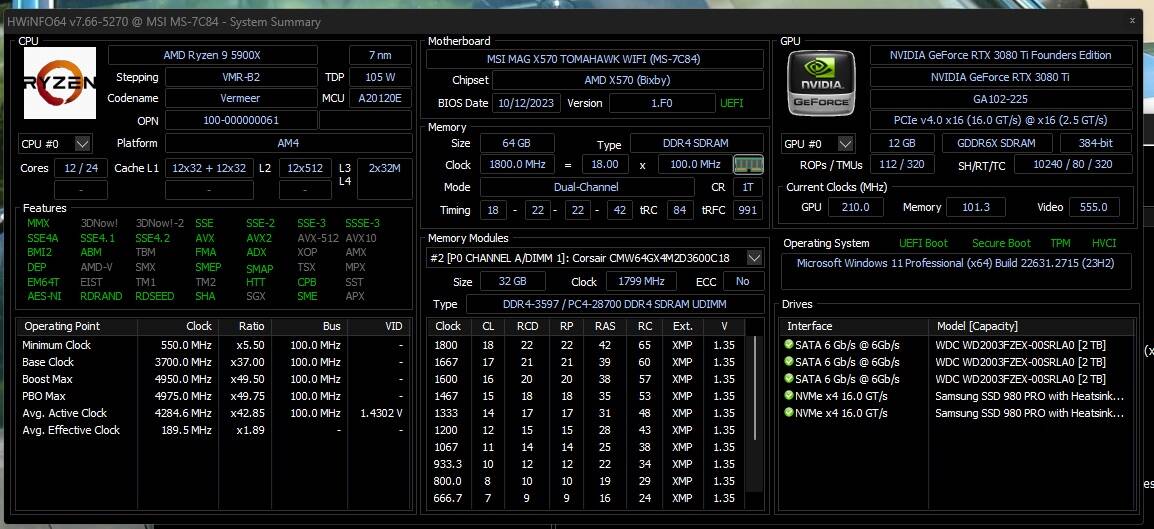
I have a Honeycomb yoke, Honeycomb throttle and Logitech rudder pedals
If on PC, Fault Bucket ID - Instructions here - Please type in just the Fault Bucket ID # rather than a screenshot for privacy reasons:
No event 1001 logged
Build Version # when you first started experiencing this issue:
Assuming you mean Windows, 11 ver 23H2
 For anyone who wants to contribute on this issue, Click on the button below to use this template:
Do you have the same issue if you follow the OP’s steps to reproduce it?
Provide extra information to complete the original description of the issue:
If relevant, provide additional screenshots/video:
If on PC, Fault Bucket ID - Instructions here - Please type in just the Fault Bucket ID # rather than a screenshot for privacy reasons: