I hope the devs just take notice of how folk are having to find this level of workaround to enjoy the sim.
Jeez, this has become almost impossible to believe it has got to this! 
1 Like
interesting. yes, the plan was imported into the EFB.
if i was in free flight i wouldn’t be touching ATC with a barge pole. unfortunately in Career there’s no way avoid using the EFB, and while you can limit ATC to departure and arrival by cancelling IFR, it’s still running in the background. 
i’ve started using GitHub - IgorMundstein/WinMemoryCleaner: This free RAM cleaner uses native Windows features to optimize memory areas. It's a compact, portable, and smart application. to (hopefully) deal with memory leaks. maybe it’ll help, maybe it won’t.
Trim tank remains full of fuel for entire flight. A330-200
I’ve flown the Inibuilds A330 series now for a handful of short and long haul flights. Here is my feedback:
-
I generally like the plane and its variants, importing flight plan, weight and balance from simbrief works well. It’s very easy to set up and start a short or long haul flight.
-
I really like the ground handling and braking, it has weight and momentum compared to so many of the other first party planes.
-
Loading passengers via the MSFS EFB brings the simulator to its knees performance-wise. I’m not sure if this because of the number of passengers in a larger plane like this, or if it’s to do with the A330 itself, but it makes it difficult to fly with the sim’s native passengers visible in the cabin (like the MSFS trailer shows…)
-
Longstanding issues reported by many with Inibuilds sounds - the sound levels are not in line with each other. The sound of the airconditioning packs in the cockpit are so loud you can’t even hear the engines. It seems the cockpit pack sounds are tied to both “Aircraft Miscellaneous” and “Cockpit” in MSFS Settings > Sounds. Perhaps the sound file is doubled up? Same in external view, the engine sound in external view is much louder relative to external view of any other first party planes (eg, Boeings).
-
The Fuel burn does not obey Sim Rate - if you increase Sim Rate 2x or 4x (eg, on long haul flights), the Fuel burn remains at 1x, resulting in too little fuel being burned, and you can be overweight landing.
-
The Chrono also does not obey Sim Rate
-
The A330 spontaneously disconnects Flight Directors and Auto Pilot quite often, by doing any of the following: Esc to go to Settings and then Resuming, or returning to Cockpit view from a period of time in Exterior or Drone view. It’s a bit random, but it happened just now - I’m mid flight at FL390 in clear weather, virtually no wind, and I went to Settings to find the names of the Sound sliders affecting cockpit sounds, and when I clicked “Resume” the AP and FPs were off, and there were EICAS warnings about brakes being hot and TO inhibited (I’m at FL390 already, lol).
-
TCAS seems broken, in multiple ways. I think it is detecting traffic, but the A330 will think a plane that is 60nm away is a threat and turn the PFD vertical speed tape red/green and demand “descend, descend now”, non stop. I think the problem is how the plane is calculating distance.
-
Like many of the first party aircraft, it seems the art was hurried for MSFS 2024 a year ago. The A330 exterior model suffers from the same weird LOD issues in external view as, for example, the B787 - specifically, at certain viewing distances, the doors literally come off (see photo)
-
In spite of many light sources, there is no ambient light in the cockpit at night - the non-illuminated parts of the panels and buttons (eg the radio tuning knobs) are in pitch black.
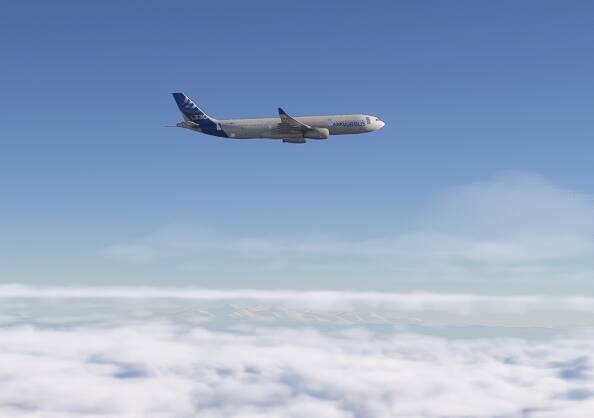
Overall, I hope they can find/fix the cause of the FD and AP disconnects, and improve the sound levels relative to each other.
4 Likes
This is one of the most beautiful planes in the world. I hope Fenix will go for it.
6 Likes
- I came back to this plane after a long hiatus and I am really enjoying it. Everything seems to work. Still some quirky things like not being able to remove the chocks using the EFB and importing the Simbrief flightplan. But overall a pretty good plane for a default aircraft.
I noticed the Microsoft A400 in MSFS2020’s marketplace today. Will the A330s also come to 2020?
Does this work for career mode too?
Yes, but with Career mode it’s imperative that you also have the SimBrief flight plan in the Planner EFB app so you can send to ATC. Without that, there’s a chance you will fail the mission for deviating from the default mission route.
1 Like
I was reading this thread as I am trying to learn the 330-300. But am getting concerned at the amount of reports after SU4 about the no of mission failures and auto pilot failures.
Yesterday I set up a simbrief plan and took off with a ridiculous waypoint in FP which I could not clear. I thought I would take off anyway and try to clear it enroute, no matter how I tried to clear the dodgy waypoint it would not do it.
I don’t know if it is a Dev programming nightmare to have so many different ways to make and send a FP.
Sounds like there might have been an error in the departure route. These are pretty rare where it picks a waypoint with the same name on the other side of the world. You would use the DIR button on the MCDU when you are about to get to the waypoint before the error and in there you can chose a waypoint to go direct to, getting rid of the error. I feel like you maybe can’t delete waypoints if they are part of a departure route but I could be wrong as I’ve never tried it
It is all quite messy. The EFB was done by Working Title who also do the avionics for the 747, 787, Longitude etc. Those aircraft had Simbrief integration in 2020 but it was removed for 2024 with the sim flight planner being intended as the method of doing a flight plan. But the Airbus airframes were all done by inibuilds who clung on to using simbrief. I believe you can now send the flight plan from the EFB to the aircraft now for these but I don’t use that as EFB flight plans, especially longer ones, cause performance degradation
1 Like
Thanks for your reply. I think you might be right about the sid. It started departing from the route fairly soon after the 1st waypoint. Surely a sid should not be sporting an abnormal waypoint. This was out of Brussels to Stockholm. 26R if I recall.
Still my fault for not connecting the sid waypoint error. I saw the FP in simbrief and it didn’t show an abnormality but I did see it in sim EFB and deleted it, resent to avionics.
Oh dear, I need to be more vigilant.
in my experience it’s not rare at all. it happens at least every second flight.
to remove the bogus VOR, add a new, corrected WP immediately before or after it. you can then delete the incorrect WP and the discontinuity. it’s not clear why you can’t delete it beforehand, but then unclear bugs are so much part and parcel of  now that honestly I have to regard them as features. it’s like you’re earning your bug-workaround typerating.
2 Likes
Have Zero Chance, Because Fenix is only capable of using ProSim, and ProSim does not have the A330.
FSLab is the only one to have announced an A330 for MSFS, and it is also possibility to have Tollis with Aerosoft in the ‘Pro’ version of their A330.
1 Like
I haven’t flown an Airbus on the sim for the best part of 2 months since the PMDG 737-800 released but prior to that flying the A20N and A330 almost daily, I can’t say I was ever encountering these issues. But part of the reason for that could be that I was somehow only flying airports with RNAV departures that didn’t involve any VOR fixes
Normally if you try to add a VOR into your flight plan, it will list all with that name for you to pick which one you want and they should be ordered by distance but I have a feeling that in the inibuilds Airbus airframes that this is rarely the case and that it sorts them by ascending frequency instead. So it could well be picking the top one when it lays out the SID which will almost never be the correct one?
1 Like
According to the head of Fenix from a post last September, they have branched off from ProSim and are licensing their own custom software. This limitation no longer applies to Fenix.
2 Likes
The sid it chose for me was on page 2. I think a valuable lesson has been learned for which is never assume that sids and stars are correct!
I more mean if you are manually adding waypoints. If you add a VOR, it will show a list of options for you to chose from and you have to pick the one with the correct frequency for it to know which one you want. This should be the first one but like I say, I’m not convinced that it often is and so the SID might be automatically picking the top one assuming that it is the closest one rather than picking the correct frequency one
Edit: What Airport and SID was it anyway out of interest?
Brussels, I think 25R.
always check estimated fuel on arrival in the MCDU. if it’s -99 tonnes, then you know one of the 3-letter navaid (VOR/DME/NDB) waypoints has been chosen incorrectly.
3 Likes