Please contact Microsoft Support at: https://flightsimulator.zendesk.com/hc/en-us
I’ve seen a few reports of missing content in other areas of this forum, so it does seem to occur for others as well. Unfortunately that’s beyond our access to assist with.
I’ve still got a defunct EFB. Can click through the tabs but can’t apply any loads or fuel. Raised a ticket back in December but heard absolutely nothing back
We do not know why this occur - its an Xbox-only issue, the exact same files work fine on PC.
We have raised to Asobo and expect a resolution soon. We have very limited debugging access on Xbox, so entirely rely on them to review the issue.
2 Likes
Overall having a great time flying the C-17 but have noticed an issue I have been having only with this airplane and not others. I seem to have pretty significant ‘CoherentGTUIThread’ stutters It’s hard to capture with a screenshot but while I fly it flickers between limited by “Main Thread” and “CoherantGTUIThread”. Any idea what could be causing this for me?
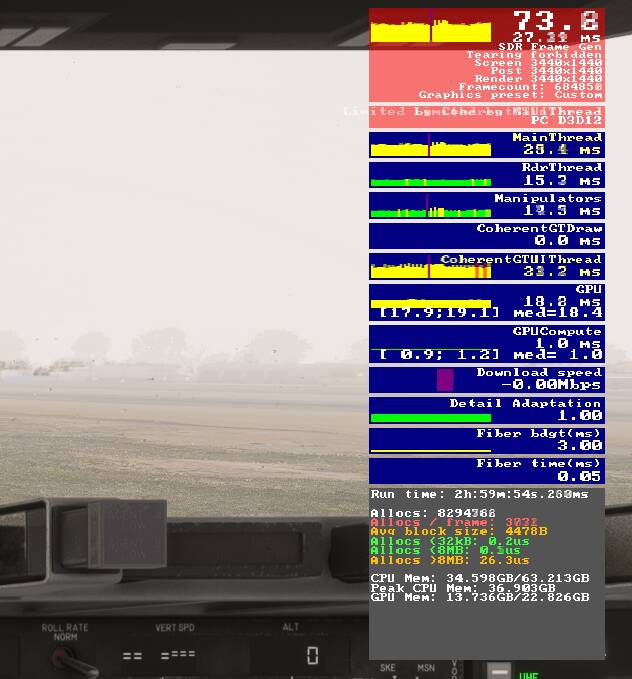
Yes, this is a known issue with FS24. We have reported it to Asobo: Coherent has a MASSIVE performance impact on FS24 - #30 by vantech - HTML/JS - MSFS DevSupport
Coherent impact is directly tied to Glass Cockpit Refresh Rate on your FS24 settings. Decreasing that setting will decrease the impact of Coherent. Many other aircraft are not impacted by this (eg. any IniBuilds aircraft) as they use WASM instead of Coherent - different technologies.
2 Likes
regarding the VR scaling issue, if you guys don’t have VR users on your dev team, why not expand your beta or ask some around here to test out possible fixes or testing? i’m sure small test cases using a simplified 3d model can be built to try out few things to isolate the problem. asking Asobo for debug help while they sort out 2024 is asking too much of them.
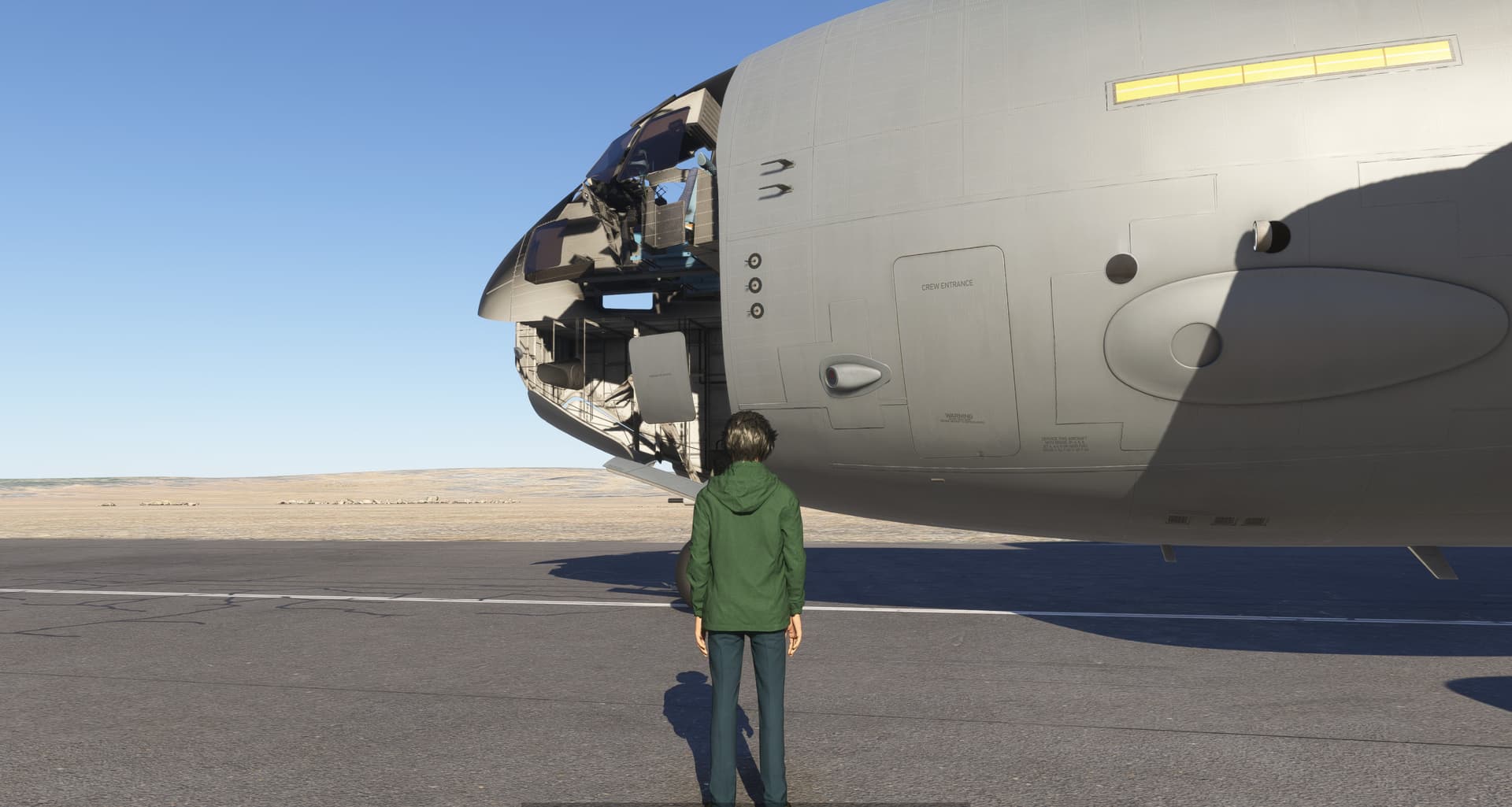
That was already discussed in the Main C17 thread and the devs have a solution prepared.
This has to do with the way walkaround is treated in regards of camera variables and LODs.
The easy solution: When in Walkaround mode, make sure your camera is set to EXTERNAL and not COCKPIT.
There is a proper fix in an upcoming update.
Discussed in detail here: [MSFS2024] Boeing C-17 Globemaster III - #239 by GeeStoerty
Right, I made a new post in SU1 beta as a bug and they merged it with this one. Still looks like a bug to me, but you guys can put it wherever you want to, what do I know.
Ah, nice, another work around for the billionth bug in the game. How is that update coming along? We get a date yet?
Great news - Update 1 is now available along with SU1.
Full changelog is available here: Release Notes - Microsoft Flight Simulator 2024 Sim Update 1 [1.3.23.0] Available Now
2 Likes
Is still not deploy for me
Anybody having landing gear issues after SU1? They won’t retract… gear handle in up position, HYD pumps all on and at ~4000psi, spoilers, flaps, ailerons, rudder and elevators working correctly.
Update: Reset the flight and the gear retracted. Don’t know what happened there. Same config as first attempt.
Did you remove gear pin on walkaround?
Gear will not retract if gear pin is set
Walkaround is most annoying thing in MSFS2024. I really hope they will do this optional.
When online users have the C-17, their C-17 is broken with its external textures, regards.
Its an LOD issue, known problem. Will be addressed in future updates
2 Likes

This is a long-time MSFS issue, happens in FS20 and all other aircraft
2 Likes
No… on either flight. I don’t remember if I had to remove any covers on that second flight or not. Is it possible that initiating a restart mid-flight will result in no ground covers/pins installed?