Ugh, still that mickey mouse icing effect… Icing doesn’t look like that, but they keep slapping that onto planes…
2 Likes
How did you manage to do that? I feel like the Garmin is still the oooold one from Asobo[1], not the new WT one. At least, it doesn’t quite behave like I’m used to - especially that it blinds me at night:
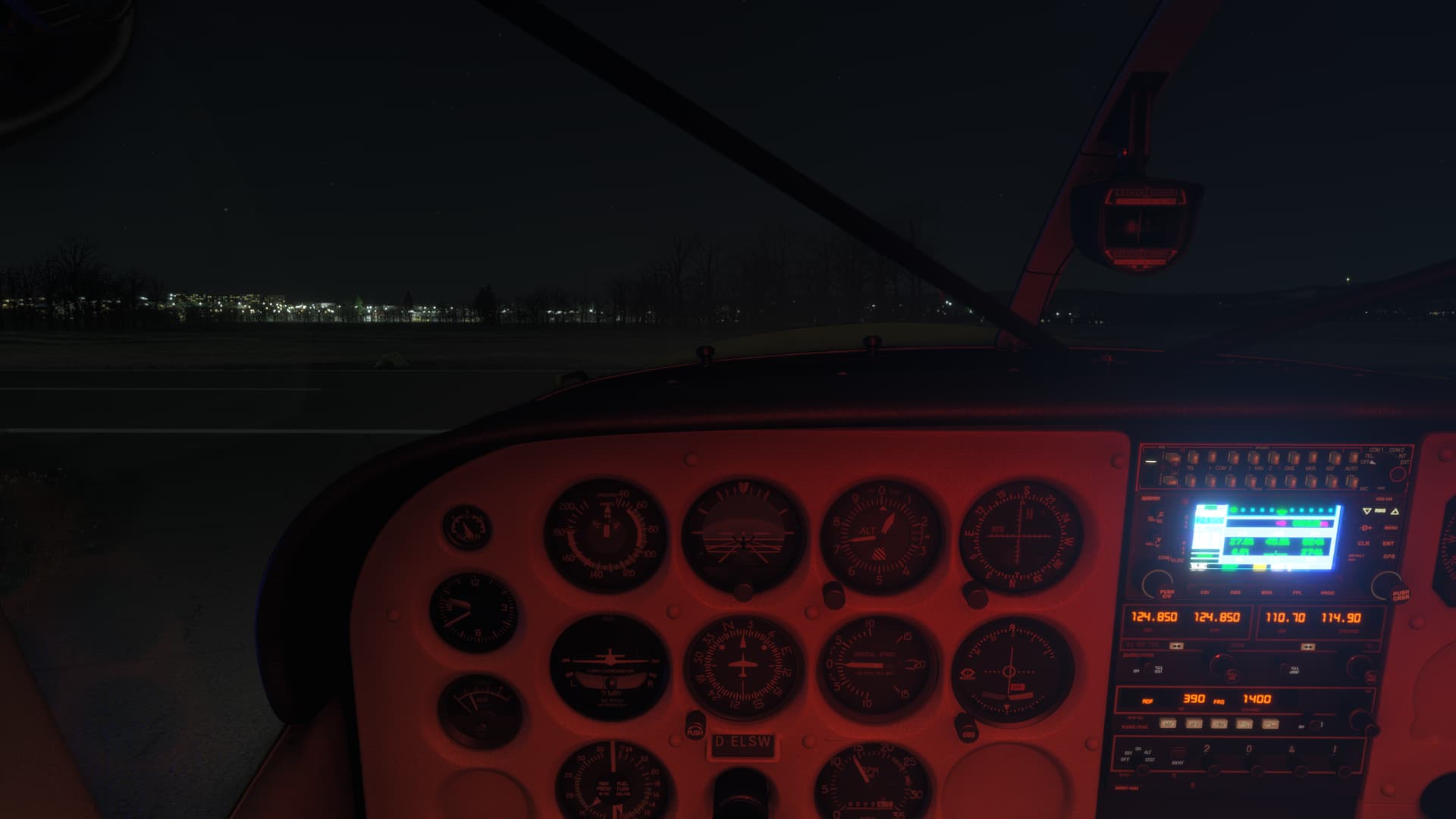
When I first did a flight with the 182 (sic!) in 2024, I also had that - which puzzled me as I replaced it in 2020, so the difference was quite big. ↩︎
3 Likes
You’re using the Working Title version.
1 Like
Strange, as the attachment says AS530, not WT530… I’ll file that under lighting bugs not quite resolved then. Thanks!
See also: GNS530 too bright at night, any way to lower brightness? - #4 by HarvesteR7082
The font is a dead giveaway it’s the Working Title version.
1 Like
i have same issue. I dont know about this thing Working Title… anyway, is there any solution to these bright lights?
I don’t know if the controls will work, but this is how it’s supposed to work:
- turn the outer right knob right, one click
- turn the inner right knob right, four clicks
- highlight and select display
- select manual in the window that appears
- adjust the slider that pops up
edit: doesn’t work. The settings page is not available on the WT430
Am I just being stupid or is this plane missing many important keyboard shortcuts that already have assignment options available in the sim?
- Primer
- 2 fuel pumps
- Fuel selector
Individual switches for:
Cabin Lights 1
Cabin Lights 2
It’s so frustrating trying to set up a plane with peripherals only to find so many a missing or not functioning properly.
Well it was free. It is very nice for a freebie. Actually it flys very nicely for a freebie!
1 Like
Third party software is the answer if on PC. The default bindings in this sim are flawed.
Is that possible with this? Do we know the Lvars since it is streamed?
What is Working Title version? Can i change this to other version? Sorry, i never knwe this before…
No you can’t. It’s the older one that came with MSFS 2020. This current one from Working Title is much, much better.

The GNS430 in the 185 is definitely the new/current/2024 version from WT as shown on the startup screen. Not sure if this maybe got updated yesterday with the SU1 aircraft changes or if it was always this way.
1 Like
It’s not a freebie, we worked hard for this as a FS2024 beta tester. Its our hard earned salary  . MSFS is like one of those pay-to-fly schemes, you pay for your own type rating and then you pay your own salary (i.e. you work for free).
4 Likes
I got mine for free.
Chances are it being an Asobo aircraft that it’s not LVAR’s but B events. Yes it’s possible to control streamed aircraft. Haven’t looked at this one specifically though.
1 Like
The engine wont start after pressing Ctrl + E. It turns off after 10 seconds… why???
1 Like
Can‘t reproduce that. Do you have fuel in your tanks or maybe a hardware mixture lever that’s set on cutoff?
1 Like
No sorry i didnt removed the cover from the engine … omg
2 Likes