So I had another test flight and managed to get the autopilot working.
But before I go into that, a word of warning. You are told before take-off to engage take-off trim. You must disengage it again immediately after take-off or you will be unable to trim the aircraft and it will just want to keep climbing.
If you have really good eyesight you can see whether T/O TRIM is off (button up) or on (button down). A binding for it would be nice.
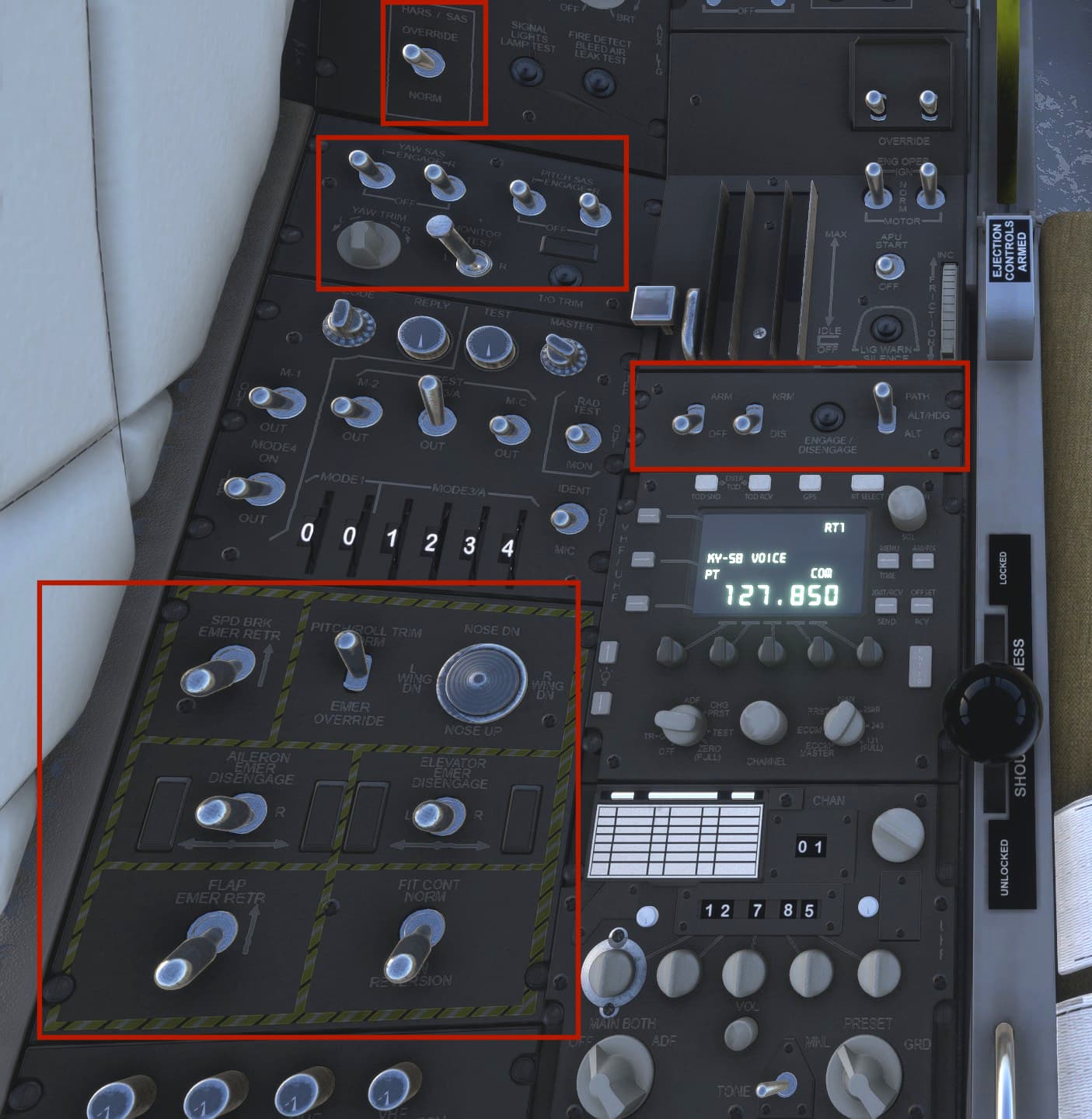
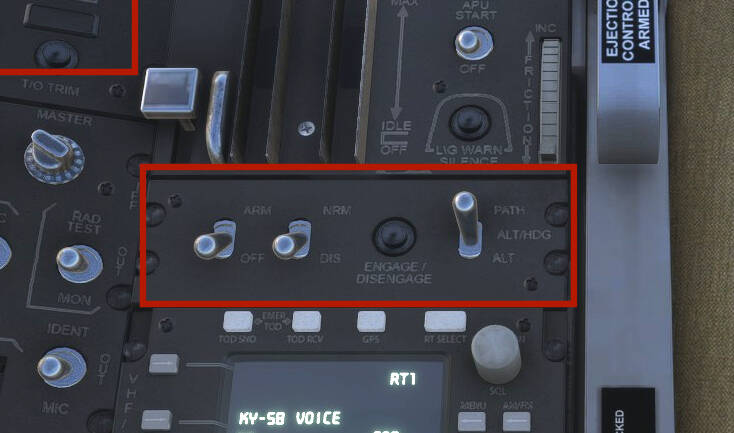
Here’s a shot of the autopilot controls, cropped from a picture I posted earlier (you can just see the T/O TRIM button in the upper left corner).
The left-hand switch has to be at ARM before the autopilot will work. The switch on its right turns the radar altimeter on or off. The autopilot will not follow the radar altimeter at low level, which I tested by almost flying into a mountain.
The button to the right of the radar altimeter switch, which is exactly like the T/O TRIM button, turns the autopilot on and off. Luckily my TOGGLE AUTOPILOT binding works with it and I can see whether it’s on or off by the annunciation in the HUD.
On the right is a three-way switch, selecting between three autopilot modes.
PATH is roll/pitch hold.
ALT/HDG holds the current altitude and turns the aircraft to the heading selected by the heading bug but allows you to adjust that heading using the knob on the HSI.
ALT holds the current altitude but does not allow the heading to be changed while it is engaged. The heading locks to the direction you were pointing at the exact moment you engage the switch, so if you’ve drifted away from that heading because you were banking, there may be a little hunting before the autopilot settles down to the direction it wants.
The heading bug will appear to be locked to that heading but in fact you can still adjust it. You will see it move flickeringly to where you want it before it snaps back to the current heading. If you then switch from ALT to ALT/HDG mode the plane will turn to the heading you did your best to select.
Annoyingly, my heading knob bindings wouldn’t work, and I had to adjust the heading by turning the knob or dragging the mouse. I like me my heading knob bindings, the less mousework I have to do in VR the better.
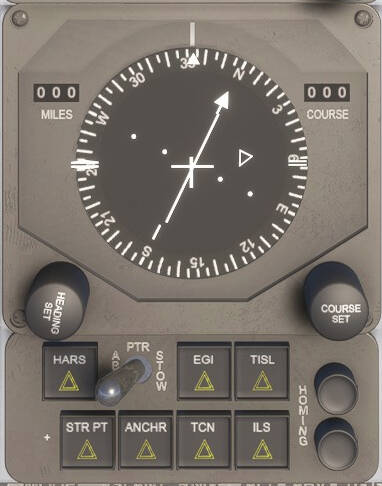
The next mystery is posed by this panel below the HSI:
The switch is inop. The TCN and ILS buttons feed their respective navaids to the ILS but beyond that I have no clue. If you do, feel free to chip in.