Calling all Navigraph fans and users - can anyone provide any specific examples of actual navdata used by the sim that a user can verify where the Navigraph data is more detailed, more accurate, or different in any way than the default navdata?
I’m a Navigraph subscriber myself, but have never been given a valid reason to use the Navigraph navdata over the default.
Edit: To be clear, I’m not asking about the charts nor the fact that some third-party aircraft are only compatible with Navigraph navdata. Simply looking for comparisons of the default data found in aircraft avionics versus what Navigraph injects.
Can you give specific examples? And are those airports in the sim?
I’ll have to grab the exact airport codes when I get home, but I’ve seen dozens (thanks to Career mode) that are in default navdata but not in Navigraph.
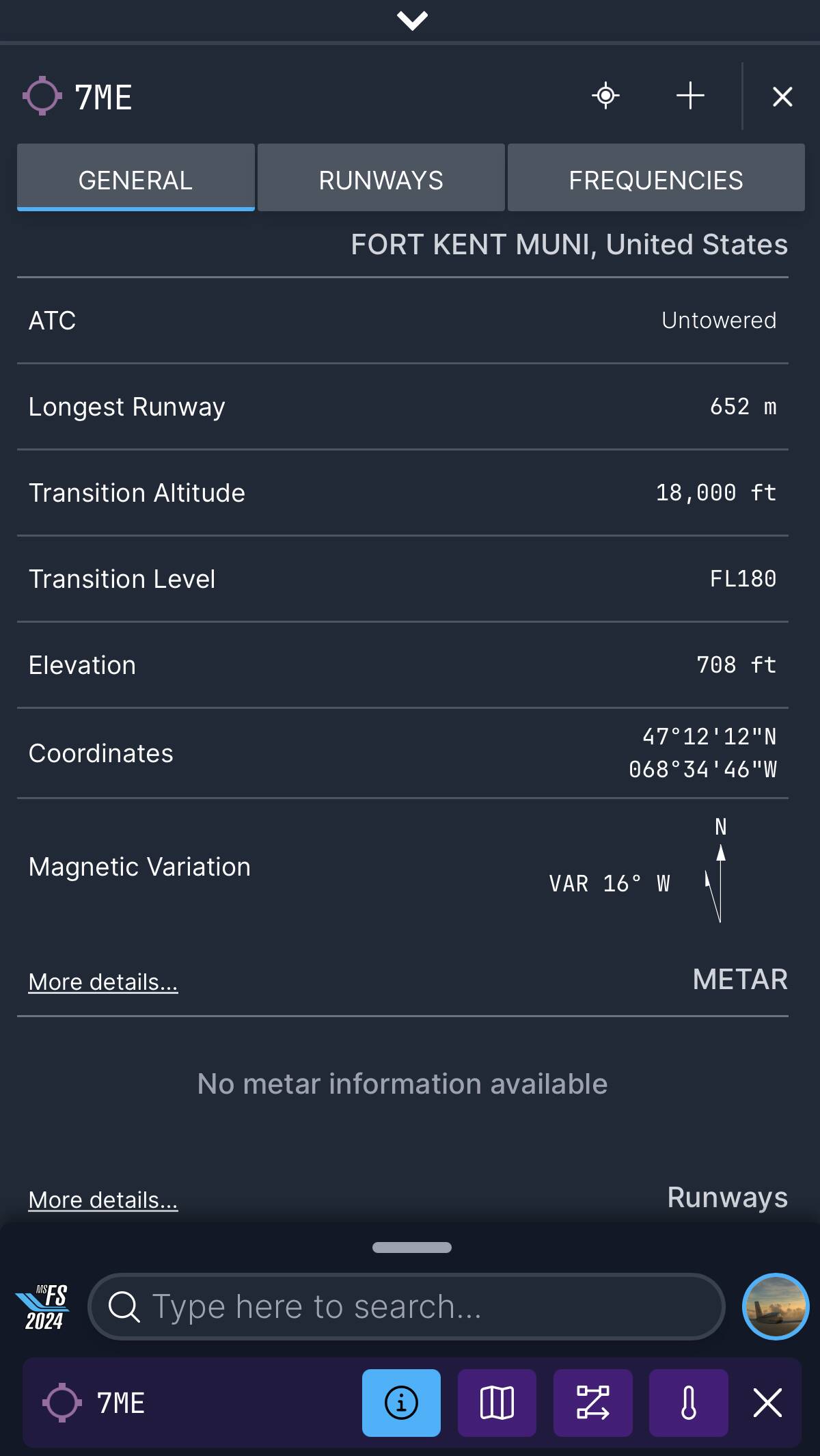
I’m talking about with GPS units and the world map. It shows up under KGOB (which is wrong). With Navigraph and the flight planner it shows up under 7ME.
I cancelled my Navigraph Navdata subscription this month. I fly MSFS2020, but I play so infrequently these days, I couldn’t justify it.
If I ever recapture the bug to fly regularly again, I’m buying MSFS2024. From what I’ve seen so far, the LIDO data, LIDO charts, FAA charts (for the USA), and integrated flight planner (web and EFB versions) that are all standard now is all I would need. The Working Title team and Microsoft made huge progress here and removed nearly all the value a Navigraph subscription had for me. In fact I could argue the MSFS2024 stock solution is better since I never had charts before.
I’m specifically looking for ways that using the Navigraph Navdata (not charts, not the planning, literally just the data updated each AIRAC cycle and what can be updated in aircraft avionics) is advantageous over the default.
You’re honestly asking the wrong people (users). You should be asking the numerous developers that have all chosen to use Navigraph data in lieu of the sim’s own native navdata: my personal experience includes PMDG, Flight1, and TFDi but I know there are others.
UUMU in Moscow. EFB Has it as a destination. I could not use it to plan a flight in navigraph. I had to use Sheremetyevo as closest to try and see where restricted airspace were. I think it is generally the military airports (unless the updates have changed that since I flew that route)
Not only is the Navigraph database more suitable for our use, but it is also far easier to work with, using fewer CPU cycles and less memory. It is just a superior option for products such as ours.
Absolutely, but I’m looking for ways it is beneficial to users. What is different in the front-end experience between the two? Because unfortunately without that it just boils down to developers passing on effort (in the form of purchasing a subscription) to the users instead of doing it in a way that doesn’t require such work from the simmer. @DrVenkman3876 Similar reply to your sentiment as well - I don’t care if it’s “easier to use” by a developer, if the results are the same for the end-user, we’re being asked to pay for something simply to make the devs lives easier, and I’m not a fan of that.
I would argue that a (large?) portion of the ubiquitous use of Navigraph in many third party planes is just because there wasn’t a viable alternative. Navigraph found a clear hole in flight sims and filled it with a good product and offered great support. Their forum and their face to the customer is really great. Richard in particular.
The new stock sim implementation in 2024 has a large hill to climb due to the inertia it must over come.
That all said, it’s free, it’s being actively improved, and they are offering API access for third party devs to use the Navdata in their planes, so if those devs start migrating, there will finally be some legitimate competition.
This is absolutely true of planes developed prior to MSFS making current navdata available by default - but now that it IS available by default, I’m trying to understand why I as a user would benefit from Navigraph navdata. Also why developers would benefit from using it other than “it’s easier” which just passes the burden onto their customers by shipping an incomplete product requiring third-party products to complete.
 (unless the updates have changed that since I flew that route)