OK, let me see if I can help clear up some of your confusion.
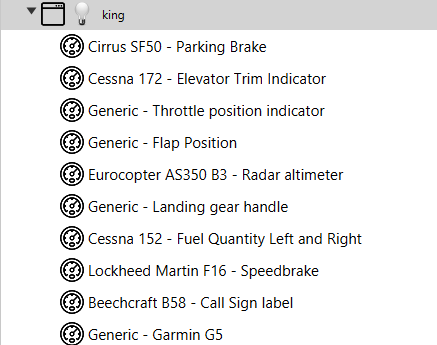
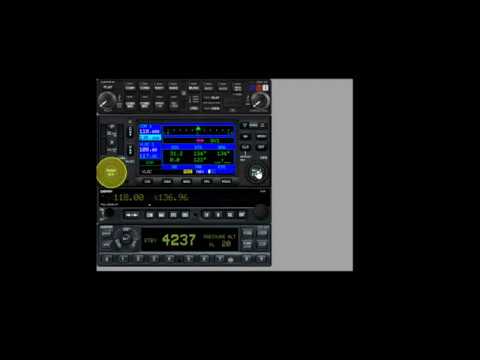
First, Air Manager doesn’t restore any functionality to the sim. It’s a standalone piece of software what works completely separately. It will display analog instruments and gauges / bezels. If you have those on touch screens, then any switch or knob becomes controllable via touch. If you have the Knobster, then you can touch any knob on your touch screen, it becomes highlighted, and you can use the Knobster to control it.
The frame rate drop you speak of only happens when you undock / pop out MSFS instruments such as the Garmin screens. This is an issue that’s been in the sim in some form since before launch. Originally, your first popped out instrument would cost you about 5 fps, then 2 fps for each subsequent. As of the VR update last December, we’re in the terrible mess where popping out anything drops you to 30 fps, even if you were doing well above 60 with bleeding edge hardware.
This means if you’re flying a plane like the C152 without any glass screens to pop out, then you don’t lose any frame rate. Or if you simply don’t pop out any screens at all, you can still use Air Manager, and lose no frame rate. However, if you want to, for example, use your G1000 PFD and MFD on popped out screens, then you’re going to take the frame rate hit. There’s no working around this. It’s a core problem with the sim that’s been utterly ignored by Asobo.
As for touch functionality, that’s completely broken in the sim itself. There’s nothing that can be done to fix this. It’s up to Asobo to fix it. AM doesn’t “restore” this or fix it in any way. What it does is provide you with instrument interfaces external to the sim and make those touch-enabled. It wont’ fix broken sim touch. If you pop out the G3X or the TBM’s GTC 580 panels, all of which are touch screens, you can’t use them on a separate touch panel. You SHOULD be, and back before last year’s VR update that absolutely killed pop out performance, it did work awkwardly, and there was a workaround you could do to make it work much more reliably. Again, this is up to Asobo to fix.
As for which version of Air Manager / Player to get…
If you plan to use popouts, then Air Manager for PC is the only one you need to get. Use Spacedesk on your tablets and they become external wireless monitors for your PC. Nothing else is needed. You can certainly run versions on multiple devices (full license required for each device you use). But keep in mind that if you intend on popping out an instrument from the sim (like the G1000 for example), you can’t drag that window over to another device running AM.
As you can see from the photo of my CJ4 setup posted by @SanMan140579979, I’m running a pair of touch monitors, an iPad, and an old Android tablet. The tablets are running Spacedesk and they work great.